You already talk to computers every day. You ask your phone for the weather, you let Google finish your sentences, and you trust your inbox to hide the junk mail. Behind all of that sits one technology: natural language processing.
Natural language processing, usually shortened to NLP, is how computers learned to read, understand, and answer human language. It sounds simple, but language is messy, and teaching a machine to handle it took decades of work. This complete guide explains what NLP is, how it works step by step, the techniques that power it, and where you already use it, all in plain English.
What Is Natural Language Processing?
Natural language processing is a branch of artificial intelligence that gives computers the ability to work with human language, the way people actually speak and write it. The word natural is the key part. It means the everyday language you use with friends and family, not a programming language with strict rules.
Computers are brilliant with numbers and terrible with words. A computer sees a sentence as a string of characters, with no idea what any of it means. NLP is the bridge between that string of characters and real meaning. It pulls ideas from the wider world of machine learning algorithms, which learn patterns from data instead of following fixed rules.
As IBM explains, the field combines computational linguistics, the rule based study of language, with statistical and machine learning models. In plain words, it mixes grammar rules with learning from huge amounts of real text.
Here is why the job is so hard. The word apple can mean a fruit or a giant tech company. The sentence “I am fine” can be honest, polite, or deeply sarcastic. A good NLP system has to look at the words around a word, the situation, and even the speaker, before it decides what anything means. Researchers have been building toward that skill since the 1950s, and you can explore the long story in the Wikipedia article on the topic.
How Natural Language Processing Works
So how does a computer go from a raw sentence to real understanding? Every system is different in the details, but this is how natural language processing works under the hood: most systems follow the same five steps.
Step 1: Break the Text Into Pieces
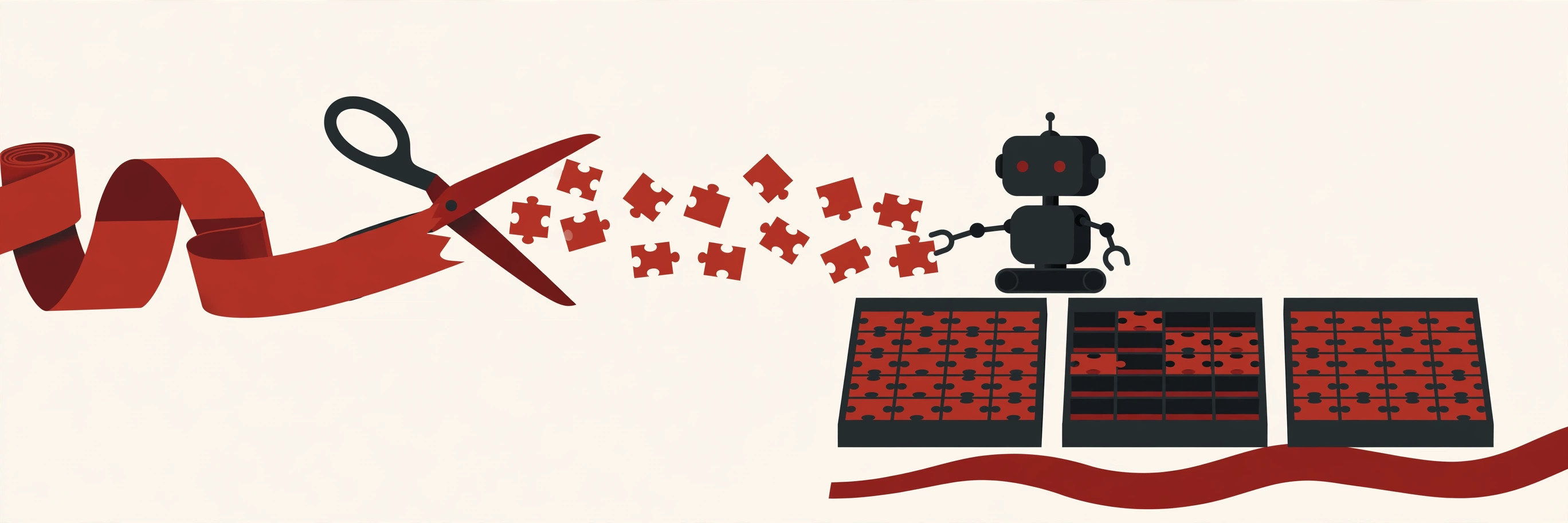
First, the system cleans the text and breaks it into small pieces called tokens. Tokens are usually words or parts of words. This step is called tokenization, and it turns a flowing sentence into a neat list the computer can count and compare. Punctuation is usually stripped away, and capital letters are often lowered, so “Dog” and “dog” count as the same word.
Step 2: Label What Each Piece Is
Next, the system tags each token with its job in the sentence. Is this word a noun, a verb, or a name? Is “Jordan” a person or a country here? This labeling gives the computer a basic map of the sentence, a bit like diagramming sentences in school, only much faster.
Step 3: Turn Words Into Numbers
Computers cannot learn from words directly, so NLP turns words into lists of numbers called embeddings. The clever part is that similar words get similar numbers. King and queen end up close together in this number space, while king and banana land far apart. These embeddings are learned by neural networks, the pattern finding models inspired by the human brain.
Step 4: Learn From Millions of Examples
Before it can do any of this well, the system trains on enormous amounts of real text: books, websites, articles, and conversations. During training it plays a guessing game billions of times, predicting missing words and correcting itself when it is wrong. This slow practice is what modern machine learning models are built on, and it is why today’s language tools feel so fluent.
Step 5: Answer, Sort, or Write Something Back
Finally, the trained system does its job. Depending on the task, it might sort an email, translate a sentence, pull an answer out of a document, or write a fresh reply. The first four steps happen again every time, in a blink, for every new piece of text you feed it.
The Main NLP Techniques
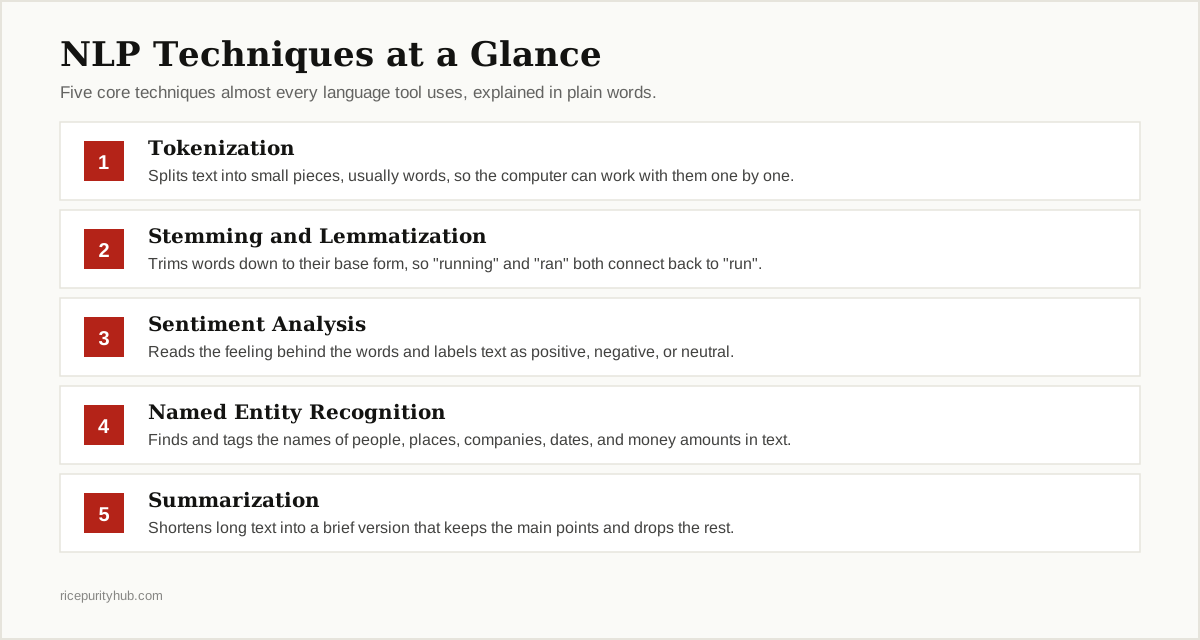
Under the hood, language tools mix and match a toolbox of NLP techniques. These five do most of the heavy lifting, and you will see them again and again.
Tokenization
We met this one in the steps above. Tokenization chops text into tokens so a computer can count, sort, and compare the pieces. It sounds basic, but every other technique depends on it. Bad tokenization, like splitting “don’t” in the wrong place, quietly damages everything built on top.
Stemming and Lemmatization
English loves to dress the same word in many outfits: run, runs, running, ran. Stemming chops words down to a rough base form, often by cutting off the ending. Lemmatization does the same job more carefully, using real dictionary knowledge to land on the true base word, called a lemma. Both tricks help a system realize these words are family, not strangers.
Sentiment Analysis
Sentiment analysis reads the feeling behind text. It labels a review, tweet, or comment as positive, negative, or neutral, and stronger systems can spot specific emotions like anger or joy. Companies use it to watch thousands of reviews at once and catch unhappy customers early. It is simple in idea and surprisingly hard in practice, because humans hide feelings behind jokes, politeness, and sarcasm.
Named Entity Recognition
Named entity recognition, or NER, hunts through text and tags the names that matter: people, companies, places, dates, and money amounts. When your email app spots “tomorrow at 3 pm” in a message and offers to create a calendar event, that is NER at work. It turns messy text into clean, structured facts a database can store.
Summarization and Classification
Summarization squeezes a long document into a short version that keeps the point. Classification does the opposite kind of job: it reads a piece of text and files it into a group, like support tickets sorted into billing, shipping, and technical problems. Together they help people face mountains of text without reading every word.
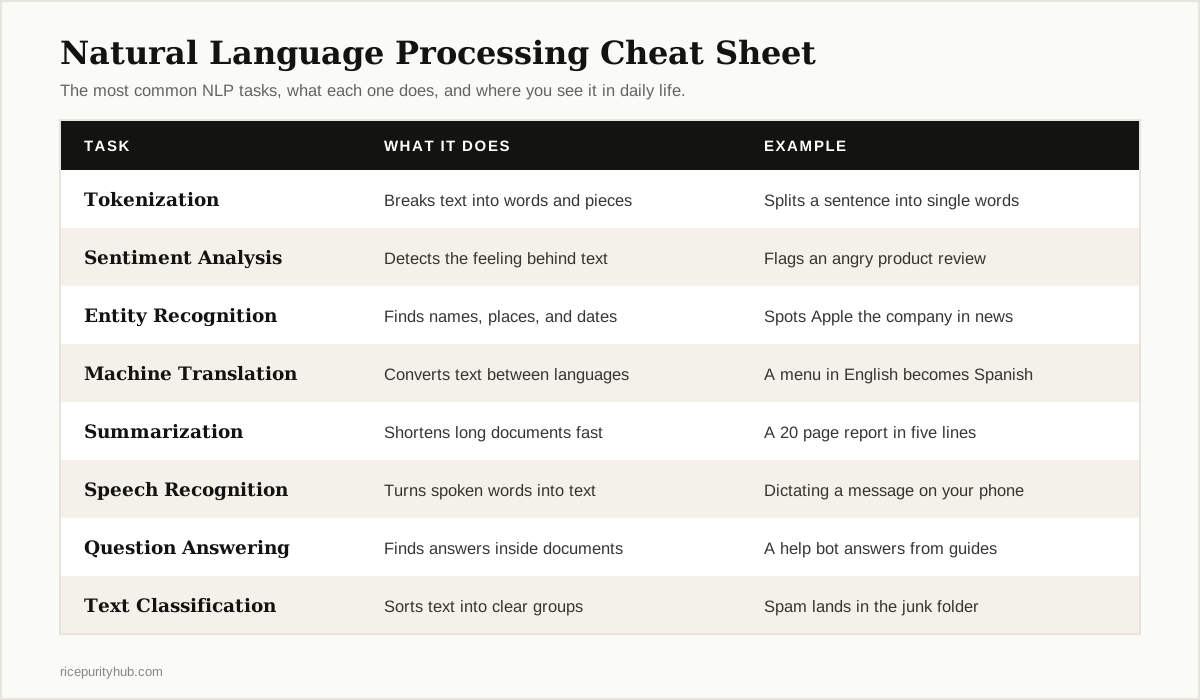
Here is the whole toolbox on a single page:
NLP vs. NLU vs. NLG: Clearing Up the Confusion
You will often see three abbreviations used as if they were the same thing. They are not, and the difference is easy once you picture a conversation.
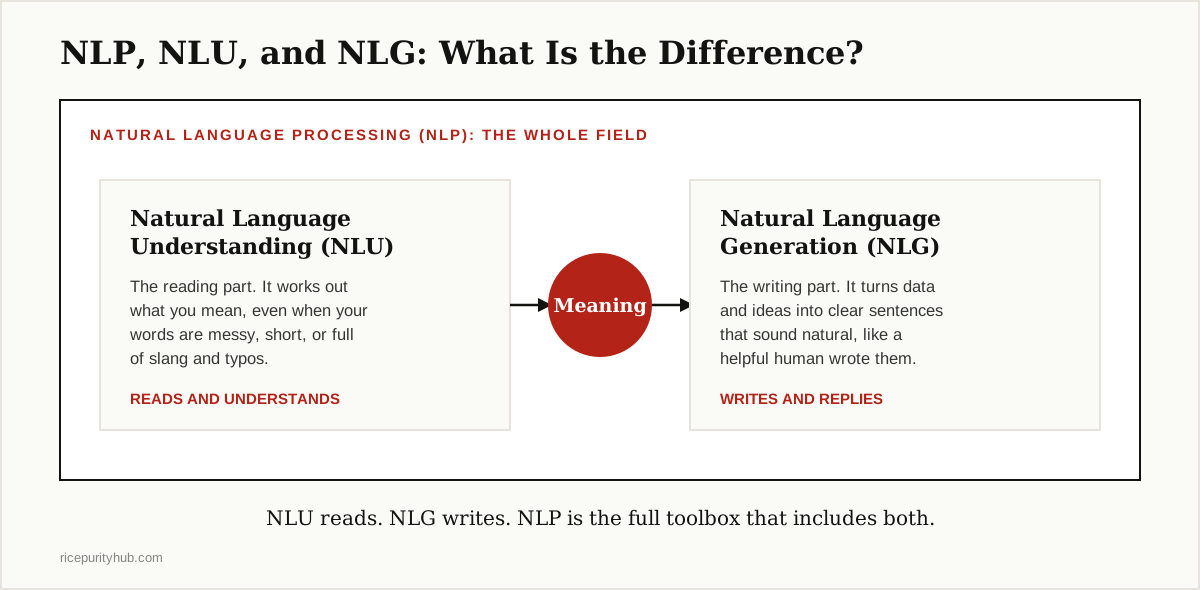
Natural language understanding (NLU) is the reading side. It takes your words and works out what you mean, including the goal behind them. When you tell a voice assistant “it is cold in here,” NLU is the part that hears a request to turn up the heat, not a weather report.
Natural language generation (NLG) is the writing side. It takes data or ideas and turns them into clear sentences. The weather app that writes “Rain is likely after 6 pm, so take an umbrella” is using NLG to speak.
NLP is the umbrella over both, plus speech recognition, translation, and everything else in this guide. A chatbot needs all of it: NLU to understand you, and NLG to answer you.
| Term | What It Does | Simple Example |
|---|---|---|
| NLP | The whole field of computers working with language | A complete chatbot system |
| NLU | Understands what a person means | Hearing a request hidden in a complaint |
| NLG | Creates clear, natural sentences | A written weather summary from raw data |
Natural Language Processing Examples You Use Every Day
The best way to feel how big NLP has become is to count how often you touched it before lunch. Here are the examples most people meet without ever noticing them.

Voice Assistants
Siri, Alexa, and Google Assistant start with speech recognition, which turns your voice into text, then use NLP to understand the request and NLG to answer out loud. Every “set a timer for ten minutes” runs the full pipeline from the steps above.
Spam Filters and Smart Email
Your inbox quietly sorts itself. Spam filters read every incoming message and judge whether it looks like junk, using classification techniques trained on billions of examples. Gmail goes further, grouping mail into tabs and even suggesting short replies you can send with one tap.
Translation and Live Captions
Google Translate and its rivals use NLP to carry meaning from one language to another, not just swap words one by one. The same family of techniques powers the live captions that appear under videos, turning speech into readable text in real time.
Chatbots and Customer Support
Most support chats now start with a bot. The best of them understand your problem, pull answers from help documents, and hand you to a human when things get complicated. We collected real conversations and lessons in our look at the AI chatbot conversations archive, which shows how far these systems have come.
Search Engines and Autocomplete
When you type a half finished question into Google and it guesses the rest, or when it answers your question directly instead of showing ten blue links, that is NLP reading your intent. It is also why search now forgives your spelling mistakes and odd word order.
NLP Applications in Business and Beyond
Outside your phone, NLP applications are quietly reshaping whole industries.

Support teams use NLP to sort and route thousands of tickets a day, so urgent problems reach a human first. Marketing teams scan reviews and social posts with sentiment analysis to spot a product problem before it trends. Hospitals use it to pull key facts out of doctors’ notes, and law firms use it to search millions of pages for the one paragraph that matters.
You do not need to build any of this yourself to use it. Cloud services such as the Google Cloud Natural Language API rent out ready made language skills, like sentiment analysis and entity recognition, that any app can plug into.
The Hard Parts: Why Language Is Still Tough for Computers
For all this progress, language still trips computers up, and it helps to know where the cracks are.
Sarcasm and tone. “Great, another meeting” is rarely great. Humans read tone from tiny clues, and machines often take words at face value.
Context and common sense. “The trophy does not fit in the suitcase because it is too big.” Too big what, the trophy or the suitcase? You know instantly. A computer has to work much harder, because the answer lives in real world knowledge, not grammar.
Slang, typos, and many languages. People write “gonna,” misspell words, mix languages mid sentence, and invent new slang weekly. Most NLP research also focuses on English, so tools for smaller languages lag far behind.
Bias and privacy. Language models learn from human text, including human bias, and they can repeat it. And because these systems improve by reading our words, questions about whose words get used, and with what permission, are not going away.
The Future of NLP
The biggest recent leap came from large language models, the technology behind tools like ChatGPT. These models are trained on so much text that they can write essays, summarize contracts, answer questions, and hold a natural conversation, all from one system.
The next steps are already visible. Language tools are getting better at smaller languages, at understanding speech and tone, and at showing their sources so you can check their work. They are also moving into the physical world, guiding robots and powering assistants that see, hear, and speak at once.
The direction is clear: talking to a computer is becoming as normal as typing on one, and the typing itself is starting to feel optional.
The Bottom Line
This is the technology that taught computers to work with words the way they already worked with numbers. It breaks text into pieces, turns words into numbers, learns from millions of examples, and then reads, sorts, translates, or answers.
You use it when you dictate a message, chat with a support bot, translate a menu, or trust your inbox to hide the spam. The more you understand how it works, the better questions you can ask of the tools built on it.
This guide is part of our AI, ML & Data Science series, where we explain the ideas behind modern AI in plain English. Start with our guide to machine learning algorithms if you want to see the engine room that NLP is built on.