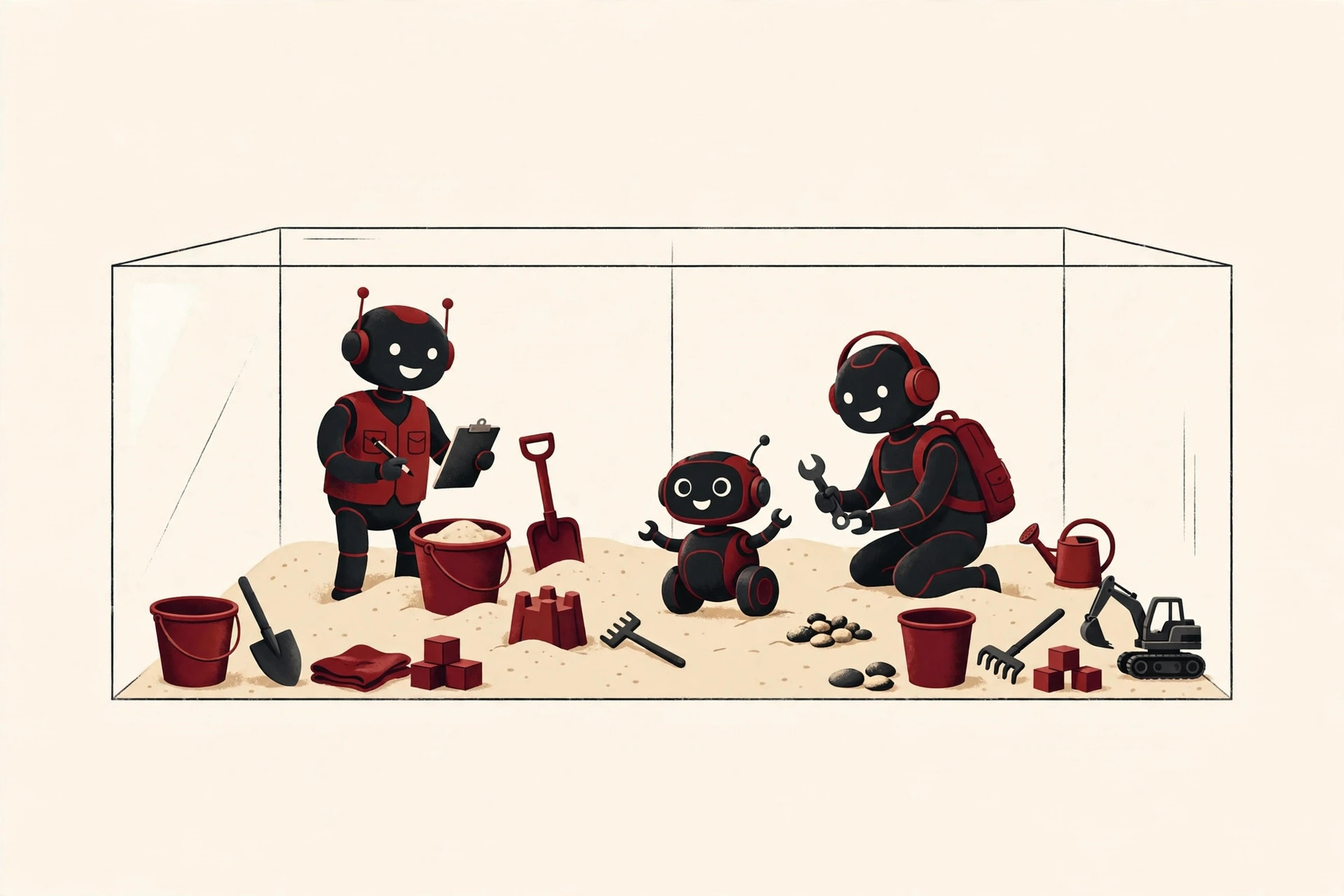
Think of a child’s sandbox in a park. Inside the wooden walls, kids can dig, build, knock things down, and make a complete mess. Outside the walls, the grass stays clean and nobody gets sand in their shoes. The walls are the whole point: they keep the play contained.
Software teams loved this idea so much that they borrowed the name. When developers ask “what is a sandbox environment?”, they are talking about the same idea in digital form: a walled-off place where software can do whatever it wants, safely.
What Is a Sandbox Environment?
A sandbox environment is an isolated space where a program can run, be tested, and even fail, without affecting the real system, real users, or real data outside the walls.
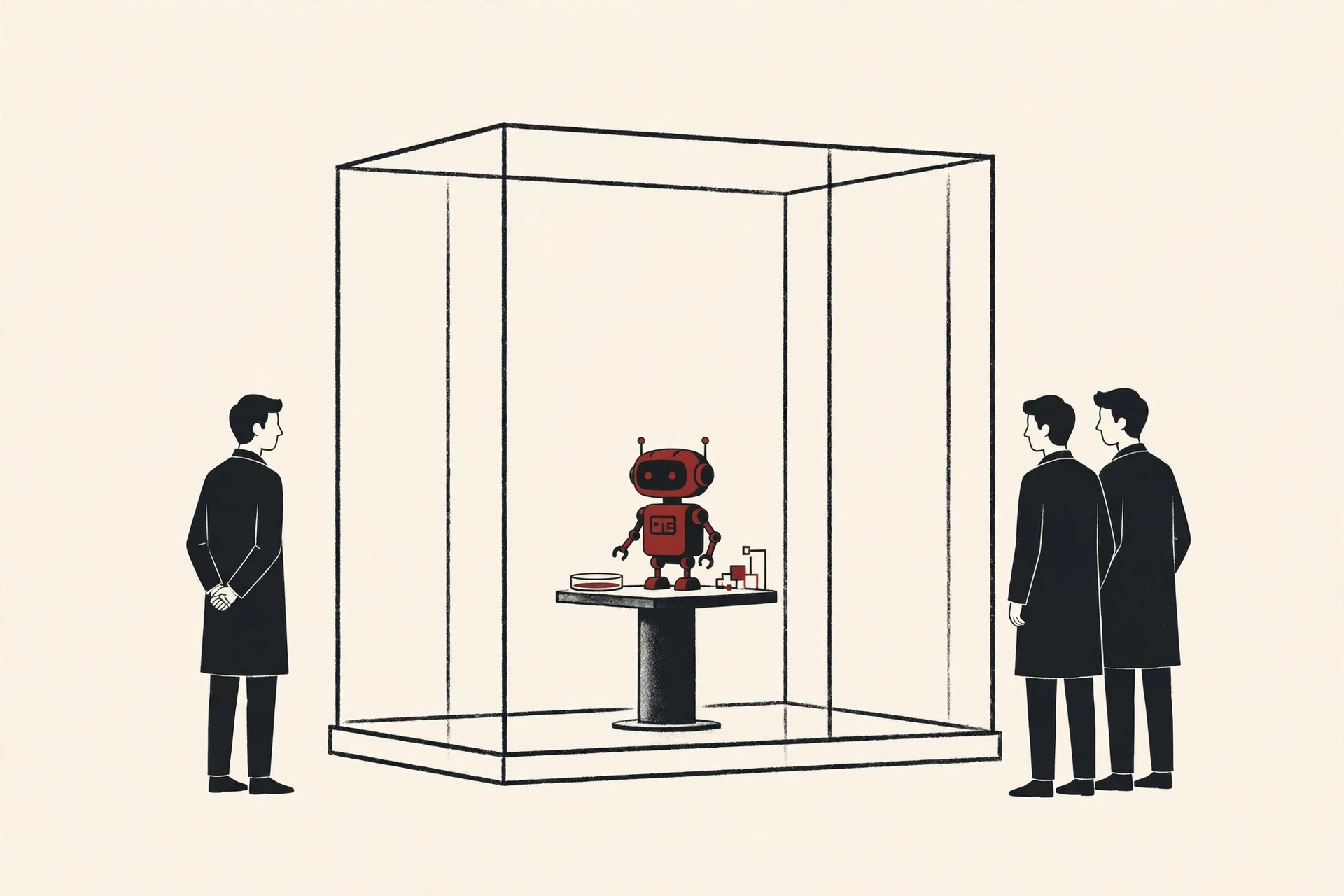
Three things make a sandbox a sandbox:
- Isolation. What happens inside stays inside. Files created in the sandbox are not your real files, and changes made there do not leak out.
- Limited permissions. The software inside gets only a few “keys.” It might be allowed to use its own folder, for example, but not the rest of the computer.
- Easy reset. When the experiment is over, you can wipe the sandbox clean and start again with a fresh copy, as if nothing ever happened.
You will also hear the word “sandboxing.” The sandboxing meaning is simple: sandboxing is the act of placing software inside such a box. A sandbox is the place, and sandboxing is the practice of using it.
Why Teams Use Sandboxes
Sandboxes solve a very human problem: people need a place where mistakes are cheap. Testing directly on a live product is like practicing a new recipe during a dinner party. If it goes wrong, real guests go hungry.
Teams use a sandbox environment for jobs like these:
- Testing risky changes. A developer can try a big code change and watch what breaks, with zero risk to real users.
- Opening untrusted files. Security analysts can open a suspicious attachment inside a sandbox and study it safely.
- Training and demos. New staff can learn a system by clicking everything, because nothing they press matters.
- Testing payments. Shops can run hundreds of fake purchases without moving a single cent of real money.
- Reproducing bugs. Support teams can recreate a customer’s problem in a copy of the system, instead of experimenting on the customer’s real account.
In short, a sandbox environment turns expensive mistakes into cheap lessons. The worst day in a sandbox ends with someone resetting the box and making coffee. The worst day in production ends with apologizing to customers, and nobody wants that day.
Types of Sandboxes
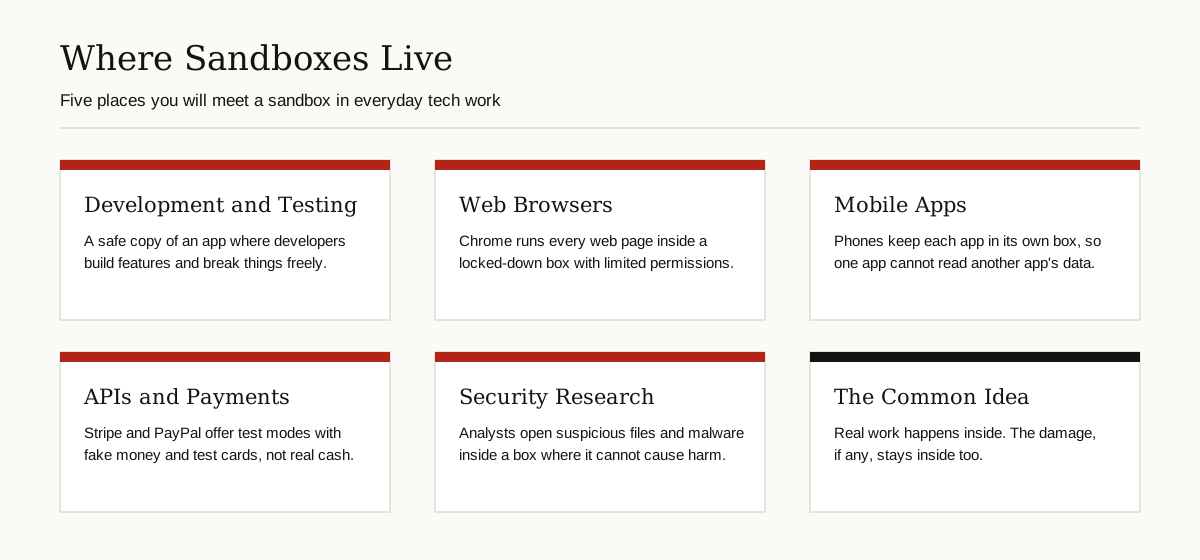
The word covers several different tools. They all share the walls-and-keys idea, but they live in different places.
Development and Test Sandboxes
This is the classic sandbox test environment: a working copy of an app, connected to fake data, where developers build features and testers hunt for bugs. A sandbox development environment mirrors the real setup closely enough to be useful, but it is disposable. Break it on Monday, reset it, and it is clean again on Tuesday.

This is also where structured checking happens. If you are new to that side of the work, our guide to software testing basics explains how testers plan and run their checks.
Browser Sandboxes
Every web page you open is untrusted code from a stranger’s server. So browsers like Chrome run each page inside a strict sandbox. The part of Chrome that draws the page, called the renderer, runs with heavily restricted permissions: it cannot directly read your files or open network connections on its own. When a page needs something privileged, the renderer must ask the main browser process, which checks the request first. Chrome also separates sites into different processes, so a bad page has a harder time reaching your other tabs.
Mobile App Sandboxes
Your phone does the same thing. On both major phone systems, every app gets its own private storage box. One app cannot read another app’s files, which is why a flashlight app cannot peek at your banking app. Apps must ask for permission to use shared things like your camera, photos, or contacts, and you can say no.
API and Payment Sandboxes
Many online services offer a sandbox version of their API, the channel apps use to talk to each other. Payment companies are the best example. Stripe gives developers test keys and fake card numbers, so a shop can practice successful payments, declines, and refunds with no real money involved. Its well known test card, 4242 4242 4242 4242, always succeeds in test mode. You can read more in the official Stripe testing guide. PayPal offers a similar setup with test buyer and seller accounts, described in the PayPal sandbox guide.
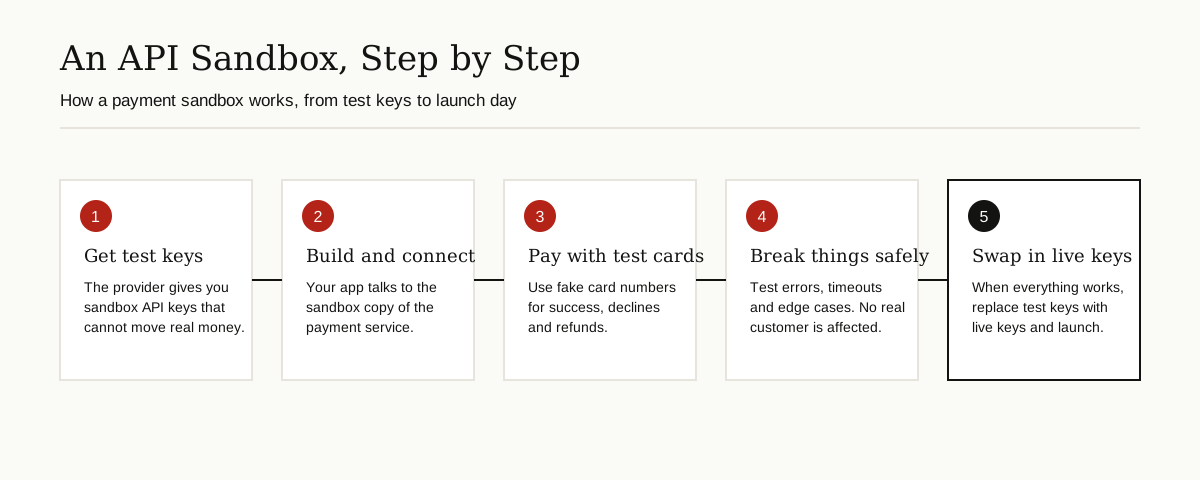
A sandbox deployment like this is how payment features get built calmly: everything is rehearsed with fake money first, and only the final step, swapping test keys for live keys, touches the real world.
Security and Malware Sandboxes
Security teams run suspicious software inside sealed environments, often virtual machines with no connection to the company network, and watch what it does. Does it try to steal files? Call home to a strange server? Encrypt everything? The sandbox records the behavior, and then the whole box is deleted. Automated sandbox services do this at scale for email attachments and downloads.
How Sandboxing Works
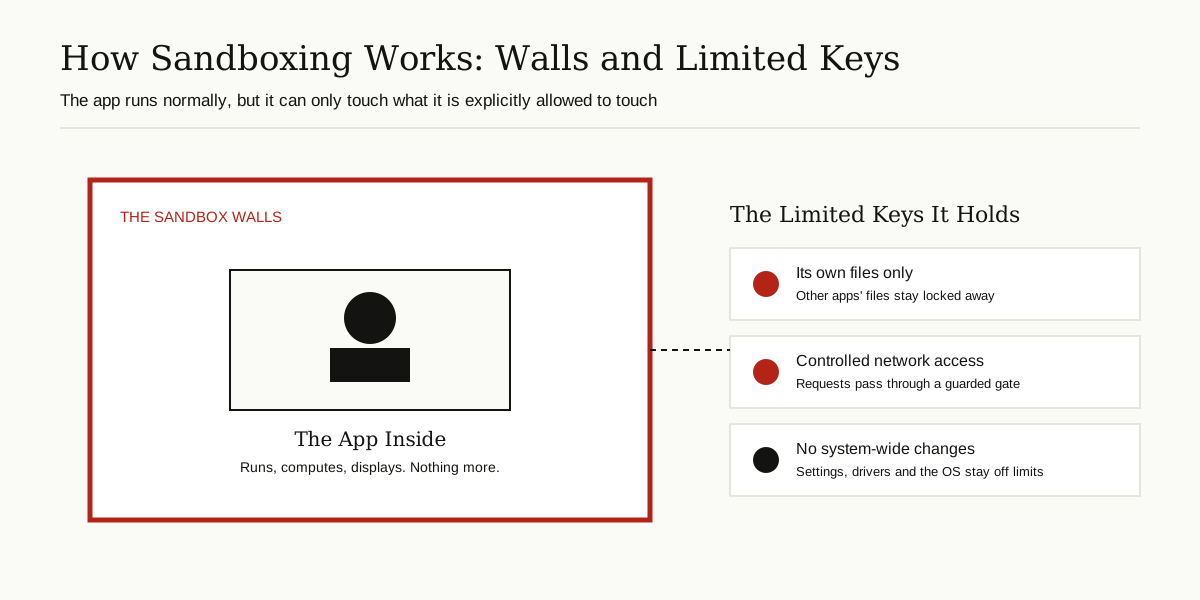
Under the hood, sandboxing combines a few basic tricks, all explained in plain words:
- Separate space. The software gets its own storage area, memory, and sometimes a whole virtual computer, so it cannot see the real one. A virtual machine is a fake computer running inside your real computer, and it is the strongest common form of wall.
- Restricted permissions. The system hands the software a short list of allowed actions and blocks everything else. This is the “limited keys” idea from the graphic below.
- Controlled doors. Network access, file saving, and printing pass through checkpoints that can allow, deny, or record each request.
- A watching guard. The outer system monitors the box and can freeze or kill it the moment it misbehaves.
Containers, which you may have heard of with tools like Docker, are a lighter version of the same idea: they share more with the host computer than a virtual machine does, but still keep apps separated in their own boxes. The part of the system that sits closest to the hardware and enforces much of this separation is the kernel, which we explain in our guide to what is a kernel.
Sandbox vs Dev, Staging, and Production
People often mix these four environments up. Here is the honest difference:
| Environment | Data it uses | Main purpose | What happens if it breaks |
|---|---|---|---|
| Development | Fake or sample data | Writing new code | One developer has a bad afternoon |
| Sandbox | Fake, resettable data | Safe testing, demos, experiments | Reset it and start over |
| Staging | A close copy of real data | Final rehearsal before release | You fix it before users notice |
| Production | Real user data | The live product | Real users feel it immediately |
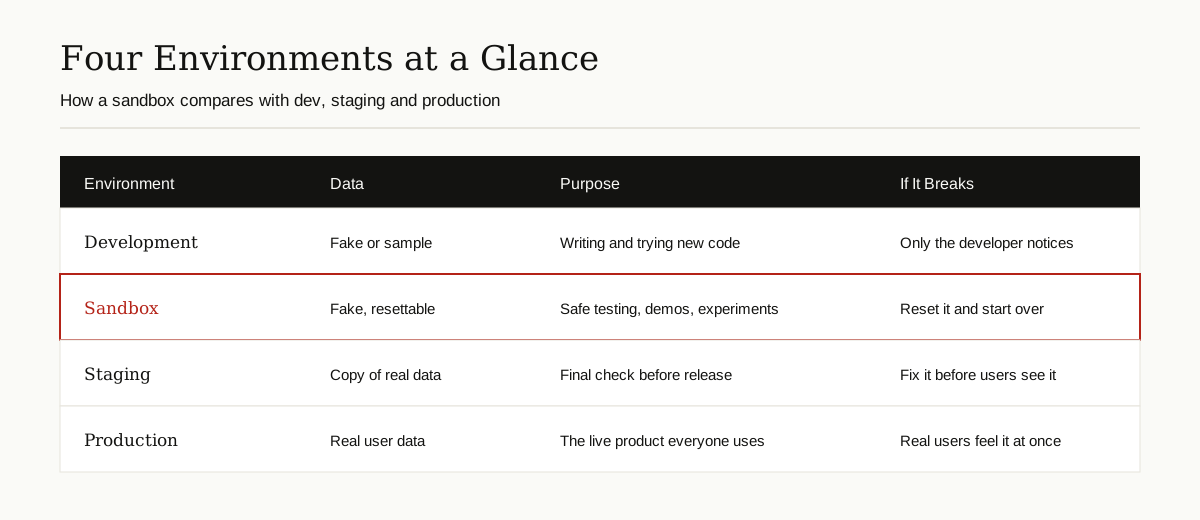
The short version: dev is the workshop, the sandbox is the practice room, staging is the dress rehearsal, and production is opening night. A sandbox definition worth remembering is that it is the only one of the four designed to be thrown away.
Real Examples You Already Use
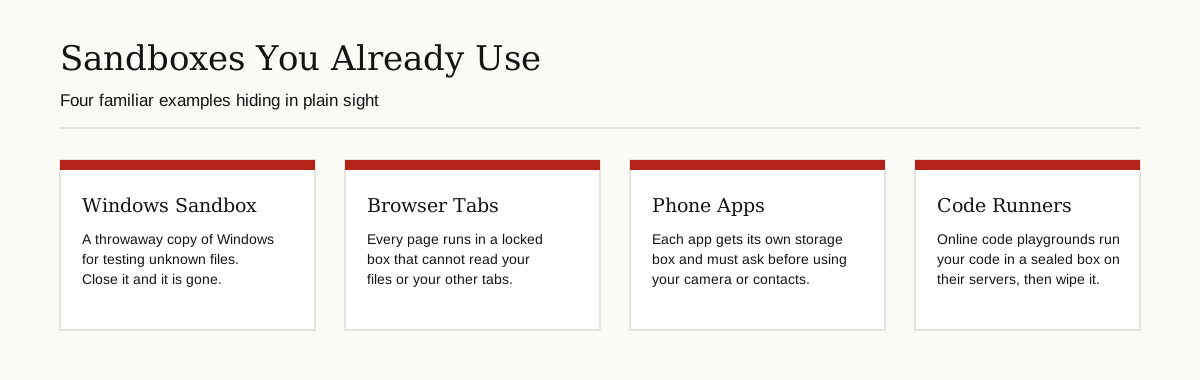
You have probably used a sandbox environment today without knowing it:
- Windows Sandbox. Windows includes a built in throwaway desktop for testing unknown programs. Microsoft describes it as a lightweight, isolated desktop that uses virtualization to keep apps separate from your real machine. Everything inside is deleted when you close it, and every launch starts fresh. It is available on the Pro, Enterprise, and Education editions of Windows, and you can read the details on the Windows Sandbox page from Microsoft.
- Your browser tabs. As explained above, each page runs in a locked box with limited keys.
- Your phone apps. Each app lives in its own storage box and asks before touching shared data.
- Online code runners. Sites that let you type code and press “run” execute it in a sealed box on their servers, then wipe it clean for the next visitor.
- Game and mod testing. Many games and creative tools offer a safe test mode where experiments cannot corrupt your real saved progress.
Benefits and Limits, Honestly
The benefits are clear: sandboxes make experiments cheap, protect real data, speed up learning, and let people rehearse scary operations like payment refunds before doing them for real. Teams can also run many sandboxes at once, so testers never queue for a single shared test system.
But a sandbox environment is safer, not magic. Keep these limits in mind:
- Escapes have happened. Over the years, security researchers have found bugs that let code break out of browser and system sandboxes. That is why browsers combine sandboxing with other layers of defense, and why keeping software updated matters so much.
- Fake data behaves differently. A test that passes with ten fake users can still fail with ten thousand real ones. Sandboxes are for correctness and safety, not for proving real world scale.
- It can cost performance. Walls take work to maintain, so sandboxed software can run a little slower than software with full access.
- Comfort can breed carelessness. A sandbox is not a license to open every strange file you receive. Treat it as a strong safety net, not an invincible shield.
Best Practices for a Development Sandbox
If your team is setting up a sandbox development environment, these habits separate the useful ones from the useless ones:

- Mirror production honestly. Use the same versions, settings, and structure as the live system, or your tests will lie to you.
- Keep real data out. Use made up data, or carefully scrambled copies. Real customer data in a test box is a privacy incident waiting to happen.
- Reset on a schedule. A sandbox that nobody cleans slowly turns into a second, messier production system. Wipe it and rebuild it regularly.
- Separate the keys. Sandbox passwords and API keys must be different from live ones, and clearly labeled, so nobody ships test credentials to real users.
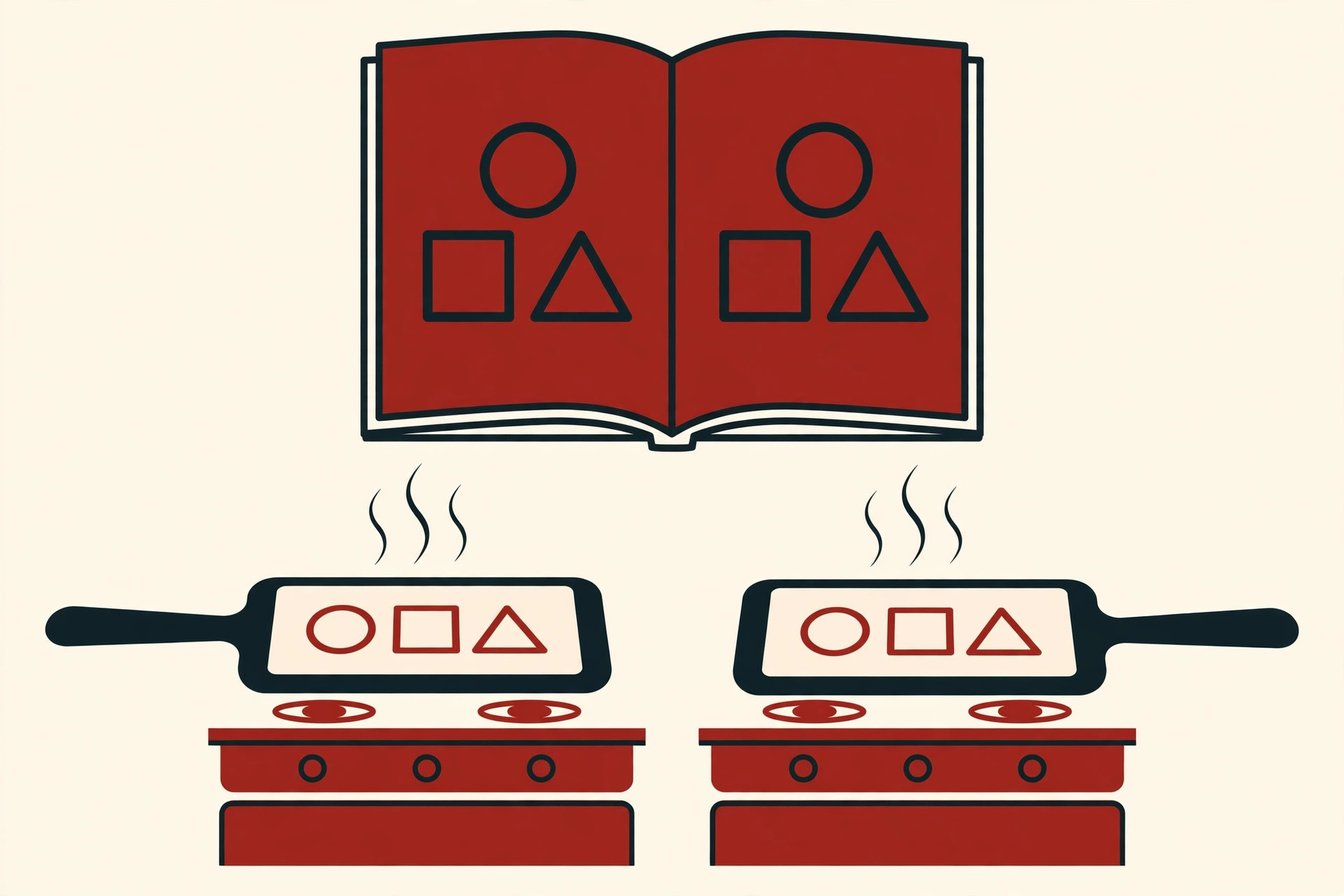
- Automate the setup. Store the recipe for building your sandbox alongside your code, ideally tracked with version control systems like any other project file. If a new teammate cannot create a working sandbox in an afternoon, the setup is too manual.
- Label everything. Dashboards, URLs, and login screens should say “sandbox” loudly, so nobody mistakes fake data for the real thing.
Conclusion
So, what is a sandbox environment? It is a walled, disposable copy of a system where software can run, be tested, and fail without hurting anything real. The same simple idea protects your browser tabs, your phone apps, your payment testing, and your security team’s malware lab.
Once you see the pattern, you will notice sandboxes everywhere, and you will understand why good teams insist on one: smart people do not practice on the live system. If you are exploring more topics like this, browse our software development guides for plain English explanations of the tools and ideas developers use every day.