Every app you love was tested thousands of times before it reached your phone. Behind every smooth checkout, every correct bank balance and every game that does not crash mid-level, there is a team whose whole job is to try to break the software before you do.
That job is software testing, one of the friendliest doors into tech. This guide covers the software testing basics in plain English: what testing is, its levels and types, how a test case works, and how to start learning.

What Is Software Testing?
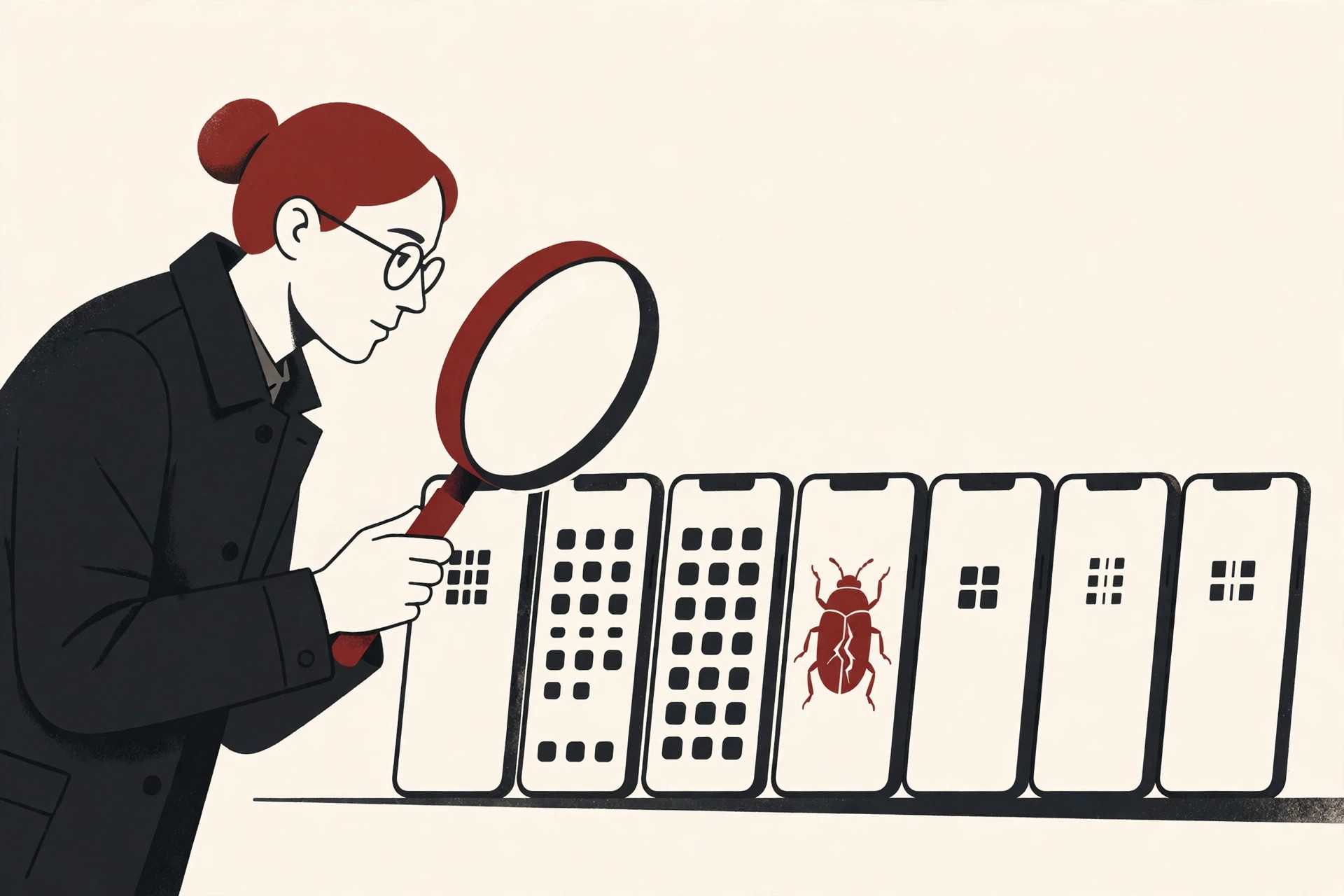
Software testing is the process of checking a program to find mistakes and confirm it does what it should. A tester runs the software, compares what actually happens with what should happen, and reports any difference as a defect, usually just called a bug.
A simple software test definition goes like this: a test is one careful check of one behavior. You give the software an input, watch what it does, and decide whether the result is right or wrong.
The ISTQB, the international body that certifies testers, describes testing as a set of activities to discover defects and evaluate the quality of the software. Two parts of that idea matter for beginners:
- Testing is more than clicking around. It includes planning, designing the checks, running them and explaining the results clearly.
- Testing starts early. Good teams test ideas and requirements too. A confusing requirement is far cheaper to fix on paper than in code.
Testers also separate two close ideas: verification asks whether we are building the product right, and validation asks whether we are building the right product.

Why Testing Matters
It is tempting to treat testing as a final polish, squeezed in if time remains. Experienced teams know better, for three reasons.
First, bugs are a fact of life. Programmers are human, requirements change, and modern apps have many moving parts. Mistakes will always slip through. The only real choice is whether you find them in the lab or your customers find them in the wild.
Second, late bugs are expensive bugs. Industry research has shown for decades that a defect costs more the later it is found. A mistake caught during coding might take minutes to repair. The same mistake found after release can mean emergency fixes, refunds and lost trust. That is why so many of the software testing basics are really about testing early and often.
Third, testing protects people, not just products. Software runs payments, hospitals, cars and planes, where a defect can cost money, health or worse.
The 4 Levels of Testing
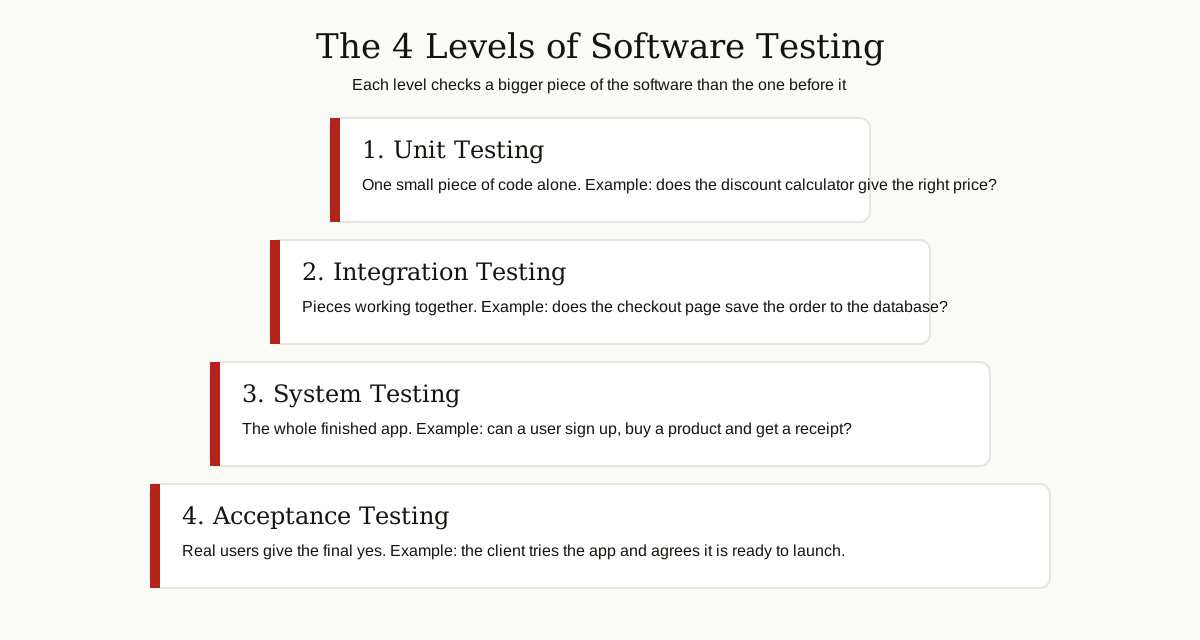
Testing is organized into levels, from the smallest piece of code up to the whole product in the hands of real users. Each level has its own goal, and skipping one means its bugs wait for you at the next level, where they cost more. Learning the levels is one of the software testing basics that organizes everything else in this guide.
| Level | What it checks | Simple example | Who usually runs it |
|---|---|---|---|
| Unit testing | One small piece of code alone | Does the discount calculator return the right price? | Developers |
| Integration testing | How pieces work together | Does checkout save the order into the database? | Developers and testers |
| System testing | The complete application | Can a user sign up, buy a product and receive a receipt? | Testers |
| Acceptance testing | Whether the product is ready for its users | Does the client agree the app does what they asked for? | Users and clients, with testers |
Unit testing looks at the smallest testable parts, such as a single function. These tests are fast, cheap and run constantly while code is written.
Integration testing begins when the pieces meet. Two parts can each be perfect alone and still fail together, for example when the app and the database disagree about a date format. It checks how the parts of the software architecture talk to each other.
System testing treats the app as one whole product. Testers follow real user journeys end to end, on real devices and browsers.
Acceptance testing is the final gate. The people who will use or pay for it try the software and decide whether it is acceptable. If they say no, the software is not done, no matter how green the other tests look.
The Main Types of Testing
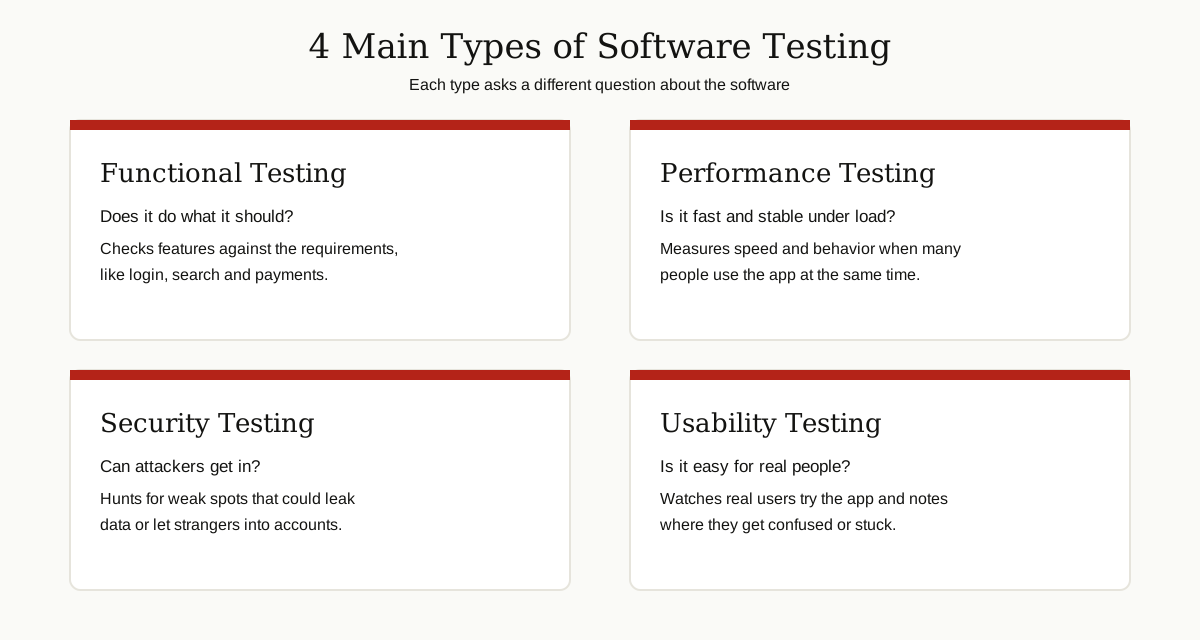
Levels tell you the size of the piece under test. Types tell you what kind of question you ask about it.
Functional Testing
Functional testing asks, “Does it do what it should?” You check features against the requirements: the login accepts correct passwords, the search finds the right products, the payment goes through. Most beginner test cases are functional tests.
Two close cousins appear in almost every project. Smoke testing is a quick pass over the key features to see if a new version is stable enough to test at all. Regression testing re-runs older checks after a change, to be sure a fix broke nothing else.
Performance Testing
Performance testing asks, “Is it fast, and does it stay fast?” Testers measure load times and how the system behaves when thousands of people use it at once, for example during a big sale. A store that works for ten shoppers but collapses for ten thousand has a performance bug, even if every button works.
Security Testing
Security testing asks, “Can someone break in or steal data?” Testers hunt for weak spots: weak passwords, pages that show one user another user’s data, or forms that let attackers inject harmful commands. The aim is to find the holes first.
Usability Testing
Usability testing asks, “Can real people actually use this?” A feature can be correct, fast and secure, yet so confusing that users give up. Real people try tasks while a tester watches and notes where they hesitate or get lost. The fixes are often tiny, like renaming a button.
Manual vs Automated Testing
Tests also differ in who, or what, runs them. Learning the difference is one of the software testing basics that shapes a tester’s whole career.
In manual testing, a person follows the steps by hand: opening the app, typing and clicking. It needs no code, it spots things a script would miss, like an ugly layout or a confusing message, and it suits new features that are still changing shape.
In automated testing, a person writes a script once, and a computer runs the check from then on. Automated tests are fast and tireless, so they shine for checks that must run again and again, like the regression suite after every code change.
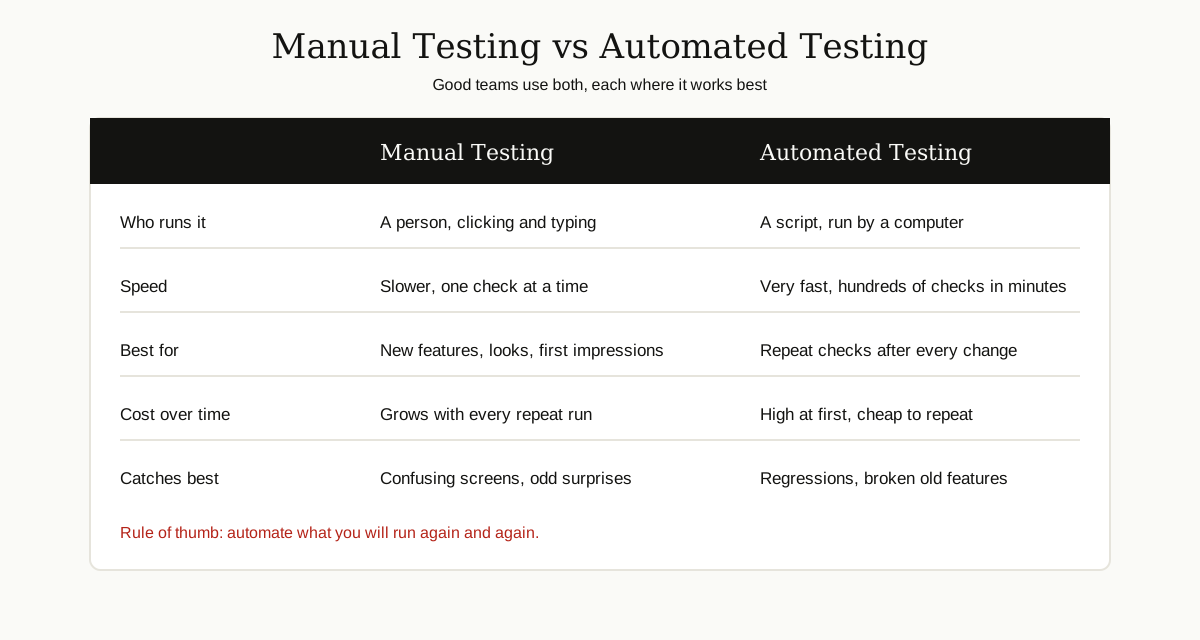
The honest answer to “which is better” is that healthy teams use both. Humans explore, judge and notice surprises. Scripts repeat the boring checks perfectly, hundreds of times a day, without getting tired.
Black Box, White Box and Grey Box Testing
These three names describe how much the tester knows about the inside of the software.
- Black box testing: the tester cannot see the code at all. They use the app like a user, giving inputs and judging outputs. Most system and acceptance testing is black box.
- White box testing: the tester can see everything, including the code, and designs tests to cover specific lines and paths inside it. Unit testing is usually white box, and developers do most of it.
- Grey box testing: the tester knows something about the inside, but not everything. Knowing how the database is organized, for example, helps a tester design smarter checks from the outside.
Think of examining a car. Black box is test driving it. White box is opening the hood with the engineering drawings. Grey box is test driving it while knowing how the engine is built.
The Testing Pyramid
If automated tests are so useful, why not automate everything at the top level, through the real user interface? The testing pyramid, popularized by Mike Cohn and explained well in Martin Fowler’s guide to the test pyramid, gives the answer.
The pyramid says a healthy test suite has a shape:
- A wide base of unit tests. They are fast, cheap and tell you exactly which small piece broke.
- A smaller middle of integration tests. They are slower, so there are fewer of them.
- A small top of end to end tests. These run the whole app like a real user and give the most confidence, but they are the slowest and most fragile, because a failure could come from anywhere.
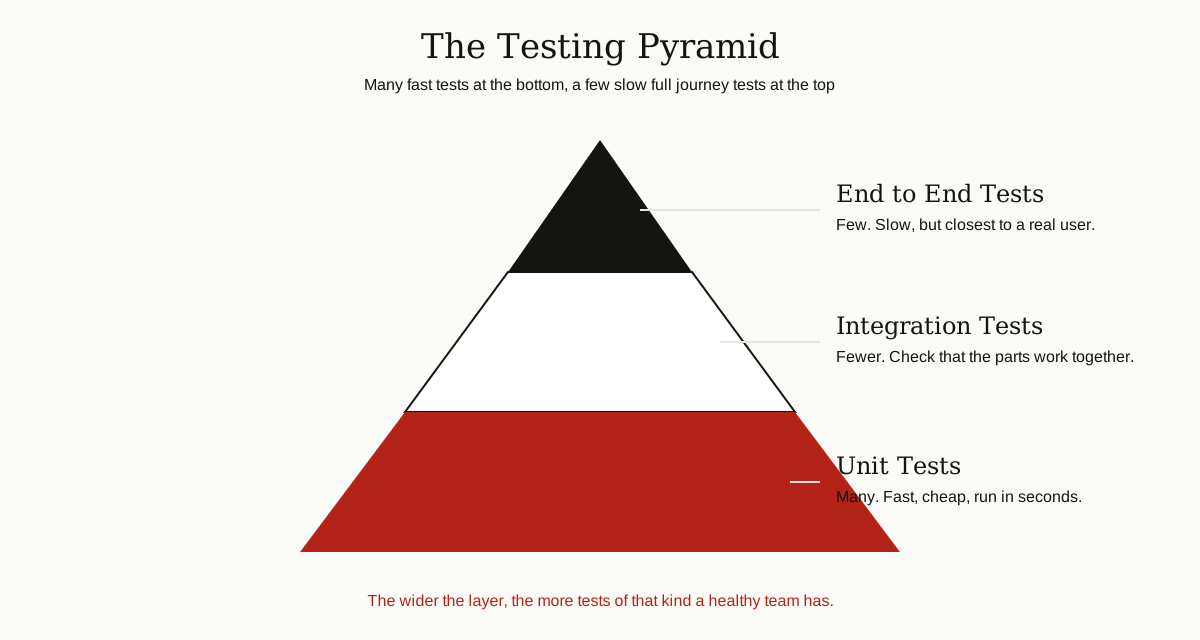
Teams that ignore the pyramid end up with an upside down version, called the ice cream cone: few unit tests and a mountain of slow interface tests. Such a suite takes hours to run and breaks so often that people stop trusting it.
What a Test Case Looks Like
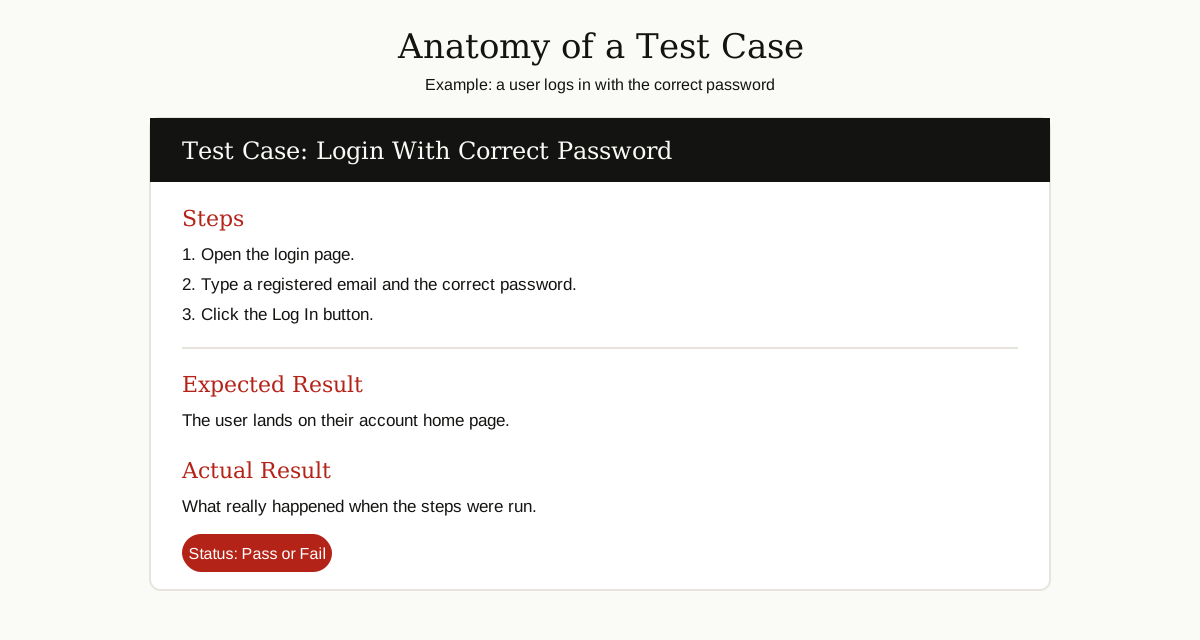
So how do you test software in daily practice? Mostly by writing and running test cases. A test case is a small written recipe for one check, and writing a good one is among the software testing basics you will use every day: steps to follow, the result you expect, and what really happened.
Here is a complete, simple example:
| Part | Content |
|---|---|
| Title | Login with the correct password |
| Steps | 1. Open the login page. 2. Type a registered email and the correct password. 3. Click the Log In button. |
| Expected result | The user lands on their account home page |
| Actual result | What really happened during the run |
| Status | Pass if actual matches expected, fail if not |
Good test cases are boring in the best way: clear enough that another tester can run them and get the same answer. Teams mix happy path cases, where everything is done correctly, with negative cases like a wrong password or an empty form, because users try those too.
The Bug Life Cycle
When a test case fails, the bug begins a journey of its own. Understanding this cycle is another of the software testing basics, because you will live in it daily.
- New. The tester finds a problem and files a bug report with steps, screenshots and expected versus actual results.
- Assigned. The report goes to a developer, who studies the problem.
- Fixed. The developer repairs the code and marks the bug as fixed.
- Retest. The tester runs the test case again on the new version, plus nearby checks.
- Closed. If the fix works, the bug closes. If not, it reopens and the cycle repeats.
Some bugs are deferred: real but minor, with the fix scheduled for later. A clear, kind and precise bug report is the most useful skill a new tester can build, because it saves everyone time.
How Testing Fits Into Development
Testing is not a separate island. It lives inside the project, and two sets of initials show where.
The SDLC, or software development life cycle, is the whole journey of a product: plan, design, build, test, release and maintain. Testing checks the product before users get it, but in modern teams it runs through every stage, from reviewing requirements to checking fixes after release.
The STLC, or software testing life cycle, is the testing journey itself: plan, design test cases, set up the environment, run the tests, report results and wrap up.
Testers often run checks in a sandbox environment, a safe copy of the system where breaking things harms nobody. And because teams save their code in version control, automated tests can run every time a developer shares new code, catching bugs within minutes instead of weeks.
This is where software testing in software engineering earns its keep: not as a final inspection, but as a habit woven into every step of building the product.
Skills and First Tools for Beginners
You do not need a computer science degree to start. The core skills of a good tester are surprisingly human:
- Curiosity. You enjoy asking “what happens if I do this?”
- Attention to detail. You notice the wrong total, the misaligned button, the message that makes no sense.
- Clear writing. Your bug reports and test cases must make sense to busy people.
- Logical thinking. You can break a big feature into small, checkable pieces.
- Basic tech comfort. You are at ease with browsers, phones and settings menus.
For tools, begin with the free and simple ones. A spreadsheet is enough for your first test cases. Browser developer tools, built into Chrome and Firefox, teach you how web apps behave, and the MDN guide to tools and testing is a friendly place to explore them. Bug trackers like Jira are common in job posts. For automation, Selenium, Playwright and Cypress are the names you will meet first.
Once the software testing basics feel comfortable, practice beats more reading: test a free app you use daily, write ten test cases for its login, and file three tidy bug reports. That little portfolio already puts you ahead of most applicants.
Common Beginner Mistakes
New testers trip over the same few stones:
- Testing only at the end. By then, bugs are most expensive and deadlines tightest.
- Testing only the happy path. Real users type wrong passwords, lose their connection and tap buttons twice. Test for those moments.
- Writing vague bug reports. “It does not work” helps nobody. Steps, screenshots and expected versus actual results fix things fast.
- Automating everything on day one. Automate stable, repeated checks. Keep exploring new features by hand.
- Skipping regression testing. Every fix is a change, and every change can break something old. Run the old checks again.
- Aiming for a coverage number. Covering the riskiest paths matters more than touching every line once.
Conclusion
You now know the software testing basics: what testing is, why early bugs are cheaper than late ones, the four levels, the main types, and how manual and automated testing share the work. You have also seen the pyramid, a real test case, the life of a bug, and where testing fits in development.
Start small and stay curious. Pick one app, write a few careful test cases, and practice explaining what you find in plain words. Those habits are the foundation of testing, and they carry you from your first bug report to a professional career. Keep going with the rest of our software development guides, and happy testing.