Every price comparison site, flight deal hunter and market research report has one quiet engine behind it: a program that visits web pages and copies the useful data out of them. That engine is web scraping, and it is far less mysterious than it sounds.
This guide explains web scraping in plain English. You will learn what it is, how it works step by step, which tools people use, and how to run a tiny first scrape of your own. We also cover the honest part most guides skip: the rules, the risks, and the good manners that keep a scraper welcome.
What Is Web Scraping?
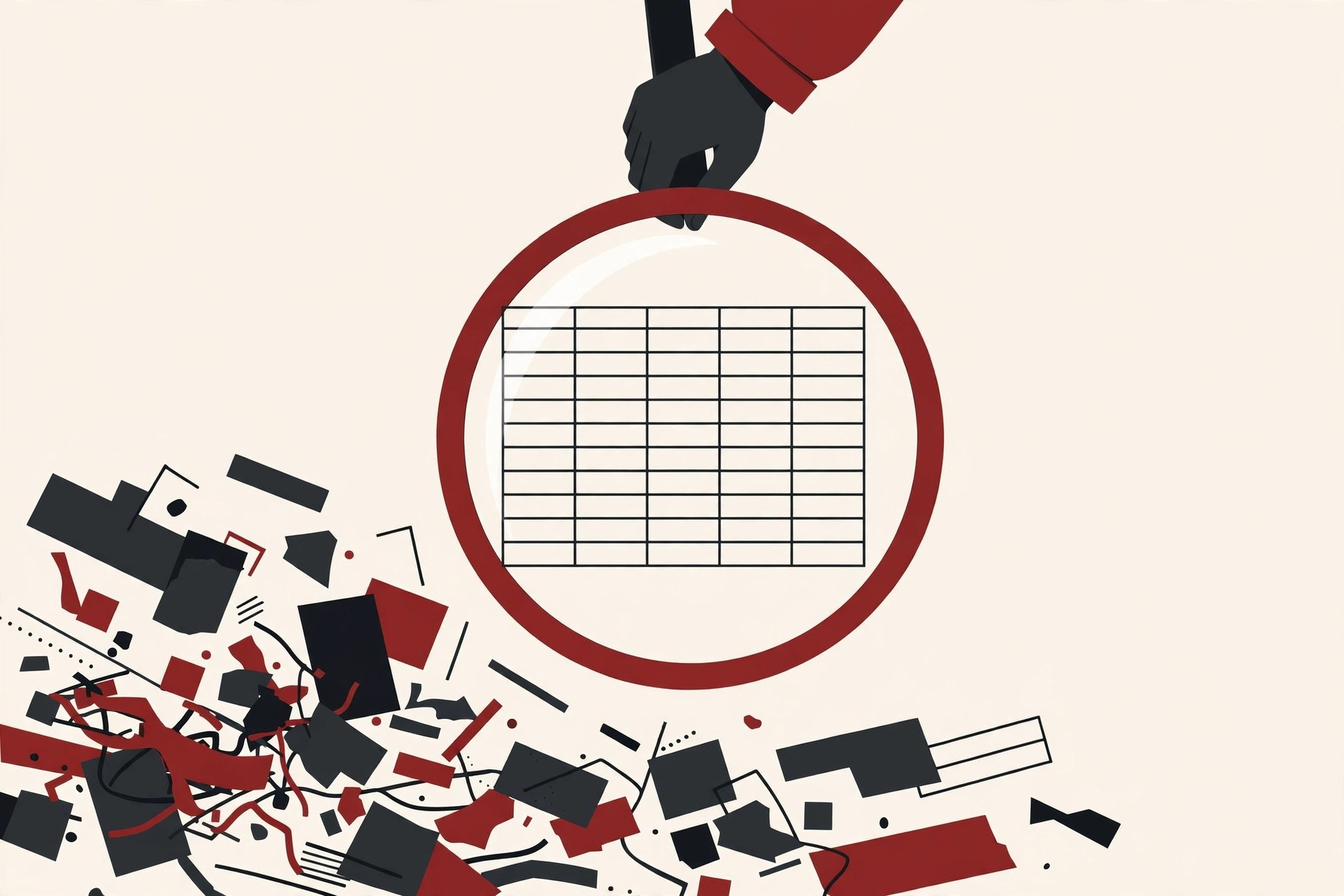
Web scraping is the practice of using a program to collect data from websites automatically, instead of copying it by hand.
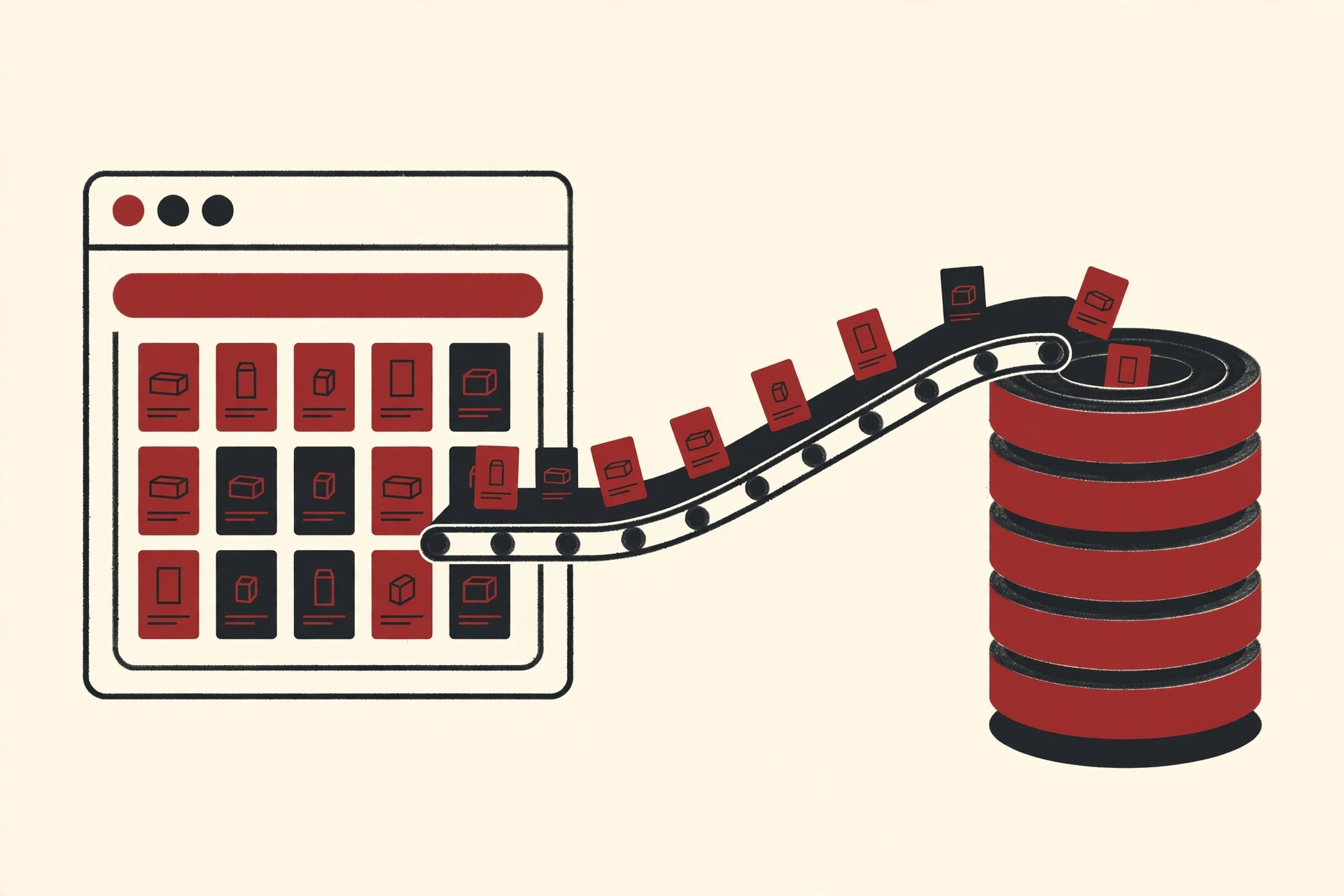
The program itself is called a web scraper. You tell it which pages to visit and which details to pick out, and it does the copying at machine speed. A human might copy fifty product prices in an hour. A scraper can collect fifty thousand in the same time, and it never gets tired or bored.
You may also hear the term data scraping. That is the wider idea: pulling data out of any source, including apps, files and screens. Web scraping is the part of data scraping that deals with websites. When people ask what is data scraping in job posts or tool descriptions, they usually mean this same fetch and extract process, applied wherever the data lives.

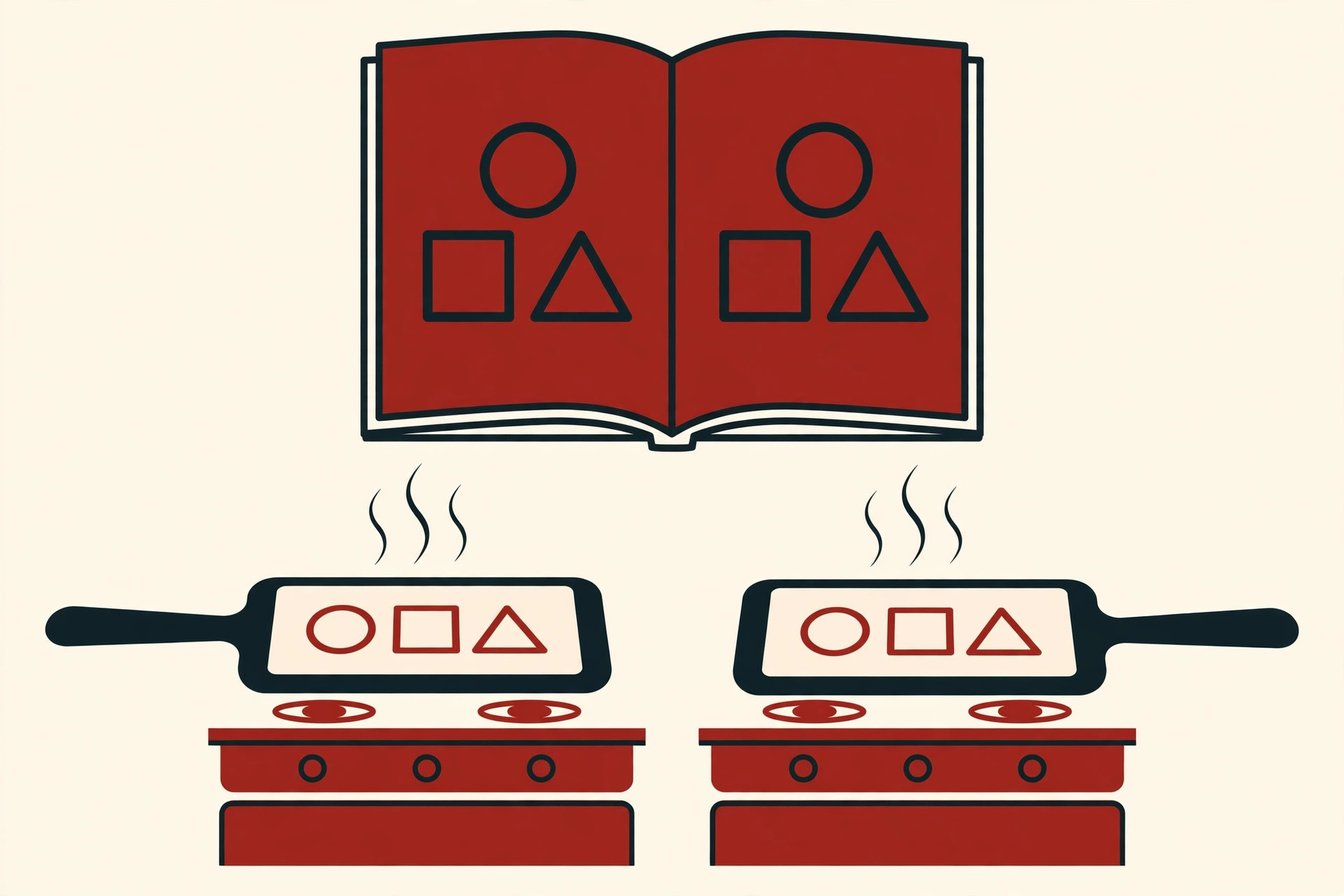
None of this is hidden or secret technology. A web page is a file written in HTML, a simple code that describes headings, paragraphs, images and links. Your browser reads that file and paints it nicely. A scraper reads the same file and picks out the pieces it was told to find. Same file, different reader.
How Web Scraping Works, Step by Step
Almost every scraping project, big or small, follows the same five steps.
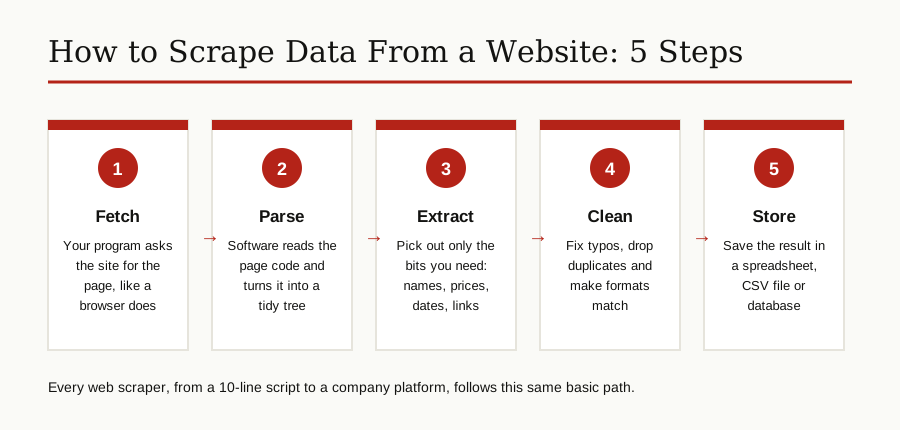
Step 1: Fetch the page. Your program sends a request to the website, exactly like a browser does when you type an address. The site sends back the page code. This request and response pair is the basic conversation of the whole web.
Step 2: Parse the code. Raw page code is a wall of text. A parser is a library that turns it into an organized tree, so your program can ask for things like “every product title on this page” instead of hunting through raw text.
Step 3: Extract the data. You point at the exact pieces you want: product names, prices, ratings, article dates, job titles. In page code, each piece sits inside named markers called tags and classes, and your code grabs the text inside them.
Step 4: Clean the data. Real data is messy. Prices arrive as “$1,299.00” in one place and “1299” in another. Cleaning means fixing formats, removing duplicates and dropping broken rows, so the final data can be trusted.
Step 5: Store the result. The clean data goes into a spreadsheet, a CSV file (a plain text table) or a database, ready for analysis. From there it often flows into dashboards and reports, which is where topics like AI data integration take over: scraped data is only useful once it reaches the tools that use it.
What People Use It For
Once you know how to scrape data from a website, the uses turn up everywhere:
- Price monitoring. Shops track rival prices daily and adjust their own. Travel sites watch fares and hotel rates the same way.
- Research and market studies. Analysts collect product catalogs, reviews and job postings to spot trends no single page would reveal.
- News and content tracking. Teams collect headlines, press releases and public announcements so nothing important slips past.
- Real estate and listings. Agents gather property, car and rental listings to compare markets and value homes or vehicles.
- Search engine work. Marketers monitor search results and rival pages to see what is ranking and why.
- Building datasets. App builders and AI teams assemble large collections of public facts, product data and text to train or test their systems.
- Personal projects. People scrape sports results, weather history or event listings for hobbies and small tools of their own.
The Main Web Scraping Tools
There is a tool for every level, from zero code to full engineering frameworks. Most beginners work their way down this list as their projects grow.
| Tool | Best for | Difficulty |
|---|---|---|
| Browser developer tools | Looking inside one page to learn how it is built | Very easy |
| requests + BeautifulSoup | Small Python scrapers, a few pages to a few thousand | Easy |
| Scrapy | Large jobs that follow links across whole sites | Medium |
| Playwright | Pages that need JavaScript, clicks or scrolling | Medium |
| No-code scrapers | Point and click collecting without programming | Very easy |
| Official APIs | Stable, long term data feeds offered by the site itself | Easy to medium |
Browser developer tools are built into Chrome and Firefox. Right click any page and choose Inspect, and you can see the code behind every element. Every scraping journey starts here, because you cannot extract what you cannot locate.
Python with requests and BeautifulSoup is the classic starter pair, and the heart of most python internet scraping tutorials. The requests library fetches the page. Beautiful Soup parses it and lets you search it with friendly commands. Two small libraries, one short script, real data.
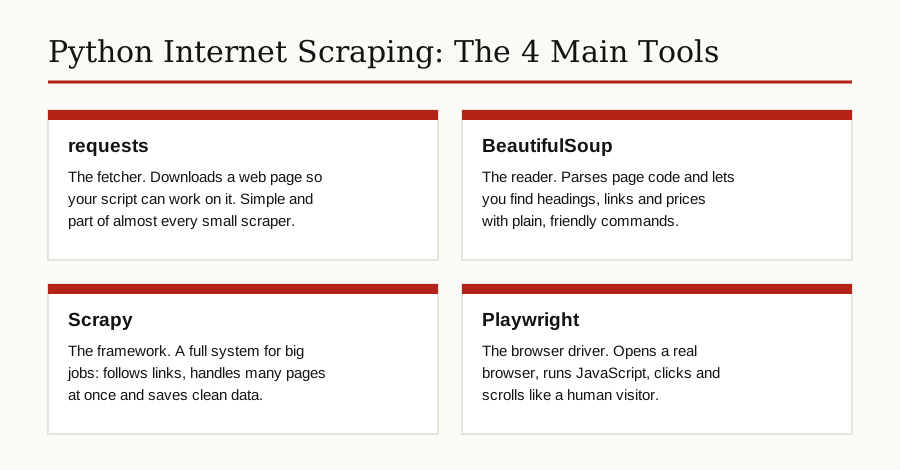
Scrapy is the step up for serious work. Where BeautifulSoup is a single reader, Scrapy is a complete framework: it follows links across a whole site, visits many pages at once without tripping over itself, retries failures and saves clean data in tidy formats. Teams use it when a job grows from hundreds of pages to millions.
Headless browsers like Playwright handle the pages the simple tools cannot. A headless browser is a real browser with no visible window, driven by code. Playwright can open Chromium, Firefox or WebKit, wait for content to load, click buttons and scroll, then hand you the finished page. It is slower than requests, but it sees what a human sees.
No-code scrapers are browser extensions and web apps where you click on the data you want and the tool builds the extractor for you. They are great for one-off lists, though they give you less control and often charge for bigger jobs.
Your First Scrape: A Tiny Python Example
Here is the whole idea in a few lines. This script fetches a product page, reads it, and prints each product name with its price:
import requests
from bs4 import BeautifulSoup

url = "https://example.com/products"
page = requests.get(url, headers={"User-Agent": "MyFirstScraper/1.0"})
soup = BeautifulSoup(page.text, "html.parser")

for item in soup.select(".product"):
    name = item.select_one(".name").get_text(strip=True)
    price = item.select_one(".price").get_text(strip=True)
    print(name, price)
Read it top to bottom. The first two lines load the libraries. Next, the script asks the site for the page, politely naming itself in a User-Agent header (a short label that says who is asking). BeautifulSoup then parses the returned code. The loop finds every block marked with the class “product”, pulls the name and price out of each one, and prints them.
That is a working website scraper in miniature. Of course, real sites differ: class names change, pages split results across many screens, and some data only appears after clicking. The method stays the same, though. Fetch, parse, extract. When you get stuck, the best AI coding assistants are genuinely good at explaining scraper error messages and fixing selectors.
One important tip: practice on a site built for learning, such as books.toscrape.com, a small fake bookshop that exists so people can learn to scrape any website pattern safely, without bothering a real business.
Dynamic Websites and Headless Browsers
Many modern sites do not send finished pages. They send a small shell plus JavaScript, a page language that builds the content inside your browser after the page loads. Clicking, scrolling and waiting all change what appears.
This is why a requests script sometimes returns a nearly empty page: it grabbed the shell before the content was built. The page is not broken. The data simply was not there yet.
The fix is the headless browser from the tools section. Playwright loads the page the way a browser does, runs its JavaScript, waits for the products or posts to appear, and only then extracts the data. The trade is speed and size: a real browser is heavy next to a simple request, so use it only when a site truly needs it.
Common Challenges of Website Scraping
Scraping works, but it is not set and forget. These are the problems everyone meets:
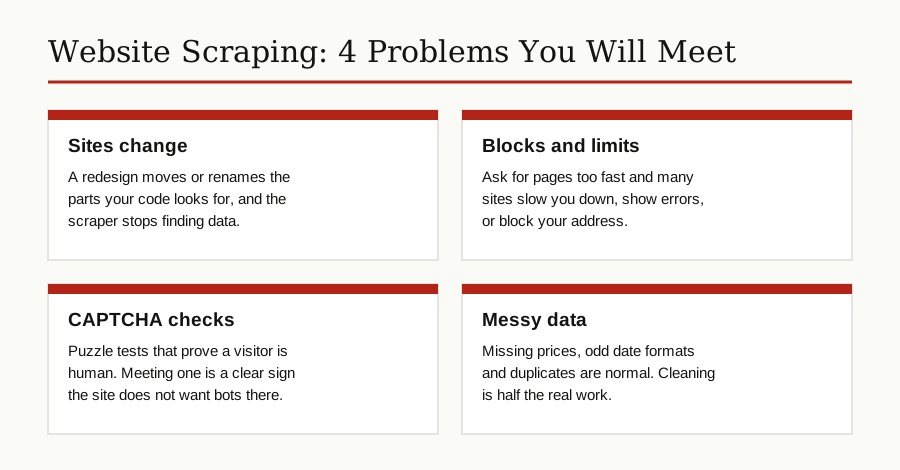
Sites change. A redesign moves the price to a different place in the code, and your extractor suddenly finds nothing. Scrapers need regular checkups, and good ones warn you when results drop to zero.
Blocks and rate limits. Ask for pages too fast and many sites push back with error codes, slow responses or a block on your address. This is the site protecting itself from overload, and honestly, it is often fair. Slowing down solves most of it.
CAPTCHAs. These are the puzzle tests that ask you to prove you are human. If a site puts a CAPTCHA in front of your scraper, take the hint: that site does not want automated visits there. Working around such barriers crosses from collecting public data into fighting the site’s defenses, and it is the wrong road.
Messy and missing data. Some listings have no price, odd date formats or half finished descriptions. Cleaning is not a chore at the end of scraping. It is half the job.
Is Web Scraping Legal and Ethical?
This section is general information, not legal advice. Laws differ by country, and if you plan a commercial project, a short talk with a lawyer is money well spent. With that said, here is the honest shape of the rules.
Public data and private data are different worlds. Data a site shows to anyone with a browser sits in a very different position from data behind a login, a paywall or an account. Scraping private data, using someone else’s account, or bypassing technical barriers is where serious legal trouble starts.
Terms of service still matter. Many sites forbid scraping in their terms. Breaking terms is usually a contract problem rather than a crime, but it can still get accounts banned and claims filed. The best known example is the US case of hiQ Labs against LinkedIn. In 2022, an appeals court (the Ninth Circuit) held that collecting data from public pages likely does not break the CFAA, the US federal anti-hacking law, because the information was open to everyone. Yet hiQ still lost on the contract side for breaking LinkedIn’s user agreement, and the case ended in a settlement that stopped its scraping. Winning the hacking argument did not save it.
Robots.txt is a respected signal. Most websites publish a small file called robots.txt that tells automated visitors which parts of the site to leave alone. It is closer to a “please keep off” sign than a locked gate, but polite scrapers honor it, and ignoring it can count against you in a dispute.
Personal data has its own laws. Names, emails, photos and profiles are personal data, and privacy laws such as Europe’s GDPR and California’s CCPA apply to them even when they appear on public pages. Facts like prices are one thing. Building lists of real people is quite another, and it carries real duties.
Copyright covers expression, not facts. A price or a date is a fact. An article, a review or a photo is someone’s creative work. Collecting facts is usually the safe side; republishing scraped articles or images as your own is not.
The ethical line matches the legal one surprisingly well: scrape slowly, take only public data, harm nobody’s site, and stop when you are clearly not welcome.
Best Practices Checklist
Before you scrape any website, walk through this short list:
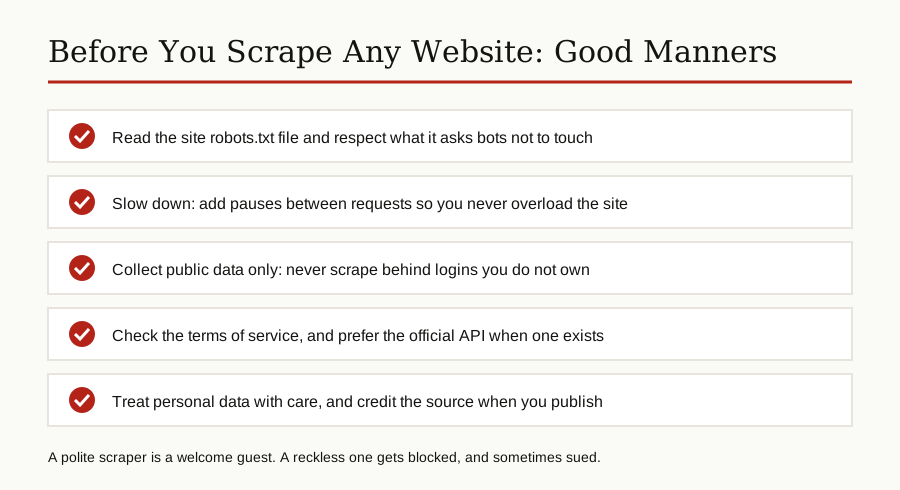
- Check whether the site offers an API first, and use it if it covers your needs.
- Read robots.txt and the terms of service for the pages you want.
- Identify your scraper honestly in its User-Agent label.
- Add pauses between requests, and run big jobs at quiet hours.
- Cache pages so you never fetch the same page twice without a reason.
- Store only the fields you actually need, especially anything personal.
- Credit sources when you publish results, and honor removal requests.
Web Scraping vs APIs: Which Should You Use?
An API, short for Application Programming Interface, is an official channel a site opens for programs to request data directly. Instead of reading painted pages, your program asks a tidy endpoint and gets clean, structured data back, usually with rules about how much and how often.
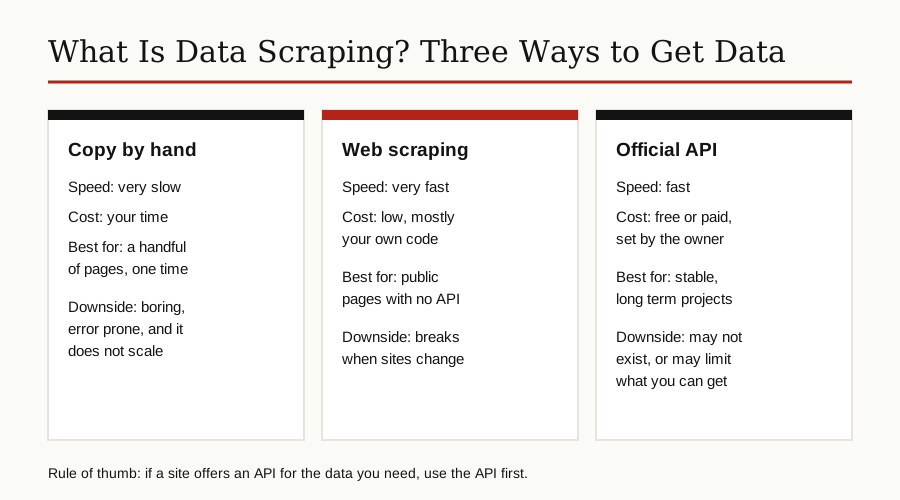
APIs win on stability: they rarely break, the data is clean, and permission is built in. Good API design is a craft of its own, as our guide to API design principles explains. But APIs do not exist for most of the web, they may charge, and they only offer what the owner chooses to share.
Scraping wins on reach: it works on any public page, whether or not the owner planned for it. That freedom is exactly why the legal and ethical care above matters. The practical rule most teams follow is simple: API first when one exists, scraping for the public data no API covers.
Conclusion
Web scraping turns the public web into a data source you can actually use: fetch a page, parse its code, extract the pieces you need, clean them, and store them. Start small with requests and BeautifulSoup, reach for Scrapy or Playwright when projects grow, and keep the good manners that separate a researcher from a nuisance.
Do that, and a web scraper becomes one of the most useful tools a developer, analyst or curious beginner can own. For more guides like this one, browse our software development category.