Every developer has a horror story about a bad API. The docs promise one thing, the API does another. An error reply says only “something went wrong.” A field called user_id in one endpoint is userId in the next and uid in a third. Hours disappear, not because the task was hard, but because the API made it hard.
An API is a product. Its customers are developers, and its user interface is a list of URLs, fields and status codes. Like any product, it can be designed with care or thrown together, and the difference shows up in support tickets and integration time.
The good news: teams that build loved APIs follow a shared set of API design principles. They are habits, not secret tricks, and this guide walks through each one in plain English.
What Is API Design?
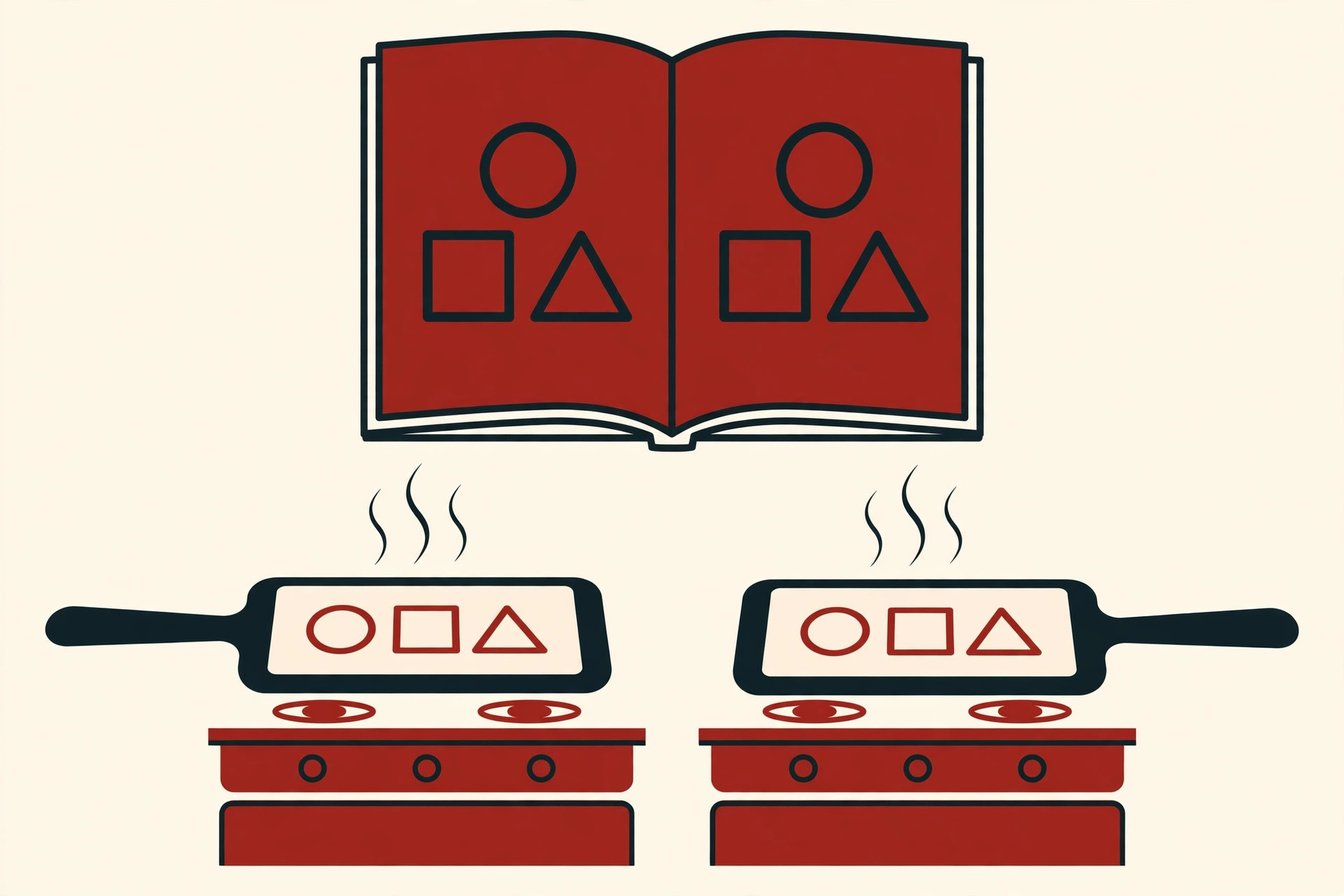
An API, short for application programming interface, is a contract between two programs. One program offers data or actions, the other asks for them in an agreed format, without either knowing how the other works inside. A common picture is a waiter in a restaurant: you read the menu, place an order, and the kitchen cooks, all without you entering the kitchen. The menu and the waiter are the interface.

API design is the work of writing that menu before anyone cooks. It means deciding the URLs, the methods, the shape of the data, and what happens when something goes wrong. It happens before the code: once other teams build on your API, every name you chose becomes hard to change. API design principles are simply the collected habits that make such contracts clear.
An API is also one piece of a system’s software architecture, and older integration styles like SOA live or die by the same rule: clear interfaces make systems easy to change, muddy ones make change a negotiation.
Google publishes its approach as a free API design guide: design around resources, the things your API manages, and keep every API consistent.
Principle 1: Design for the Developer Using It
The first of all API design principles is easy to say and hard to do: design for the person calling the API, not for your database or your org chart.
That developer is often tired, under deadline and reading your docs at midnight. Every choice should save them effort:
- If a URL can be guessed, it is learned once and remembered.
- If a name matches the words users already use for the thing, nobody has to look it up.
- If two endpoints work the same way, learning the first one teaches the second.
A useful test: write the code a user would write before you build anything. If that sample looks clumsy, the design is clumsy, however elegant the server code is. Stripe became famous among developers partly by taking this seriously: predictable names, consistent objects and human-sounding errors. You do not need Stripe’s budget to copy the mindset, just the habit of seeing your API from the outside in.
Resources and Naming: Nouns, Not Verbs
A resource is a thing your API manages: an order, a customer, a product, a payment. Good URLs name resources with nouns and let the HTTP method supply the verb.
GET     /orders          list orders
GET     /orders/42       read order 42
POST    /orders          create an order
DELETE  /orders/42       delete order 42
Compare that with verb URLs like /getOrders or /deleteOrderById, where every URL invents a new name to memorize. With nouns plus methods, five methods cover almost everything.
Rules that keep naming clean:
- Use plural nouns for collections.
/orders, not/order, for the whole collection. - Use lowercase and hyphens in URLs.
/shipping-addressesreads better than/shippingAddresses. - Nest only to show belonging.
/users/42/ordersmeans the orders of user 42. Two levels is plenty; deep chains get hard to change. - Name fields one way. Pick camelCase, like
createdAt, or snake_case, likecreated_at, for your JSON fields, then never mix the two. - Avoid abbreviations users must decode.
customerbeatscustevery time.

Consistency here is not decoration. It is why naming sits near the top of every list of API design principles: a developer who can guess your URLs barely needs your docs.
HTTP Methods and Status Codes
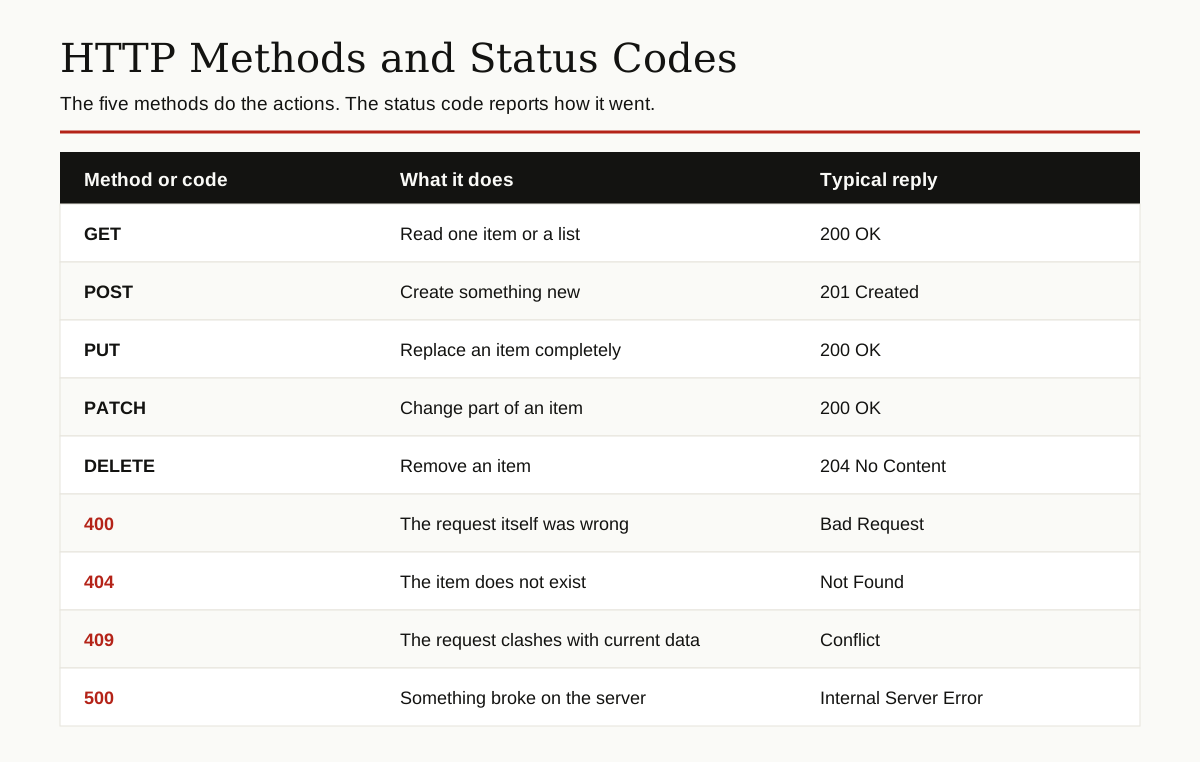
HTTP methods are the verbs of the web, and each one has a job. Use each for its job and nothing else.
| Method | Job | Success reply |
|---|---|---|
| GET | Read one item or a list | 200 OK |
| POST | Create something new | 201 Created |
| PUT | Replace an item completely | 200 OK |
| PATCH | Change part of an item | 200 OK |
| DELETE | Remove an item | 204 No Content |
Two safety notes worth knowing. GET should never change anything, so it can be retried and cached safely. PUT and DELETE are idempotent, meaning the same request sent twice has the same result as sending it once, which makes retries safe.
Status codes fall into simple families. Codes in the 200s mean success. Codes in the 400s mean the caller made a mistake: 400 for a malformed request, 401 for a missing or bad login, 403 for “we know you, and the answer is no,” 404 for a missing resource, 409 for a conflict with current data and 429 for too many requests. Codes in the 500s mean the server failed and the caller did nothing wrong.
The golden rule: never return 200 OK for an error. Client code checks the status code first. A lying status code turns a five minute fix into an afternoon of debugging.
Versioning: Plan for Change on Day One
An API is a promise, and apps built on it depend on that promise. A breaking change is any change that can break those apps: removing a field, renaming an endpoint or changing what a value means. Adding a new optional field is not breaking; old code can ignore it.
Versioning is how you keep the promise while still improving. It is one of the API design principles teams skip most often, because version 1 never seems to need it, until it does. The main strategies are few:
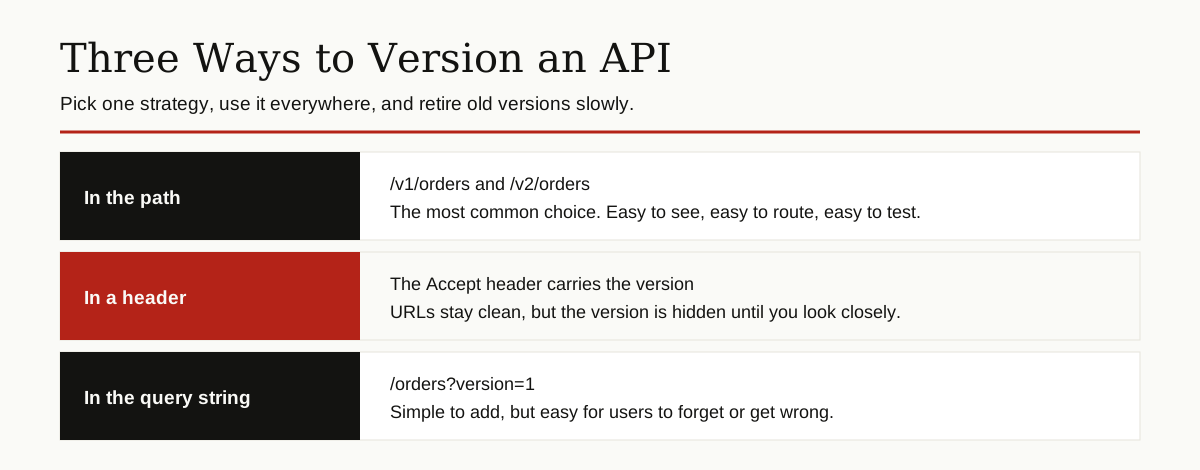
Path versioning, like /v1/orders, is the most common because it is visible in every log and easy to route. Header versioning hides the version inside the request headers, which keeps URLs clean but makes testing harder. The Microsoft REST API guidelines require every API to state its version explicitly, in the path or the query string. What matters most is picking one approach and using it everywhere.
Inside one version, make only safe, additive changes. When a breaking change is truly needed, ship a new version, keep the old one running for a stated period, and tell users the retirement date early and often.
Pagination, Filtering and Sorting
A list endpoint that returns everything works fine with ten orders and falls over with ten million. Pagination splits a long list into pages the caller walks through.
The two common styles are offset pagination, like ?limit=25&offset=50, which is simple and fine for small, stable lists, and cursor pagination, where the reply hands back a token for the next page. Cursors stay correct when items are added or removed while someone is paging, so busy APIs prefer them. Either way, set a sensible default page size, cap the maximum, and say whether more pages exist.
Filtering and sorting belong in the query string, where they are easy to read and easy to cache:
GET /orders?status=paid&sort=-created_atThis asks for paid orders only, newest first. The minus sign means descending order. Keep filter names identical to the field names in your replies, so users never translate between vocabularies.
Error Design: Fail Helpfully
Errors are part of the interface, not an accident. Developers judge your API on its worst day: the day everything they send gets rejected.
A good error reply has the same shape every time, across every endpoint:
{
  "error": {
    "code": "order_not_found",
    "message": "No order exists with id 42.",
    "status": 404
  }
}
Three things do the work here. The status matches the HTTP status, so tools and humans agree. The code is a stable, machine readable label that programs can react to, and its wording never changes between releases. The message speaks to a human and says what went wrong in plain words. When you can, add what to do next: “check the id and try again” turns a dead end into a next step.
There is even a standard for this: RFC 9457, called Problem Details, defines a shared JSON shape for API errors, so different APIs fail in the same predictable way.
And one hard rule: never leak internals. Stack traces, database errors and server file paths help attackers and confuse everyone else. Log the details on your side, show a clean summary on theirs.
Security Basics
Two tools cover most APIs. An API key is a long secret string that identifies the calling app, like a password for software. It is simple and works well for server to server calls. OAuth is the system behind “Sign in with Google”: it lets a user grant an app limited access to their data, for a limited time, without handing over their password. Use OAuth when the API acts on behalf of a person.
Whatever you choose, three habits are not optional:
- Serve the API over HTTPS only, so keys and data travel encrypted.
- Check permissions on every request. Being signed in is not the same as being allowed to see this order.
- Set rate limits, a cap on requests per minute, and publish the cap in your docs, so one buggy or abusive client cannot knock the API over for everyone.
Documentation: The Real User Interface
For most developers, your documentation is your API: the first thing they open and the thing they judge you by.
Good docs include a quickstart that gets a first successful call working in a few minutes, a reference page for every endpoint with a full example request and a full example reply, and a list of error codes and their meanings. Examples should be copy, paste and run: real URLs, realistic values, nothing left as an exercise for the reader.
The Swagger guide to API design best practices makes the same point from the tooling side: write the design down in a standard format like OpenAPI, and you can generate interactive docs where developers try calls right in the browser. Docs written from the design stay honest, because they are the design.
How to Design an API, Step by Step
Here is a process that scales from a weekend project to a public platform.
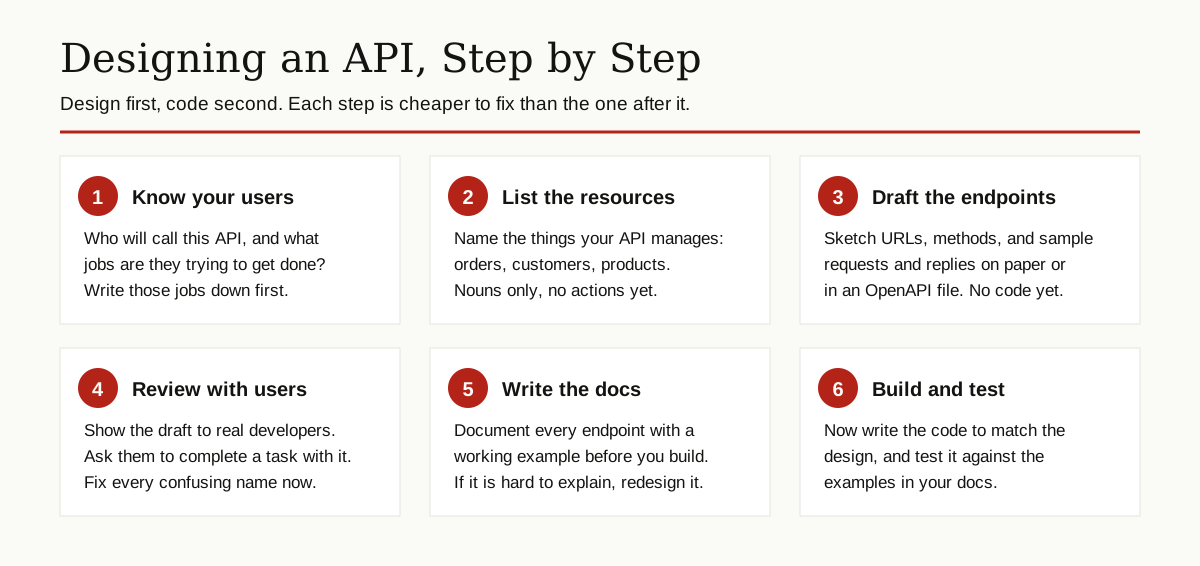
- Know your users. List who will call the API and the jobs they need done, in their words.
- List the resources. Write the nouns: orders, customers, products. If a candidate is an action, it probably belongs to a method on a resource.
- Draft the endpoints. Sketch URLs, methods, fields and sample replies in an OpenAPI file or a plain document. No server code yet.
- Review with real users. Watch a developer try your draft on a task they actually have. Every place they hesitate is a design bug you can still fix for free.
- Write the docs. If an endpoint is hard to explain, it is hard to use. The docs are a design test.
- Build and test. Now code the API to match the design, then run the doc examples as tests.

Notice what is missing: code comes last. Changes on paper cost minutes. Changes after launch cost migrations, new versions and apologies.
Common Mistakes to Avoid
Most painful APIs fail in the same few ways.
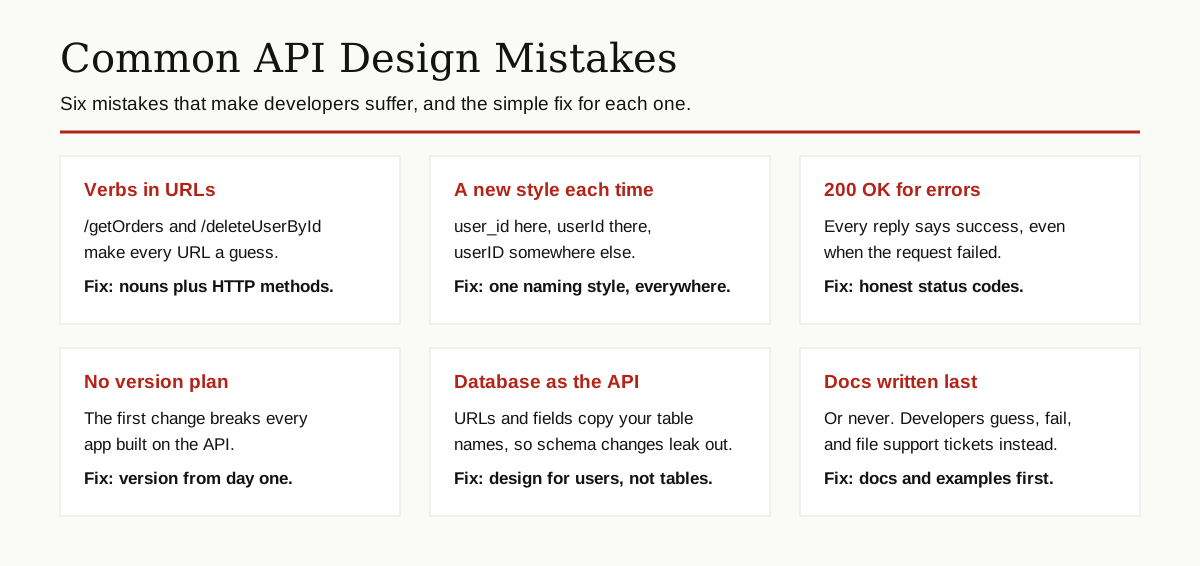
- Verbs in URLs. Still the most common beginner mistake, covered above.
- Breaking changes in silence. Renaming a field inside the same version breaks every app that trusted you.
- Leaking the database. When URLs and fields copy table names, every internal cleanup becomes a public breaking change.
- One-off designs. Every endpoint in a different style, so nothing learned transfers.
Each of these breaks one of the API design principles above: consistency, honesty or designing for the user.
REST, GraphQL and gRPC in Brief
This guide is REST centered because REST is the default style for public APIs: resources, HTTP methods and JSON. It is not the only style.
| Style | The idea in one line | A good fit when |
|---|---|---|
| REST | Resources with URLs, actions as HTTP methods | Most public and partner APIs |
| GraphQL | The client asks for exactly the fields it needs, from one endpoint | Apps with many screens that need different slices of the same data |
| gRPC | Programs call functions on other programs under a strict contract, in a compact binary format | Fast calls between your own services inside one system |
GraphQL shines when one fixed reply shape serves nobody well. gRPC shines on speed and strict contracts between machines. Both still live or die by the same foundations: clear names, honest errors and a versioning plan. If you need data from sites that offer no API at all, that is a different job, covered in our guide to web scraping.
Conclusion
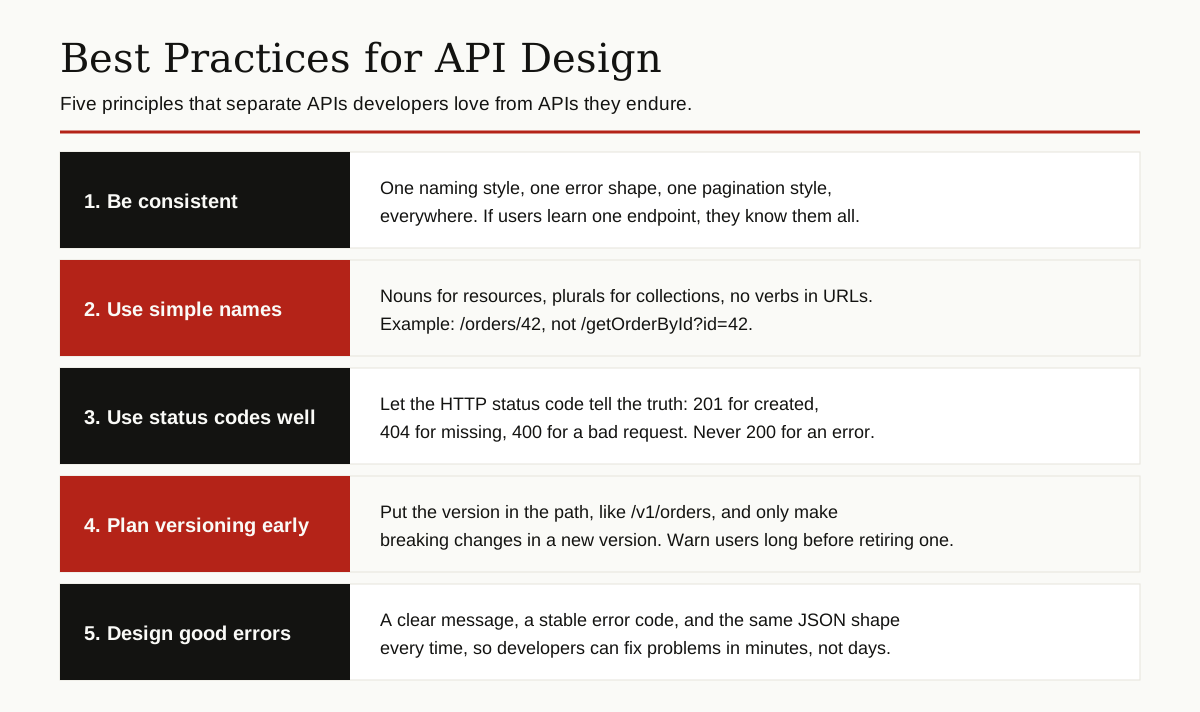
Great APIs feel boring in the best way. Names are guessable, errors are helpful and nothing surprises you. That feeling is not luck. It comes from following a short list of API design principles with discipline: design for the developer, name resources with nouns, let methods and status codes tell the truth, version from day one, page your lists, shape your errors and write docs you would want to read at midnight.
Pick one principle, audit your current API against it this week, then pick the next. Small, consistent fixes are how ordinary APIs become the ones developers recommend.
For more guides like this one, browse the software development category.