You already judge user experience every day. When an app feels smooth and you finish your task without thinking, that is good UX. When a website makes you hunt for a button, or a door makes you push when you should pull, that is bad UX, and you feel it in your shoulders before you can explain it.
Here is the secret the whole field is built on: the best experiences are almost invisible. Nobody praises a door that simply opens. This guide covers user experience basics in plain words, so you can start spotting what makes products easy, and start designing that way yourself.
What Is User Experience?
User experience, usually shortened to UX, means everything a person feels and goes through when they use a product, a service or a company. It is not just the screen. It is signing up, getting help, making a mistake, recovering from it, and how the person feels at the end.
The best known definition comes from the Nielsen Norman Group, the research firm that helped create this field. They say user experience “encompasses all aspects of the end-user’s interaction with the company, its services, and its products.” In plain words: if a person touches it, reads it, waits for it or gets frustrated by it, it is part of the experience.
The term itself was coined in the 1990s by Don Norman, a cognitive scientist working at Apple at the time. Norman wanted a word wider than “interface,” because a product is more than its buttons. A useful way to remember what user experience is: it answers the question, “What was it like to use this?”
Think of a coffee shop. The app you order with, the line you stand in, the name shouted when your drink is ready, the wobbly table: all of it together is the user experience. The app alone is just one piece.
UX vs UI: What Is the Difference?
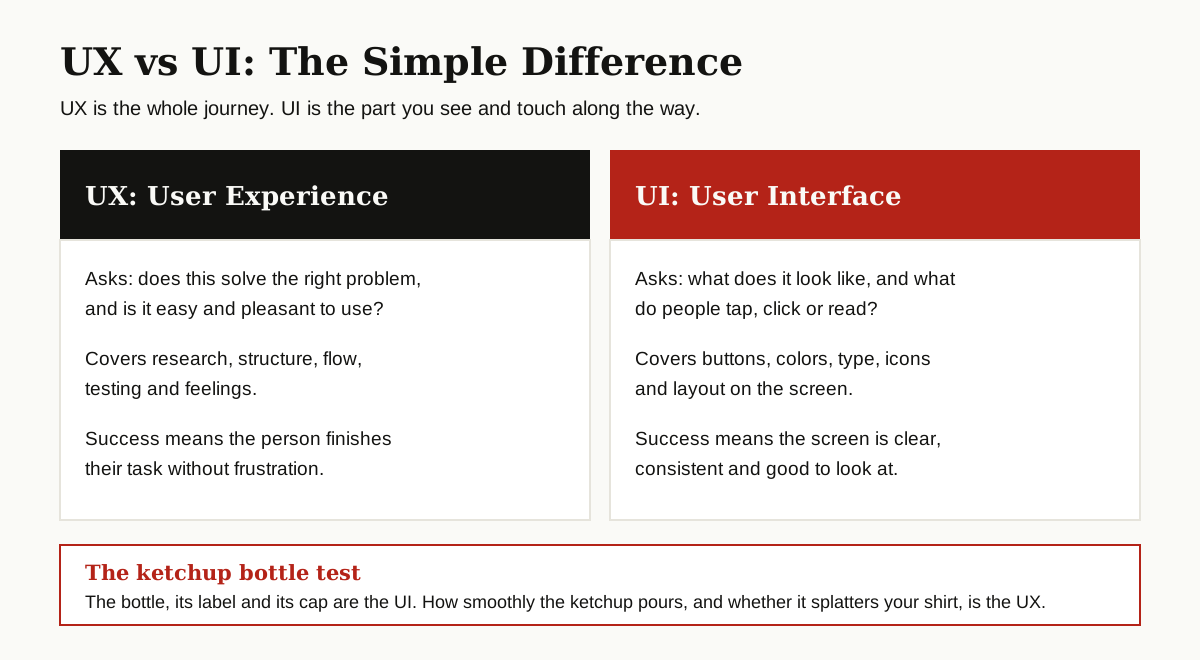
Beginners mix these two up more than anything else in user experience design basics, so let us clear it up early. UI stands for user interface. It is the part of the product you see and touch: buttons, menus, colors, text, icons and screens. UX is the whole journey those pieces add up to.
| Question | UX (user experience) | UI (user interface) |
|---|---|---|
| Main question | Does it solve the right problem, easily? | Does it look clear and work well on screen? |
| Covers | Research, structure, flow, testing, feelings | Buttons, colors, type, icons, layout |
| Example task | Find out why shoppers abandon checkout | Make the checkout button easy to spot |
| Success looks like | The task gets done without frustration | The screen is clear and consistent |
A famous everyday analogy is the ketchup bottle. The bottle, its label and its cap are the UI. How smoothly the ketchup pours, and whether it splatters across your shirt, is the UX. A beautiful bottle that ruins lunch has good UI and bad UX.
In small teams, one person often does both jobs. In bigger companies, the roles split. Either way, remember this order: UX decides what should happen and why, and UI makes it look and feel right.
The Building Blocks of UX
User experience basics rest on six building blocks. When a product feels broken, usually one of these six was skipped.
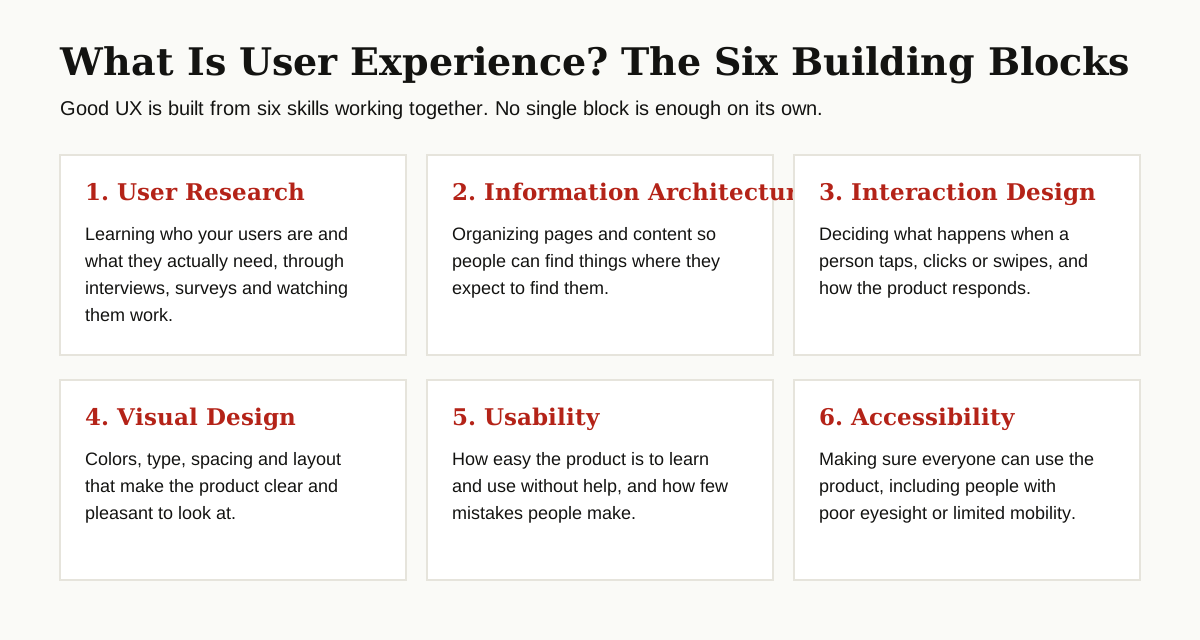
User research. Learning who your users are and what they need, through interviews, surveys and observation. Every other block depends on this one, because designing without research is just guessing with better software.
Information architecture. Organizing content so people find things where they expect them. A shop that files running shoes under “footwear, sport, running” in a logical order has good information architecture, even if no visitor ever hears that term.
Interaction design. Deciding what happens when someone taps, clicks, swipes or types, and how the product responds. Does the button change color? Does a message confirm the order went through? That feedback loop is interaction design.
Visual design. The colors, type, spacing and layout. This block is where UX and UI overlap most. Good visual design is not decoration for its own sake; it guides the eye to what matters first.
Usability. How easy the product is to learn and use in practice. We will unpack this one in its own section below, because it is the quality you can measure.
Accessibility. Making sure everyone can use the product, including people with poor eyesight, shaky hands, or a screen reader. Accessibility is not a bonus feature. A door only some people can open is a broken door.
The UX Design Process, Step by Step
UX work follows a loop, not a straight line. The exact step names vary between teams, but the shape stays the same.
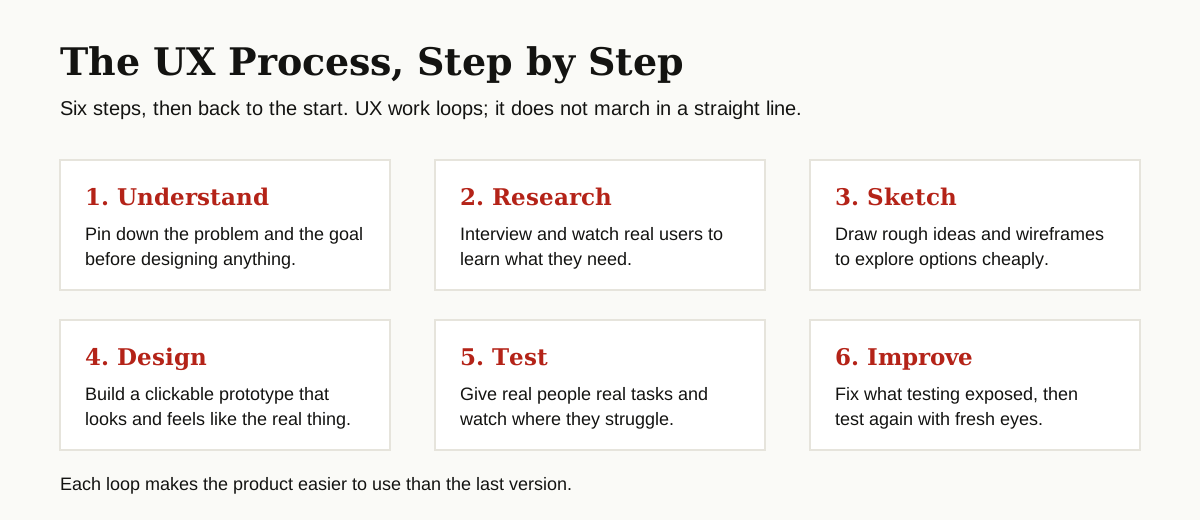
- Understand. Pin down the problem, the goal and the limits. Who is this for, and what does success look like?
- Research. Interview users and watch them work. Five honest conversations here will save you weeks of wrong design later.
- Sketch. Draw rough screens on paper or as wireframes, which are simple grey layouts with no colors or polish. Cheap sketches invite honest criticism, because nobody is precious about a drawing.
- Design. Turn the best sketch into a prototype, a clickable mock version of the product. Prototypes let people try the flow before anyone writes real code. Our guide to rapid prototyping shows how fast this can go.
- Test. Put the prototype in front of real users, give them real tasks, and watch quietly.
- Improve. Fix what testing exposed, then test again. Each loop removes a layer of confusion.
That loop is the heart of the ux design principles in this guide: learn from real people, early and often, in small cheap rounds.
What Makes an Experience Usable?
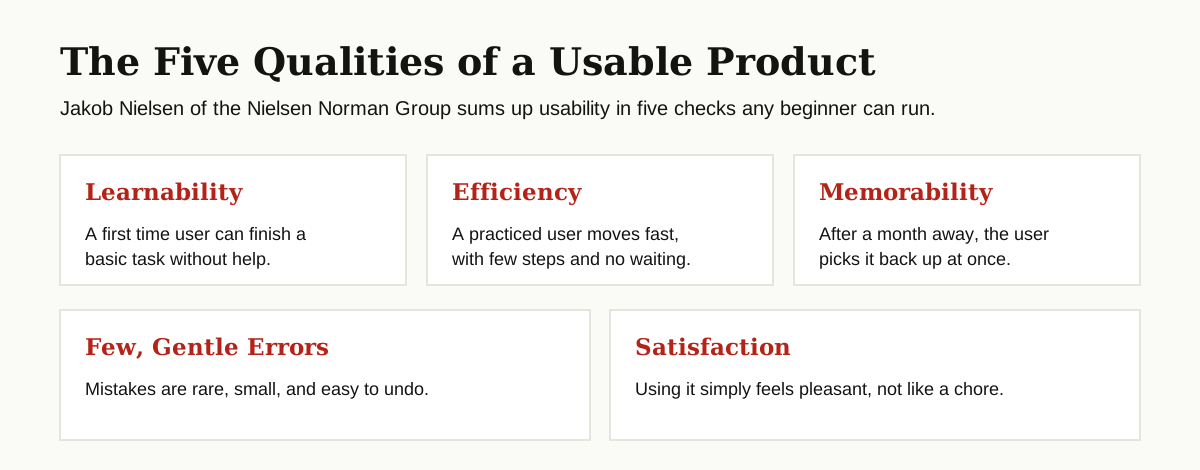
Usability is the measurable side of UX. Jakob Nielsen of the Nielsen Norman Group describes usability through five quality components. Here they are in plain words.
- Learnability. How easily can a first time user finish a basic task? A good sign up form scores high here.
- Efficiency. Once people have learned it, how fast can they move? Keyboard shortcuts and a short checkout are efficiency wins.
- Memorability. If someone returns after a month away, can they pick it back up, or must they relearn everything?
- Errors. How many mistakes do users make, how bad are they, and how easily can people undo them? A friendly undo beats a scary warning.
- Satisfaction. Simply: how pleasant is it to use? People forgive small flaws in products they enjoy, and nothing in products they dread.
When you review any product, run through these five. You will be surprised how precisely they point at what is wrong.
Good and Bad UX: Everyday Examples
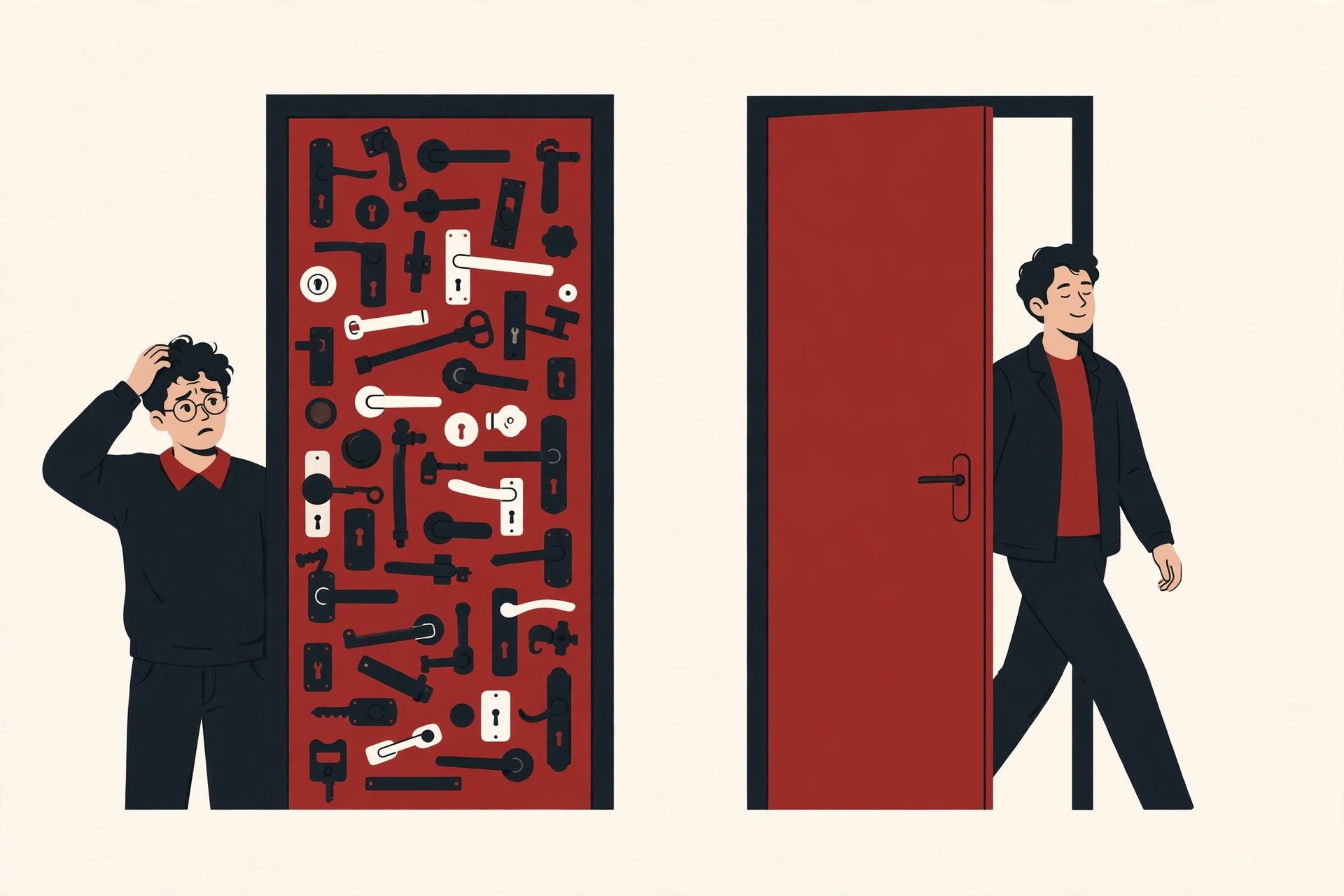
The most famous bad example is not an app at all. It is a kind of door that Don Norman wrote about so often that people now call it a Norman door: a door you cannot tell whether to push or pull, because its design gives the wrong signal. A flat plate that begs to be pulled but must be pushed. If you have ever yanked a door, failed, and felt stupid, know this: it was the door, not you. That sentence is the soul of UX thinking. When many users fail at the same spot, the design is wrong, not the people.
Good UX hides in plain sight. A stove where the knobs are laid out in the same pattern as the burners, so you never guess which knob lights which ring. A checkout that shows your progress, keeps your details when you go back a step, and confirms the order in words a child could follow. A boarding pass that puts the gate and seat where your thumb expects them.
Bad UX has a smell, too: forms that erase everything when one field is wrong, error messages that say “Error 402” instead of what to do next, and unsubscribe links written in tiny grey text. Each one tells the user, “Our system matters more than your time.”
Simple Research and Testing Methods You Can Run
You do not need a lab or a budget to practice the methods below. You need a few real users and the discipline to listen more than you talk.
User interviews. Sit with one person for 30 minutes. Ask about the last time they did the task, not what they might want in the future. Past behavior is honest; predictions are not. Take notes on exact words, because those words become your labels and menu names later.
Wireframes and prototypes. Sketch screens on paper first, then rebuild the best idea as a clickable prototype in a design tool. Paper feels rough on purpose: people criticize paper honestly, while they tend to praise anything that looks finished.
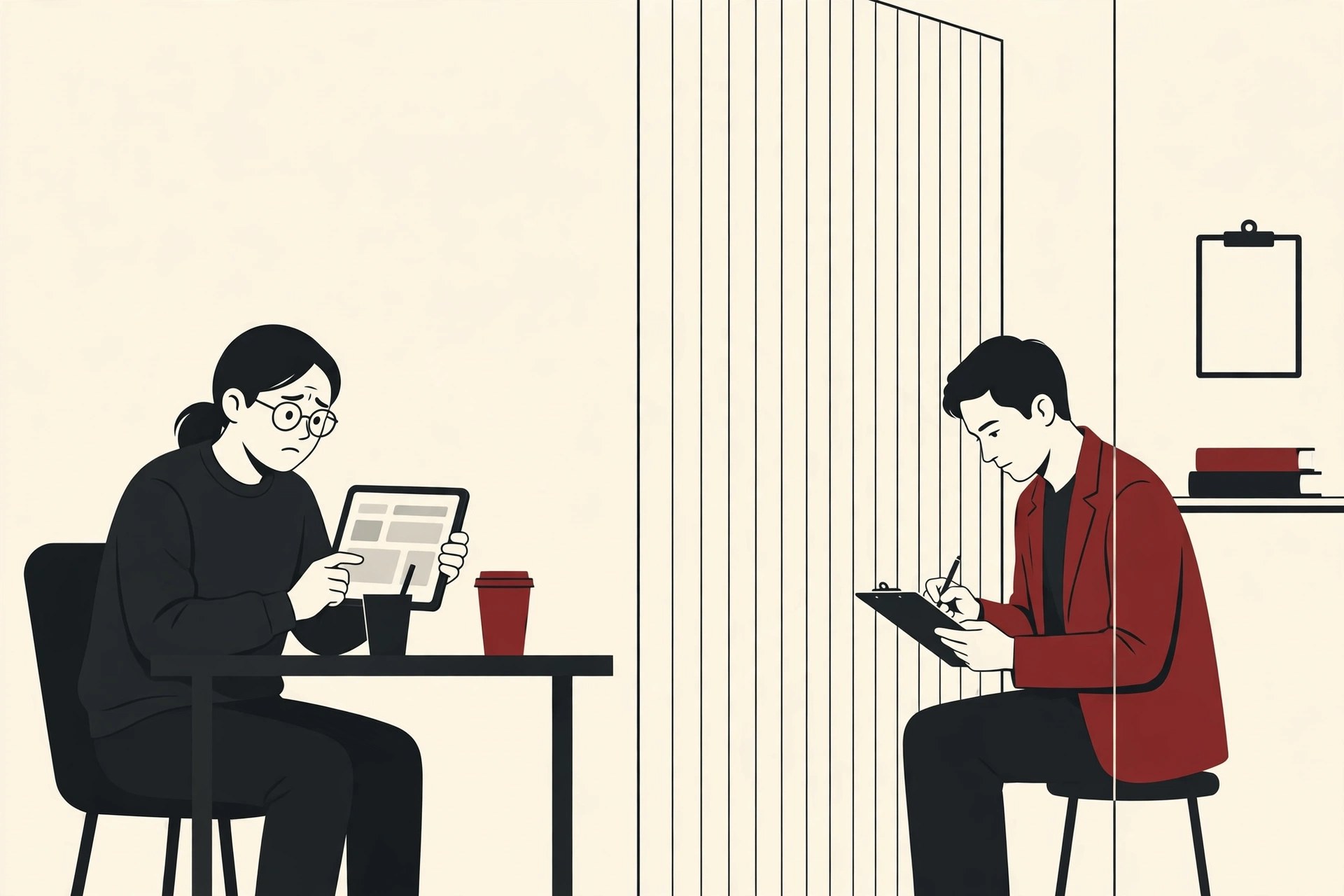
Usability testing. Give a person a real task (“buy a gift for a friend under 50 dollars”) and watch them try it on your design. Do not help. Do not explain. Your job is to write down where they hesitate, click the wrong thing, or give up.
Here is the encouraging part. Research by Jakob Nielsen and Tom Landauer, published by the Nielsen Norman Group, found that testing with just five users uncovers most of the usability problems in a design, around 85 percent in their model. After five, each extra person mostly repeats what you have already seen. So test with five, fix the problems, then test again with five more. Small rounds, often, beat one giant study. Testing also pairs naturally with the wider quality habits in our software testing basics guide.
Tools Beginners Use
Tools matter less than method, and no tool will rescue a design nobody tested. Still, every beginner asks, so here are the categories you will meet, in the order you will need them.
- Design and prototyping tools, such as Figma, where you draw screens and link them into clickable flows.
- Whiteboard tools, such as Miro or FigJam, for mapping journeys and sorting research notes with a team.
- Research tools, from simple survey forms to note taking and recording apps for interviews and tests.
- AI helpers, which can draft first pass copy, summarize interview notes or generate placeholder content. Our roundup of the best AI coding assistants covers the code side, and similar AI tools now sit inside most design apps too.
Learn one tool per category, deeply enough to work without thinking about the software. Then stop shopping for tools and go test something.
How to Start Learning UX
If user experience basics feel wide, that is because the field is wide. This path keeps it manageable.
- Learn the vocabulary first. This guide plus the US government’s usability guide at usability.gov will give you the core terms in a weekend.
- Study real products with new eyes. Pick three apps you use daily and score each against the five usability qualities above. Write down what you find.
- Take one structured course. The Interaction Design Foundation and the Nielsen Norman Group both publish respected learning material for beginners.
- Run a tiny real project. Redesign one painful flow, such as a local shop’s booking page. Interview three people, sketch, prototype, test with five users, and write up what changed.
- Build a small portfolio. Two or three projects told as stories (problem, research, design, test, result) beat a gallery of pretty screens every time.
Common Beginner Mistakes
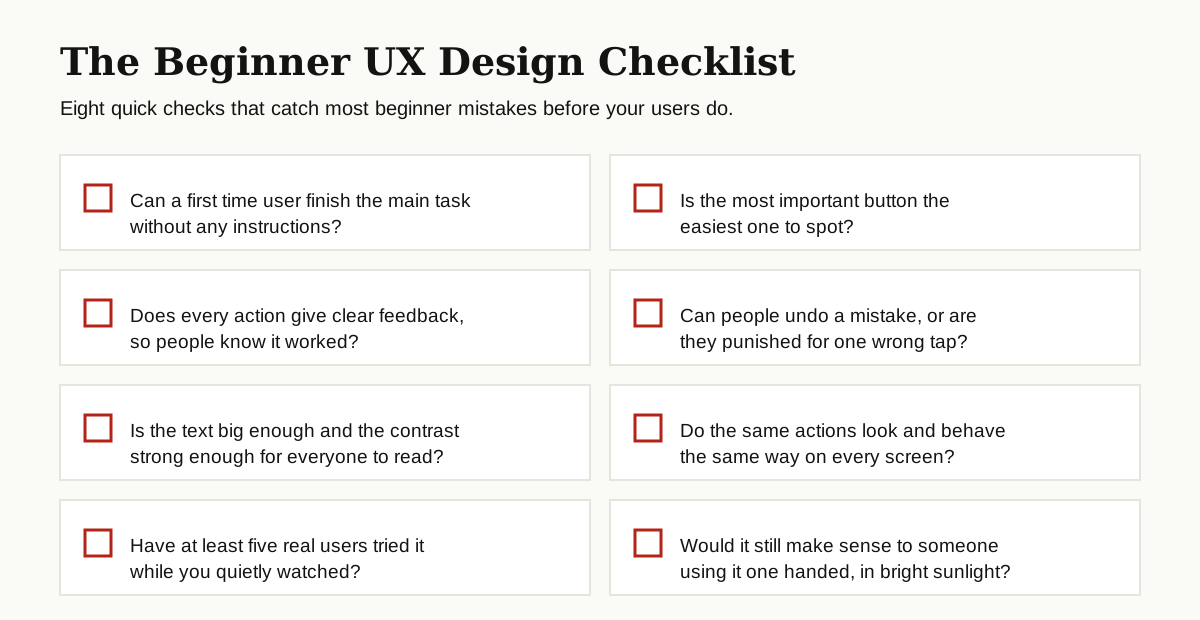
- Designing for yourself. You are not the user. Your taste is data of one, and it is usually wrong about everyone else.
- Asking users what they want. People are poor predictors of their own behavior. Watch what they do instead, and ask about what they did last time.
- Polishing too early. Hours spent on colors for a flow that testing will kill next week. Stay rough until the structure survives real users.
- Skipping accessibility. Small text and weak contrast shut real people out. Check them from the first sketch, not the last.
- Testing only at the end. A test after launch finds problems when they are most expensive to fix. The loop exists so you test early, while changes are still cheap.
Conclusion
Strip away the job titles and tools, and user experience basics come down to one habit: respect the person on the other side of the screen. Learn who they are, organize things the way they expect, watch them try your design, and fix what trips them, before it ships.
Start small. Interview one user this week, test one screen with five people next week, and keep looping. The rest of UX grows naturally from there, and you can explore more guides in our software development category as you go.