Every product on your desk started life as a rough first try. The phone case, the coffee mug, the app you opened this morning: each one existed as a cheap, imperfect model long before it became the polished thing you bought.
That early model is a prototype, and making it fast is the whole point of rapid prototyping. Instead of spending months and a large budget on a finished product and hoping people like it, teams build a quick version in hours or days, put it in front of real users, and learn what to fix while changes are still cheap.
This guide explains rapid prototyping in plain words: what it is, the step by step process, the main techniques for physical products and for software, how detailed a prototype should be, what it costs, and how to get one made even if you have no workshop of your own.
What Is Rapid Prototyping?
Rapid prototyping is a way of building early versions of a product quickly, so the design can be tested, improved and tested again before real money goes into production.
Let us unpack the two words. A prototype is a first model of something, built to answer questions: Does it fit in a hand? Does the button feel right? Can a new user understand this screen? Prototyping meaning, in plain terms, is simply the act of making such test models. The word “rapid” is the important part. Older methods of prototype development could take weeks of careful handwork for a single model. Modern tools, above all 3D printing and design software, cut that to hours or days.
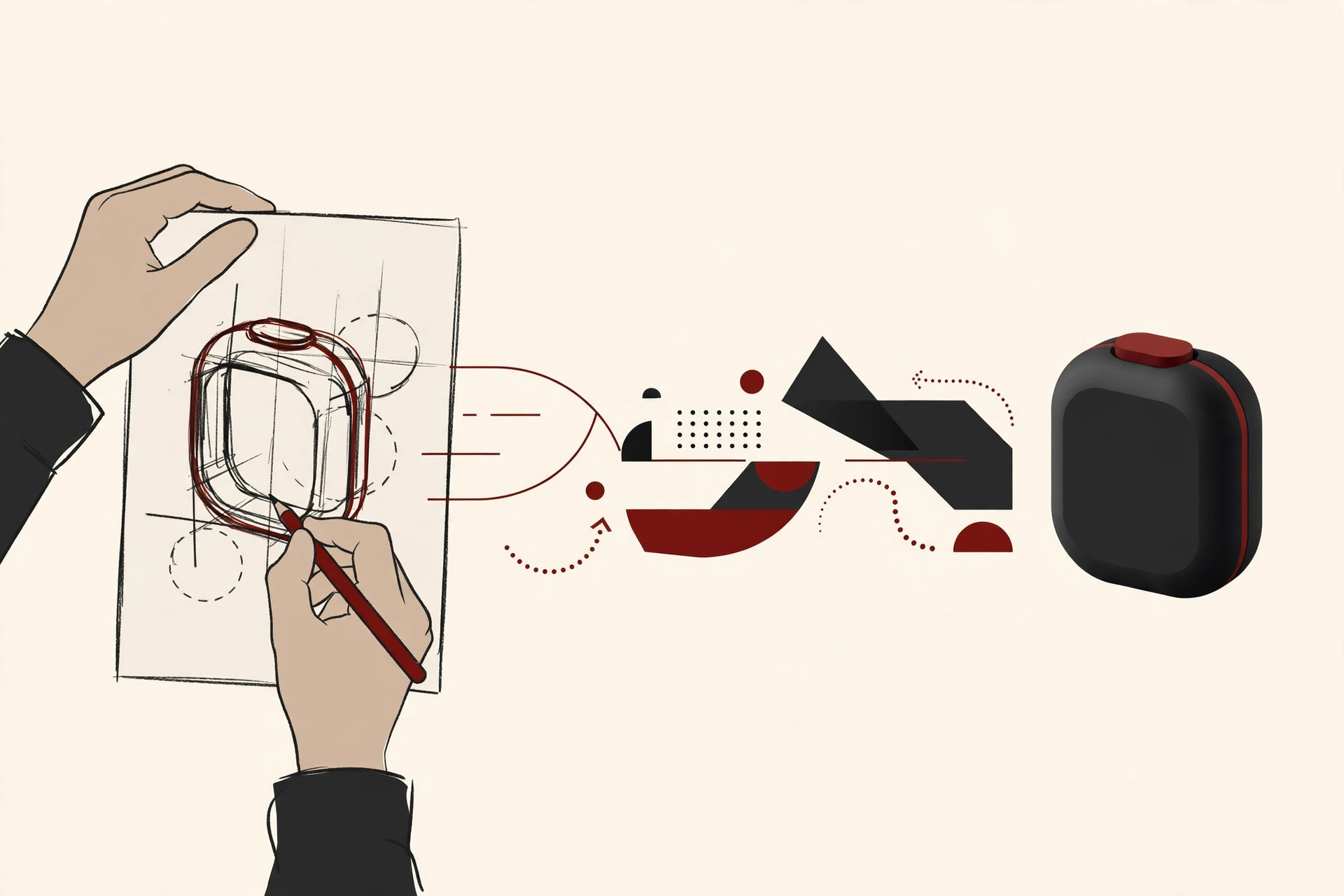
A rapid prototype is not meant to be the final product. It is meant to be disposable. You build it, learn from it, and you are fully prepared to throw it away and build a better one. That mindset is what separates prototyping from ordinary manufacturing, where every part is expected to be perfect and permanent.
The idea is used far beyond factories. Hardware teams print physical parts. Software teams build clickable mockups of apps. Even service businesses sketch and rehearse new processes on paper first. Wherever an idea needs testing before it is trusted, prototyping fits.
Why Rapid Prototyping Matters
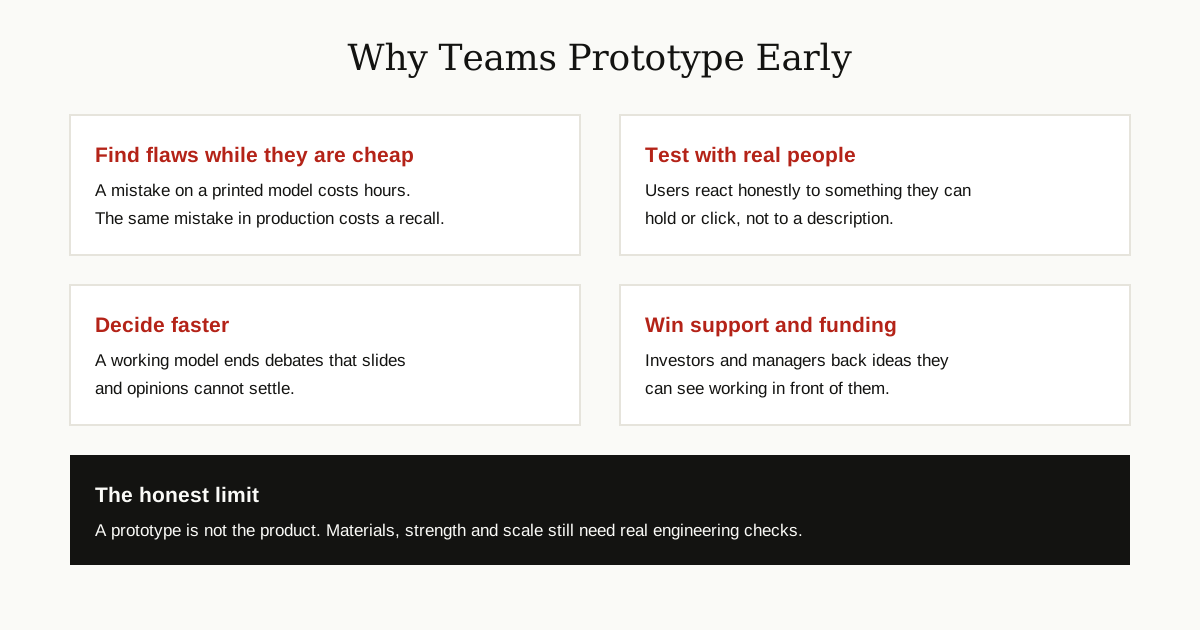
The core reason is simple economics. Fixing a flaw costs more the later you find it. A handle that feels wrong on a printed model takes an afternoon to reshape. The same handle, discovered after ten thousand units have shipped, can mean refunds, recalls and a damaged reputation.
Speed of learning matters just as much. A team that builds and tests three versions in a month knows more than a team that spends that month arguing about one design in meetings. Each round of testing replaces opinions with evidence: this shape is comfortable, that menu confuses people, this hinge breaks.
Prototypes also make ideas real for other people. Managers, investors and customers all understand a product faster when they can hold it or click through it. As manufacturing platform Hubs explains in its guide to rapid prototyping, early models let design teams check geometry, fit and function long before committing to expensive production tooling.
The Process, Step by Step
Prototyping is a loop, not a straight line. You will usually pass through the same six steps several times, once per version.
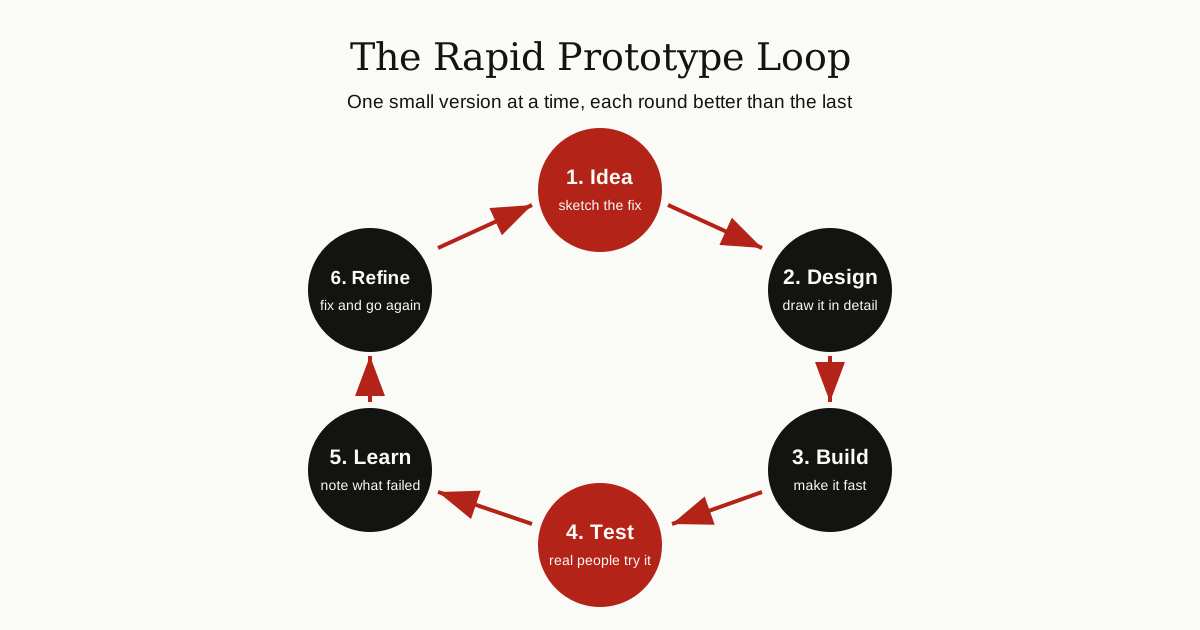
Step 1: Define the question. Every prototype exists to answer something specific. “Is this grip comfortable?” or “Can users find the checkout button?” A clear question keeps the build small and fast.
Step 2: Design the model. For a physical part, this means a sketch, then a CAD model, the digital drawing that machines read. For software, it means wireframes: simple drawings of each screen and how they connect.
Step 3: Build it. Print it, cut it, machine it, or mock it up in a design tool. Use the cheapest method that can answer your question honestly.
Step 4: Test it. Put the prototype in the hands of real users, or run the physical tests it was built for: fitting parts together, checking strength, wearing it, dropping it.
Step 5: Collect feedback. Watch what people do, not only what they say. Note every confusion, failure and surprise.
Step 6: Refine and repeat. Fix the biggest problems first, rebuild, and test again. Teams stop looping when the prototype passes its tests and the remaining questions need a more detailed version.
The Main Techniques
Different questions need different tools. These are the techniques you will meet most often in product prototyping.
3D Printing
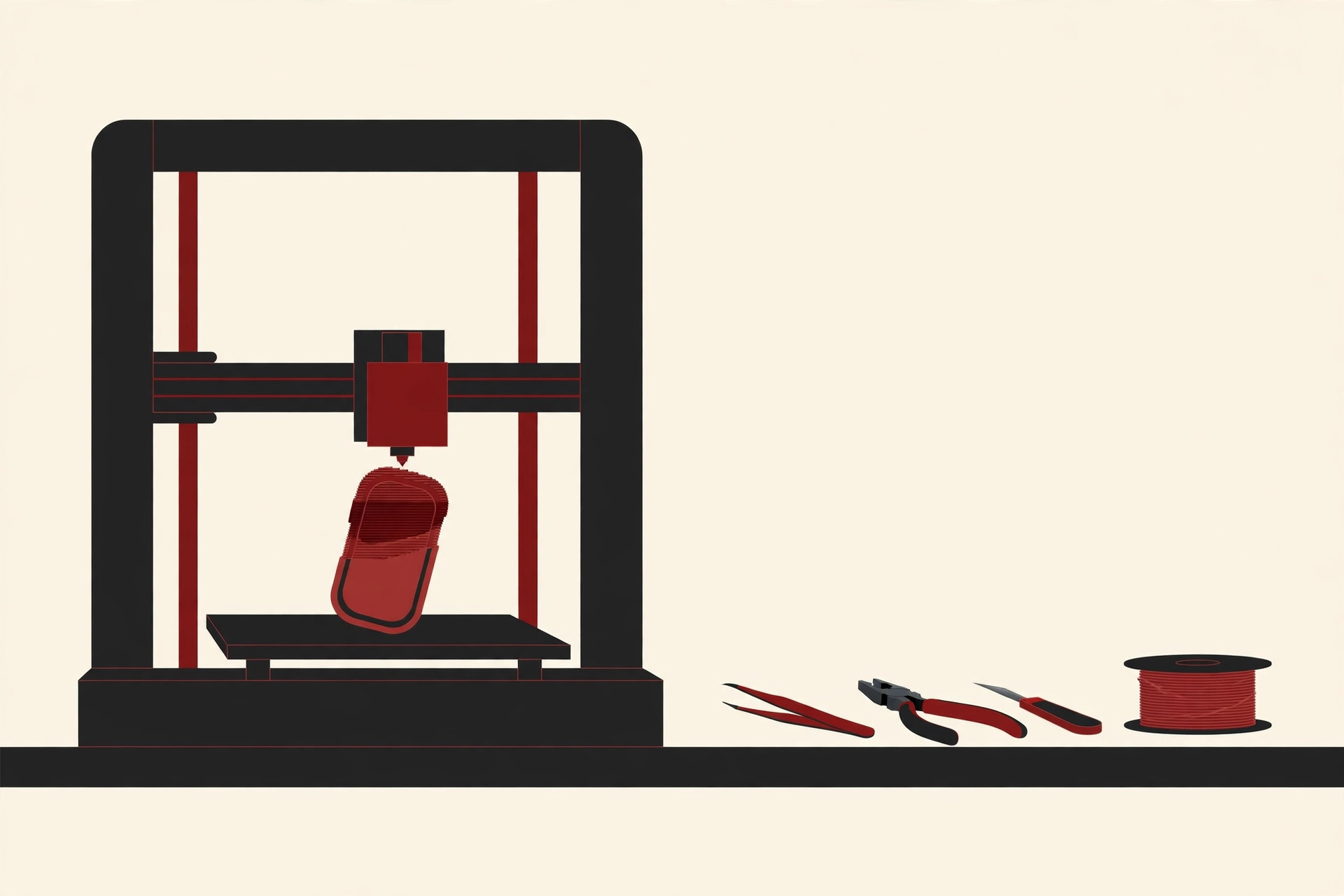
A 3D printer builds a part layer by layer from a digital file, using plastic filament, resin or powder. It is the most popular prototyping technique because it handles complex shapes, needs almost no setup, and can deliver a part overnight. Common variants include FDM, which melts a plastic filament and suits cheap concept models; SLA, which cures liquid resin with light and gives smooth, detailed parts; and SLS, which fuses nylon powder and produces stronger, functional pieces. The trade-off: printed plastic parts are usually weaker than final production parts, and fine surface detail can show layer lines.
CNC Machining
A CNC machine does the opposite of printing: it starts with a solid block of metal or plastic and cuts material away with computer-guided tools. Machining is slower to set up and costs more per part, but the result is strong, precise and made from the real material the final product will use. Teams choose it when a prototype must survive serious load or heat testing, or when exact measurements matter.
Laser Cutting
A focused laser beam cuts or engraves flat sheets of wood, acrylic, cardboard or thin metal. It is very fast and cheap, and ideal for panels, enclosures, brackets and flat mechanical parts that are later folded or assembled. Its limit is geometry: it works in two dimensions, so fully rounded 3D shapes are out of reach.
Casting and Molding
When a team needs ten or fifty copies of a part, printing each one is slow. Instead, they make one high quality master, create a soft silicone mold from it, and pour liquid plastic into the mold to cast copies. This bridge method gives production-like parts in small batches, useful for user trials and early sales, before anyone invests in steel production molds.
Software Prototypes and Mockups
For apps and websites, the “material” is screens. Designers build wireframes and clickable mockups in tools such as Figma, where pages are linked so a tester can tap through the app as if it were real, even though no working code sits behind it. Paper sketches are the fastest version of all. We cover software in its own section below.
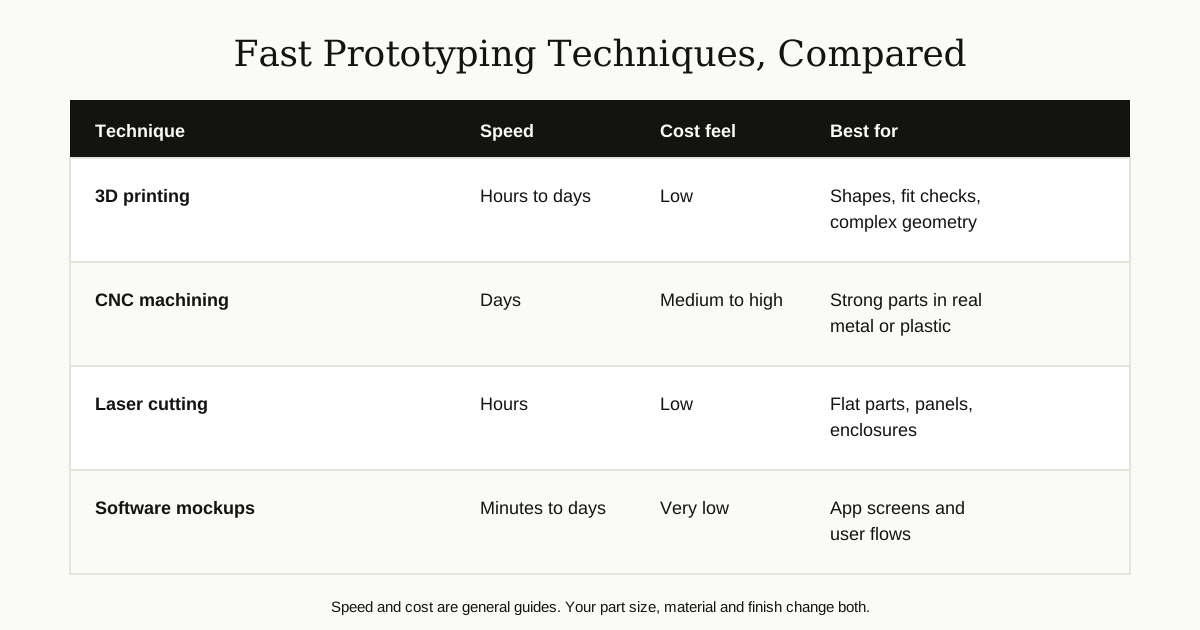
Here is the same comparison in a compact table:
| Technique | Typical speed | Cost feel | Best for |
|---|---|---|---|
| 3D printing | Hours to days | Low | Shapes, fit checks, complex geometry |
| CNC machining | Days | Medium to high | Strong parts in real materials |
| Laser cutting | Hours | Low | Flat parts, panels, enclosures |
| Casting | Days | Medium | Small batches of copies |
| Software mockups | Minutes to days | Very low | App screens and user flows |
Fidelity: How Real Should a Prototype Look?
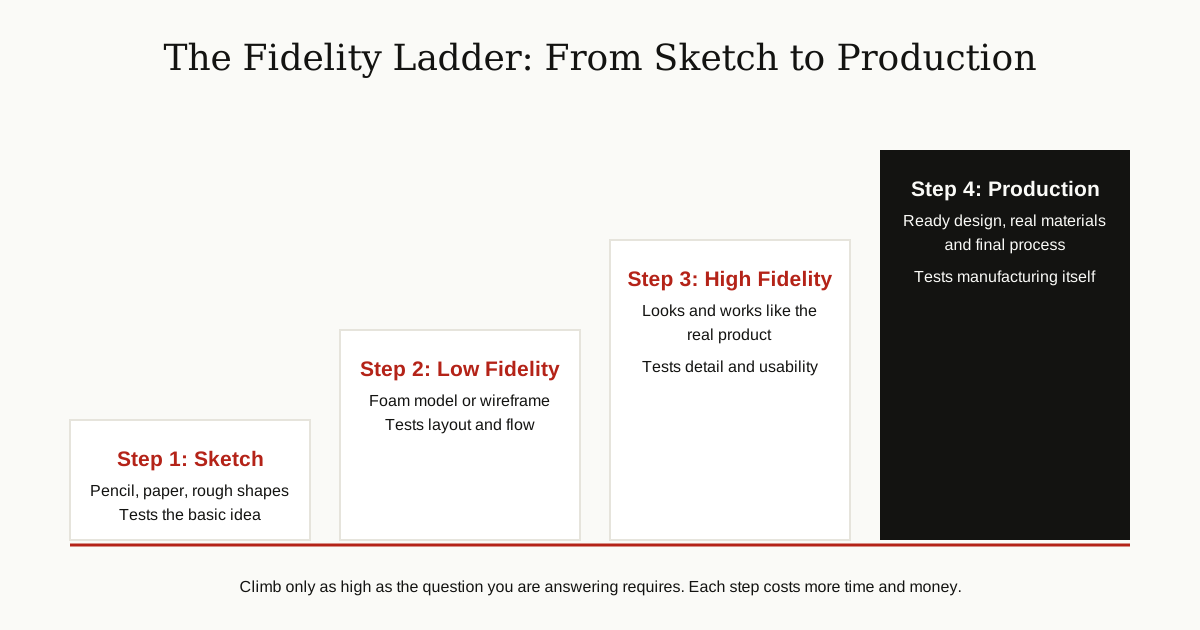
Fidelity means how closely a prototype matches the finished product. Choosing the right level saves money, because detail is expensive and early questions rarely need it.
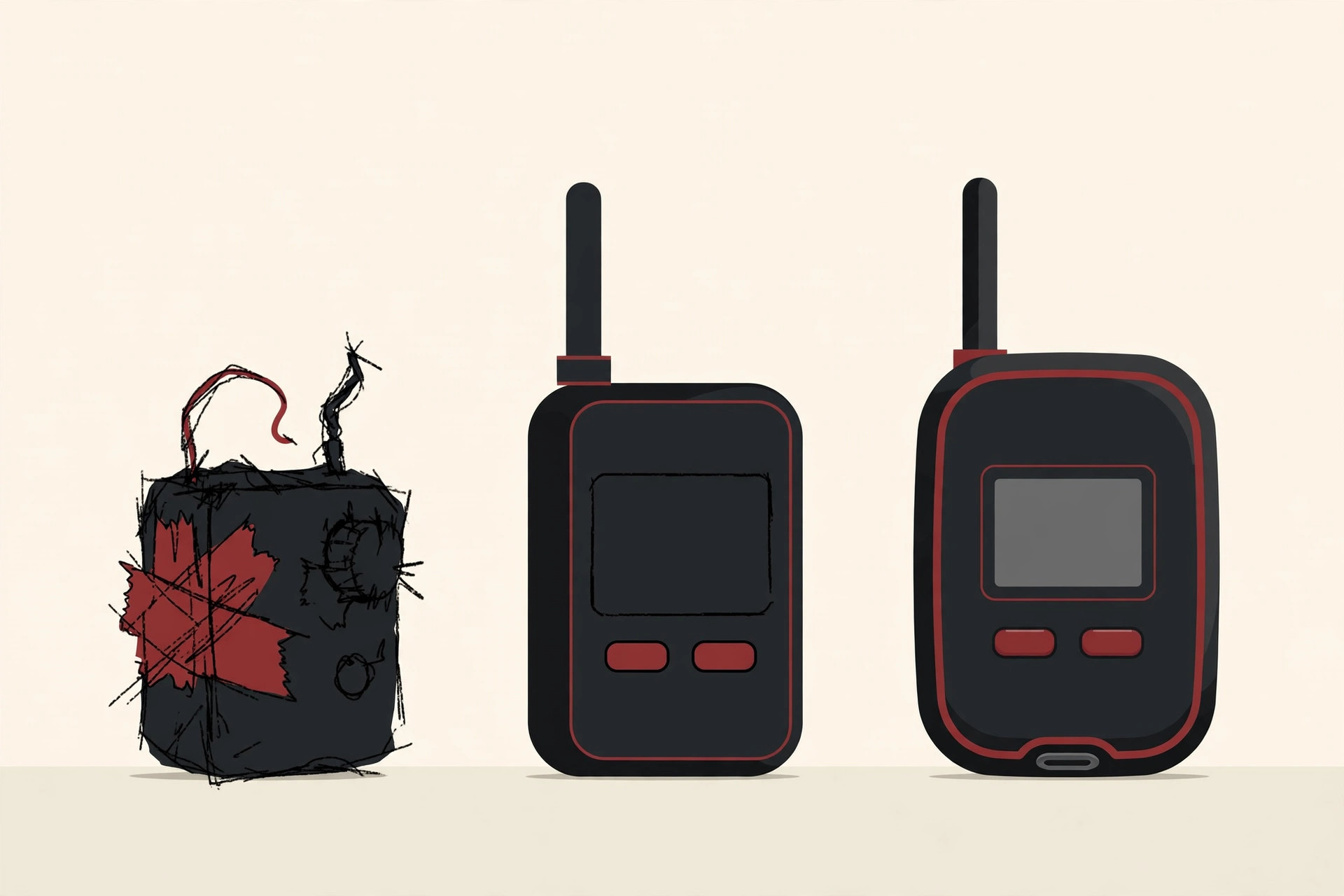
Low fidelity means rough and simple: paper sketches, foam or cardboard models, plain wireframe screens with no color. These take minutes or hours and answer big questions about layout, size and flow. Show a low fidelity model and people happily criticize it, because it clearly looks unfinished.
Medium fidelity adds the important interactions. A clickable wireframe with real buttons and sample content, or a printed model with the correct size and basic working parts. This level suits testing whether people can complete a task from start to finish.
High fidelity looks and behaves almost like the real product: final colors and materials, smooth surfaces, working screens with realistic data. It is used for final usability tests, investor demos and approvals, and it takes days or weeks to build.
Research firm Nielsen Norman Group draws the line in a similar way: low fidelity is for exploring ideas cheaply, high fidelity is for refining details and testing realism. The golden rule is to use the lowest fidelity that can honestly answer your current question, then climb one step at a time.
Rapid Prototyping for Software
Software teams prototype for a special reason: code is expensive to change once it grows. A mockup that takes a day to build can prevent weeks of rebuilding a feature that users did not want.
The work usually starts with wireframes, plain black and white drawings of each screen that show where things go, with no styling. Next come clickable mockups, where screens are linked into a working flow. A tester can tap a button and move to the next screen, giving honest feedback about the experience long before engineers write real code. Design decisions like these connect closely with user experience basics, because a prototype is where good UX is proven or disproven.
Some teams go one step further and build a throwaway coded prototype: a rough working version built in days to test a risky technical idea, then deleted. Others keep the prototype and grow it into the real product, a style called evolutionary prototyping. Either way, the prototype phase feeds directly into planning the real build, which is why prototyping sits so naturally next to software architecture decisions and early software testing basics: each test you run on a prototype is one less surprise in the finished system.

Benefits and Limits
The benefits add up quickly:
- Lower risk. Big failures happen on cheap models, not on shipped products.
- Lower cost. Iterating a digital file and a print is far cheaper than retooling a factory or rewriting finished code.
- Faster launches. Decisions that took weeks of meetings take one afternoon with a testable model.
- Better products. Real user feedback, collected early and often, steers the design toward what people actually need.
- Clearer communication. A model ends vague arguments. Everyone sees the same thing.
The limits deserve equal honesty:
- A prototype is not proof of production. Printed plastic cannot tell you how an injection molded part behaves after a year of use.
- Some tests still need the real thing. Heat, weather, long term wear and many safety checks require final materials and proper engineering tests.
- It can become a comfort trap. Polishing prototypes forever, instead of shipping, is its own kind of failure.
- Results depend on honest testing. Testing only on friends who praise everything teaches you nothing.
How to Get a Prototype Made
You do not need your own factory. There are three practical routes, and most teams mix them.
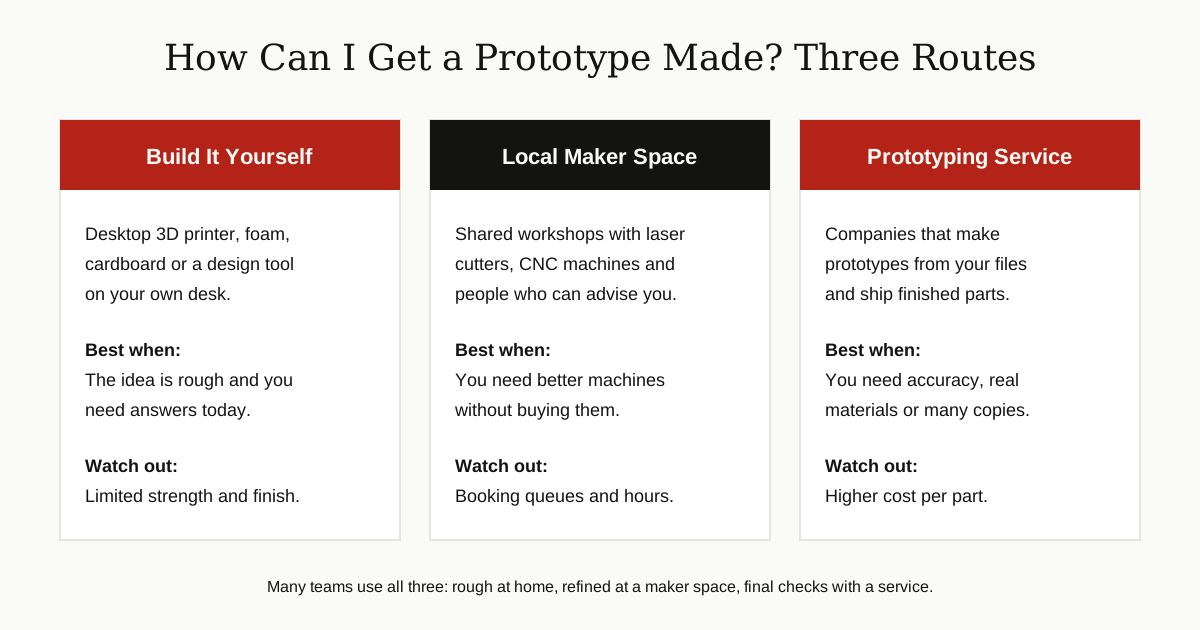
Build it yourself. A desktop 3D printer, foam board, cardboard and free CAD tools cover a surprising amount of early product prototyping. For software, free tiers of design tools are enough for wireframes and clickable mockups.
Use a maker space or university lab. Many cities have shared workshops with laser cutters, CNC machines and staff who will teach you. Libraries and universities often run them, and fees are modest compared with buying machines.
Hire a service. There are many companies that make prototypes to order: you upload a CAD file, choose a material and finish, and receive finished parts by post. Established manufacturing networks and local machine shops both offer this prototype manufacturing as a service, and online platforms give instant price quotes from a file upload. Formlabs, a 3D printing company, publishes a detailed rapid prototyping guide that walks through choosing a process and preparing files, which is a useful checklist before you order.
Whatever route you choose, prepare these items first:
- A clear sketch or CAD file of the part (services usually accept STEP or STL files)
- The size and the material you want, or the properties you need, such as flexible, heat resistant or transparent
- What the prototype must prove: looks, fit, strength, or a user test
- How many copies you need
- Your deadline, since faster turnaround usually costs more
What Does It Cost?
Honest answer: it depends, and anyone quoting one fixed price without seeing your design is guessing. The cost of a rapid prototype is driven by a handful of factors:
- Size and complexity. Bigger parts use more material and machine time. Intricate shapes need slower, finer settings.
- Material. Common printing plastics are cheap. Resins cost more, and machined metal costs more again.
- Technique. A rough FDM print is the budget option. CNC machining and high fidelity finishing sit at the other end.
- Finish. Sanding, painting and assembly by hand add skilled hours.
- Quantity. Ten cast copies cost less per part than ten separate prints, because setup is shared.
- Speed. Rush orders cost more everywhere, just like rush shipping.
The practical takeaway: match spending to the question. Spend little while the design is still changing weekly, and reserve the bigger budget for the high fidelity version that investors or testers will judge.
Common Mistakes
Building too much, too soon. A beautiful, detailed first prototype usually means money was spent answering questions nobody had asked yet. Start rough.
Skipping the test. A prototype that sits on a shelf teaches nothing. Its only job is to be used, handled and criticized.
Asking the wrong people. Feedback from people who would never buy or use the product leads the design astray. Test with your real audience.
Falling in love with version one. The first design is a draft. Teams that treat criticism as an attack on their idea stop learning.
Forgetting the goal of the round. Each version should answer a named question. If you cannot say what this build will prove, do not build it yet.
Ignoring the path to production. A shape that only a 3D printer can make may be impossible to manufacture at scale. Keep one eye on how the final product will actually be produced, and browse the rest of our software development guides and product articles for the steps that follow prototyping.
Conclusion
Rapid prototyping is a simple habit with a big payoff: build a small, quick version, test it with real people, learn, and repeat. It works for a printed gadget, a machined part or a phone app, because the principle never changes: questions are cheapest to answer early.
Start with the lowest fidelity that can teach you something, climb the ladder only when the questions demand it, and let each round of feedback make the next version smarter. Do that, and by the time you invest in the real product, you will already know it works, because in a very real sense, you will have built it several times before.