The server knew it was dying before anyone else did.
Picture a machine in a rack on a Friday night. One of its cooling fans has been slowing down all week as its bearings wear out. The temperature inside the case creeps up a little more every day. Sensors inside the server noticed every step of it, and a small chip on the motherboard logged each warning in neat order. Nobody was listening. On Monday morning the machine shuts itself down to escape the heat, and the team starts the week with an outage and a mystery.
That gap, between the hardware knowing and the humans knowing, is exactly what the platform event trap exists to close. In this guide you will learn what a platform event trap is, where these events come from, how PET and SNMP traps differ, why monitoring them matters, and what monitors platform event traps best.
What Is a Platform Event Trap?
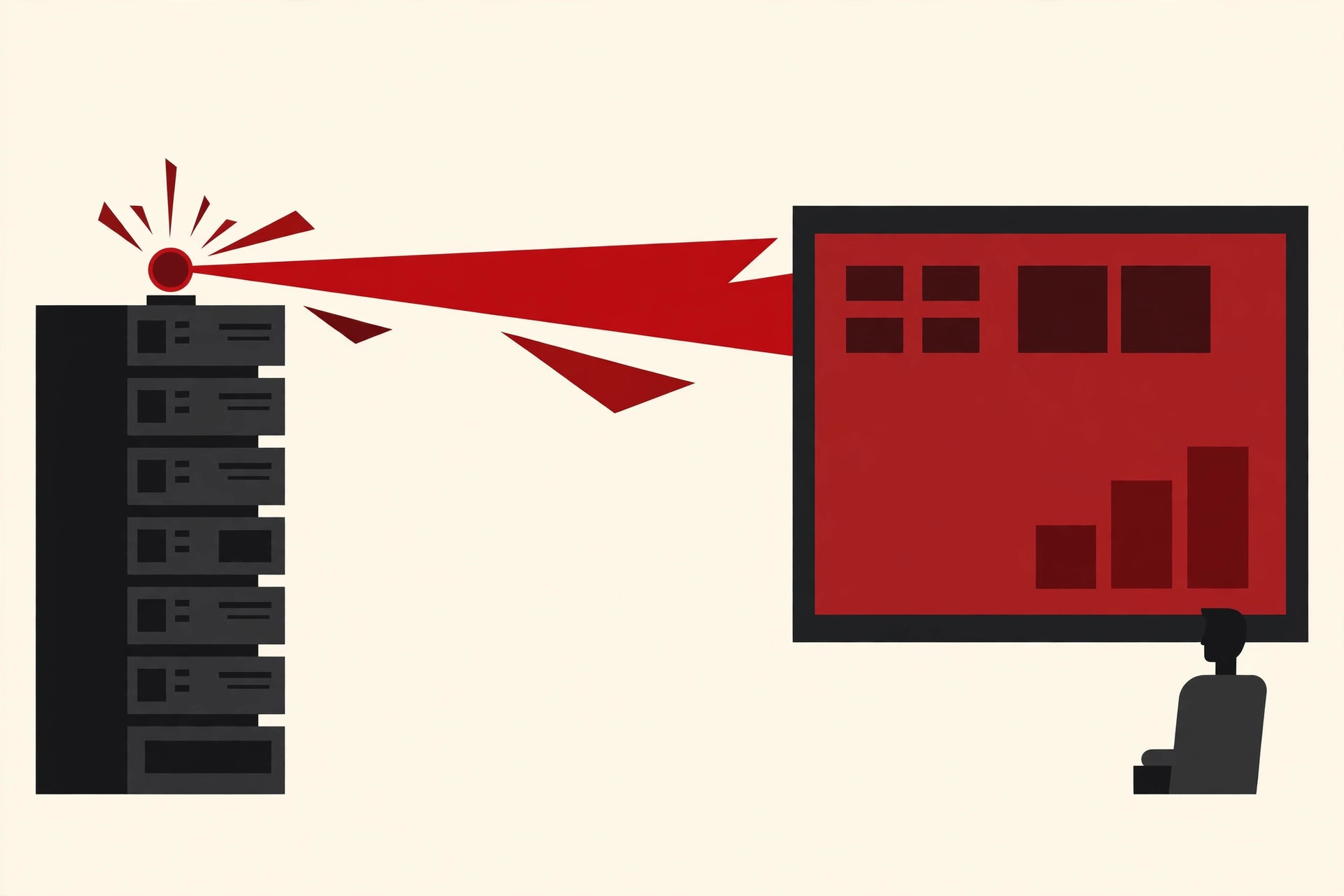
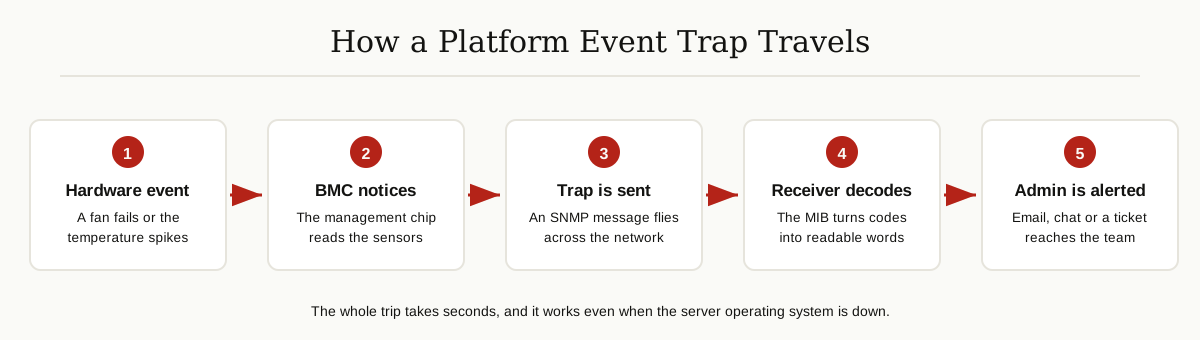
A platform event trap, usually shortened to PET, is an alert message that a server sends by itself when its hardware detects a problem.
The format is defined by IPMI, the Intelligent Platform Management Interface, which is the standard that lets administrators manage servers at the hardware level. The sender is the BMC, or Baseboard Management Controller, a small independent computer built into the server motherboard. The BMC has its own network connection and runs on standby power, so it stays awake even when the server itself is off or frozen.
The BMC watches the server sensors around the clock. When a reading crosses a safety limit, or something physical changes, the BMC writes the event into the system event log and, if alerting is switched on, sends a trap to a monitoring system across the network. Oracle’s documentation for its ILOM management software puts it plainly: platform event trap events are generated by systems with an Alert Standard Format (ASF) setup or an IPMI baseboard management controller, and they provide advance warning of possible system failures.
One quick note on the name. In Salesforce and SaaS circles, people sometimes use this name loosely for design mistakes made with Salesforce platform events. That is a different topic about software integrations. In server hardware, in IPMI, and in vendor manuals from companies like Cisco and Oracle, the term means the hardware alert described in this article.
Where Platform Events Come From
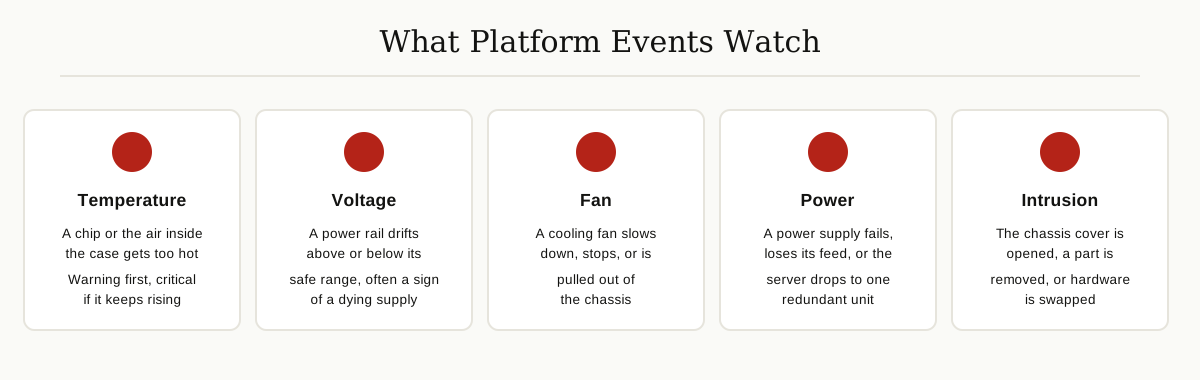
A modern server is full of sensors, and each one can be the source of a platform event.
- Temperature sensors sit on the processors and in the air paths, and report when things get too hot.
- Voltage and current sensors watch the power rails and warn when a reading drifts out of range.
- Fan sensors report speed, so a fan that slows down, stops, or gets removed is noticed at once.
- Power supplies report their own failures, lost input power, and dropped redundancy.
- A chassis switch reports when the cover is opened, and presence sensors report parts being added or removed.
- Processor and memory error signals can also raise events when the hardware detects faults.
Not every logged event needs to wake someone up. IPMI includes a feature called Platform Event Filtering, which decides which events are serious enough to trigger an alert, and where that alert should go. The rest simply stay in the system event log, the BMC’s own diary of everything the sensors have seen. That log matters later, because it is your backup when a trap gets lost on the network.
Traps Explained: SNMP and PET in Plain Words
Most monitoring works by polling. The monitoring system walks up to each device every few minutes and asks, “Are you okay?” A trap flips that around. The device speaks first, the moment something happens, without waiting to be asked.
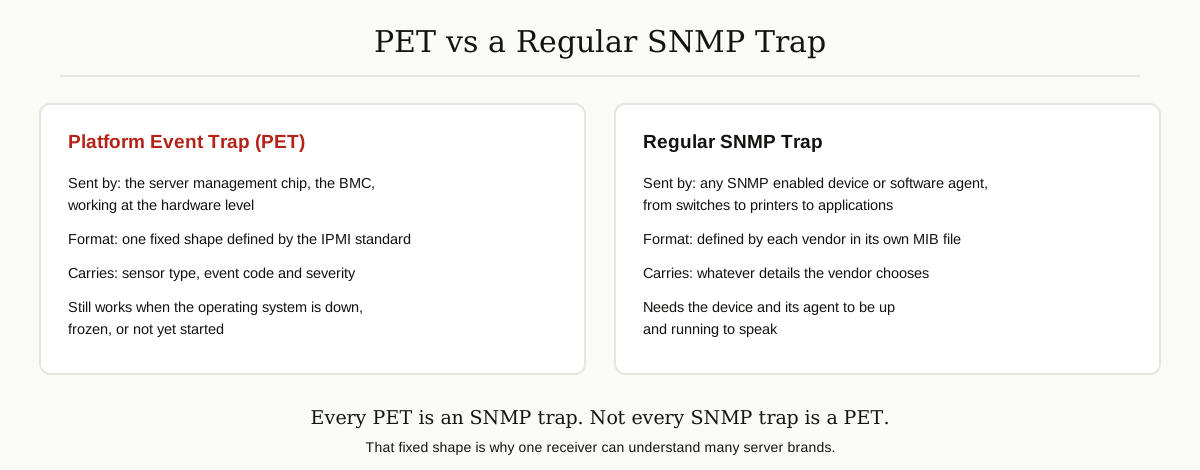
The language these messages use is SNMP, the Simple Network Management Protocol, the long standing standard for managing network equipment. A trap is one kind of SNMP message: an unsolicited alert, sent to a receiver that listens on UDP port 162 by default. It is fire and forget, meaning the sender gets no delivery receipt. That single fact shapes several best practices later in this article.
Raw traps arrive mostly as numbers, called OIDs. To turn them into words, the receiver needs a MIB, a Management Information Base file, which is simply the vendor’s dictionary that translates each numeric code into a human readable meaning like “Fan 2 has failed.”
A platform event trap is a special, fixed format member of this family. Cisco’s documentation for its server management controller explains that a platform event alert sent as an SNMP trap carries an enterprise OID starting with 1.3.6.1.4.1.3183, the branch reserved for PET version 1.0 messages, and the last number identifies the specific event, such as a temperature warning or a fan going critical. The PET format also defines an optional acknowledgement, so a receiver can confirm back to the BMC that the alert arrived and was understood.
So the simple rule is this: every PET is an SNMP trap, but not every SNMP trap is a PET. A normal trap can be almost anything a vendor dreams up. A PET always means the same thing, a hardware event reported by the platform itself, in one standard shape that one receiver can understand across many server brands.
Why Monitoring Them Matters
Hardware usually fails before software notices. Fans wear out slowly. Power supplies weaken over months. Heat builds up as filters clog with dust. The sensors see this slow decline long before an application crashes, so a monitored platform event trap turns many emergencies into routine part swaps during business hours. Replacing one power supply while its twin still runs is a calm job. Replacing both after an outage is not.
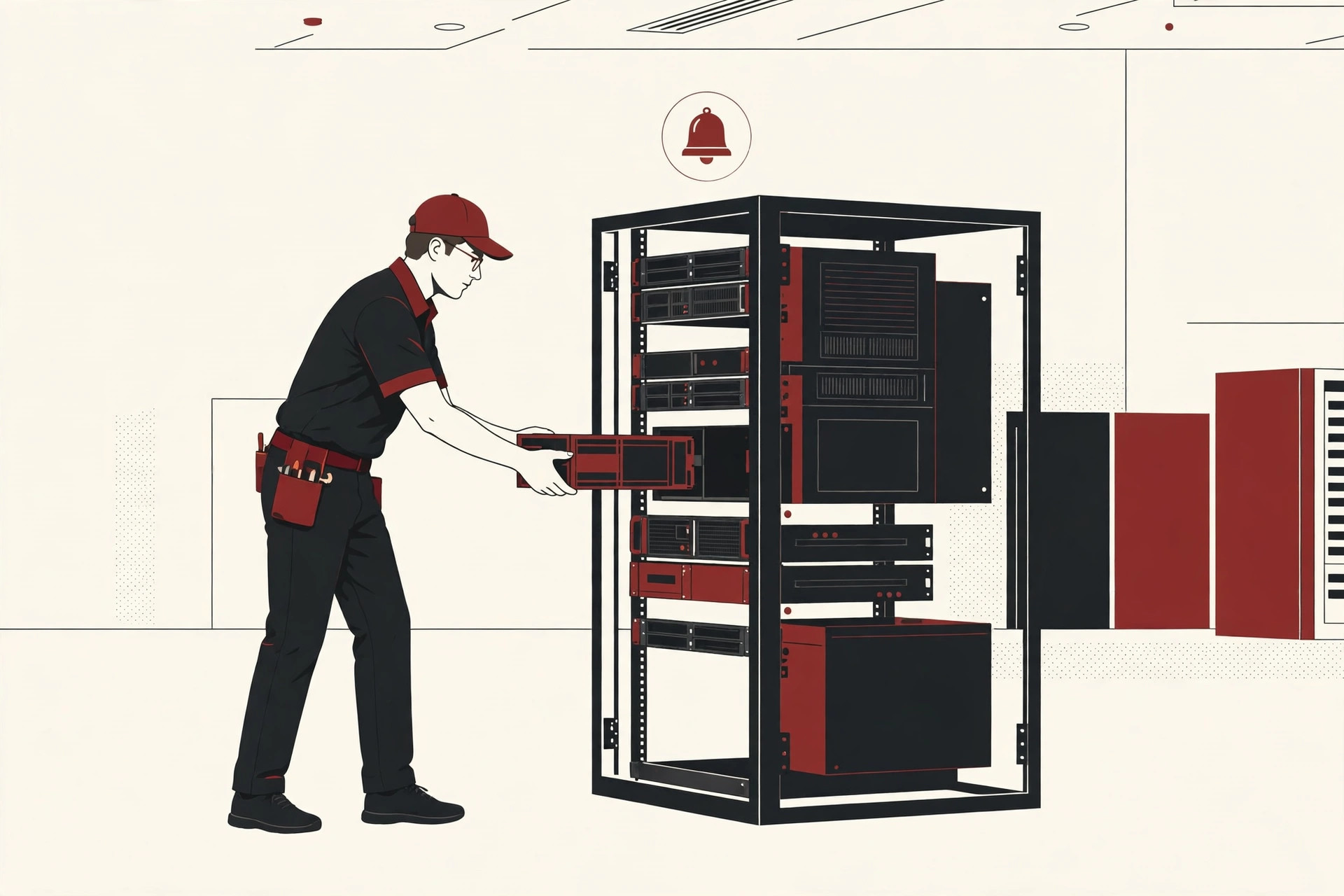
There is also a blind spot problem. Monitoring agents that run inside the operating system go silent exactly when things get serious: when the OS hangs, the kernel panics, or the machine is powered down. The BMC lives outside the OS, on standby power, with its own network port. It can report a dead fan on a server that is not even switched on.
For teams running distributed systems spread across rooms, sites, or countries, this matters even more. Nobody can walk the aisles of five data centers at once. Hardware alerts from every site need to land in one place where a human will actually see them, and these traps are often the earliest signal in that stream. They also add a small security bonus: a chassis opened without a work order, or hardware swapped without warning, is worth a second look, and the trap is already built into the servers you own.
What Monitors Platform Event Traps Best?
There is no single winner. The best choice depends on how many servers you run and what your team already uses. Here are the main options, starting with the two most common.

Zabbix is the popular open source choice. Its official documentation describes SNMP trap items that catch incoming traps and match them against text patterns, so a specific PET event can raise a specific trigger and alert. A fallback item catches any trap that matched nothing else, which means unknown events get logged instead of vanishing. Traps then live in the same dashboards and alert rules as your normal metrics.
Nagios handles traps through a small chain of helpers. A receiver called snmptrapd collects the traps, a translator called SNMPTT converts them using MIB based definitions, and the results enter Nagios XI as passive check results, so hardware events sit next to ordinary service checks. Nagios also offers a web interface for browsing received traps. This path suits teams that already run Nagios and want traps inside the tool they know.
Vendor consoles are the zero install option. Oracle ILOM, for example, receives and logs both SNMP traps and PET events for its servers, and every major server maker ships a similar console for its own hardware. This is the fastest start for a single brand server room, though it gets awkward when the racks hold three different brands.
A lightweight decoder setup works for small rooms and labs. You run a trap receiver such as snmptrapd and pair it with the FreeIPMI tool ipmi-pet, which reads the raw bytes of a trap and prints what it means in readable text, and can send the PET acknowledge back to the server. It is less polished than a full platform, but perfect for understanding what a trap actually said while you troubleshoot.
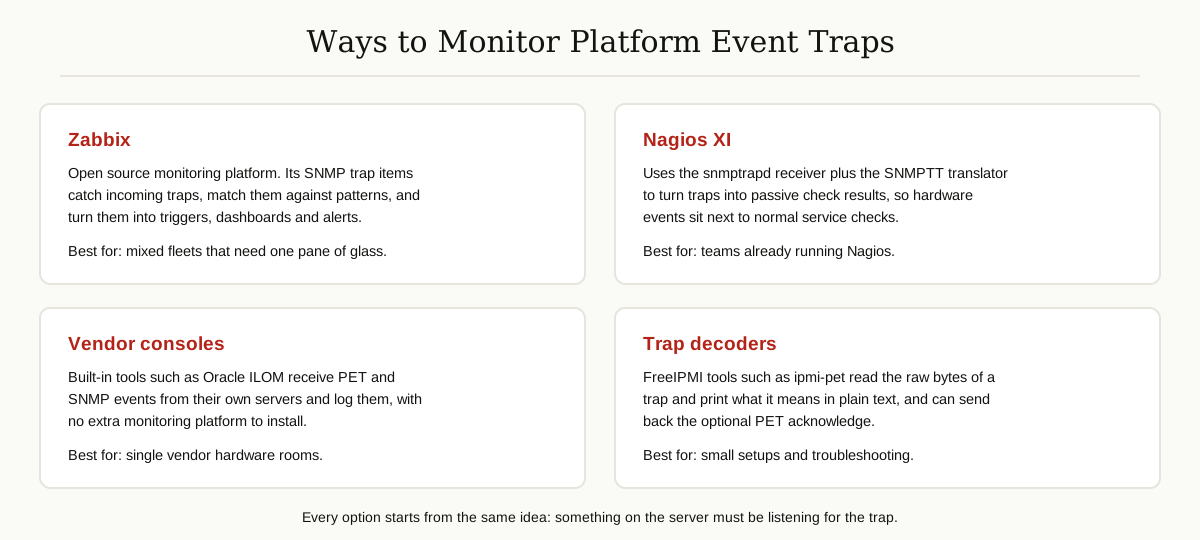
The honest verdict: for a mixed fleet, a platform like Zabbix or Nagios is the best home for these hardware alerts, because they join your normal workflow. For a single brand room, the vendor console may be enough. And in every case, the tool matters less than this: the traps must land somewhere a human is guaranteed to look.
How Trap Monitoring Is Set Up
The setup follows the same path on almost every server brand.
- Turn on alerting in the BMC. Open the management console for each server (names vary: iDRAC, iLO, CIMC, ILOM, and others) and enable platform event alerts, choosing which severities should send.
- Tell the BMC where to send. Enter the IP address of your trap receiver, port 162, and either a community string or SNMPv3 credentials.
- Prepare the receiver. Make sure your monitoring platform is listening for traps and that UDP port 162 is open on its firewall.
- Load the vendor MIB files. This is the step that turns numeric codes into readable alert text, and skipping it is the most common setup mistake.
- Write matching rules. Decide which traps become warnings, which become critical pages, and who receives each. Add a fallback rule so unmatched traps are logged, never dropped.
- Test the whole path. Most BMC consoles have a send test alert button. Treat this like software testing basics: a monitoring path you have never tested is a monitoring path you do not have.
- Connect alerts to real work. Route them to the channel your team actually watches, whether that is email, chat, or a ticket queue, and keep the list of BMC addresses in the same asset inventory you maintain with tools like a corporate software inspector.
Best Practices
A few habits separate teams that catch failures early from teams that drown in noise.
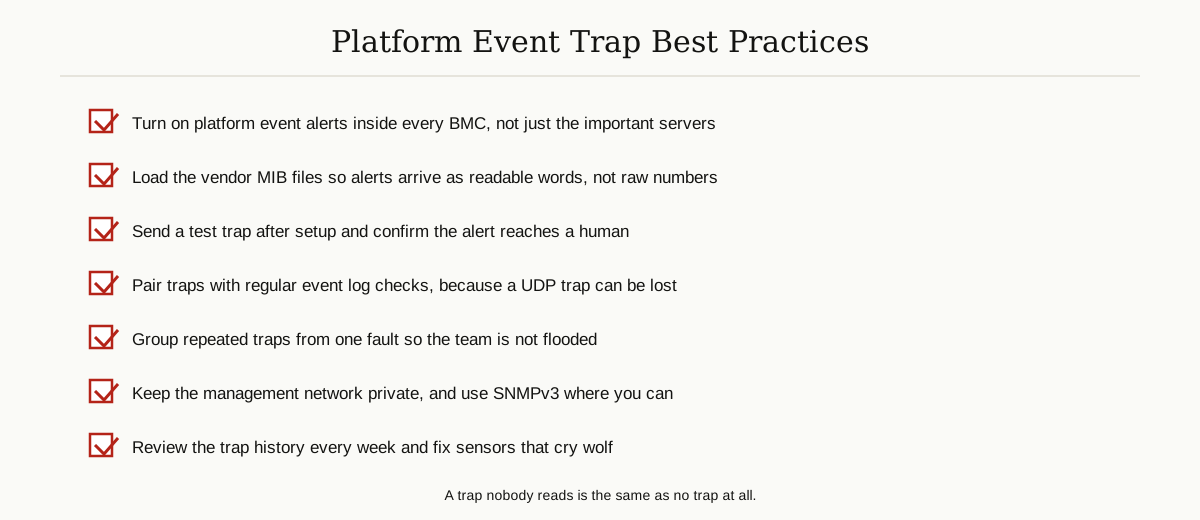
- Do not rely on traps alone. A trap is a UDP message with no delivery guarantee, so also check the system event log on a schedule. The traps give you speed; the log gives you certainty.
- Tune thresholds and group repeats. One failing fan can send the same trap every minute. Group related traps into one incident, or the team will start ignoring all of them.
- Protect the management network. BMCs belong on a separate, private network. Change default community strings and prefer SNMPv3, which adds authentication and encryption, where your hardware supports it.
- Keep MIBs and firmware current. New hardware revisions can add new event codes. An outdated dictionary brings back the raw numbers problem.
- Write a one line runbook per event type. When a power supply trap arrives at 3 AM, the on call engineer should see the first step immediately, not start researching.
Common Mistakes
- Never enabling the feature. On many servers the alert destination is empty until someone sets it, so the BMC logs events faithfully to a log nobody opens.
- Monitoring only the operating system. OS agents are useful, but they cannot report on a machine that is off, hung, or mid crash. That is the BMC’s whole job.
- Skipping the MIB files. Alerts that arrive as strings of numbers get ignored, because nobody can tell a dying fan from a routine notice at a glance.
- Letting storms train people to ignore alerts. An ungrouped trap flood during one incident teaches the team that traps are noise, and the next real warning gets missed.
- Never sending a test trap. Teams often discover a wrong IP address or a closed firewall port during the first real failure, which is the worst possible time.
Conclusion
Your servers already know when they are in trouble. The sensors see the failing fan, the rising heat, and the weakening power supply, and the BMC writes it all down. A platform event trap is simply how that knowledge reaches you in time to act on it.
Set up one listening post, load the MIB files so the alerts read like sentences, test the path with a test trap, and check the event log on a schedule as your safety net. Do that, and the next dying fan becomes a calendar appointment instead of a Monday morning outage.
You will find more practical guides like this in our software development category.