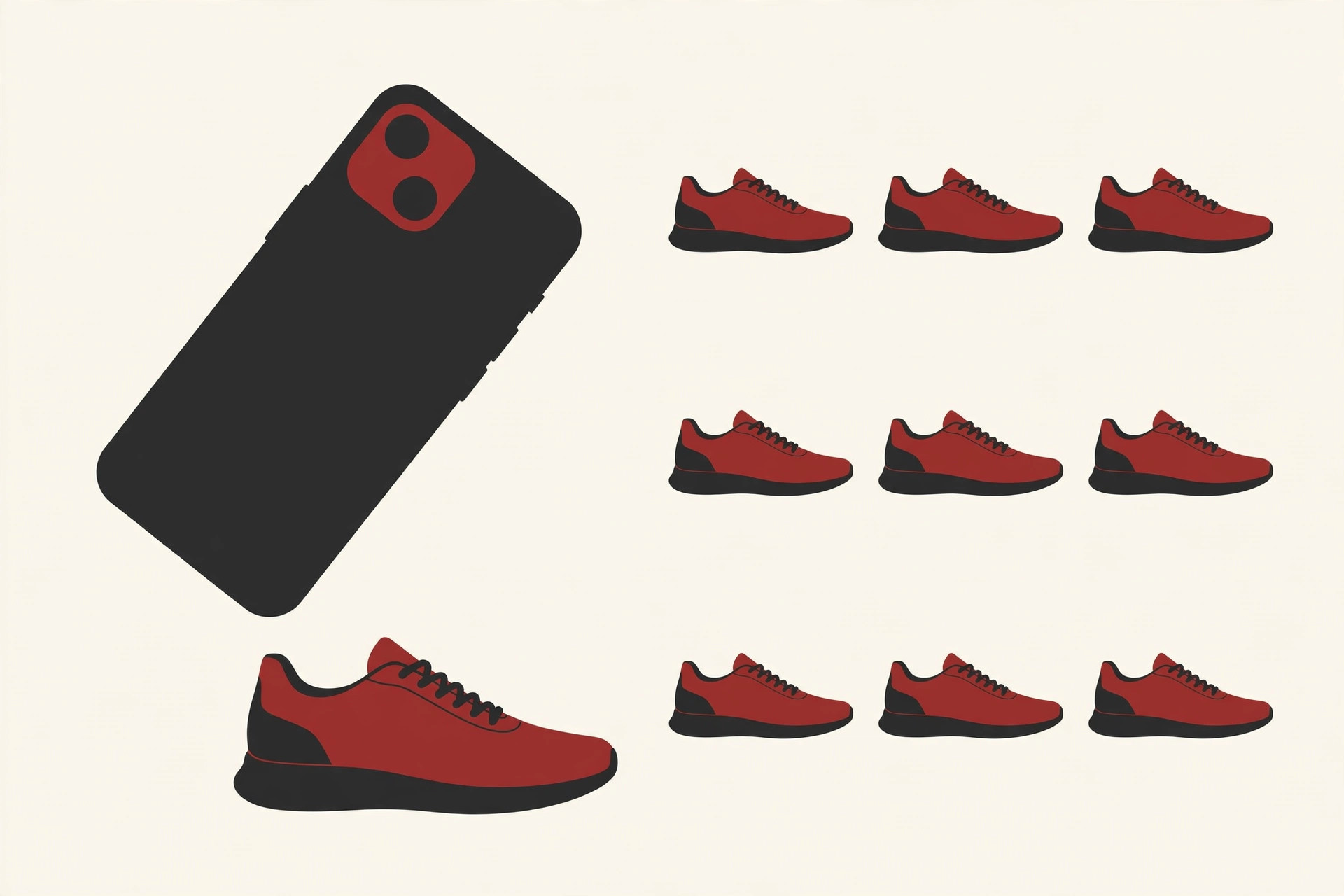
You are walking down the street and you spot the perfect pair of shoes on someone’s feet. You want them. But how would you even search for them? “Red shoes with a white stripe and a thick sole” could match ten thousand products, and most of them would be wrong.
Visual search solves this problem in a much simpler way. Instead of typing words, you search with a picture. Point your camera at the shoes, and the app finds the same pair, or ones that look very close, along with prices and store links.
So how does AI visual search work under the hood? This guide walks you through it in plain words, step by step, with real examples you can try on your own phone today.
How Does AI Visual Search Work, in Plain Words
Here is the short answer. The app studies your photo and pulls out the colors, shapes and patterns it sees. It turns all of that into a list of numbers, a kind of fingerprint for the image. Then it compares your fingerprint with the fingerprints of millions of photos it already knows, and shows you the closest matches first.
That is the whole idea. Everything else in this guide is just a closer look at those few steps.

Visual search is one branch of a bigger field called computer vision, which is all about teaching computers to understand pictures and video. If you want the wider picture first, our guide to computer vision applications shows where this technology shows up in daily life, from hospitals to farms.
One helpful way to think about it: a normal search engine reads words. A visual search engine reads pictures. Both are trying to do the same job, which is to guess what you are looking for and bring back the best matches.
Step by Step: From Photo to Results
Let us slow down and follow one search from start to finish. How does AI visual search work in practice? Say you take a photo of a houseplant you like at a friend’s home, and you want to know what it is and where to buy one.
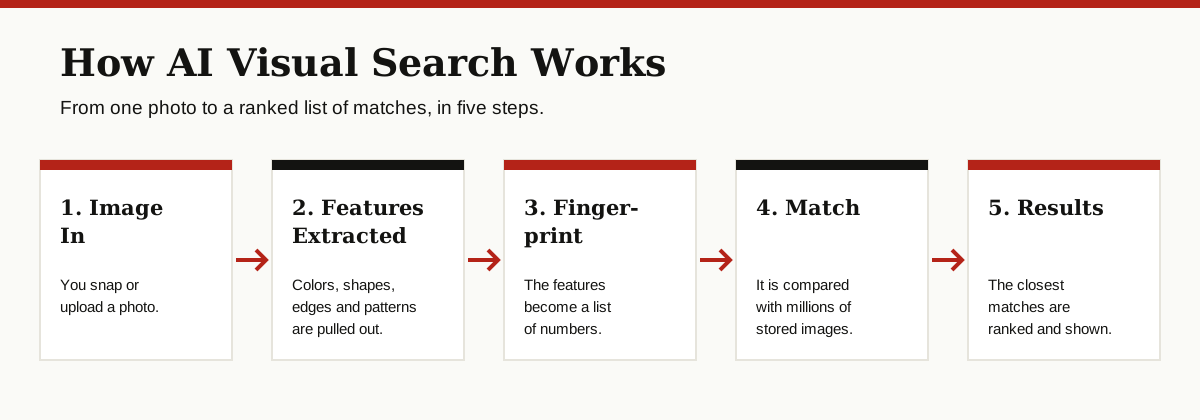
Step 1: Your Photo Becomes Numbers
A computer cannot look at a photo the way you do. To the computer, your picture is a huge grid of tiny dots, called pixels, and each dot is stored as numbers that describe its color and brightness.
This is why the first job of visual search technology is translation. The system has to turn that grid of numbers into something it can reason about, like “long green leaves, white pot, bright window light.”
Step 2: The System Pulls Out Features
Next, the system scans the photo for features. A feature is any detail that helps describe what is in the picture: edges, corners, shapes, colors, textures and patterns.
For your plant photo, the features might include the shape of the leaves, the pattern of light and dark green, and the round shape of the pot. The background, like the wall and the floor, gets mostly ignored, because it does not help identify the plant.

This feature hunting is done by a type of program called a neural network, which learns from millions of example photos during training. If that idea is new to you, our simple guide to what a neural network is explains it with no math at all.
Step 3: Features Become a Fingerprint
Once the system has the features, it packs them into a compact list of numbers. Tech people often call this list an embedding, but “fingerprint” is a friendlier word for the same thing.
Just like a human fingerprint, this number list is small, unique and easy to compare. Two photos of the same kind of plant will have fingerprints that sit very close together. A photo of a chair will have a fingerprint that sits far away.
Step 4: Your Fingerprint Gets Matched
Now the search begins. Big visual search engines keep a giant library of photos, each one already turned into a fingerprint ahead of time. Your new fingerprint is compared against that library, and the system measures which stored fingerprints are closest to yours.
This matching is very fast. Even with hundreds of millions of photos in the library, the search usually takes less than a second, because comparing short lists of numbers is cheap work for a computer.
Step 5: Matches Get Ranked
Last, the closest matches get ranked and shown to you. Ranking is not only about how similar the photo looks. The system also weighs things like image quality, trusted stores, and what other people clicked on in similar searches.
For your plant, the top results would show the plant’s name, care tips and shops that sell it. Search complete, and you never typed a single word.
Visual Search vs Normal Search
Neither tool is better in every case. They are good at different jobs, and it helps to know which one to reach for.
| Normal search | Visual search | |
|---|---|---|
| What you give it | Words you type | A photo you take or upload |
| Works best when | You know the name of the thing | You can see it but cannot name it |
| Example | “Best running shoes for flat feet” | A photo of shoes you saw on the street |
| Struggles when | You cannot describe the thing in words | The photo is dark, blurry or crowded |
A good rule of thumb: if you can name it, type it. If you can only point at it, photograph it.
Psychologists, by the way, used the term visual search long before phones existed, for the way your own eyes scan a busy scene to find one object, like your keys on a messy desk. AI visual search borrows the name, because it does a similar job with a camera.
Where You Already Use Visual Search
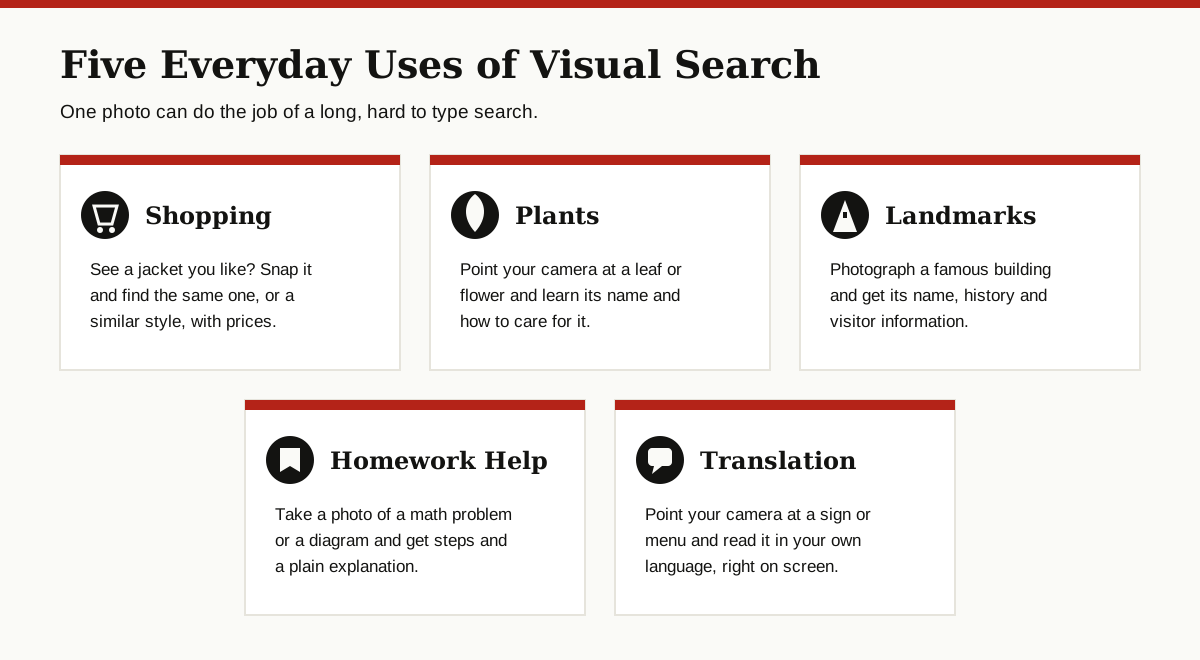
You may have used visual search many times without knowing its name. It is built into apps that sit on millions of phones right now.
Google Lens. This is the best known visual search tool. It lives in the Google app and in many Android camera apps, and it can name plants, translate signs, identify products and much more. Google’s own Lens page shows the main things it can do.
Pinterest Lens. Pinterest lets you point your camera at an object, like a lamp or a chair, and then shows you similar items and ideas from its huge library of pins. It is popular for home decor and fashion.
Shopping apps. Amazon, eBay and other big stores have a camera button in their search bars. Snap a product, and the app searches its own catalog for a match. This is visual product search at work, and we will look at it more closely below.
Snapchat. Snapchat’s camera can recognize things like clothes, plants, dog breeds and car models, then show related results and shopping links.
Under the hood, these apps all follow the same five steps from earlier in this guide. The differences are mostly in the size of their photo libraries and what they choose to do with the matches.
How to Do a Visual Search on Google
Trying it yourself takes less than a minute. Here is how to do a visual search on Google using Lens:
- Open the Google app on your phone, or open Google in your browser. Look for the small camera icon inside the search bar. That icon is Google Lens.
- Tap the camera icon. You can now point your camera at any object in front of you, or tap the photo icon to pick an image or screenshot you already have.
- Take the photo or pick your image. Try to fill the frame with the object and use decent light. You can drag the corners of the box to focus on just one item.
- Review the results. Scroll through the matches. You will see similar photos, names, prices and links. Tap any result to open it.

A few quick tips for better results: wipe your camera lens, move closer instead of zooming, and search for one object at a time. A clean, close photo almost always beats a wide, dark one.
Visual Product Search: Shopping With a Photo
Shopping is where visual search earns its keep. So how does AI visual search work when the goal is buying something? Words are often a poor way to describe clothes, furniture and decor. What is the right word for that exact shade of green, or that chair shape you saw in a cafe window?
With visual product search, the photo does the describing. You snap the item, and the app searches store catalogs for the same product or close lookalikes, usually with prices side by side.
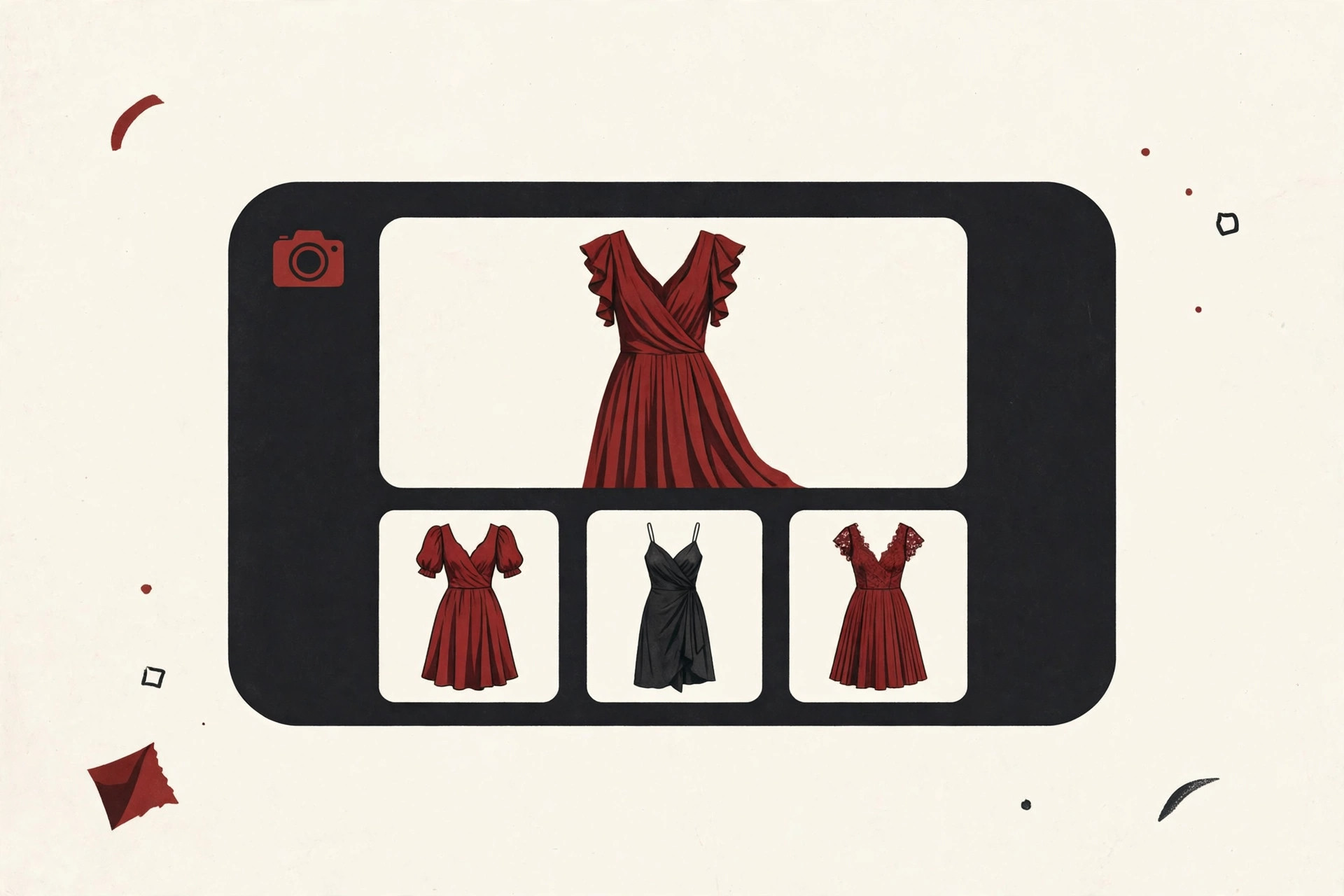
This helps shoppers in three common ways:
- Finding the exact item. You saw it in real life, now you can buy it online.
- Comparing prices fast. Several stores may sell the same item at different prices.
- Finding a cheaper twin. When the original is too costly, lookalikes give you the style for less.
Stores love it too, because a shopper who arrives with a photo usually knows exactly what they want. Many stores now build this feature with developer tools such as Google Cloud Vision, which offers ready made image analysis that smaller companies can plug into their own apps.
Accuracy and Limits: What Visual Search Gets Wrong
Visual search is impressive, but it is not magic. Knowing its weak spots will save you frustration.
Lighting and angle. A photo taken in dim light, or from a strange angle, can confuse the system. The same shoe can look like a different shoe under yellow shop lights. If a search fails, retake the photo in brighter, more even light.
Lookalike products. Many products look nearly identical, especially shoes, bags and phone cases. Visual search may confidently show you a similar item that is not the exact one. Always check the details, like logos, stitching and model numbers, before you buy.
Crowded photos. If your photo has five objects in it, the system has to guess which one you care about. Crop the photo or use the selection box to point at a single item.
Privacy of uploaded photos. When you search with a photo, that photo is sent to the company’s servers to be analyzed. Depending on the app and your settings, it may be stored for a while. Be careful with sensitive images, like documents, ID cards or photos of other people, and check the app’s privacy settings if this matters to you.
The honest summary: visual search is a strong first step, not a final answer. Let it narrow the field, then use your own eyes to confirm the match.
What Is Coming Next
Visual search is still young, and a few clear trends are on the way.
Search with photo and words together. Google already lets you add words to a Lens search, a feature it calls multisearch. You can photograph a dress, then add the word “green” to find the same dress in another color. Expect this mix of photo plus words to become the normal way to search.
Search inside video. Instead of one photo, future tools will watch a video, spot products and places as they appear, and let you tap anything on screen to search for it.
Smarter models, fewer mistakes. As machine learning models keep training on more and better photos, matches will get more accurate, especially for hard cases like food, fabric and handmade items.
Help for the real world. The same technology is being tuned to describe surroundings out loud for people with low vision, which may turn out to be its most valuable use of all.
The Bottom Line
So, how does AI visual search work? A photo goes in, the system pulls out its colors, shapes and patterns, packs them into a numeric fingerprint, matches that fingerprint against millions of stored photos, and ranks the closest results for you. All of it happens in about a second.
You do not need to be a tech expert to use it. Open Google Lens, point your camera at something you cannot name, and watch words become unnecessary. And if you want to keep learning how everyday AI works, browse the rest of our AI, ML and Data Science guides, where every topic is explained the same plain way.