You may have met the letters WMN in a networking textbook, an exam question, a spec sheet at work, or while shopping for home Wi-Fi. So, what is WMN? Here is the short answer first.
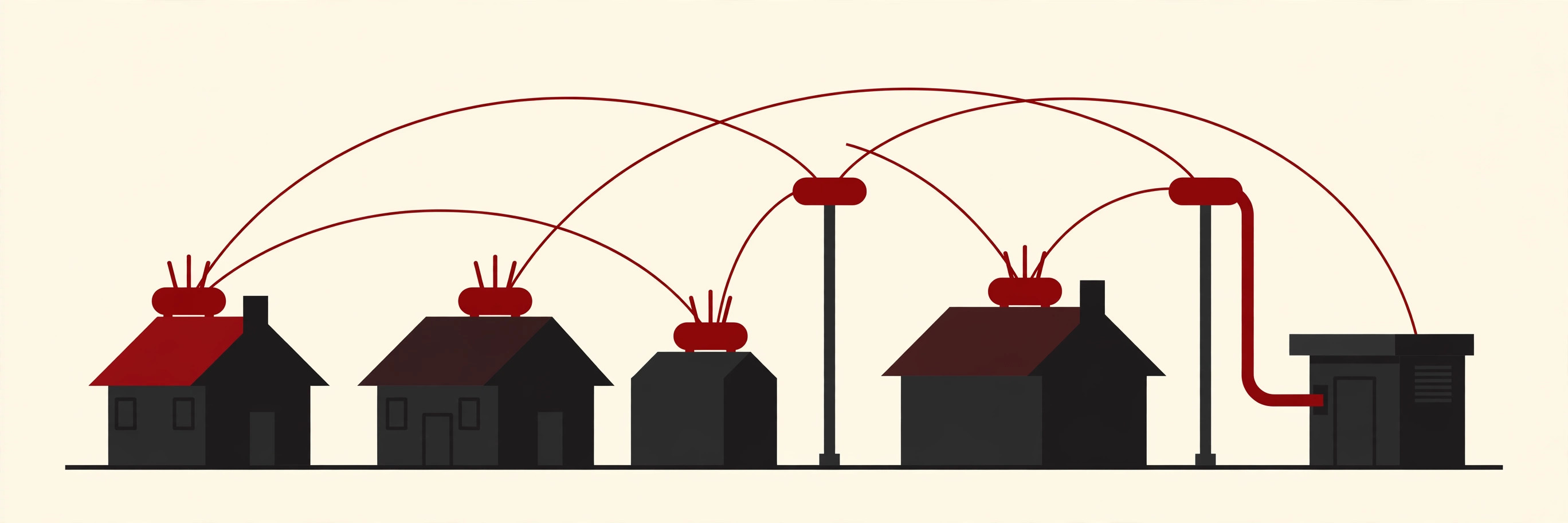
WMN stands for wireless mesh network. It is a network made of radio nodes, small boxes with radios inside, that pass data to each other in short jumps called hops. Instead of every device depending on one central router, the nodes work as a team. If your laptop cannot reach the internet connection directly, a nearby node takes your data and hands it to the next node, and so on, until it arrives.
That one idea, nodes relaying for each other, is the whole heart of a WMN. This guide explains the parts of a mesh, how the routing works, how a WMN compares with a normal single-router setup, and where the technology honestly shines and where it struggles.
What Is WMN, in Plain English?
The word mesh is the clue. A mesh is a net, and each knot in the net connects to several other knots, not just one. A wireless mesh network copies that pattern with radios.
Wikipedia defines a wireless mesh network as a communications network made up of radio nodes organized in a mesh topology. In plain words, topology means the layout of who can talk to whom. In a WMN, most nodes can talk to several neighbours at once, so there are many possible paths between any two points in the network.
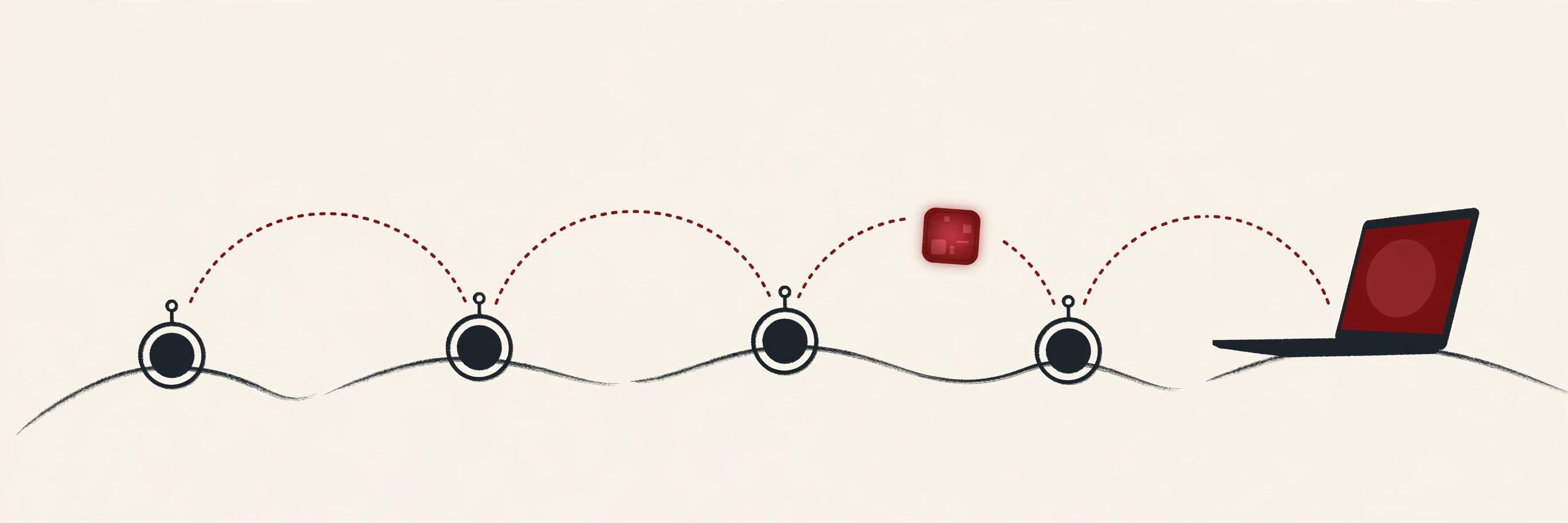
The whole coverage area of the cooperating nodes is sometimes called a mesh cloud. Inside that cloud, data rarely travels in one long leap. Wireless signals fade fast, especially through walls, so the mesh splits a long trip into a series of short hops. Each hop is an easy, strong link between two nearby nodes, and the data walks across the network step by step.
A WMN can run over Wi-Fi radio technology, and it can also use other radio systems, such as the ones in utility meters and sensors. The mesh idea is about how nodes cooperate, not about one brand or one radio standard.
The Parts of a WMN: Routers, Gateways and Clients
Technical descriptions of wireless mesh networks usually name three roles. Plain English versions follow.
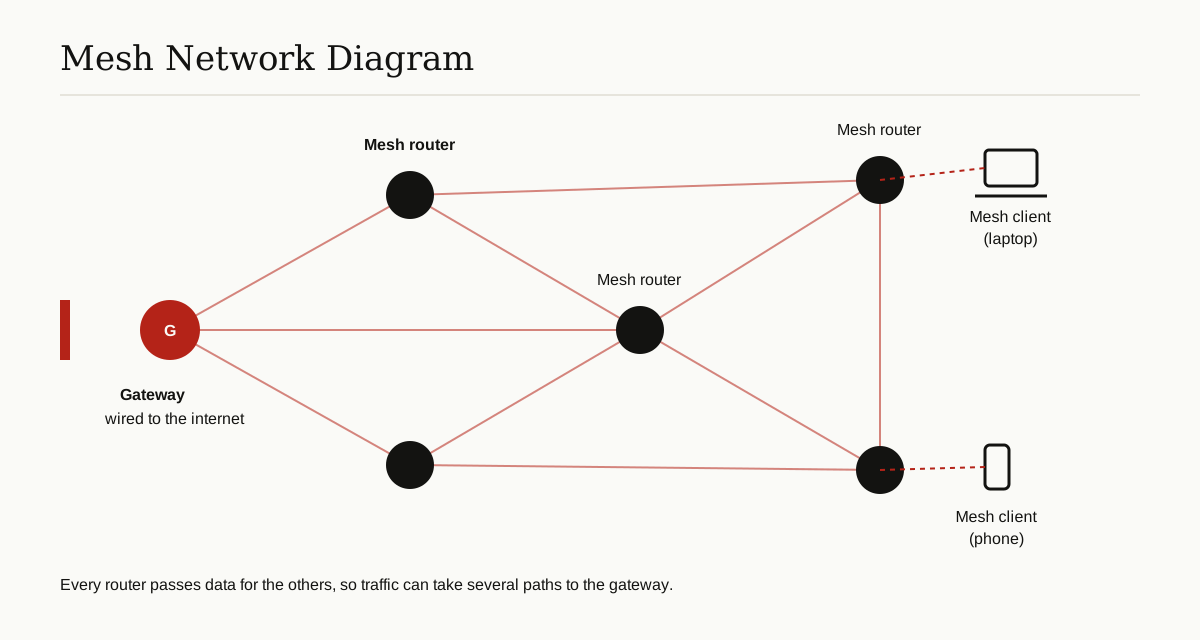
Mesh routers are the backbone. These are the fixed nodes, mounted on rooftops, poles, ceilings or desks, whose main job is to forward traffic for everyone else. A mesh router talks to its neighbours, keeps track of the paths it knows, and passes data along. It can also offer Wi-Fi to nearby devices, much like a normal access point does.
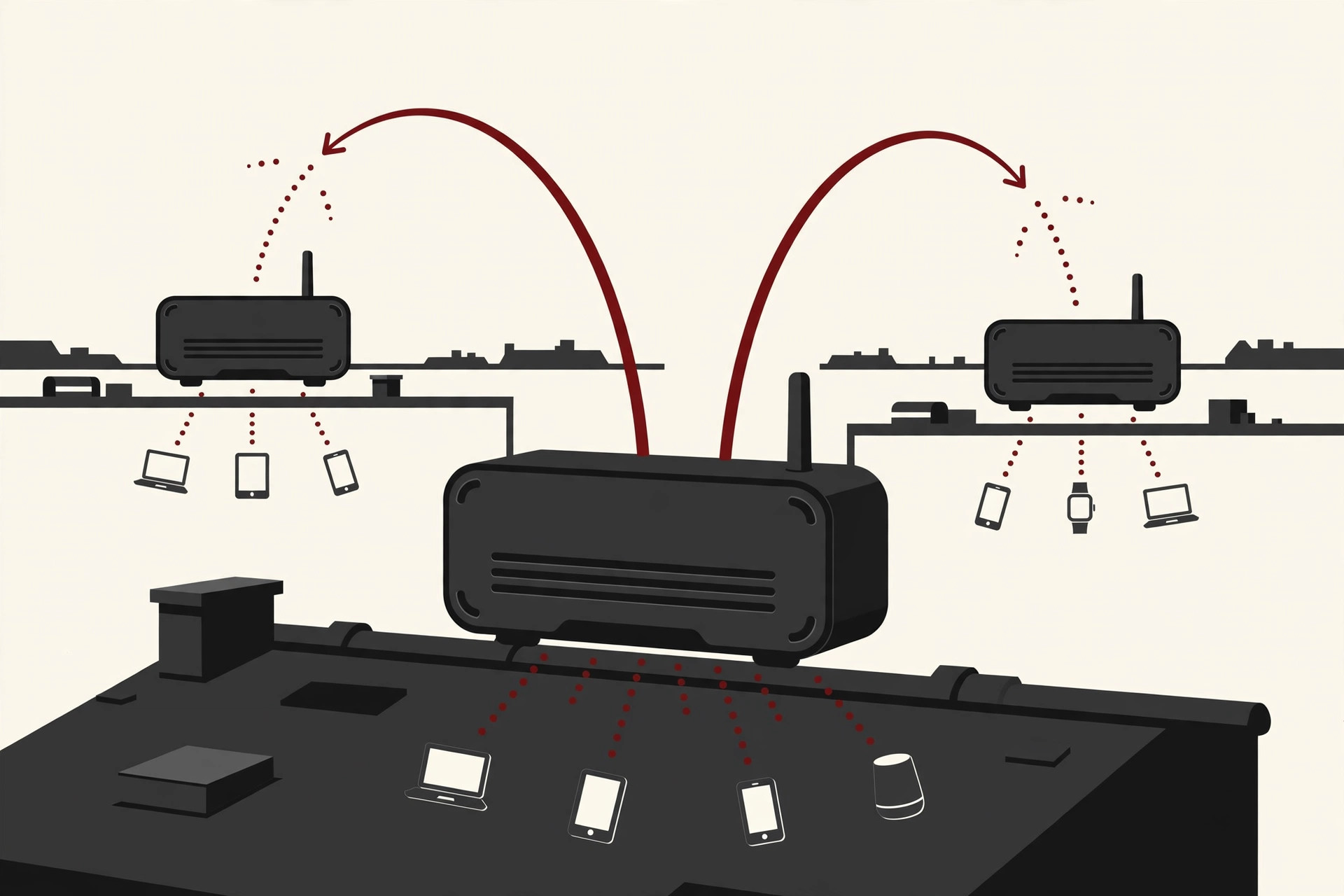
Gateways are mesh routers with one extra job: they are the doors to the outside world. A gateway has a wired connection to the internet or to a company network. Most traffic in a typical WMN is heading to or from a gateway, because most of what we do online lives outside the local network. A mesh can have one gateway or several. In professional gear this is very literal: Cisco’s mesh design guide describes outdoor networks built from roof mounted access points, where the wired units act as roots and the rest relay traffic wirelessly.
Mesh clients are the devices you actually use: laptops, phones, tablets, cameras and sensors. A client joins the mesh through whichever mesh router is closest, and it does not have to relay traffic for others, although in some designs it can.
Picture a campus. The gateway sits in the main building, plugged into the fibre line. Mesh routers on the roofs of the other buildings relay traffic across the grounds. Students with laptops are the clients, moving from building to building while the mesh keeps them connected.
How Routing Works: Data Takes Hops
A fair question follows: who decides which path the data takes? The nodes do, together, using a routing protocol, a shared set of rules for choosing routes.
It works a lot like packets travelling around the wired internet. Each node tells its neighbours what it can reach. When data arrives, the node either keeps it, if it is the destination, or passes it to the next node on a good route. The nodes keep these conversations going in the background, so when the network changes, the routes change with it.
That gives a WMN two habits people love:
- Self forming. Add a new node within radio range and it introduces itself, learns the neighbourhood, and starts carrying traffic. Nobody has to run a cable to it or type in routes by hand. It still needs power, but it does not need a data cable.
- Self healing. If a node fails, loses power or gets blocked, its neighbours notice and shift traffic to other paths. The network bends instead of breaking.
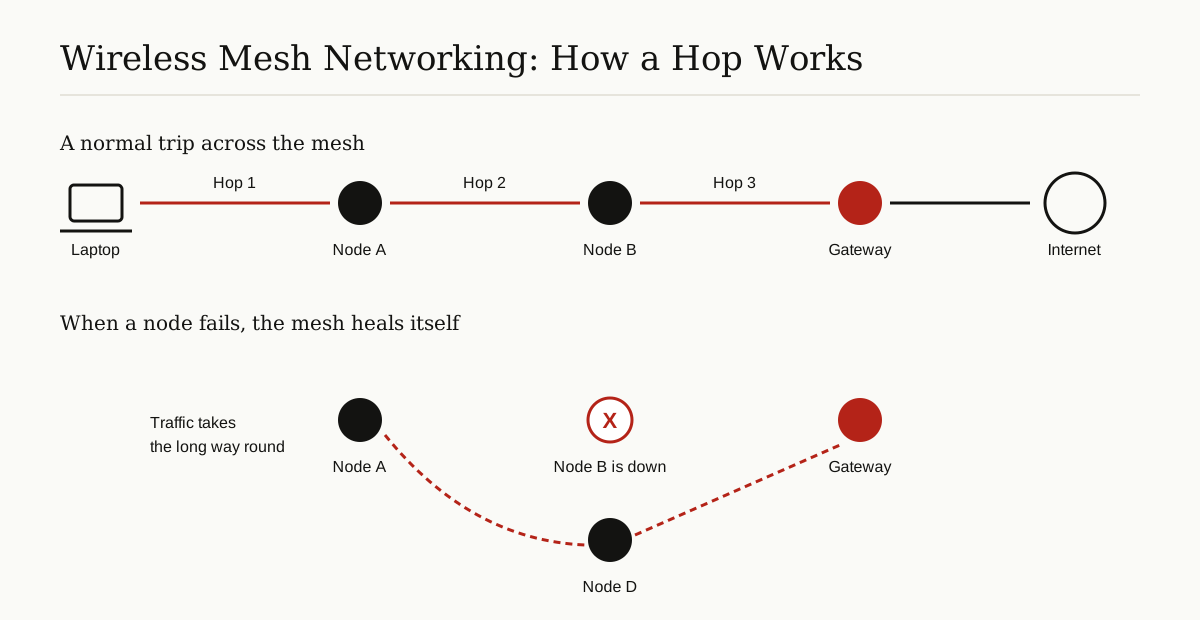
Wi-Fi based meshes have a formal standard behind them. The IEEE Technology Navigator explains that the 802.11s amendment added mesh networking to the Wi-Fi standard, with a default routing method called HWMP, the Hybrid Wireless Mesh Protocol. In simple terms, HWMP can plan stable routes toward a gateway in advance, and can also find a fresh route on demand when two nodes need to talk directly. You do not need to remember the name. Just remember that the path finding is automatic and built into the rules of the network.
One more detail matters. A basic node has one radio, and a radio can send or receive at any single moment, not both. Better backbone nodes carry two or more radios, often on different channels, so one radio can serve local devices while another handles the relay traffic between nodes. That is why multi radio designs are faster.
Mesh Topology: Full and Partial
Topology just means the shape of the connections, and you will meet two words for it.
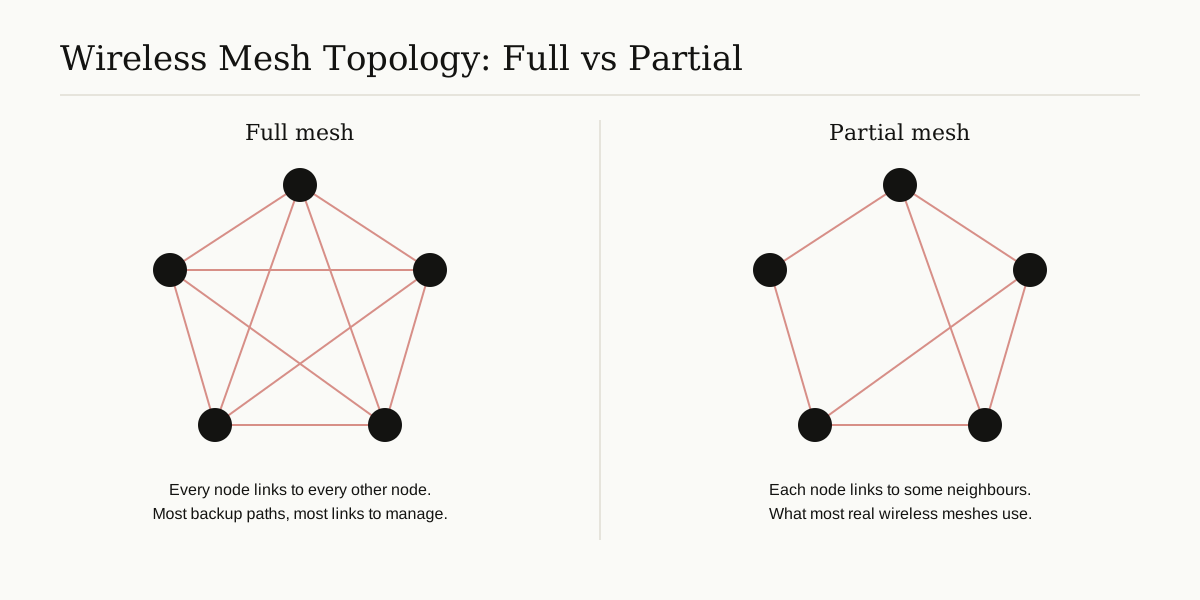
In a full mesh, every node connects directly to every other node. That gives the most backup paths, but the number of links explodes as the network grows, so full meshes stay small.
In a partial mesh, each node connects to some of its neighbours, usually the closest ones. Data may need a few hops to cross the network, but the design stays affordable and manageable. Almost every real wireless mesh network is a partial mesh.
WMN vs a Normal Single-Router Wi-Fi Setup
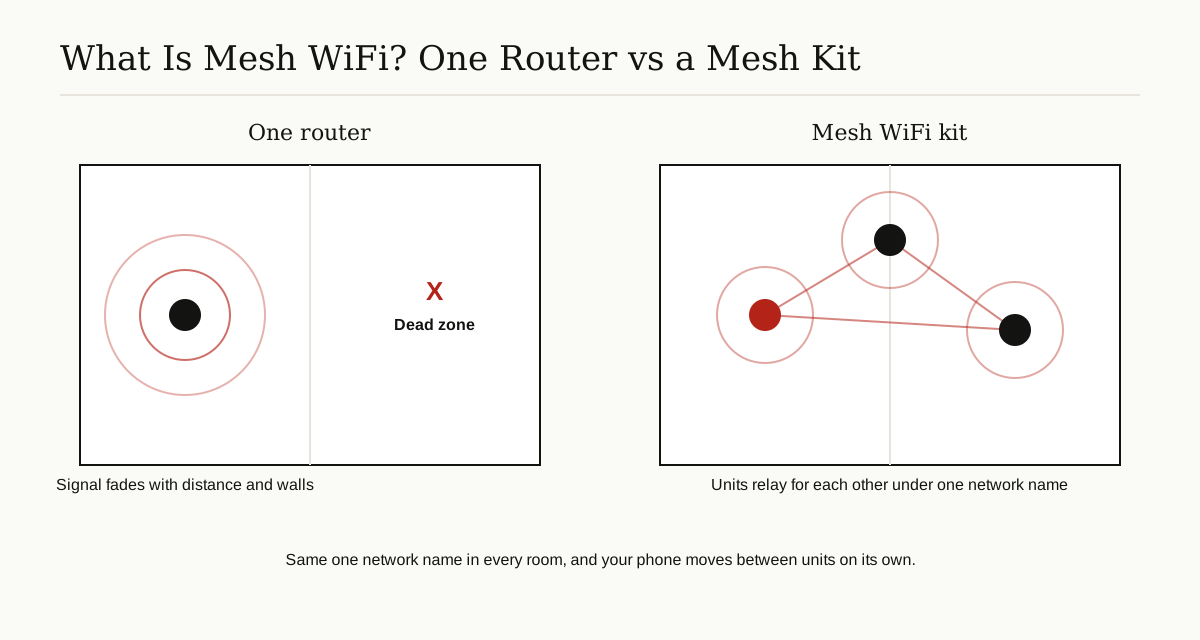
A normal home or office Wi-Fi setup is a star: one router or access point in the middle, and every device talking only to it. It is simple, and for a small space it works well. But it has two weak points. Everything depends on that one box, and its signal has to survive the whole trip to the far rooms on its own.
A WMN spreads the job around. There is no single middle. Coverage grows by adding nodes, and no one failure can silence the whole network.
| Question | Single router | Wireless mesh network |
|---|---|---|
| Where does data travel? | Straight to the one router | Hop by hop between nodes |
| If the main box fails? | The network is down | Traffic reroutes around the failure |
| How do you cover more area? | A stronger router, or a basic extender | Add another mesh node |
| Network name | One, until an extender adds a second | One across the whole mesh |
About extenders: a cheap range extender just repeats what it hears, often under a second network name, and your phone may cling to the weak original signal instead of switching. Mesh units are built to act as one coordinated system, which is the honest difference. It is also worth knowing that even a capable single box, like a VPN router that protects every device in the house, is still one box with one radio position. A mesh tackles the coverage problem from a different direction: many positions, working together.
Home Mesh WiFi vs True Large-Scale Mesh Networks
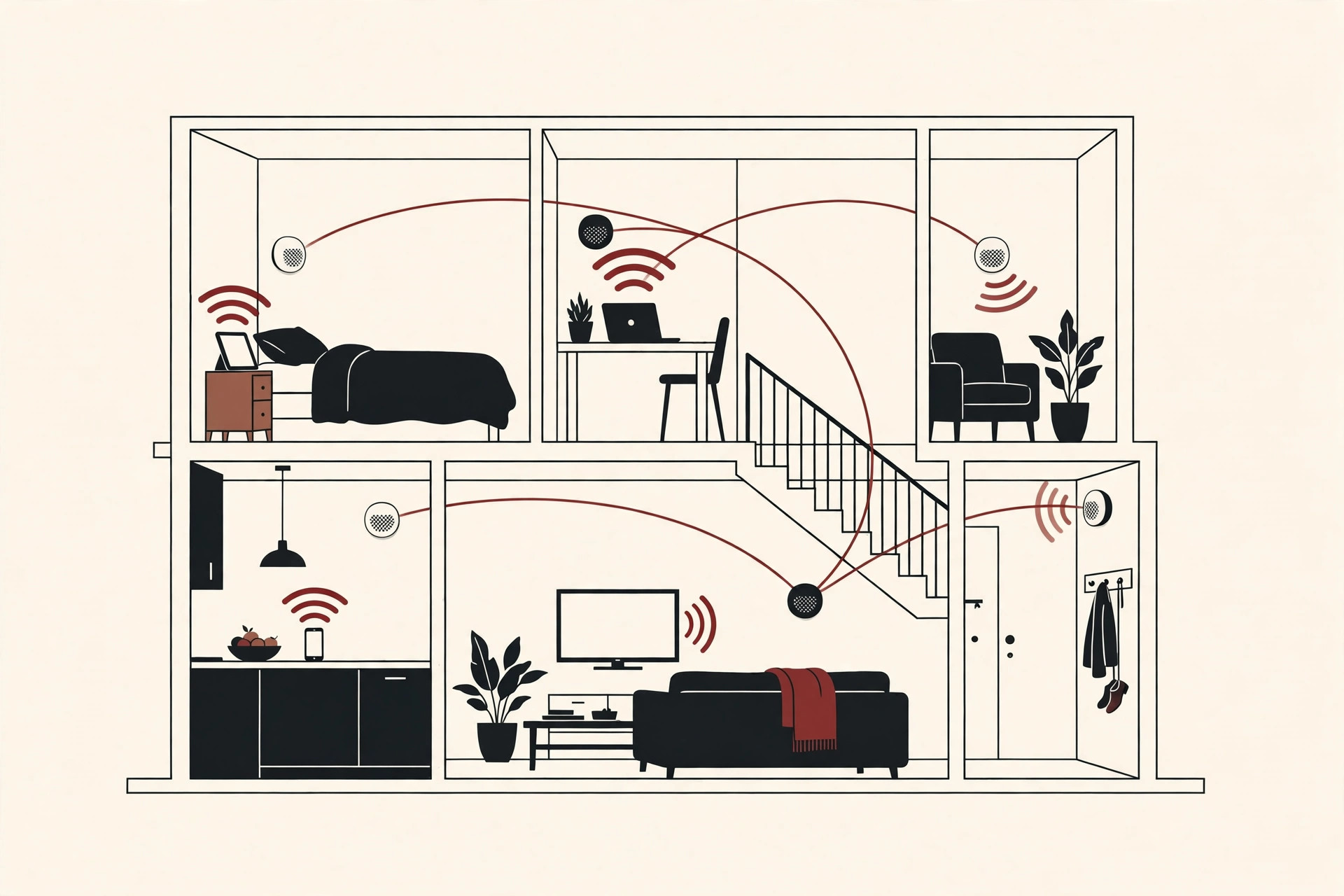
Most shoppers meet this technology as home mesh WiFi, kits of two or three matching units sold by companies such as Google (Nest Wifi) and Amazon (eero). One unit plugs into your modem and becomes the gateway. The others sit around the house as extra nodes. You set them up with an app, they share one network name, and they steer your phone to whichever unit is strongest as you move. For a house with dead corners, this is a genuinely good fix, and it is the same basic idea as a big WMN, just shrunk to living room scale.
A true large-scale wireless mesh network plays a bigger game:
- The nodes are often outdoor access points on poles and rooftops, built for weather, not for shelves.
- The mesh may carry a whole campus, a town district, a factory site or a utility’s meter readers, not one family’s streaming.
- Electric smart meters are a classic case: each meter passes its readings to its neighbours until they reach the utility office, with no wires and no human meter reader.
- At the extreme end, some satellite constellations work as meshes in orbit, passing calls from satellite to satellite. The pattern scales from a hallway to space.
So when someone asks what is mesh wifi at home and what a WMN is at work, the honest answer is: the same family, at very different scales.
Where Wireless Mesh Networks Are Used
- Campuses and business parks. Roof nodes link buildings without digging up the grounds for cable, and the same network carries the video meetings that gear like a multipoint control unit helps manage on the wired side.
- Cities and community networks. Volunteers in rural Catalonia built the Guifi.net network from 2004 onward because broadband providers were not serving the area, and it has grown past 30,000 nodes. City meshes can carry public Wi-Fi, cameras and sensors.
- Factories and warehouses. Moving machines and metal shelves make cabling and simple Wi-Fi painful, so mesh nodes on the ceiling route around the obstacles.
- Disaster recovery. After storms or earthquakes, a mesh can be carried in, switched on and self form within hours, long before cable crews finish repairs.
- Utilities and the military. Meter reading works as described above, and the technology was first developed for military radios, where units had to keep talking even when some were lost.
The Honest Pros and Cons
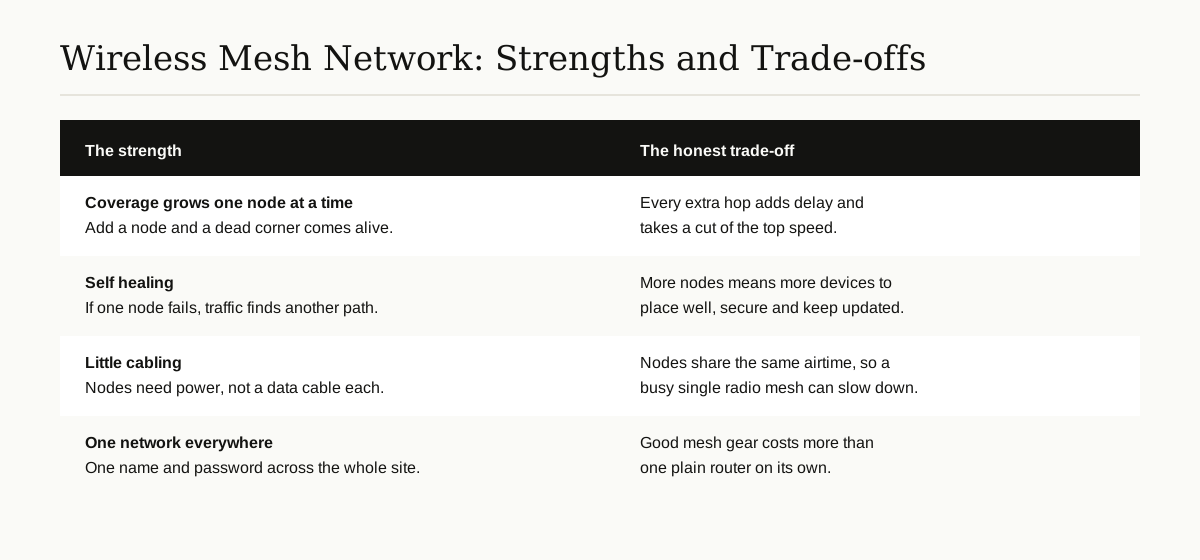
The strengths are the ones already covered: coverage that grows node by node, self healing when hardware fails, very little cabling, and one calm network name instead of a patchwork of extenders.
The trade-offs deserve equal time:
- Speed falls with every hop. Each relay is another short trip, and on a simple single radio chain, Cisco’s design guide warns that backhaul throughput drops by roughly half with each added hop. Good design keeps hop counts low, uses wired gateways in big meshes, and gives backbone nodes extra radios, which softens the loss a lot. But physics does not negotiate: a far corner served through three relays will not match standing next to the gateway.
- More nodes, more management. Ten or fifty nodes need placement thought, firmware updates and security settings kept in step. Managed systems and controllers exist for this, but the work is real.
- Security needs care. Every node is a door into the network, and nodes relay other people’s data. Strong encryption on the links and sensible passwords are not optional. And as with any network, people who want private traffic protected end to end still reach for tools like virtual private networks on top.
- Cost. A good mesh kit costs more than one plain router, and professional outdoor nodes cost more again.
Conclusion
So, what is WMN? It is a wireless mesh network: a team of radio nodes that pass data for each other in short hops, heal around failures, and grow coverage one node at a time. At home it looks like a friendly mesh WiFi kit with one name in every room. At scale it links campuses, towns, factories and meter readers without a cable to every point. The price of that freedom is some speed on long hop chains and a bit more gear to look after. For the right place, it is a trade well worth making.
For more guides like this one, browse the cybersecurity and networking category.