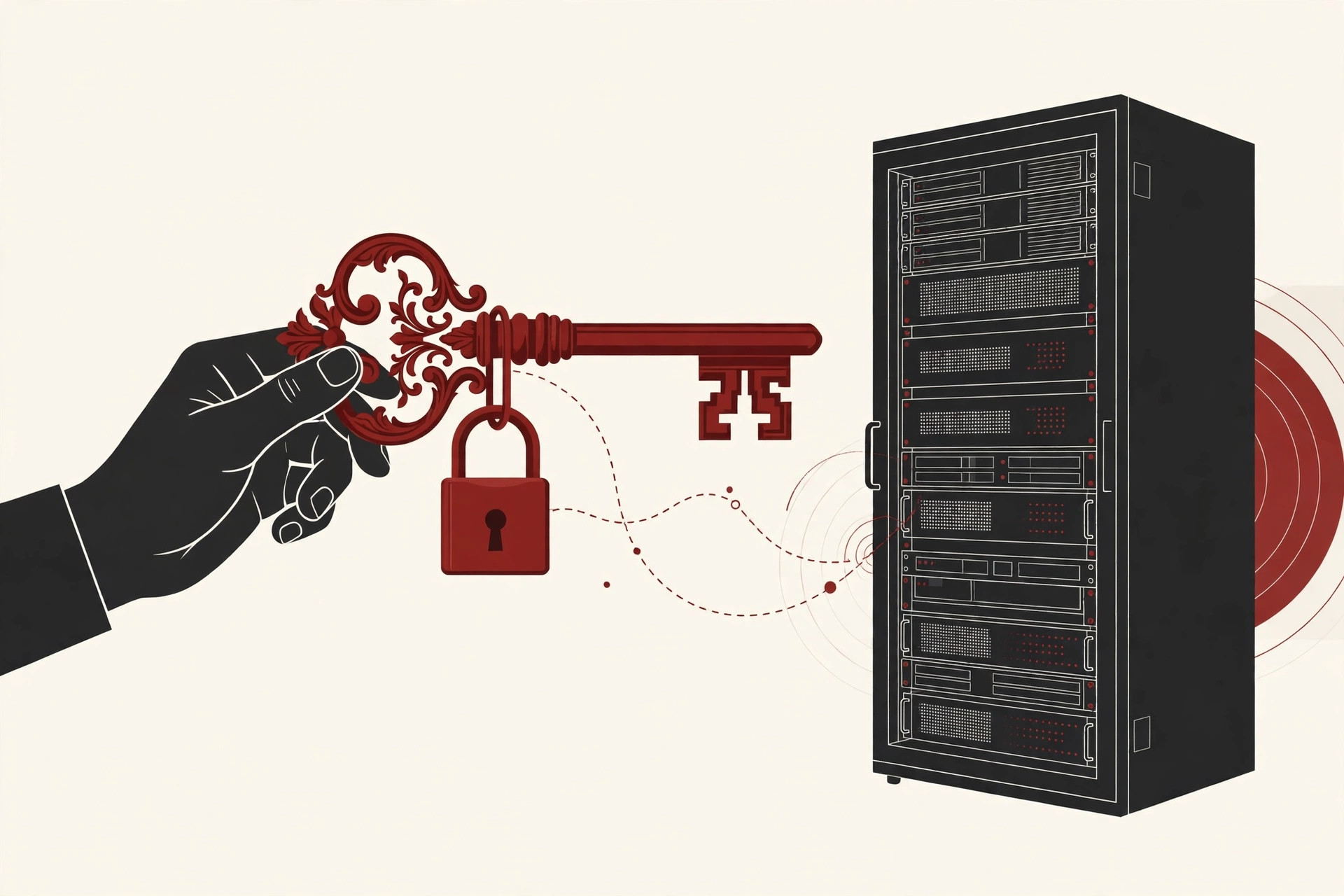
Most people meet a VPN as an app. You install it on your phone or laptop, tap connect, and that one device is protected. Then you look at the smart TV, the game console and the streaming stick, and realize none of them can run that app at all.
A VPN router solves that problem in a simple way. Instead of putting the VPN on every device, you put it on the router, the one box every device already talks through. This guide explains what a VPN router is, how it works, where it beats an app, and where it honestly does not.
What Is a VPN Router?
A VPN router is a normal home router that also runs a VPN connection itself. Every device connected to it, by Wi-Fi or by cable, sends its internet traffic through that one VPN connection automatically. No app, no login, no setup on the devices themselves.
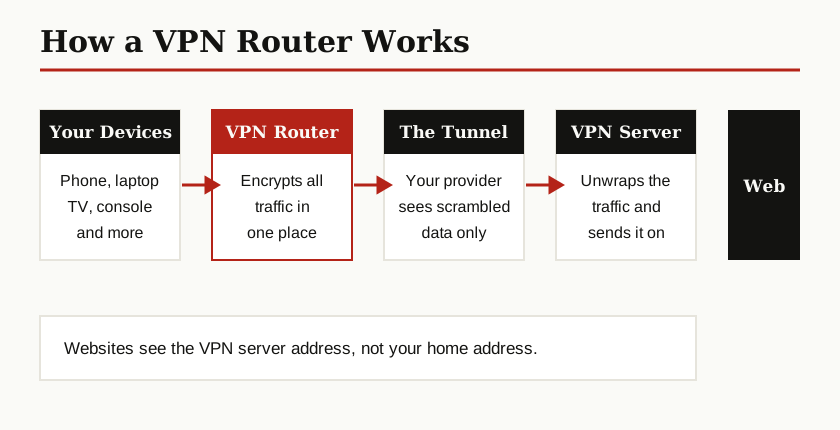
A quick reminder of the base idea: a virtual private network builds an encrypted tunnel between you and a VPN server, so your internet provider sees scrambled data instead of your activity, and websites see the server address instead of your home address. A VPN router simply moves that job from each device to the router, so it happens once for the whole home.
One point of confusion is worth clearing up early. Routers can play two different VPN roles:
- VPN client: the router connects out to a VPN service, and your home traffic travels through that service. This is what this article is about, and what most people mean by a VPN router.
- VPN server: the router accepts connections from outside, so you can reach your home network safely while you are away. Many routers can do both, but they are different jobs.
Router makers describe it the same way. TP-Link explains that with a VPN client set up on the router, all the devices on the network can use the VPN service, with no software installed on each one.
How a VPN Router Works
The flow is simple once you see it step by step:
- A device in your home, say a laptop, asks for a website.
- The request reaches your router first, like all traffic does.
- The router encrypts the request and sends it through a secure tunnel to a VPN server run by your VPN provider.
- The VPN server unwraps the request and fetches the website.
- The answer travels back through the same tunnel, and the router passes it to your laptop.
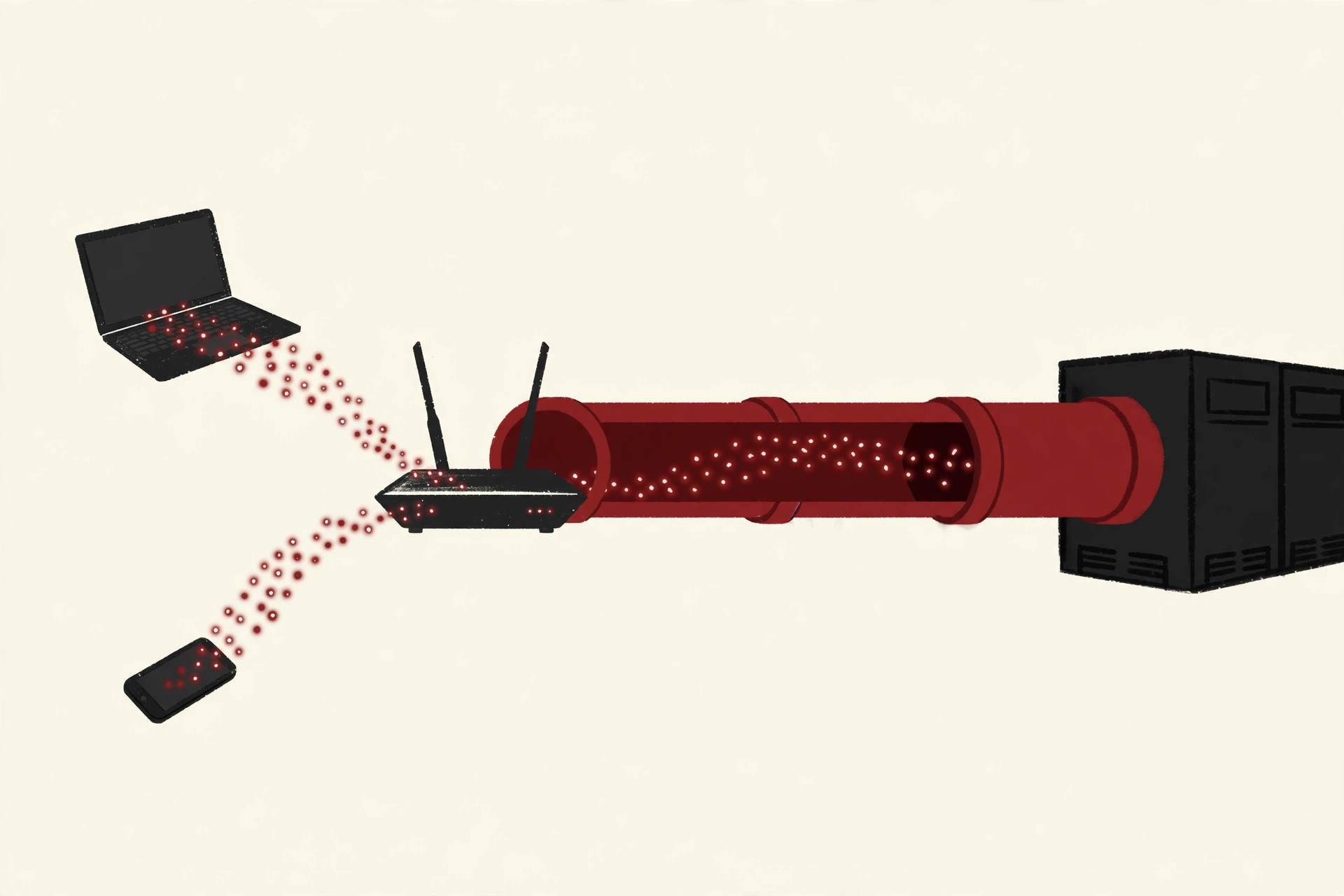
Your internet provider only sees an encrypted stream heading to one VPN server. It cannot see which sites you visit. The websites, in turn, see the VPN server address, not your home address. Cloudflare’s plain guide to how a VPN works walks through the same tunnel idea step by step.
The router signs in to the VPN service with the account details or settings file your provider gives you, and it stays connected around the clock. That always-on part matters: there is nothing to remember to switch on, and no device can forget.
Two protocol names come up again and again in router settings: OpenVPN and WireGuard. A protocol is simply the set of rules the tunnel follows. OpenVPN is the long established option and works almost everywhere. WireGuard is the newer, leaner design, and on a small router processor that lightness can mean noticeably less strain. If your router and your provider offer both, WireGuard is usually the calmer pick for a whole home setup. Older names like PPTP still appear in some menus, but they are dated and best left alone.
The Devices an App Cannot Reach
This is the strongest reason people buy a VPN router. A normal VPN app only exists for phones, tablets and computers. Plenty of home devices have no way to install one:
- Smart TVs and streaming sticks
- Game consoles like PlayStation and Xbox
- Smart speakers, cameras and other smart home gadgets
- Work laptops you are not allowed to change settings on

Because the protection lives on the router, these devices are covered the moment they join your Wi-Fi. ASUS makes exactly this point in its support pages: its router VPN feature gives VPN connectivity to phones, notebooks, even smart TVs and game consoles, without installing VPN software on any of them.
There is a second quiet benefit. Many VPN services limit how many devices can connect at the same time on one account. When the router holds the connection, the whole home usually counts as a single connection, because the router is the one device that signed in.
VPN Router vs VPN App
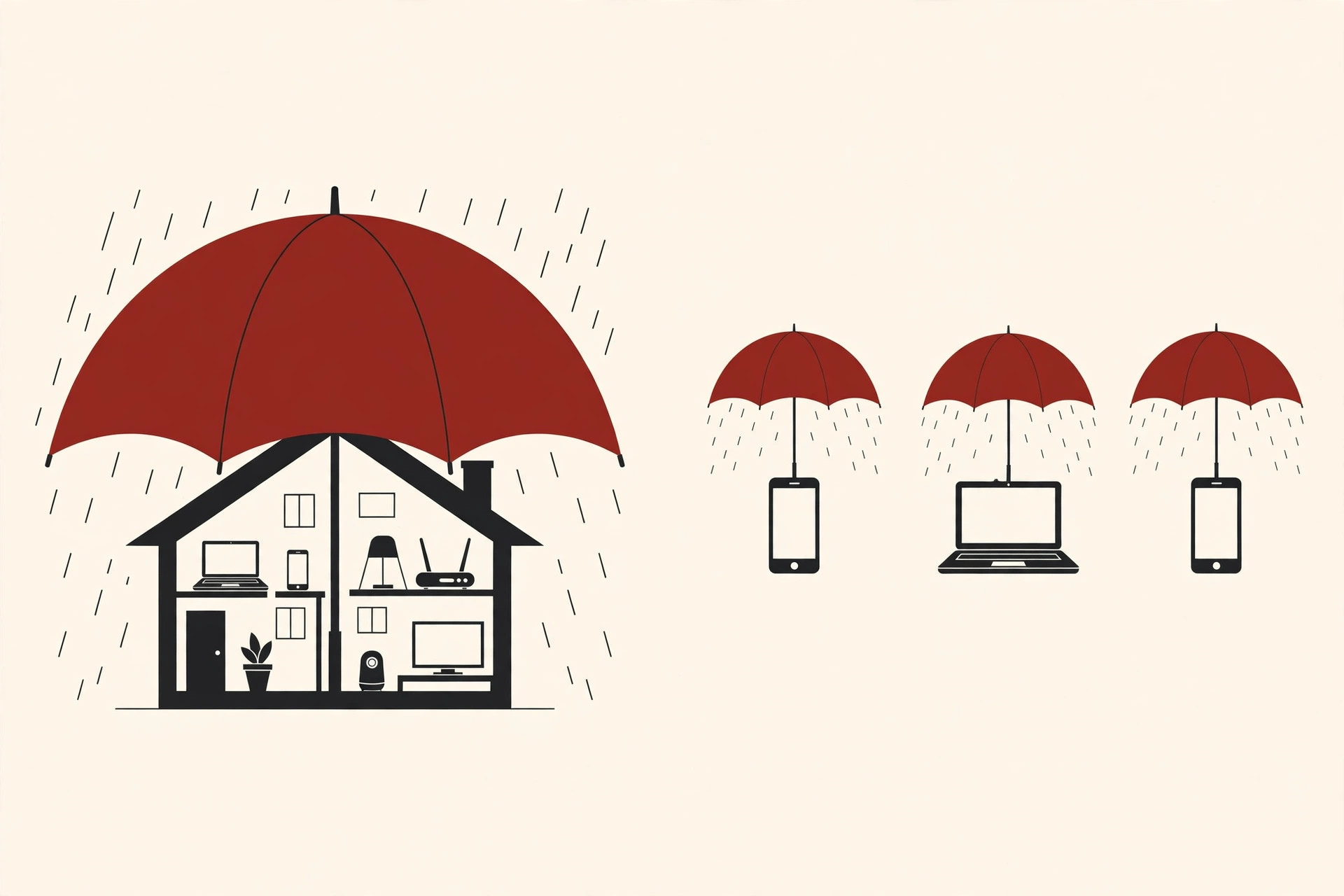
Neither choice is better for everyone. They are good at different things, and plenty of households end up using both.
| Point | VPN router | VPN app |
|---|---|---|
| Coverage | Every device on the home network | One device at a time |
| Setup effort | Once, on the router, but fiddly | Quick install per device |
| Devices with no app | Covered automatically | Not covered |
| Speed | Router processor does all the work | Each device uses its own processor |
| Changing server or country | One change affects the whole home | Change per device, any time |
| Away from home | No protection off your network | Works anywhere the device goes |
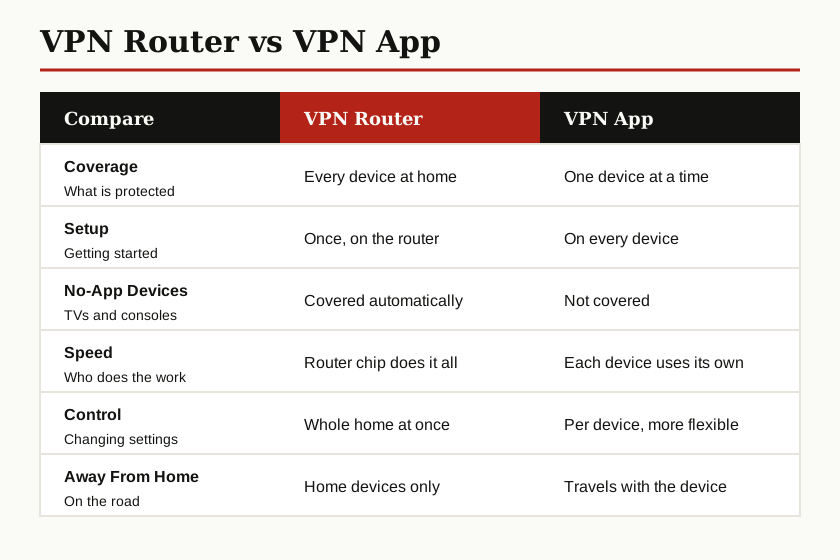
The short version: the app wins on flexibility and travel. The router wins on coverage and on never forgetting. If you only ever use a VPN on one laptop, an app is honestly all you need.
Two Ways to Get a VPN Router
You do not buy a special species of router. You get the feature in one of two ways.
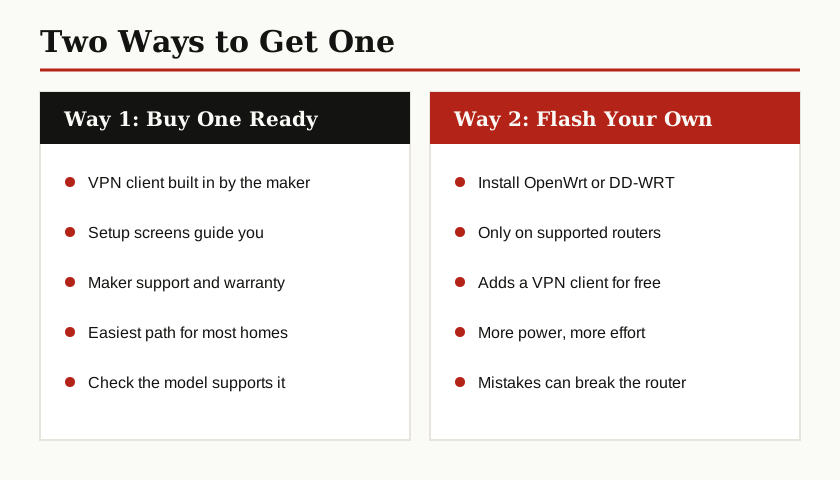
Way 1: Buy a Router With VPN Client Support
Many mid-range and high-end routers from makers like ASUS and TP-Link include a VPN client in their normal settings. You open the router settings page, find the VPN client section, add your provider details or upload the settings file your provider gives you, pick a server, and turn it on.
Two buying warnings matter more than any feature list. First, check the exact model, not just the brand, because support varies a lot between models. Second, note the difference between a VPN client and a VPN server in the product description. A router that only offers the server role cannot do the job this article describes.
If your home runs on a mesh Wi-Fi system instead of a single router, the same check applies to the main mesh unit. Our guide to what a WMN is explains how those multi-unit systems work.
Way 2: Install Open Source Firmware
Some routers can gain a VPN client by replacing the maker software, called firmware, with a free open source alternative. The two best known projects are OpenWrt and DD-WRT. Both publish guides for setting up a WireGuard or OpenVPN client on a supported router, and both maintain lists of the exact models they work on.
Be honest with yourself about this path before you start:
- It only works on listed, supported models.
- It replaces the maker software, so the maker warranty and support may no longer apply.
- A mistake during installation can leave the router broken.
- Setup is often done through technical screens, sometimes including SSH, the text-based way to log in to a device. If that is new to you, our explainer on what an SSH key is covers how those secure logins work.
For confident tinkerers, this route can give an older router a second life. For everyone else, buying a router with the feature built in is the calmer choice.
The Honest Trade Offs
A VPN router is not free protection with no downsides. Here is the real balance.
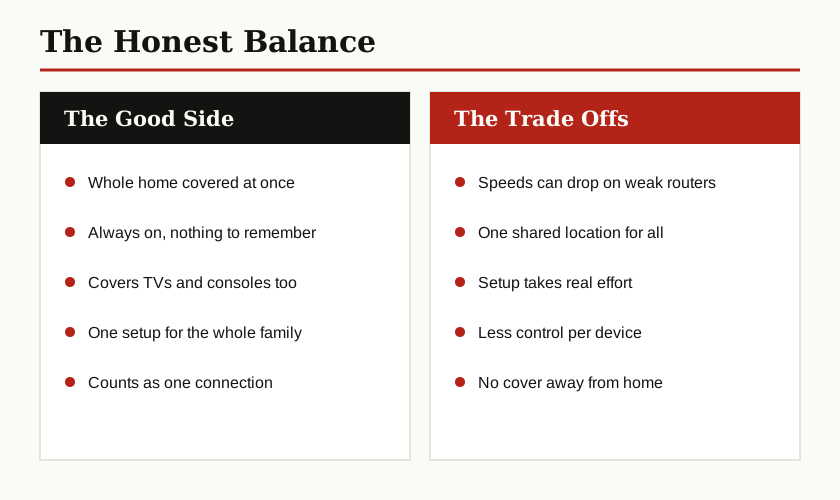
Speed. Any VPN adds a step, and a router does the encryption work for every device at once. A weak or old router processor can become the ceiling for your whole home, especially with the older OpenVPN protocol. WireGuard, the newer protocol most providers now offer, is lighter work for the router. A far away server also adds travel time to every request, an effect Cloudflare describes in its VPN guide.
One location for everyone. The whole home shares the single server your router is connected to. If that server is in another country, every device appears to be in that country, including the TV that just wants your local channels. Changing it means changing it for everybody.
Your provider sees your traffic. A VPN moves trust, it does not remove it. Your internet provider can no longer see your activity, but your VPN provider now sits in that position instead. A router does not change that basic fact, so choosing a provider you trust still matters most.
Setup and upkeep. Getting it running takes real effort the first time, and if the tunnel drops, the whole home is affected at once. Some routers and firmware offer a kill switch setting, which blocks internet access if the VPN drops instead of quietly continuing without it. It is worth turning on if yours has it.
Split Tunneling: The Best of Both
Split tunneling sounds technical, but the idea is friendly. It means the router sends some traffic through the VPN and some traffic straight to the internet, side by side.
On a router, this usually works per device. For example:
- The smart TV goes through the VPN, because you want it on a server in another country.
- Your work laptop goes direct, because your employer systems work better, or only allow, a normal home connection.
- The family tablet goes through the VPN for everyday privacy.
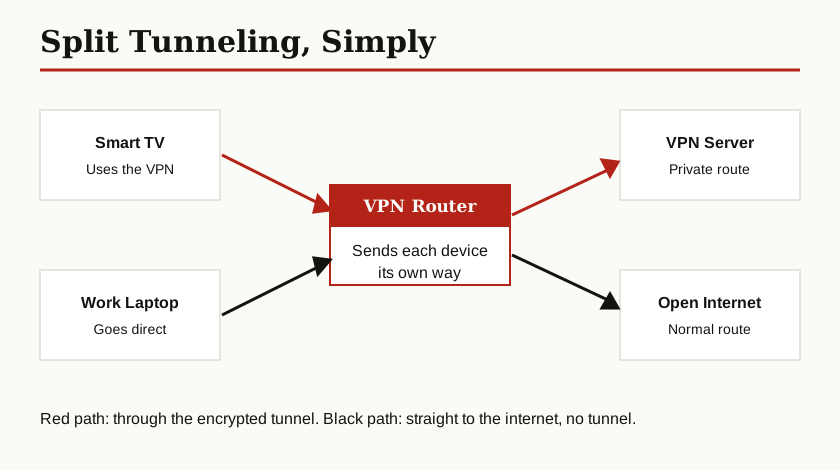
Not every router offers this. ASUS calls its version VPN Fusion, and it can even run more than one VPN connection at once and assign different devices to each. On simpler routers, the choice is all or nothing: everything through the VPN, or no VPN at all. If per-device control matters to you, check for it before you buy.
Who Actually Needs One, and Who Does Not
A VPN router makes real sense if:
- You want a TV, console or streaming device on a VPN, and it cannot run an app.
- Your home has many devices and many people, and nobody remembers to open an app.
- You want the VPN on all the time, including for guests and smart home gadgets.
- Your provider limits simultaneous connections, and your device count keeps growing.
You can honestly skip it if:
- You only use a VPN on one or two devices, now and then.
- You mostly need protection on public Wi-Fi while travelling, which is app territory.
- Your internet speed is already tight, and your router is old. The extra work will be felt.
- You like switching countries per device, per app, several times a day.
The basic setup, once you have a suitable router, follows the same shape almost everywhere: sign up with a VPN provider, open your router settings, find the VPN client section, add the provider details or settings file, choose a server location, turn it on, and then check on a device that your visible location has changed. A simple test is to note what location an IP checker page shows for you before you start, then look again afterwards. It should now show the VPN server location instead of your home. After that, daily life is simple: everything at home is just covered.
So, what is a VPN router in the end? It is the same VPN you already know, moved from your devices onto the one box they all share. You trade a little speed and flexibility for coverage that includes everything, even the devices that could never protect themselves. For the right home, that is a very good trade. For more guides like this one, browse our cybersecurity and networking category.