You have probably seen the ads. A cheerful voice promises that one app will make you invisible online, stop hackers in their tracks, and unlock the whole internet. The truth about virtual private networks is quieter than the ads, and more useful. A VPN is a genuinely helpful privacy tool, but only if you understand what it actually does.
This guide explains virtual private networks in plain English: what a VPN is, how it works step by step, what it really protects, what it honestly cannot do, and how to choose a service you can trust.
What Is a Virtual Private Network?
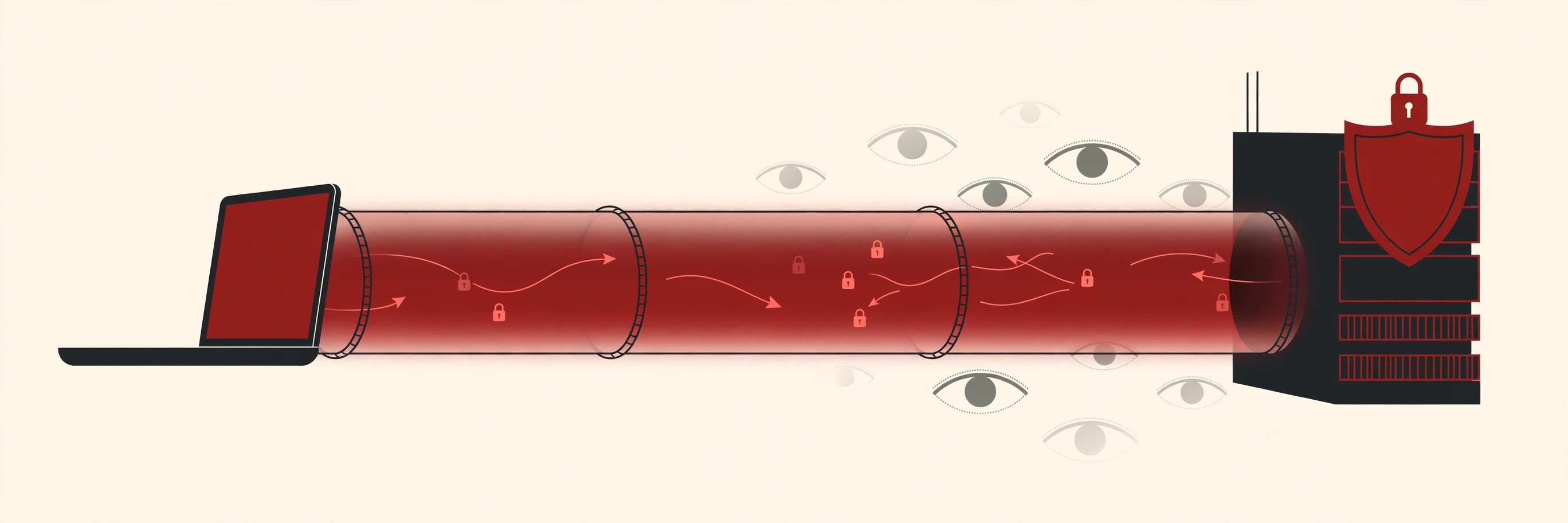
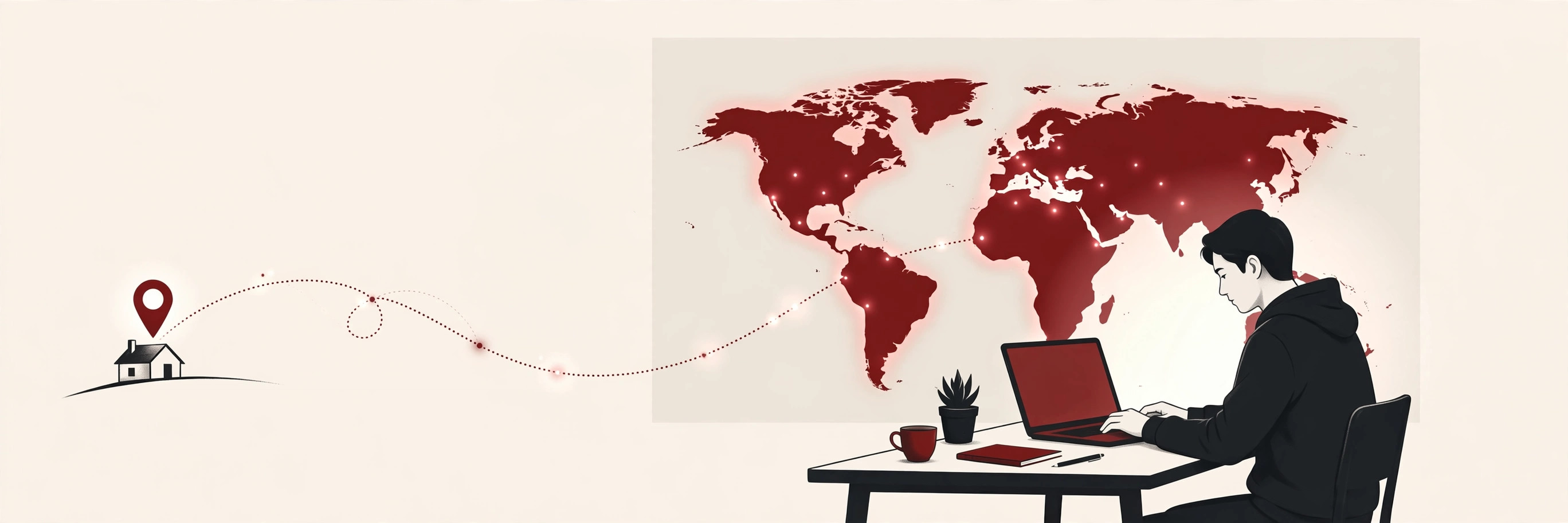
A virtual private network, usually shortened to VPN, is a service that routes your internet connection through a private, encrypted tunnel to a server run by the VPN company. Instead of going straight from your device to the websites you visit, your traffic takes a detour through that server first.
Two things change because of that detour. First, everything you send is scrambled, which is what encryption means, so people along the way cannot read it. Second, websites see the VPN server’s address instead of your real one, so your connection appears to come from wherever the server happens to be.
Think of it like sending a letter inside a locked box instead of writing it on a postcard. A postcard can be read by everyone who handles it. A locked box travels through the same postal system, but only the person holding the key can see what is inside. A VPN is the locked box for your internet traffic.
How Does a VPN Work?
Here is the journey your traffic takes when you switch a VPN on, step by step.
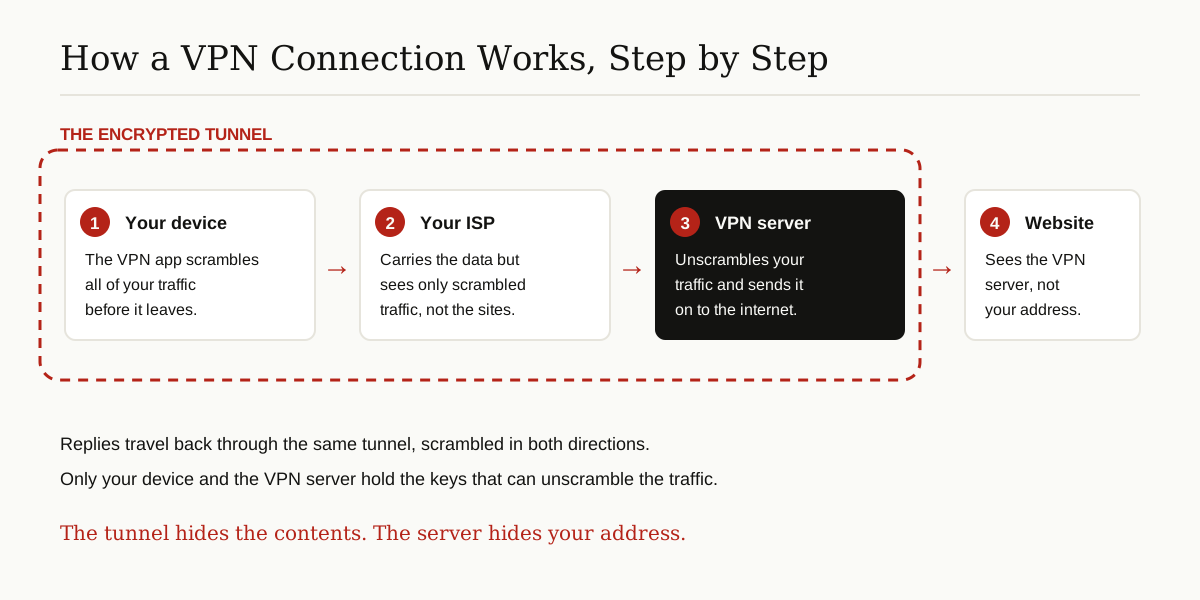
- You connect. You open the VPN app and tap connect. The app reaches out to a VPN server, often in a city or country you picked yourself.
- The tunnel opens. Your device and the server set up an encrypted connection between them. This private path is the tunnel you hear about in every VPN ad.
- Your traffic flows through it. Everything you do online now travels inside the tunnel. Your internet service provider, called your ISP, carries the data but sees only scrambled traffic. It can tell that you are using a VPN, but not which websites you visit.
- The server sends it on. The VPN server unscrambles your request and passes it to the website. The website replies to the server, and the server sends the reply back through the tunnel to you.
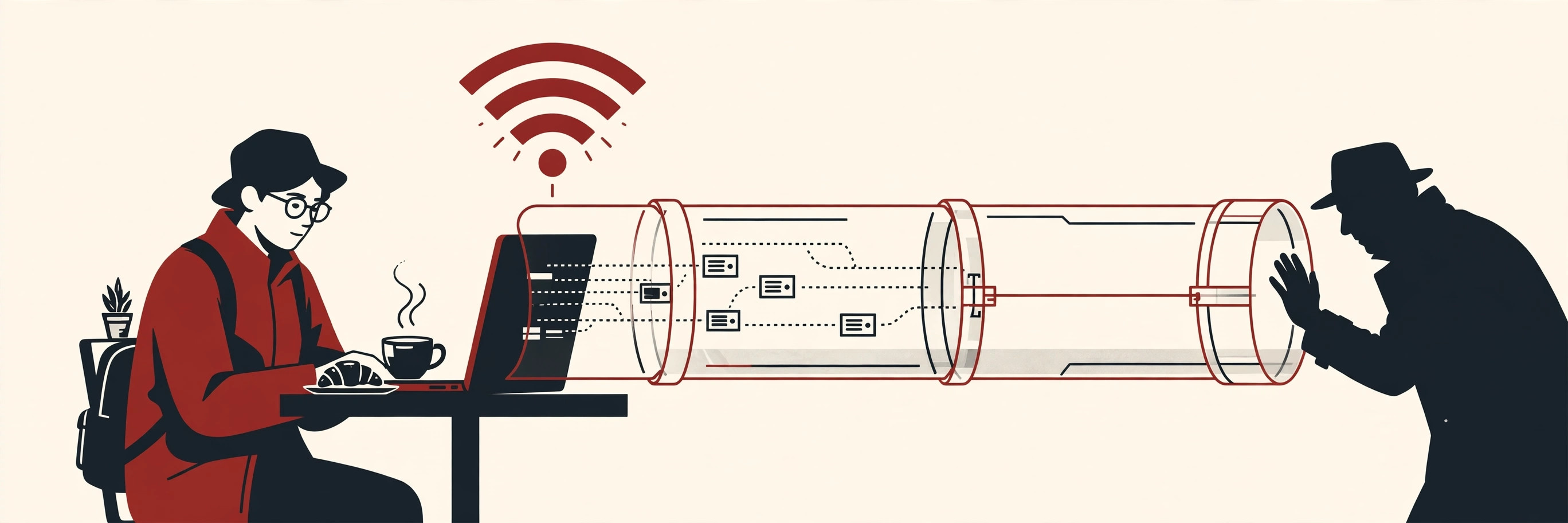
From the website’s point of view, you are the VPN server. If that server sits in another country, the website sees a visitor from that country. That one simple fact explains both the privacy benefits of a VPN and the location tricks people use it for.
One practical note: the server you pick matters. A nearby server keeps virtual private networks feeling fast, because your traffic has less distance to travel. A server on the other side of the world adds a longer trip to every request. Good services let you switch locations in one tap, so you can balance privacy and speed instead of choosing one forever.
Encryption, in Simple Words
Encryption means scrambling. It turns readable information into nonsense using math, and only someone holding the right key can turn it back into sense. When your connection starts, your phone and the VPN server agree on fresh keys, and from that moment everything passing between them is locked.

Modern VPNs lean on the same basic idea as the public key infrastructure that secures the web: a pair of keys, one public and one private, lets two sides that have never met agree on a secret that nobody else can copy. You never need to understand the math. You only need to know that with a good VPN, the scrambling is strong, automatic, and happens before your data leaves your device.
The Protocols Behind the Tunnel
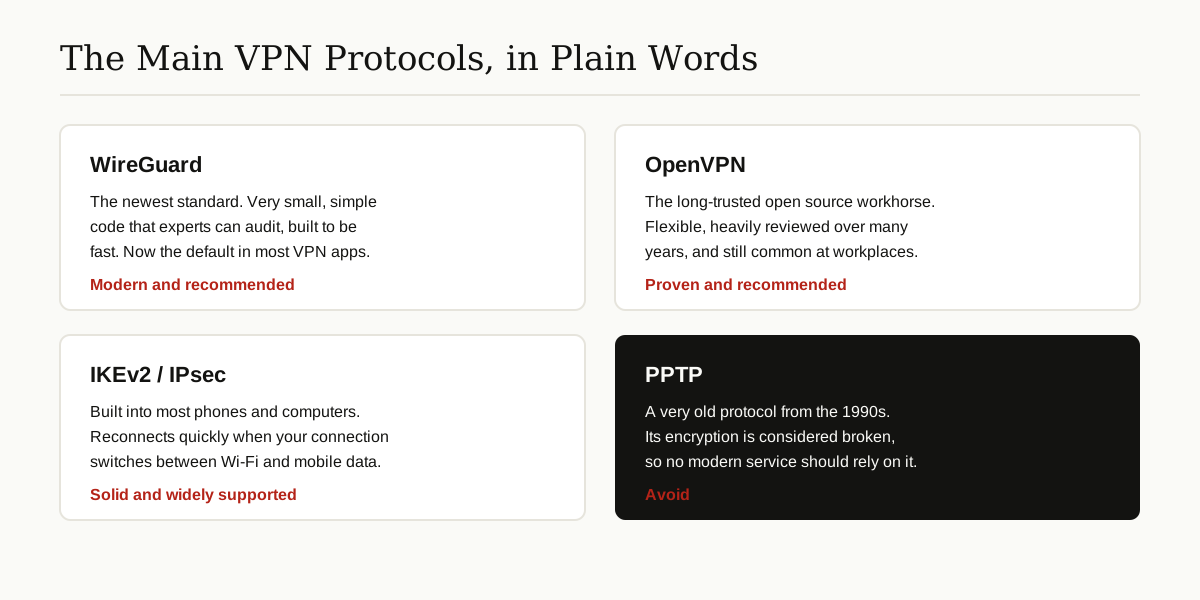
A protocol is the rulebook a VPN follows to build and protect its tunnel. The name matters because some rulebooks are modern and heavily reviewed, while others are old and broken. These are the ones you will meet in VPN apps.
- WireGuard. The newest of the main protocols, and now the default in many apps. Its creators explain on the official WireGuard site that it was designed to be far simpler than the older systems, with very little code, so security experts can actually read and audit all of it. It connects two sides by swapping simple public keys, much like the keys used for secure remote logins.
- OpenVPN. The long-running open source workhorse. It has been reviewed by the community for many years, runs almost everywhere, and is still heavily used by companies giving staff secure access to office systems.
- IKEv2/IPsec. Built into most phones and computers, so many services can use it without extra software. It is especially good at reconnecting quickly when your phone hops between Wi-Fi and mobile data.
- PPTP. An old protocol from the 1990s whose protection is considered broken. If a service still relies on PPTP, that is a good reason to walk away.
What a VPN Protects
Used well, virtual private networks give you three real protections. None of them are magic, but all of them are worth having.
Safer Public Wi-Fi
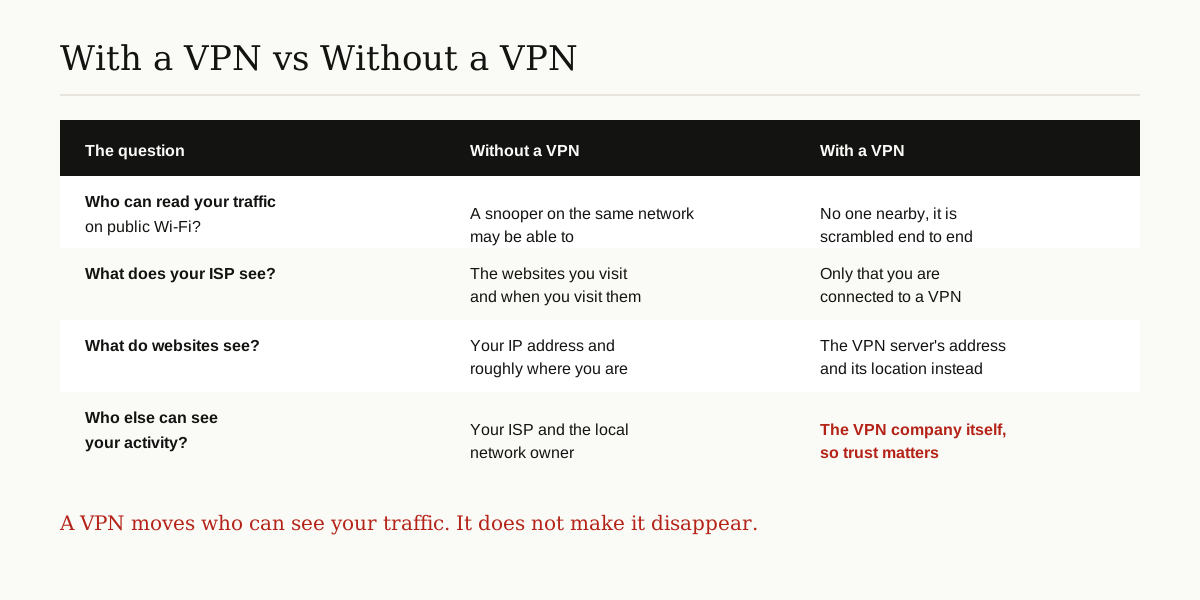
On a coffee shop or airport network, other people sharing that network may be able to snoop on unprotected traffic. As Cloudflare’s guide to VPNs explains, when you connect through a VPN, a snooping attacker sees only encrypted data, which reveals nothing useful. Most big websites already use HTTPS, which scrambles the page contents on its own, but a VPN also hides which sites you are visiting from whoever runs or watches the local network.
Privacy From Your ISP
Without a VPN, your ISP can see the websites you visit and when you visit them. It cannot read your messages on secure sites, but the list of sites alone says a great deal about you. With a VPN, that window closes. Your ISP sees a single encrypted connection to a VPN server, and nothing beyond it.
Location Masking
Websites guess where you are from your IP address, the number that identifies your connection. With a VPN, they see the server’s address and location instead. Travelers use this to reach familiar services from abroad, and plenty of people use it simply to keep their rough location out of the hands of every site they open. It is not perfect location privacy, and video services often block well-known VPN servers, but for ordinary browsing it works.
The Honest Limits of a VPN
This is the section the ads leave out, and it is the most important one in this guide.
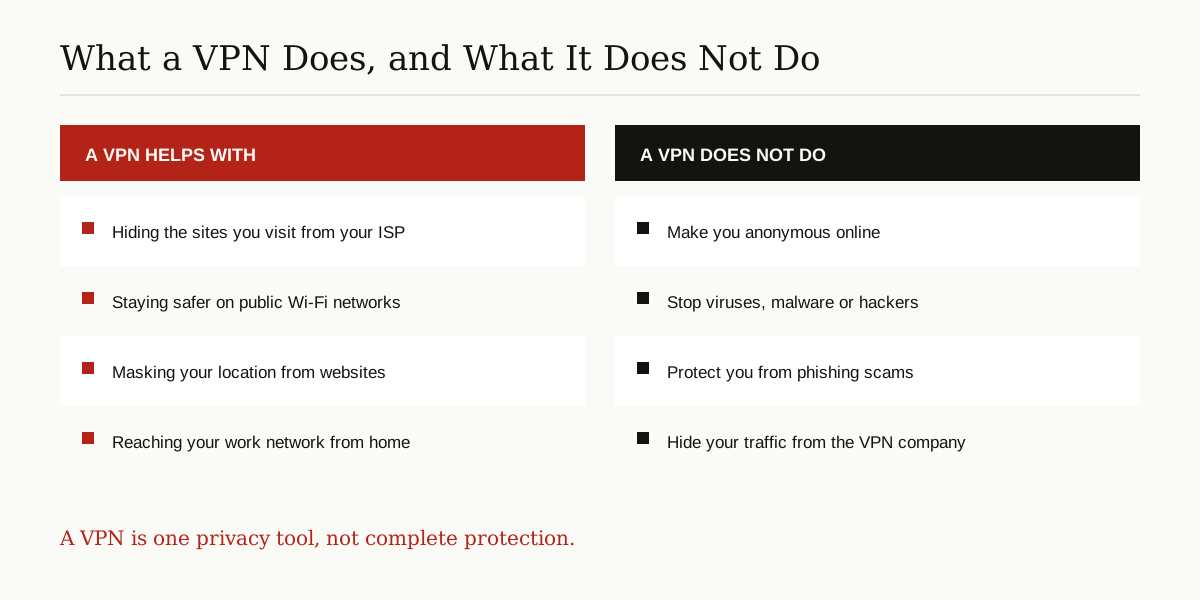
A VPN does not make you anonymous. Websites can still follow you through cookies, the accounts you stay logged into, and the unique fingerprint your browser and device leave behind. If you sign in under your real name, no VPN on earth can hide who you are.
A VPN does not stop malware or scams. The tunnel faithfully carries whatever you download, good or bad. A malicious file is still malicious when it arrives, and a convincing fake banking page will still accept your password with a smile. That is a separate problem with separate defenses, covered in our guide to computer virus prevention.
A VPN does not hide you from the VPN company. Your traffic is scrambled between you and the server, but the company owns the server. It can see your traffic in much the same way your ISP could before. The Electronic Frontier Foundation makes the same point in its privacy guides: using a VPN means moving your trust from your internet provider to the VPN company. That is why choosing the company carefully matters far more than any single feature.
Common Uses for a VPN
- Remote work. The original job of virtual private networks was letting employees reach the office network safely from home or the road. Many companies still run their own VPN for exactly this reason.
- Travel. On hotel and airport networks you do not control, a VPN keeps your traffic private and helps you reach the services you normally use at home.
- Everyday privacy. Plenty of people simply leave a VPN running all day so their ISP cannot build a detailed picture of their browsing habits.
If you want every device in the house covered at once, including smart TVs and game consoles that cannot run VPN apps, you can put the VPN on the router itself. Our guide on what a VPN router is explains how that setup works.
Free VPNs vs Paid VPNs
A VPN service costs real money to run. Servers, bandwidth, apps, and support staff are not free. Paid services cover those costs with a subscription, which is a simple and healthy way to run the business. A free service has to find the money somewhere else.
Some free VPNs are honest about their model: the free plan is a limited sample, and the company hopes you upgrade. Others earn from advertising. The riskiest ones have been caught collecting and selling their users’ data, which is the exact opposite of the privacy the app promised. None of this means every free VPN is dishonest. It means the question is always the same: if I am not paying for this, what is? If a free VPN cannot give you a clear answer, treat the silence as the answer.
How to Choose a VPN
Forget the speed claims and feature checklists in the ads. These four checks tell you whether a service deserves your traffic.
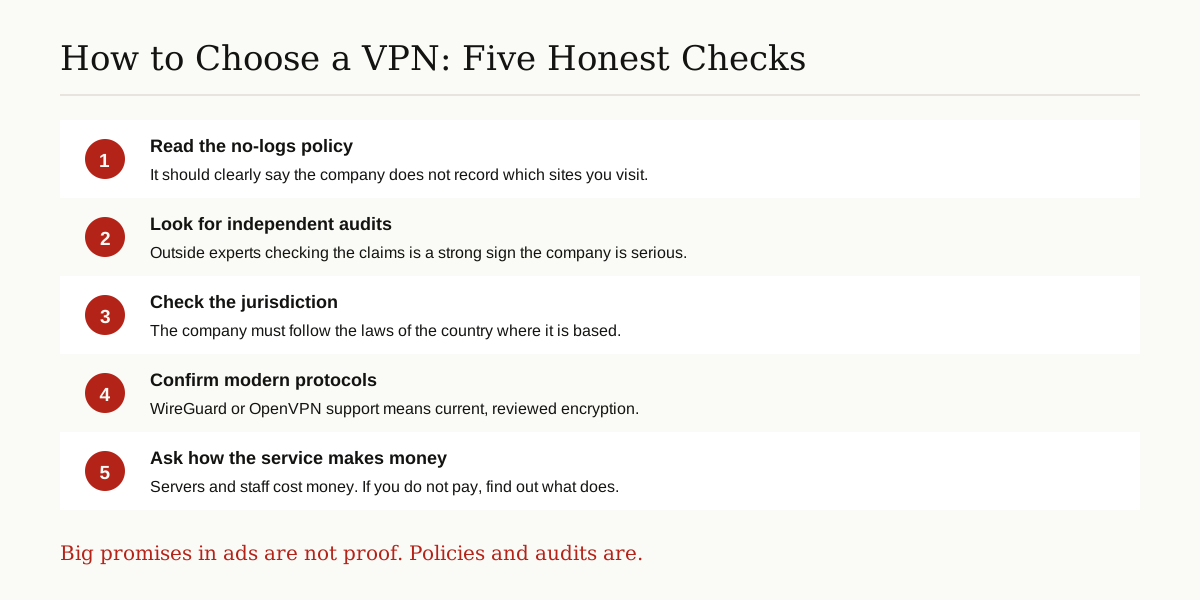
Understand the no-logs promise. Logs are records of your activity. A no-logs policy means the company promises it does not record which websites you visit or tie your activity to your account. That matters because a company cannot hand over, leak, or sell records it never kept in the first place.
Value independent audits. A promise is only words until somebody checks it. Trustworthy services hire outside security firms to audit their apps and servers, then publish what those experts found. An audit is a snapshot in time, not a lifetime guarantee, but it is one of the strongest trust signals a VPN can offer.
Think about jurisdiction. A VPN company must follow the laws of the country it is based in, including laws about handing data to governments and courts. A provider based somewhere with strong privacy laws, and a public record you can look into, is far easier to judge than an anonymous company that hides who owns it.
Check the basics. Look for WireGuard or OpenVPN support, apps for the devices you actually own, and a privacy policy written in language a normal person can read. And be suspicious of any service promising total anonymity or protection from everything. No honest VPN can offer either.
The Short Version
Virtual private networks do one job well: they move your internet traffic through an encrypted tunnel, so your ISP, local networks, and the websites you visit all see less of you. They do not make you invisible, they do not stop viruses or scams, and they are only ever as trustworthy as the company running the server. Choose a service with a clear no-logs policy, published independent audits, modern protocols, and a business model you understand, and a VPN becomes what it should be: a solid, honest privacy tool.
For more guides like this one, browse our cybersecurity and networking category.