A video call between two people is easy. Your device sends video to theirs, theirs sends video back, and you are done. Then a third person joins. And a fourth. And someone connects from a big meeting room screen while someone else joins on a phone from the airport.
Suddenly somebody has to organize all of that: collect every stream, sort out the different formats, and give everyone a meeting that actually makes sense. For decades, that organizer had a name. It is the multipoint control unit, and it quietly powered group video calls long before meetings moved into the browser.
What Is a Multipoint Control Unit?
A multipoint control unit, usually shortened to MCU, is a device or program that bridges video calls. It connects three or more participants into a single conference, acting as a central hub that every participant talks to.
The classic definition of a multipoint control unit comes from the H.323 standard, one of the oldest rulebooks for video calls on networks. In that definition, the unit is an endpoint on the network that lets three or more terminals join one multipoint conference. Inside, it has two logical parts:
- The multipoint controller (MC): the organizer. It handles the setup, the signaling, and who is allowed into the conference.
- The multipoint processor (MP): the worker. It does the heavy lifting of mixing audio, processing video, and switching data between participants.
Every MCU has a controller. The processor is technically optional in the standard, but in practice it is the part that does the famous MCU job: blending many streams into one meeting. All parties call into the MCU, or the MCU calls the parties one by one to bring them in. Either way, nobody connects directly to anybody else. Everyone connects to the bridge.
Why Two People Are Easy and Three Are a Problem
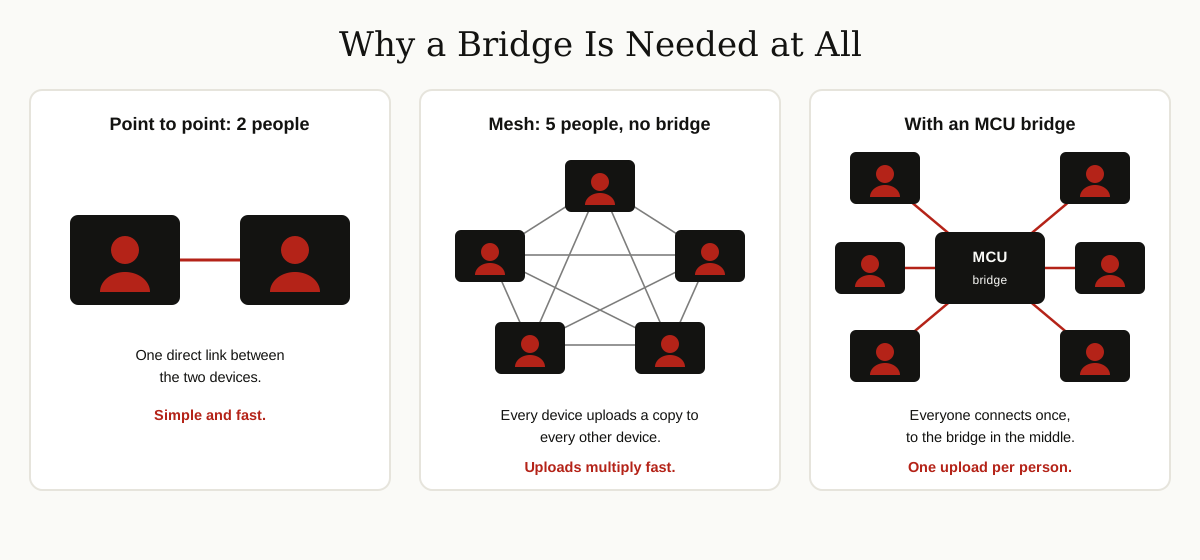
To see why a bridge is needed at all, look at what happens without one. With two people, there is exactly one connection and life is simple. Engineers call that point to point.
Now add people and let every device connect to every other device directly. This style is called a mesh. In a five person mesh call, your laptop uploads your video four times, once for each other person, and downloads and decodes four separate videos at the same time. With nine people, it uploads eight copies. Home internet connections and phone batteries give up quickly, and the call falls apart.
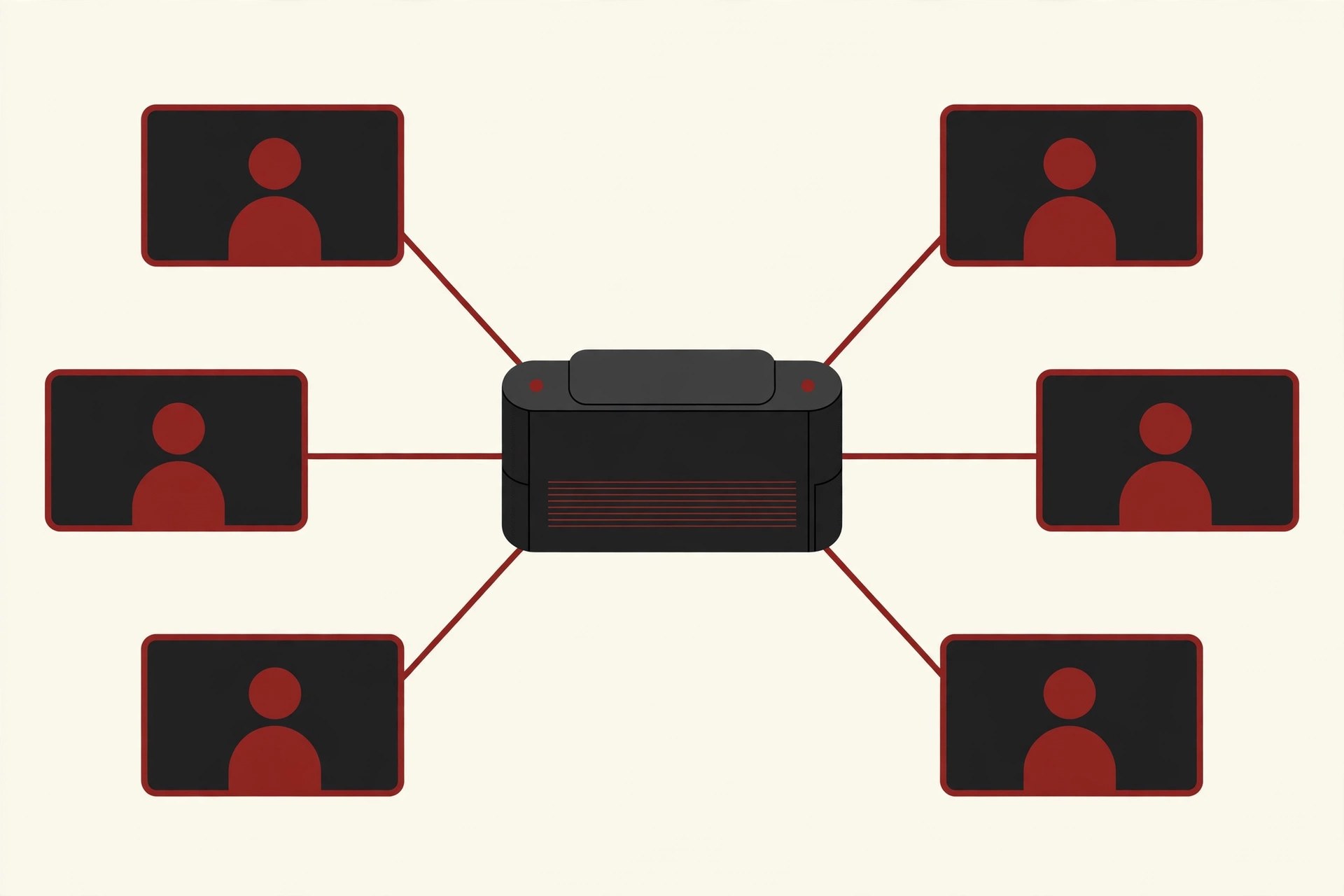
The MCU solves this with a star shape instead of a mesh. You upload your video exactly once, to the bridge. The bridge does the hard work in the middle, and sends you back one stream that already contains the whole meeting. Your device stays relaxed no matter how many people join, because the growing crowd only makes the bridge work harder.
How an MCU Works, Step by Step
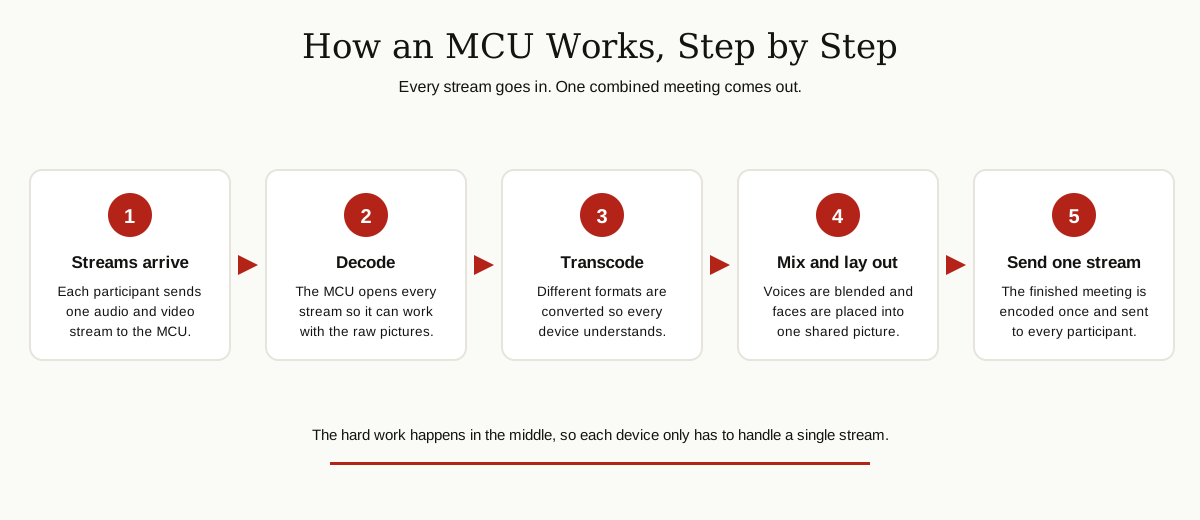
Here is the full journey of a group call through a multipoint control unit.
Step 1: Everyone connects to the bridge. Participants dial in, or the MCU dials out to them. The controller part sets up the conference and agrees with each device on the basics: which audio and video formats it can use, and at what quality.
Step 2: The MCU decodes every stream. Video arrives compressed, squeezed down for travel across the network by a codec (a coder and decoder pair). To mix pictures together, the MCU first has to open them back up into raw video. Nothing can be blended while it is still packed.
Step 3: It transcodes, translating between formats. Real meetings are messy. One room system sends an older video format, a laptop sends a newer one, one screen is high definition and another is not. Transcoding converts everything into forms that can live in the same conference. Cisco’s MCU documentation, for example, describes conferences that mix H.263 and H.264 video and standard and high definition participants in the same call. Without translation, those devices simply could not meet.
Step 4: It mixes the audio. All the voices are blended into a single audio mix, so everyone hears the whole room in one stream instead of juggling a separate sound feed per person.
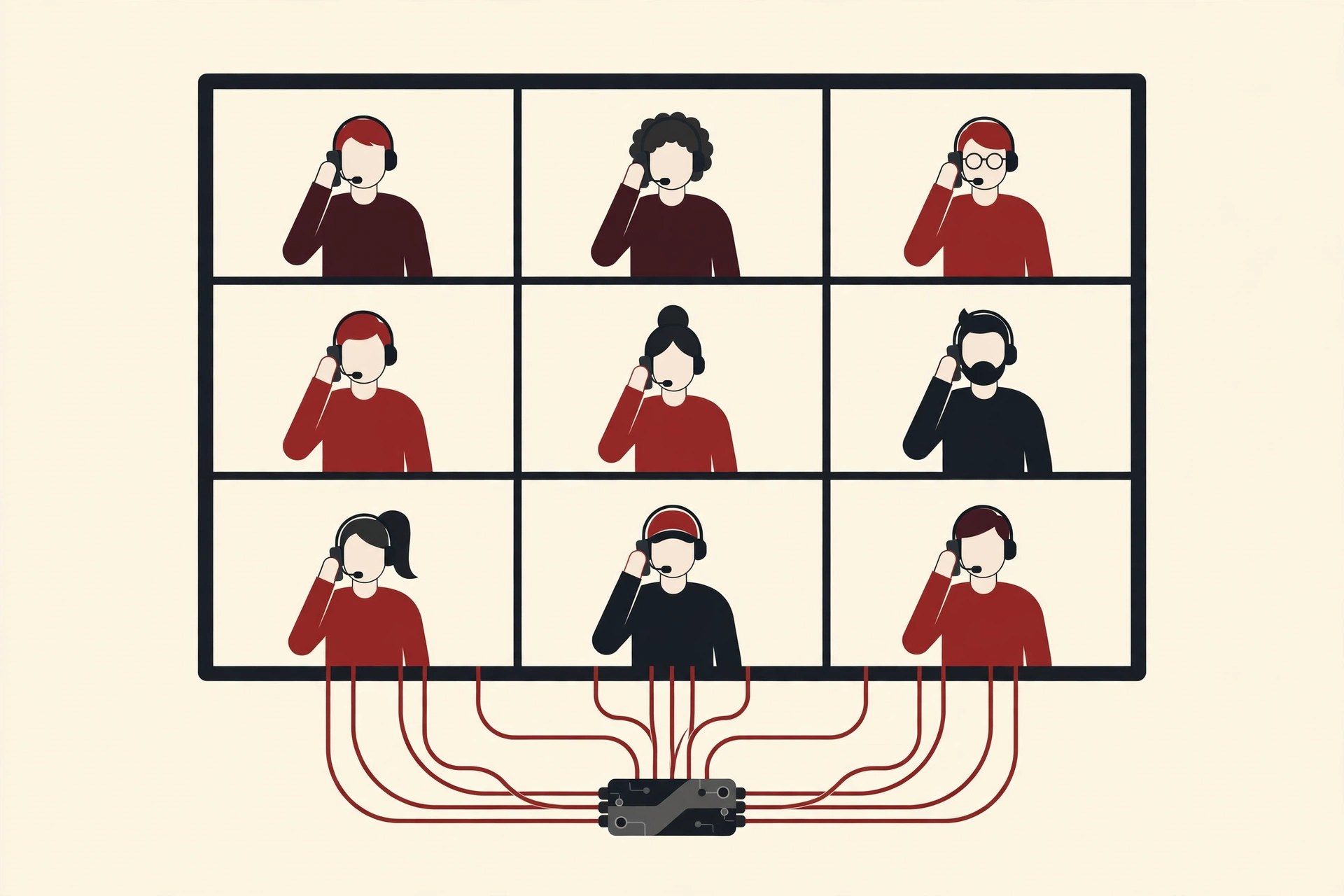
Step 5: It lays out the video. The decoded pictures are arranged into one combined image, most famously the grid where every face gets its own tile. This layout work is called compositing, and it is the MCU’s signature move.
Step 6: It encodes and sends one stream back. The finished meeting is compressed again and sent to each participant. One stream in, one stream out, per person.
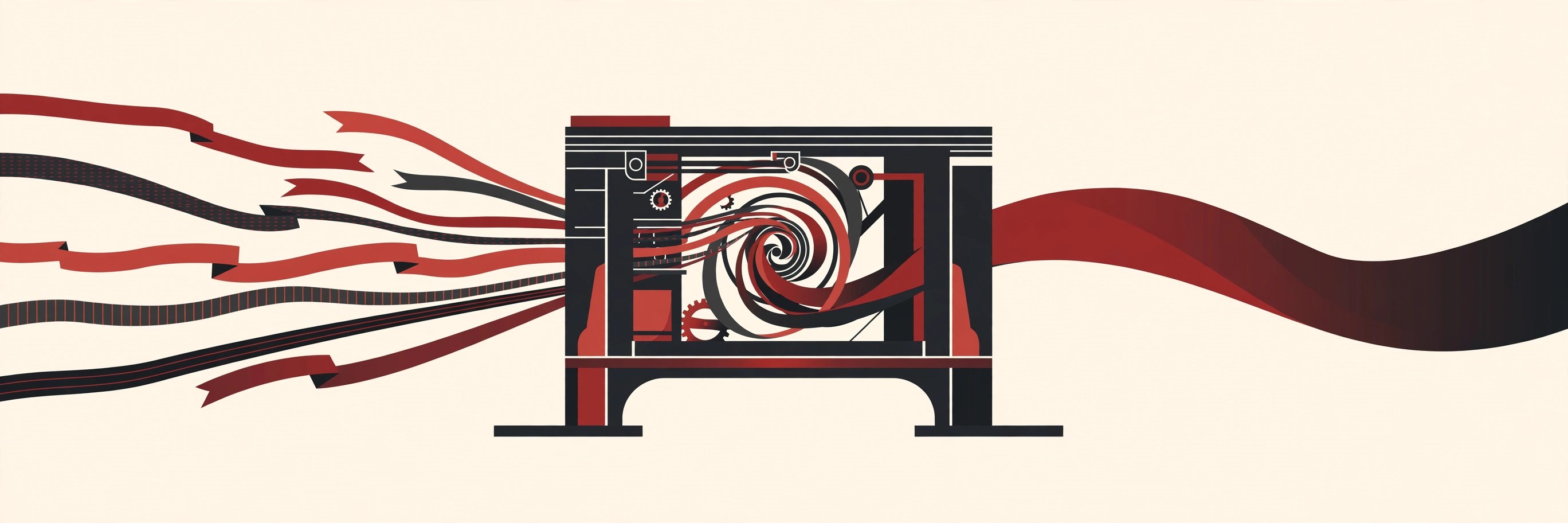
Notice the price hidden in those steps. Decoding, mixing and re-encoding live video for every participant is serious computing work, done in real time, with no pause button. Classic hardware MCUs used dedicated signal processor chips for exactly this reason, and an MCU’s capacity is still talked about in ports: how many participants it can process at once. Mixing is powerful, but it has never been cheap.
Continuous Presence: Everyone on Screen at Once
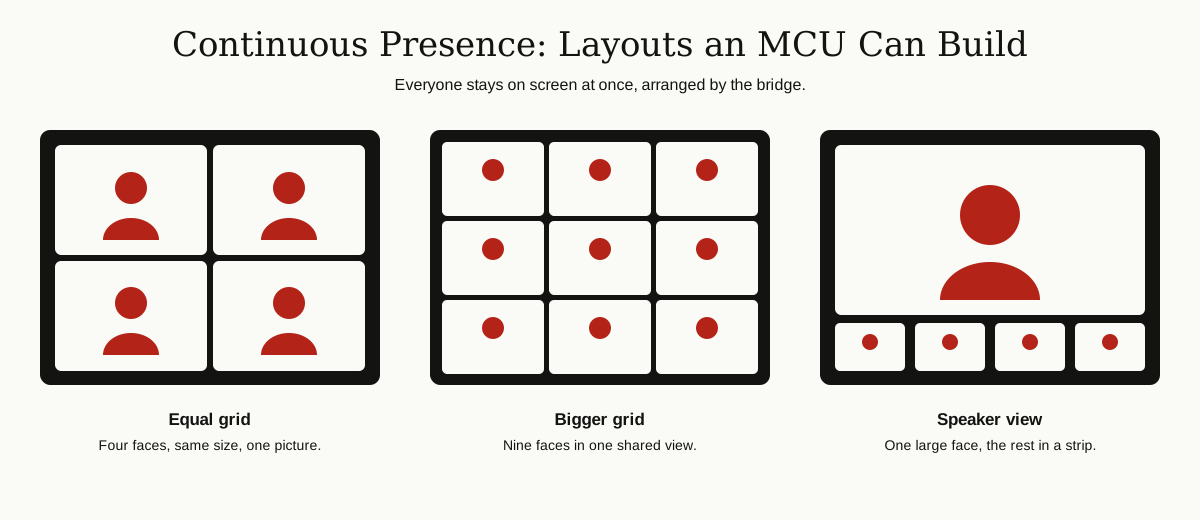
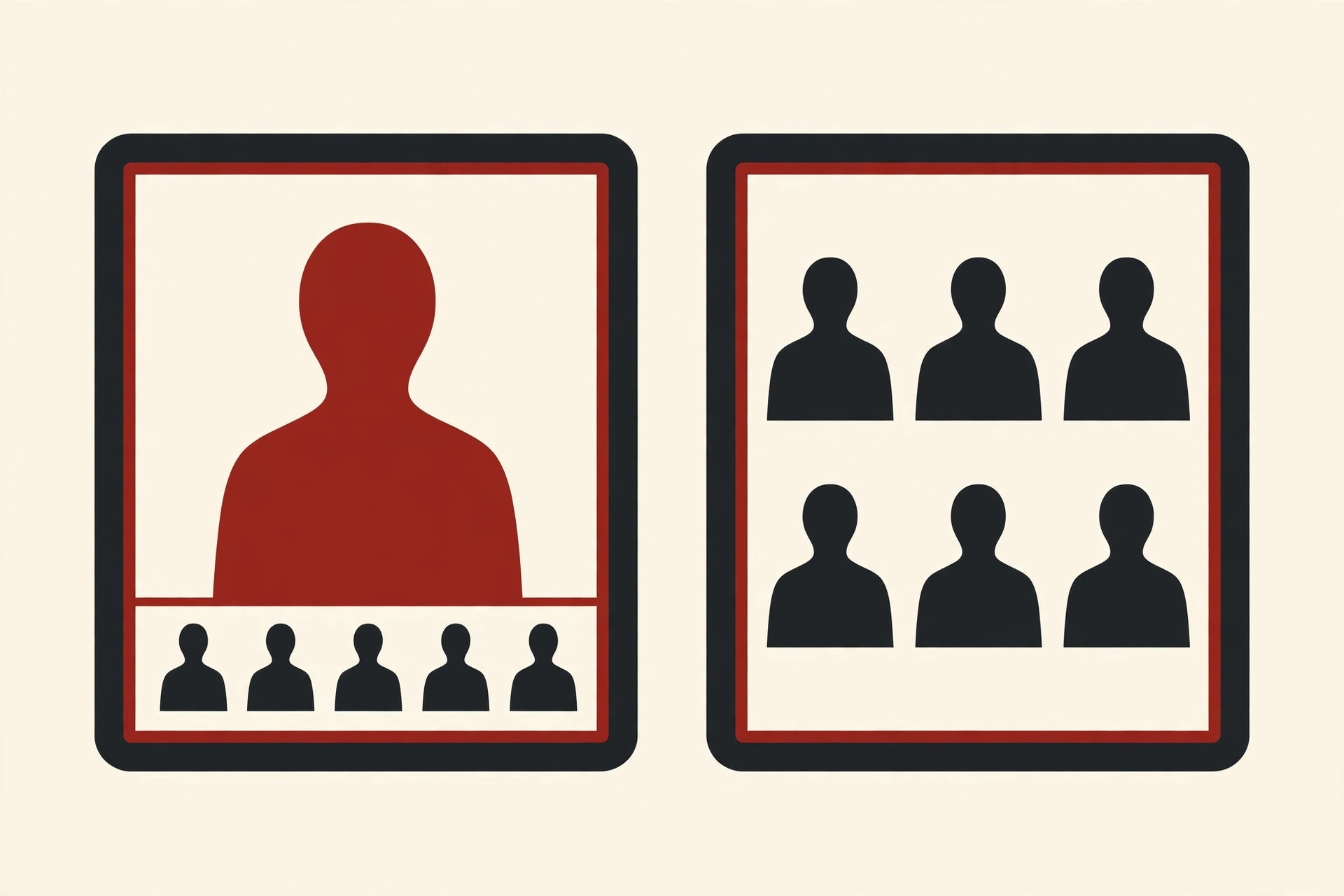
The grid view you know from every meeting app was an MCU invention with a formal name: continuous presence. It means multiple parties can be seen on screen at the same time, in one shared picture, instead of the call showing only one person at a time.
That was not the only option. Older systems often used voice activated switching, where the screen showed whoever was talking, full size, and jumped to the next speaker when someone else spoke. It saved processing power, but it felt like watching a tennis match. Continuous presence felt like sitting around one table, which is why it became the layout everyone expects.
An MCU can build several styles of shared picture: an equal grid for a handful of people, a bigger grid for larger groups, or a speaker view with one large face and a strip of smaller ones below. The important detail is that the bridge chooses the layout, and in a classic MCU call, everyone receives the same one.
Hardware Box, Software, or Built Into the Room?
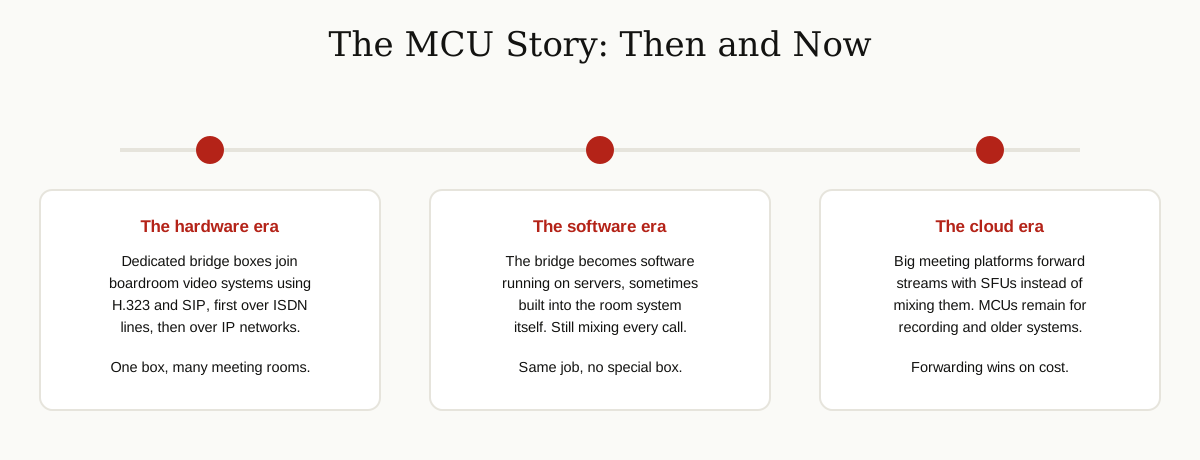
MCUs come in three shapes. Dedicated hardware bridges were the original form: rack mounted boxes in a server room, sold by port count, built to join boardroom systems together. Cisco’s TelePresence MCU line is the textbook example. Cisco’s own documentation describes it as a high definition multipoint video conferencing bridge with full continuous presence for all conferences and full transcoding, made for mixed endpoint environments.
The second shape is pure software. The same mixing job runs on a regular server or a virtual machine, which made bridges cheaper to deploy and easier to grow. The third shape is the bridge built into something else: some room systems carry a small built in multisite feature, so the room system itself hosts a small conference for a few sites without any separate box.
Whichever shape it takes, the job description stays the same: receive, translate, mix, send.
One more practical detail matters if you ever spec or run a bridge: a single MCU rarely hosts just one meeting. It can run several separate conferences at the same time, each with its own group of participants, as long as the total port count holds out. When conferences regularly outgrow one unit, administrators spread them across several MCUs. Cisco sells a management layer called TelePresence Conductor for exactly this: it picks the right bridge for each new conference and lets a meeting grow beyond the capacity of a single MCU. The pattern is the same one used everywhere in networking. When one box is not enough, you add boxes and put a smart dispatcher in front of them.
MCU vs SFU: Why the Cloud Changed Its Mind
If MCUs work so well, why do the big modern meeting platforms mostly avoid mixing? Because a different design turned out to fit the cloud far better: the SFU, or selective forwarding unit.
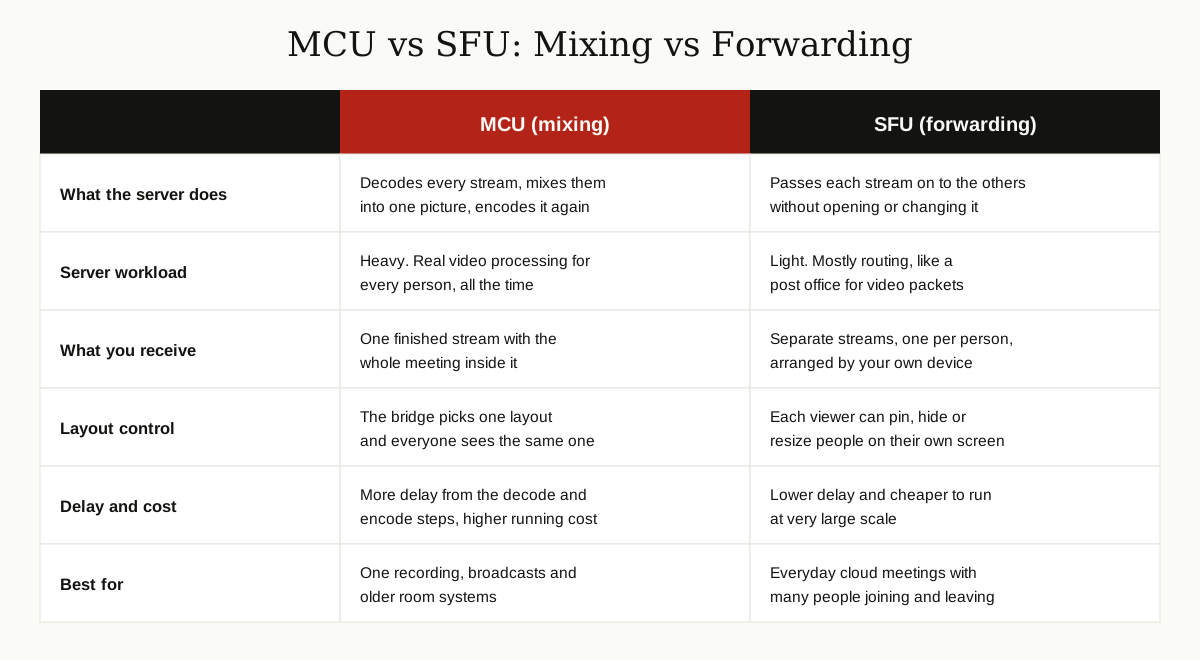
An SFU does almost the opposite of an MCU. It receives your stream and forwards it, untouched, to the other participants. It never decodes your video and never builds a combined picture. Your own device receives the separate streams and arranges them on your screen, which is why you can pin one person, hide another, or switch layouts instantly: your app is doing the layout work locally, on streams it already has.
A few supporting tricks make forwarding work at scale. With simulcast, your device sends more than one quality level of your video at once, and the SFU picks the level each viewer can handle: full quality for the person watching you large, a small copy for the person seeing a tiny thumbnail on a weak connection. And because forwarding is light work, servers can spread a huge meeting across many machines and regions, working together as a distributed system, instead of one heroic bridge mixing everything alone.
The trade off is honest. Mixing costs the server a lot of processing and adds delay at every decode and encode step, but hands every participant one simple stream. There is a quieter cost too: squeezing video down, opening it up and squeezing it again is never perfectly lossless, so every decode and encode round can soften the picture a little. A forwarded stream skips those rounds entirely and arrives exactly as the sender produced it. Forwarding is cheap and fast, but each device must decode several streams at once, which only became painless when phones and laptops got powerful. Industry explainers on SFU, MCU and peer to peer architectures note that nearly every big modern conferencing product now runs selective forwarding for the live path. Zoom even calls its media servers multimedia routers, because routing, not mixing, is the job.
Where MCUs Still Earn Their Keep
The MCU did not vanish. It retreated to the jobs where one finished feed is worth more than flexibility:
- Recording: a mixed stream is a ready made video file. Forwarding gives you separate tracks that someone has to combine later.
- Broadcasting: when a meeting must go out as a single stream to a large passive audience, one composited feed is exactly what broadcast tools expect.
- Older room systems: plenty of installed boardroom hardware speaks H.323 or SIP and expects a bridge that hands it one stream at a format it understands. An MCU’s transcoding is still the best translator between old and new gear in the same call.
- Simple endpoints: a device that can only decode one video stream, like a basic room display setup, is far happier with an MCU feed than with five separate ones.
Many real platforms are hybrids in practice: forwarding for the live meeting, MCU style mixing called in when a recording or a legacy room needs it.
One Quick Note: MCU Can Also Mean a Microcontroller
Search engines mix two different worlds under these three letters. In electronics, MCU stands for microcontroller unit: a tiny computer on a single chip that runs the washing machine, the car dashboard and the TV remote. Datasheets, chip catalogs and programming forums use MCU that way almost every time.
That is a completely different topic from the multipoint control unit in this article, which lives in video conferencing. If you arrived here hunting for chips, you want the electronics meaning. If you are setting up meeting rooms and bridges, this article is the right one.
The Bottom Line
A multipoint control unit is the original group call organizer: a bridge that receives every participant’s audio and video, translates between formats, mixes it all into one shared meeting, and sends that single stream back to everyone. It made multipoint video calls practical in the age of boardroom hardware, and its grid view, continuous presence, is still the picture everyone expects from a meeting.
The cloud era changed the economics, not the idea. Forwarding streams with an SFU is cheaper and faster than mixing them, so modern platforms forward first and mix only when a recording, a broadcast or an old room system asks them to. But every time a legacy boardroom joins a cloud meeting without a hiccup, there is a good chance an MCU, or its direct descendant, is in the middle doing the translating.
Keep exploring with our other Cybersecurity and Networking guides, from wireless mesh networks to how virtual private networks carry traffic safely across the public internet.
For more guides like this one, browse the cybersecurity and networking category.