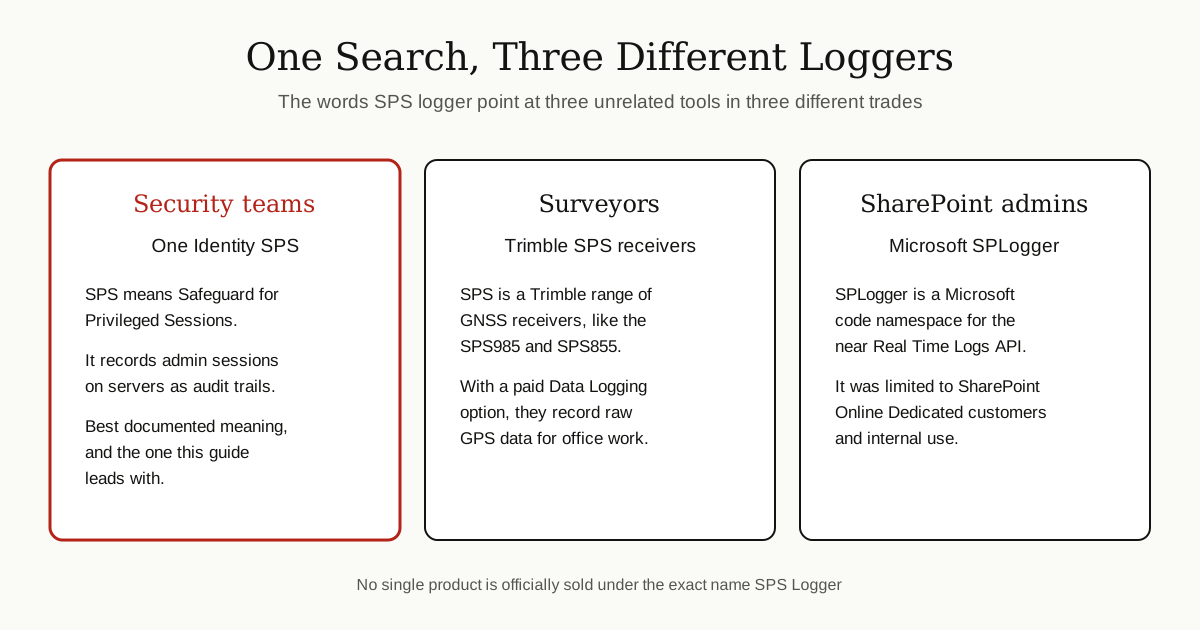
Here is the honest answer first, because this search term needs one. There is no single famous product officially sold under the exact name “SPS Logger”. Some web pages write about it as if it were one well known tool, but when you check real vendor documentation, the trail splits three ways.
The best documented meaning, and the one most people in IT security mean, is the logging built into One Identity Safeguard for Privileged Sessions, a product everyone shortens to SPS. Its whole job is to watch and record the work of powerful IT users, and to keep that record safe enough to be used as evidence. The other two meanings belong to completely different trades: Trimble SPS surveying receivers that log GPS data, and a Microsoft code namespace called SPLogger for SharePoint Online logs.
This guide leads with the security tool, explains what it records and how teams use it, and then separates the other two meanings so you can tell which one you actually need.
The Short Answer
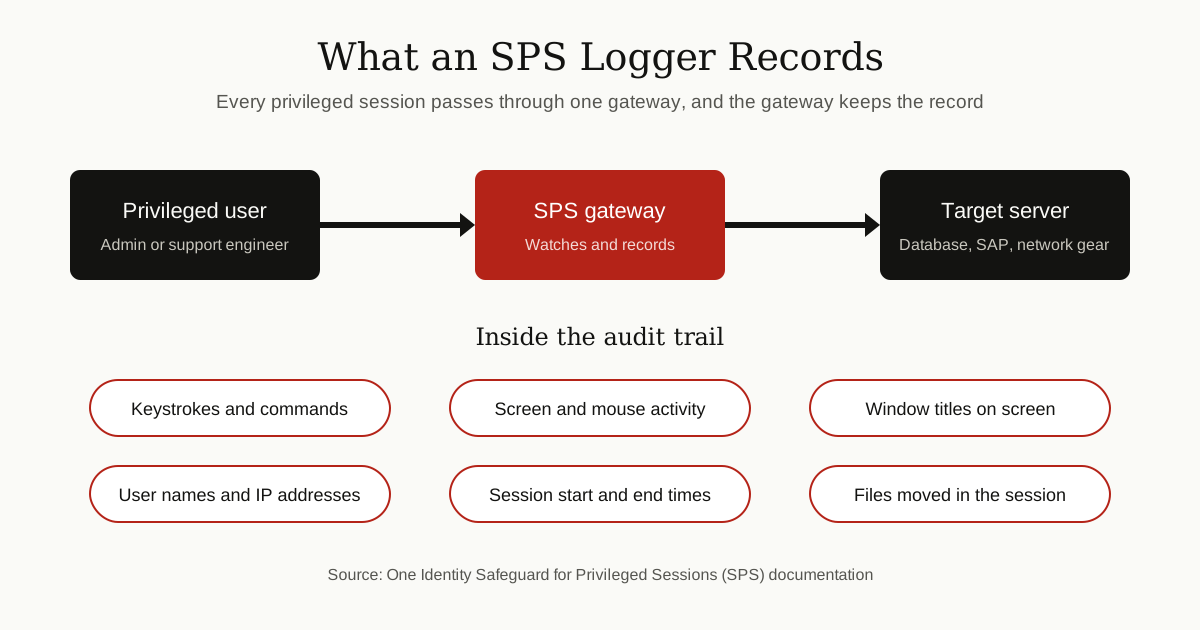
When someone says “SPS logger”, they are most often talking about the recording and audit system inside One Identity SPS. SPS sits between IT staff and the servers they manage. Every admin session passes through it, and it records that session into an audit trail: a sealed record of who connected, what they typed, what they clicked, and what changed. Those records can be searched later and even replayed like a video.
The other meanings are real but narrower. Surveyors use Trimble SPS receivers as data loggers for GPS measurements. SharePoint specialists may meet SPLogger, a small Microsoft API for downloading server logs. Same letters, three different worlds.
Meaning One: One Identity SPS, the Session Logger
One Identity Safeguard for Privileged Sessions is a security gateway. In plain words, it is a guarded doorway. System administrators, database engineers and support staff often hold “privileged” accounts: accounts powerful enough to change settings, read sensitive data or shut systems down. Instead of connecting to a server directly, those users connect through SPS.
SPS supports the common admin protocols, including SSH, Remote Desktop (RDP), Telnet, Citrix ICA, VNC, web (HTTP) and Microsoft SQL connections. While the session runs, SPS watches it in real time. According to One Identity’s own administration guide, SPS can spot policy violations as they happen, for example someone typing a destructive command, and can send an alert or cut the connection on the spot.
That live watching is only half of the logger idea. The other half is the record it keeps afterwards, which is what the next section covers.

What the SPS Logger Actually Records
Every session that passes through SPS is saved as an audit trail. One Identity’s documentation explains that these trails hold the real content of the session, not just a note that a login happened. Depending on the type of connection, a trail can include:
- Keystrokes and commands typed in terminal sessions such as SSH and Telnet
- Screen and mouse activity from graphical sessions such as RDP, Citrix ICA and VNC
- Window titles and text on screen, such as commands, user names and IP addresses
- Session details, including who connected, from where, and for how long
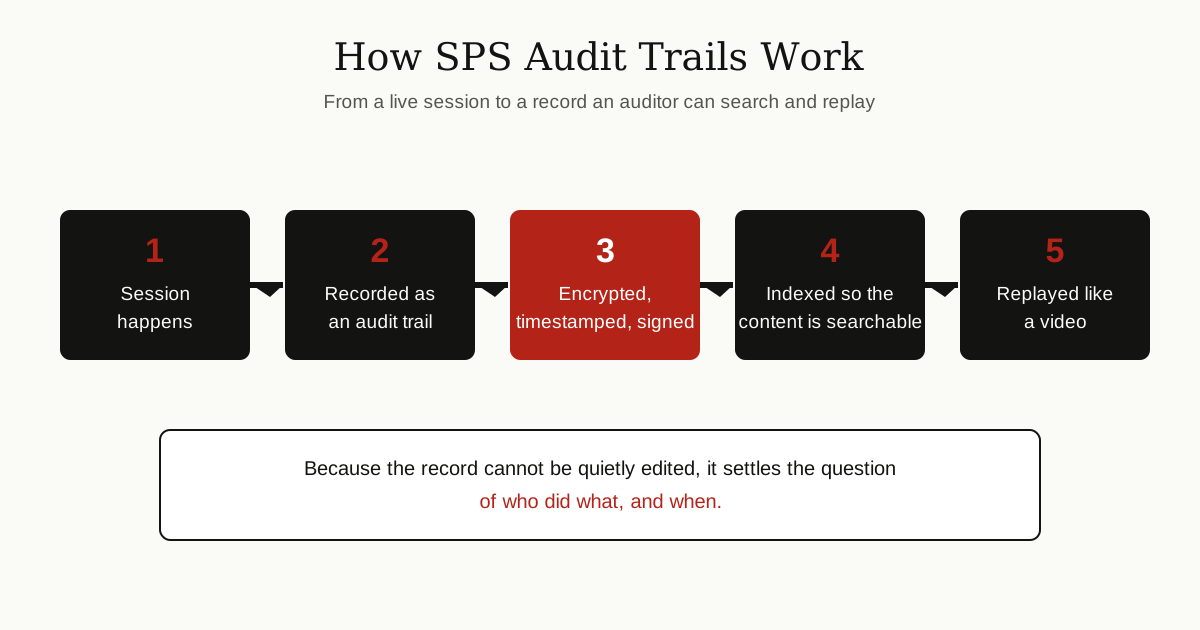
Three protections make these records trustworthy. The audit trails are encrypted, so they cannot be read casually. They are timestamped, so the time of each event is pinned down. And they are digitally signed, so any later edit would show.
SPS can also index the contents of its audit trails, pulling the text out of recorded sessions and breaking it into searchable pieces. An auditor can search for a command, a user name or an IP address across many sessions, then replay the matching session in a browser, much like watching a video of the work. The vendor guide adds two touches that show how far this goes. Search results can come with screenshots taken from the moment a keyword appeared on screen, and for the most sensitive systems there is a four-eyes setup, where a second authorized person has to approve the session and can follow it live while it happens. This is why companies buy it: when something breaks or data goes missing, the question of who did what stops being an argument. It becomes part of the wider habit of compliance monitoring, where a company keeps a steady, checkable record of sensitive activity.

How Teams Get It and Use It
SPS is licensed enterprise software from One Identity, sold through the company and its partners. It is not an app a home user downloads. One Identity’s installation and administration guides describe it running as a physical appliance, as a virtual appliance on platforms such as VMware, Hyper-V and KVM, and in the cloud on AWS and Microsoft Azure. The guides also cover running it as a high availability cluster of several machines, so that the guarded doorway itself does not become a single point of failure for the whole company.
In daily use, the workflow looks like this:
- Admins set the rules. They create connection policies that say which users may reach which servers, and audit policies that say what gets recorded and how the recordings are protected.
- Staff connect through SPS. A support engineer opening an SSH session to a Linux server, for instance, is routed through the gateway, which checks who they are before letting them in.
- Sessions are recorded automatically. The user works as normal while SPS builds the audit trail in the background.
- Records are searched when needed. Investigators use the built in search interface to find sessions, replay them, and build reports.
- Logs can flow onward. SPS can forward data to outside systems, including SIEM tools such as Splunk, and when the vendor’s support team needs to investigate a fault, they can ask for a support bundle: a package of log files, the configuration and system statistics collected by the appliance itself.
One detail in the vendor guide is worth knowing if you ever handle these bundles. Sensitive material such as key files and passwords is removed automatically, but turning the logging detail up to its highest levels for debugging can put sensitive data into the logs, so the files should be checked before they are sent anywhere.
Meaning Two: Trimble SPS Receivers That Log GPS Data
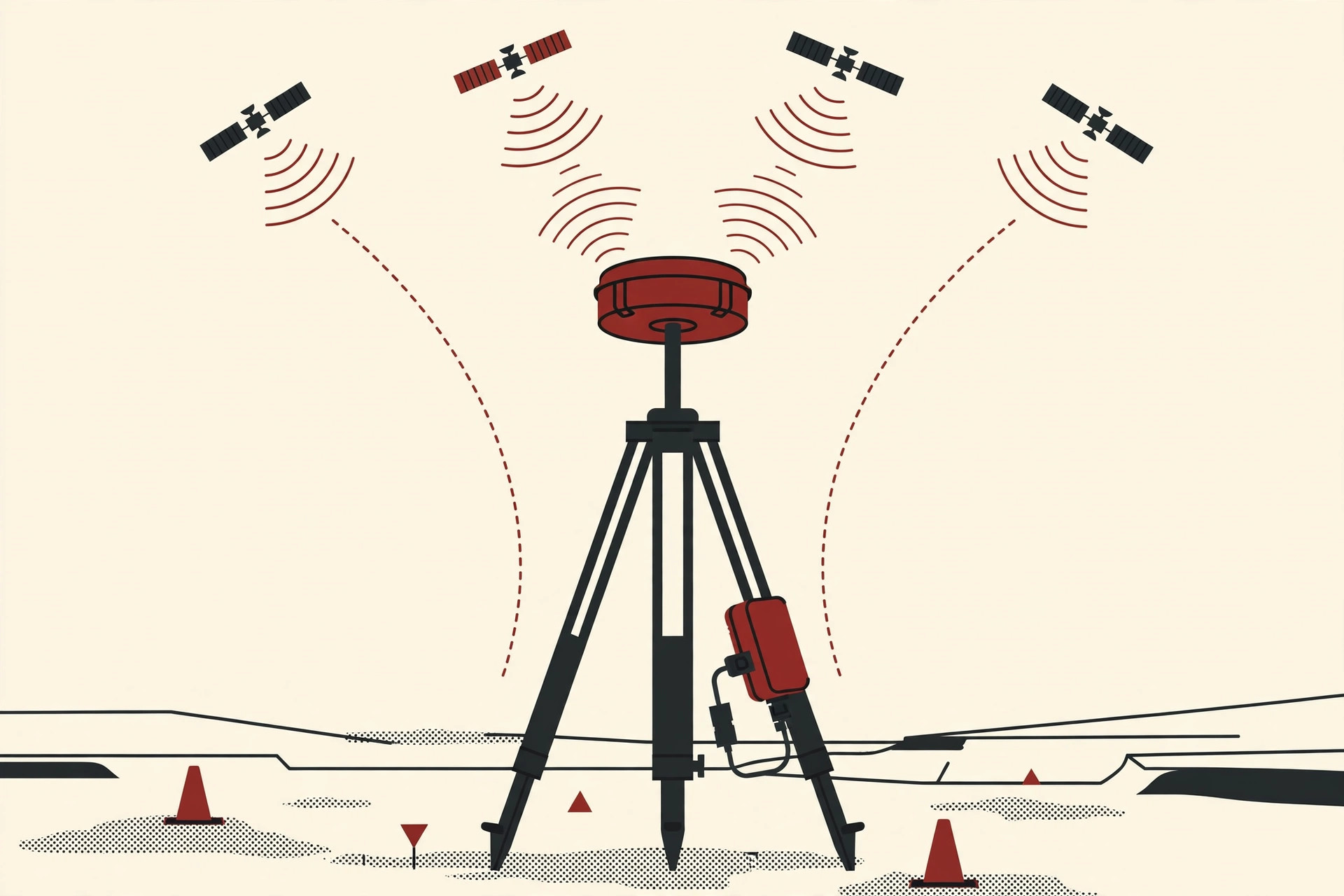
Leave the data center, walk onto a construction site, and “SPS logger” means hardware. Trimble, the surveying equipment maker, sells a range of GNSS receivers under the SPS name, including the SPS985 smart antenna and the SPS855 modular receiver. Crews use them to measure exact positions from satellite signals.
These receivers can also record what they measure. Trimble’s official help page on logging data explains that, by default, the SPS receivers cannot log data at all: the Data Logging option has to be purchased first. With that option switched on, the receiver collects raw GPS observations over a period of time. Back at the office, those files are used with postprocessing software such as Trimble Business Center to work out control networks and baselines, the fixed reference points a survey is built on.
A few practical details from the same page:
- Trimble’s Siteworks software, and version 2.30 or later of its SCS900 software, can start the recording on the receiver.
- The logged data sits in the receiver’s internal memory, and it cannot be processed until it is transferred to an office computer.
- Memory is tight on this class of hardware: Trimble’s notes list limits as low as 32 MB on some receivers, and up to 9.25 GB of internal memory for data logging on another.
So if your SPS logger question involves tripods, satellites and site measurements, this is your tool, and the official route to it is a Trimble dealer, not a download page.
Meaning Three: SharePoint SPLogger, a Logs API
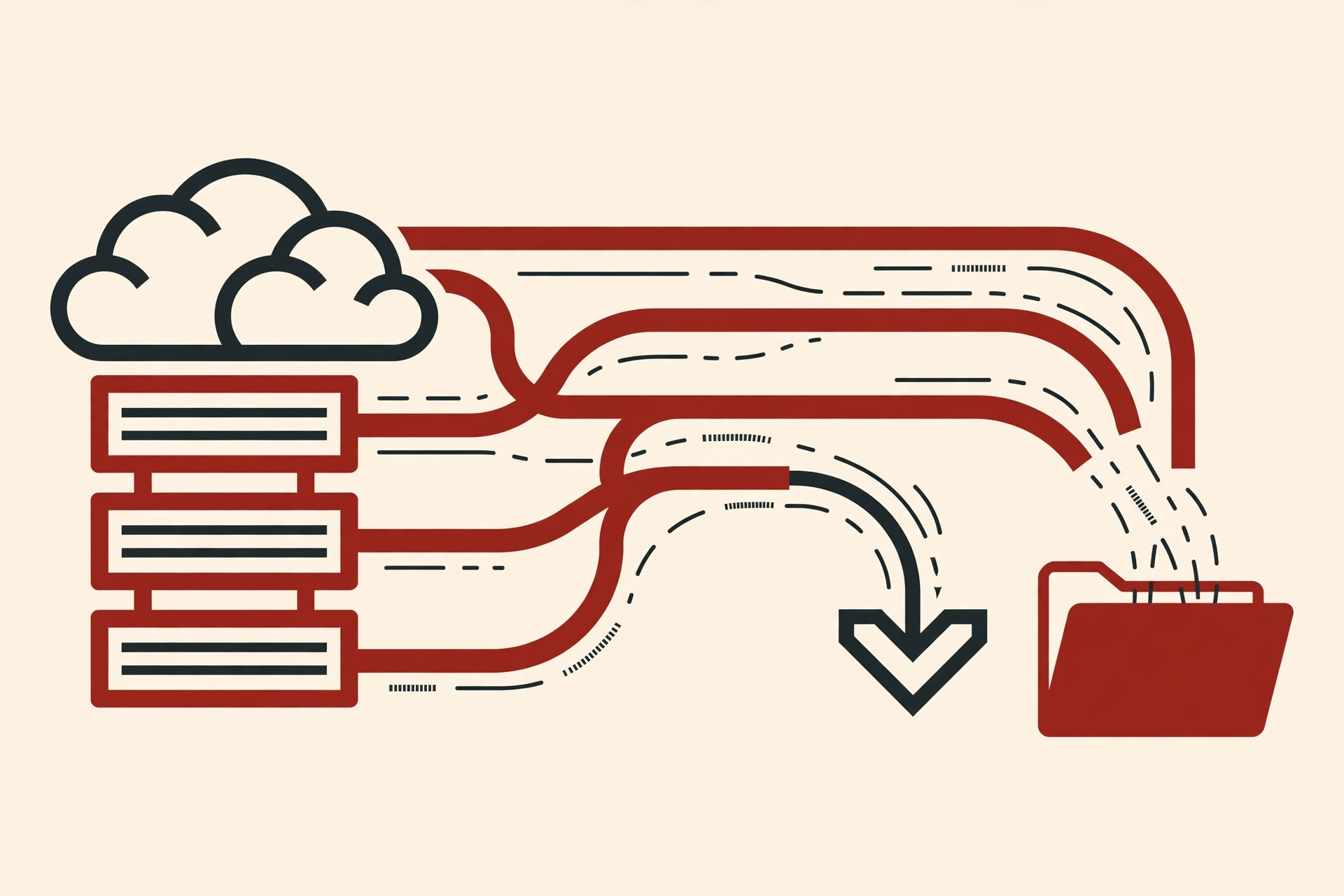
The third meaning is the smallest, and it hides inside developer documentation. Microsoft has a code namespace called Microsoft.Online.SharePoint.SPLogger. As Microsoft Learn describes it, this namespace holds the classes of a near Real Time Logs API. SharePoint Online dedicated customers could use it to download operational logs from their online farm, in much the same format as the logs created at the source.
Notice the limits baked into that description. Only a subset of the farm’s logs was available to download. The endpoints could be reached only by authorized personnel, because of the sensitive nature of log data. And Microsoft labels the API as for internal use only, tied to the SharePoint Online Dedicated program. Its two working parts are a class named LogExport, which gathers details about the logs on offer, and LogFileInfo, which holds the properties of each log file.
In short, SPLogger was never a tool a normal SharePoint customer could pick up and run. If you administer a regular SharePoint Online site today, this API is not a route to your server logs.
The Honest Limits of SPS Logging
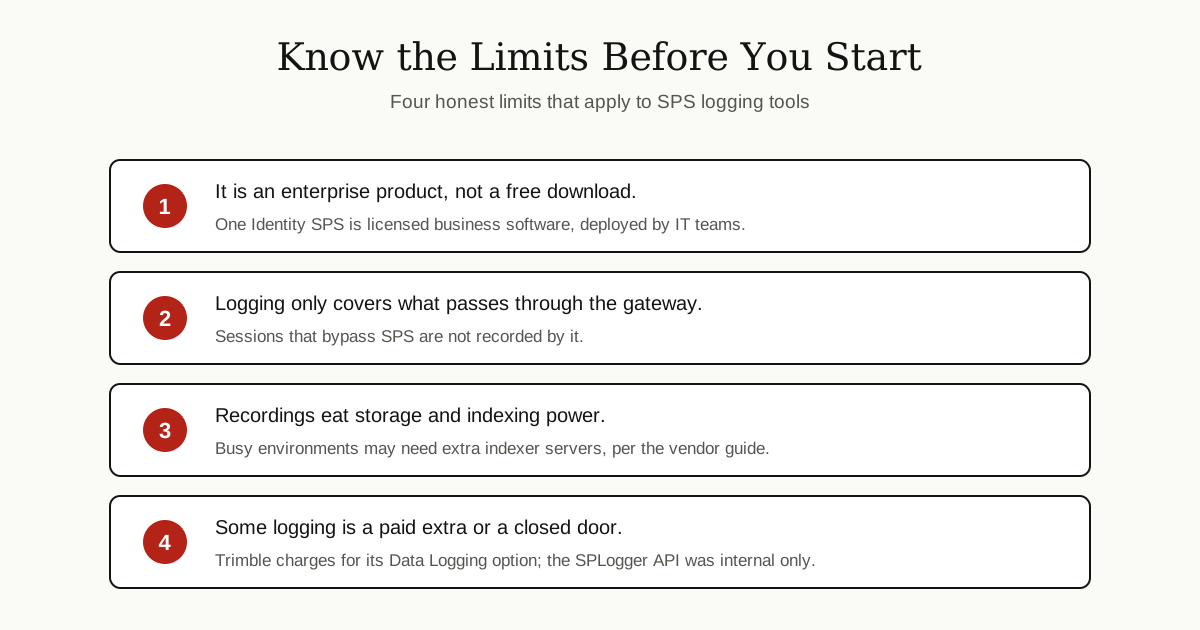
Whichever meaning you came for, a few limits are worth stating plainly.
First, because no product is officially named SPS Logger, be careful with pages that describe one magical tool that monitors everything, costs nothing and works everywhere. The real tools are narrower, and each belongs to one vendor’s ecosystem.
Second, the security version only sees what passes through it. SPS records the sessions routed through its gateway. Work done outside those managed connections is not in its audit trails, which is why companies pair it with clear rules about how admins may connect. Watching powerful accounts, and increasingly watching AI browser agents and other automation that act with a user’s powers, is one problem with many partial answers, not a solved one.
Third, recording everything is heavy. One Identity’s guide notes that processing and indexing audit trails takes serious computing resources, and busy environments may need extra indexer servers to keep up.
Finally, some of this logging is simply closed or paid. Trimble charges for its Data Logging option, and the SharePoint SPLogger API was restricted to a dedicated program and internal use.
Which SPS Logger Do You Actually Need?
A quick way to decide:
- You audit what your IT admins do on servers: you mean One Identity Safeguard for Privileged Sessions. Talk to the vendor or a partner, and expect an enterprise project, not an install wizard.
- You measure land or construction sites with satellite gear: you mean a Trimble SPS receiver with the Data Logging option, bought through Trimble’s dealer network.
- You are reading old SharePoint developer documents: SPLogger is the near Real Time Logs API for SharePoint Online Dedicated, and it is background knowledge, not a tool you can adopt.
- You just want a simple app that logs data on your own computer: none of the three is what you are looking for. Search for a plain data logger or activity tracker for your exact device instead, because this keyword will keep sending you to enterprise and surveying gear.
Conclusion
“SPS logger” is a good reminder that a search phrase is not always a product. The strongest, best documented meaning is the session recording and audit trail system inside One Identity Safeguard for Privileged Sessions, which logs privileged admin work into encrypted, signed, searchable records. Surveyors meet the same letters on Trimble SPS receivers that log GPS data, and SharePoint developers may find SPLogger, a restricted Microsoft logs API.
Now that you know which logger is which, you can search with the full product name and land on the right documentation first time. For more plain English explainers like this one, browse the tips and tricks category.