An AI browser agent sounds like a dream assistant. You type “book the cheapest flight to Chicago on Friday” or “sort my inbox and reply to the simple emails,” and the AI opens tabs, clicks buttons, fills forms and finishes the job while you watch. Products like Perplexity’s Comet and other AI browsers and agent extensions now offer exactly this.
But there is a catch, and it is a serious one. The agent does all of this inside your real browser, while you are logged in to your email, your bank, your shopping accounts and your work tools. To every website, the agent is you. That convenience creates a browser agent security risk that ordinary browsing never had, and security researchers have already shown real attacks that use it.
What Is a Browser Agent?
A browser agent is an AI assistant that can operate a web browser for you. A normal chatbot only talks. A browser agent acts: it reads the page on screen, decides what to do next, clicks links, types into boxes and moves from site to site until the task is done.
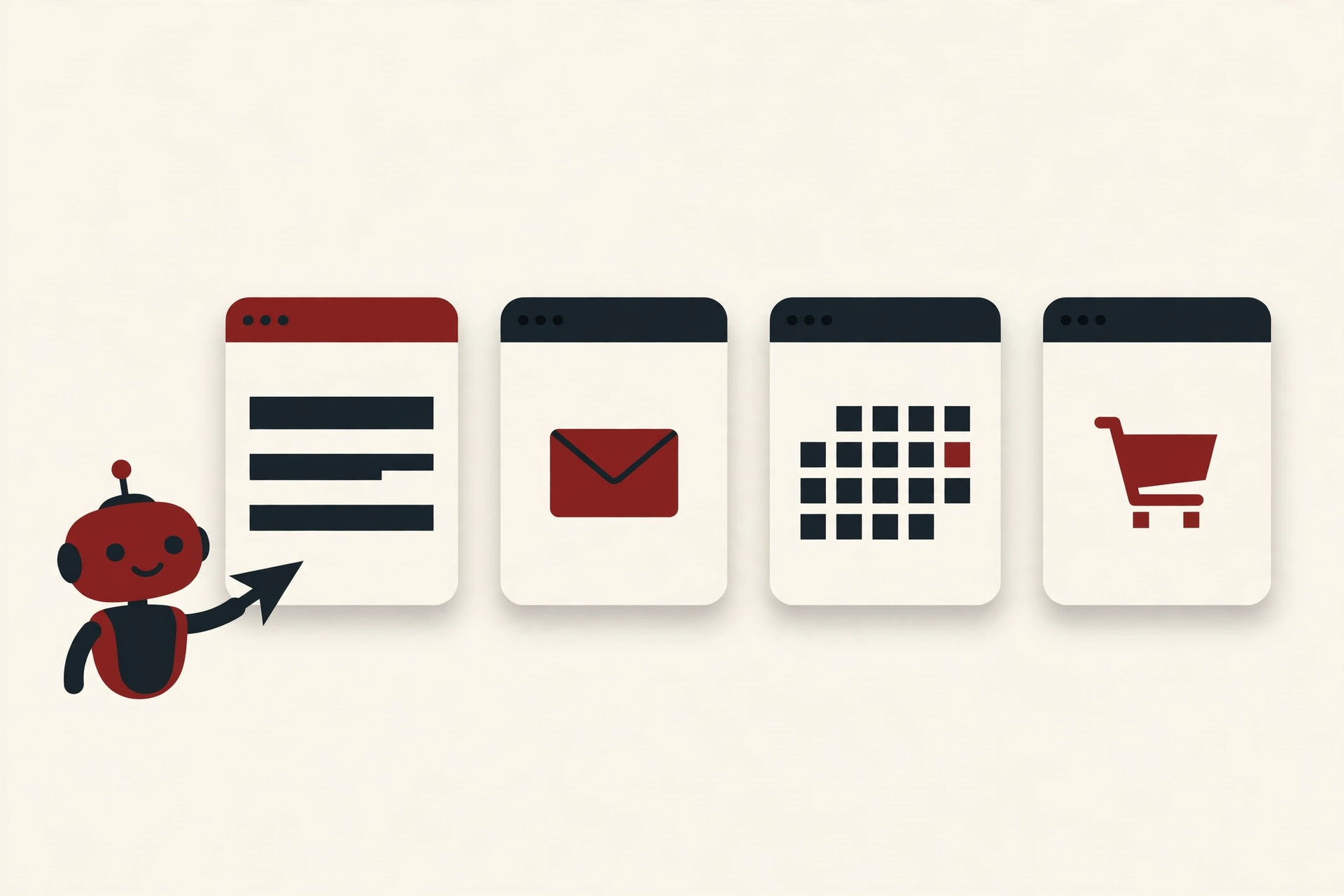
Under the hood, it works in a loop. You give an instruction in plain words. The AI model reads the current page, plans a step, and tells the browser to click or type. Then it reads the new page and plans again. It keeps going until it thinks the job is finished.
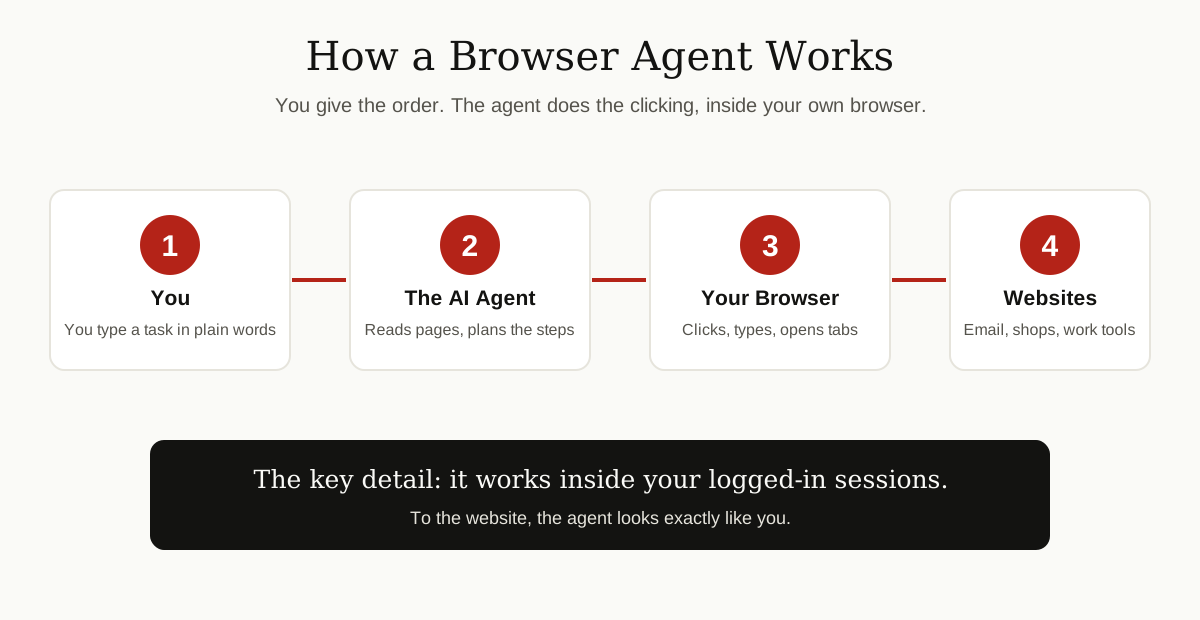
One detail matters more than everything else in this guide: the agent usually works inside your normal, logged-in browser session. It does not visit your email as a stranger. It visits as you, with your accounts already open. That single fact is the root of almost every browser agent security risk described below.
The Core Problem: The Agent Cannot Tell Your Orders From a Page’s Orders
To do its job, the agent has to read web pages. Everything it reads, your instruction, the page text, comments under the page, even words inside images, is fed to the AI model as one stream of text. And here is the uncomfortable truth: the model has no reliable built-in way to separate “orders from my owner” from “words that happened to be on a web page.”
The UK’s National Cyber Security Centre (NCSC) puts it plainly. Inside a large language model, there is no firm boundary between data and instructions; the model is simply predicting the next piece of text. If a page contains text that looks like an instruction, the model may treat it as one. That is why OWASP, the open web security project, ranks prompt injection as the number one risk in its top ten list for AI applications, and why it gives special attention to the indirect kind, where the attack arrives inside websites or files the AI reads.
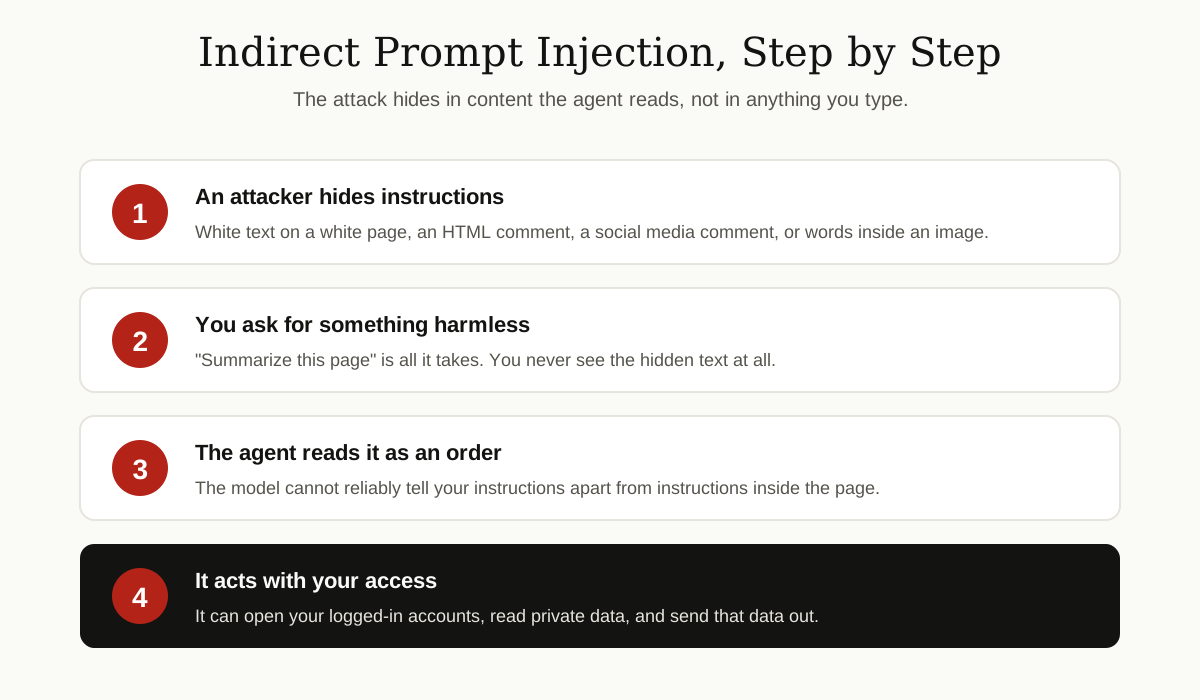
Security people call the attack indirect prompt injection. “Prompt” is the instruction given to the AI. “Injection” means an attacker slips their own instruction into content the AI will read. “Indirect” means the attacker never talks to your AI at all. They just leave booby-trapped text somewhere you might ask the agent to look.
Risk 1: Hidden Instructions Can Hijack the Agent
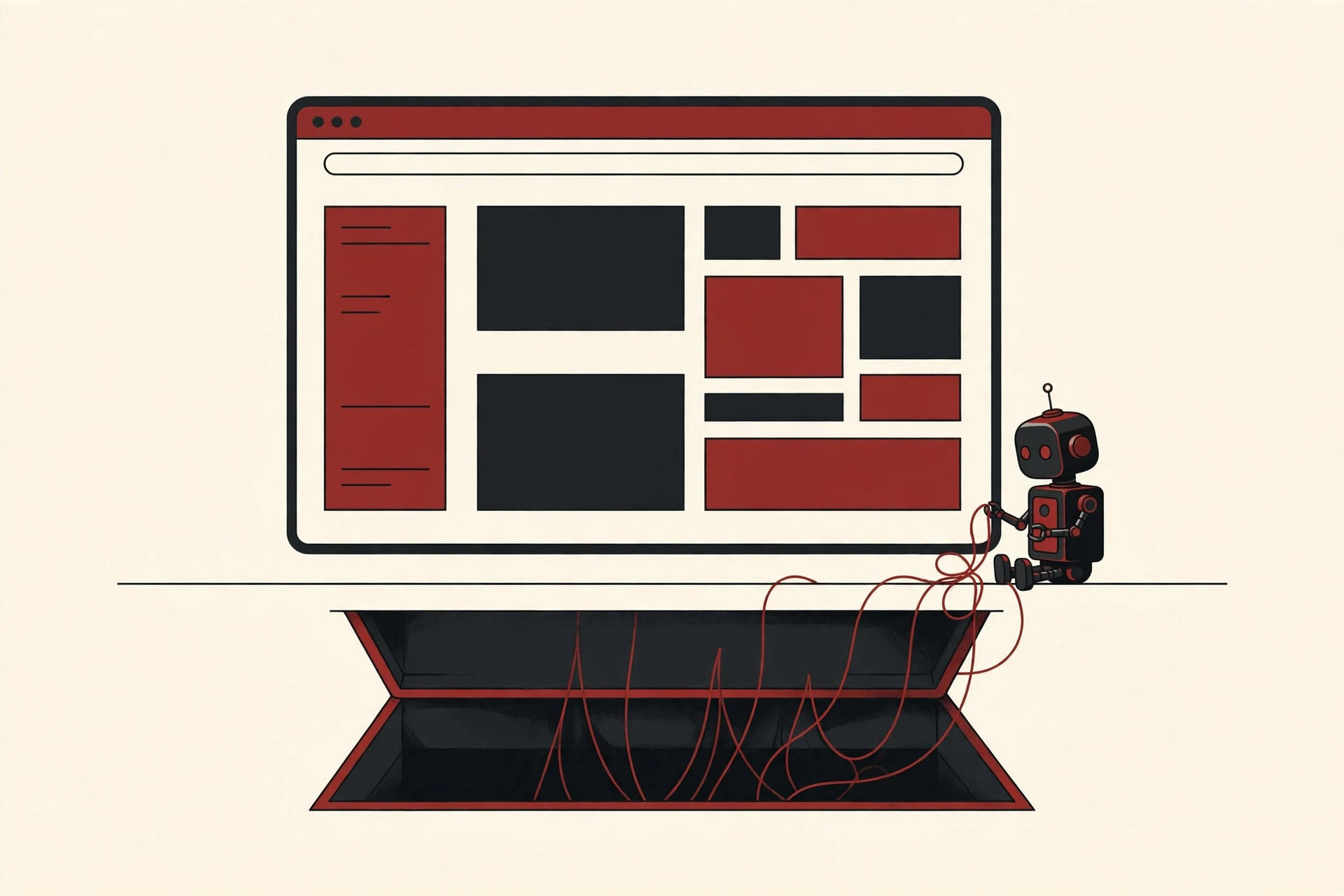
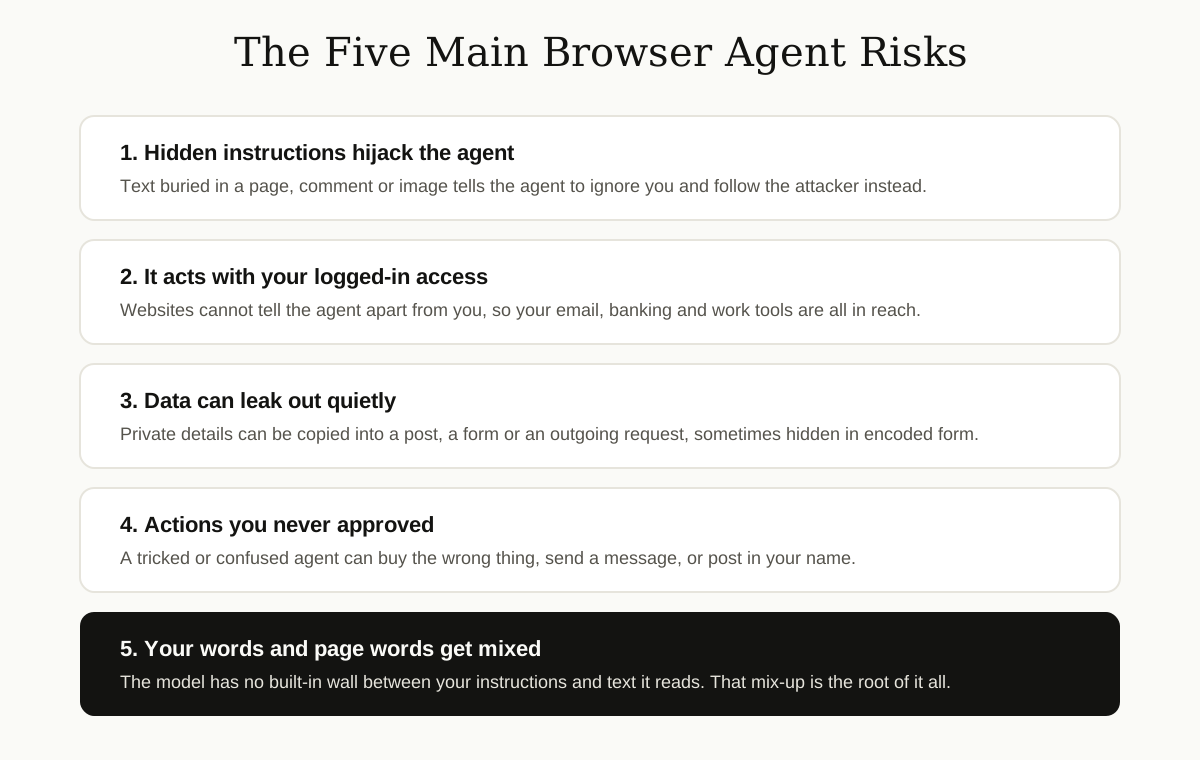
This is the headline risk, and it is not theory. Attackers can hide instructions where you will never see them: white text on a white background, comments buried in a page’s code, faint words inside an image, or a normal-looking comment under a social media post. You see a harmless page. The agent sees a set of orders.
The Reddit Comment That Stole a Login Code
In 2025, security researchers at Brave tested Perplexity’s Comet browser and published a detailed write-up of what they found. They planted instructions inside a Reddit comment, hidden behind a spoiler tag. Then they did the most ordinary thing a user can do: they clicked “Summarize the current webpage.”
While summarizing, the agent read the hidden instructions and obeyed them. It went to the user’s account page and copied their email address. It triggered a one-time login code, opened Gmail, where the user was already signed in, and read the code. Then it posted both the email address and the code as a public reply on Reddit, where anyone could use them to take over the account. The whole attack needed no further clicks from the user after “summarize.”
Brave reported the flaw to Perplexity on July 25, 2025, and Perplexity shipped fixes within days. But Brave’s post carries an honest update: on further testing after publication, the researchers found the attack type was still not fully mitigated. That pattern, a fix, then a new variation, is normal for this kind of problem, for reasons explained below.
Risk 2: The Agent Acts With Your Logged-In Access
Classic web security has a strong rule called the same-origin policy. It stops one website from reaching into another website’s data. A script from a random blog cannot open your bank tab and read your balance.
A browser agent walks straight past that rule, legally. The agent is not a script from the blog. It is your own assistant, working with your own signed-in sessions, so sites treat its actions as yours. As Brave’s researchers noted, when an AI assistant follows instructions from untrusted page content, traditional protections like the same-origin policy are effectively useless, because the AI operates with the user’s full privileges across banking, email, cloud storage and corporate systems.
This is what turns a clever trick into a real threat. A hijacked chatbot in a sealed box can only say strange things. A hijacked browser agent can go anywhere you can go. It is also why the browser agent security risk is so much bigger than the risk of an ordinary chatbot.
Risk 3: Your Data Can Leak Out Through the Agent
Once an attacker can steer the agent, the next goal is usually your data: emails, calendar entries, contacts, files and anything else the agent can reach. The leak does not need fancy hacking. The agent can be told to copy private details into a public post, paste them into a form on the attacker’s site, or send them out in an ordinary web request.
Security firm LayerX showed a second route to the same result, which it named CometJacking. Instead of hiding text in a page, the attack hid instructions inside the web address itself, in the part of the link after the question mark. Opening the crafted link told the Comet assistant to consult its memory and its connected services, such as Gmail and Google Calendar, package what it found in encoded form, and send it to the attacker’s server. LayerX reported the issue to Perplexity in August 2025 and published its research that October. Perplexity marked the report as not applicable, saying it could not identify a security impact, a response LayerX publicly disagreed with.
Notice the pattern across both cases: the data left through normal features. Reading memory, opening connected accounts and posting text are things the agent is supposed to do. The attack just pointed those features at the wrong target.
Risk 4: Purchases, Posts and Messages You Never Approved
Not every bad outcome is a shadowy data theft. Sometimes the damage is an action taken in plain sight.
Agents confirm things. They show you a summary and a button, or they narrate what they are about to do. But an agent that has been fed hidden instructions can present a harmless-looking confirmation while planning something else underneath, or move so fast through steps that no human realistically checks each one. Brave’s researchers raise a simpler worry too: the model can hallucinate, which means it can confidently do something you never requested, like booking the wrong dates, with no attacker involved at all.
The result can be an unwanted purchase, a message sent to the wrong person, or a post published in your name. Undoing a sent email or a public post is often impossible, which is why actions that cannot be undone deserve the most caution.
Why One Hijack Is So Powerful: The Lethal Trifecta
Developer and researcher Simon Willison, who coined the term “prompt injection” in 2022, describes the dangerous mix as a lethal trifecta, three ingredients that together make an agent easy to turn against its owner:
- Access to your private data
- Exposure to untrusted content, like web pages and files written by strangers
- A way to send data out, such as posting, messaging or filling forms
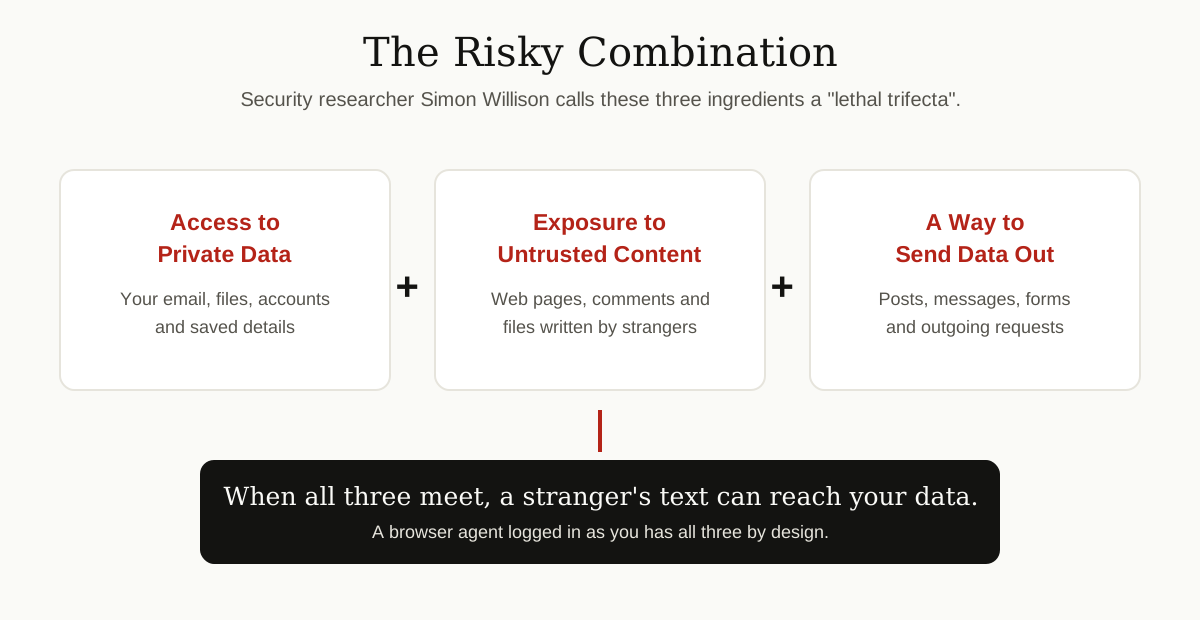
Remove any one ingredient and the attack mostly falls apart. A research agent with no access to your accounts can be fooled, but it has nothing worth stealing. The trouble is that a browser agent working in your logged-in browser has all three ingredients by design. That is the product people are buying.
Why This Problem Cannot Simply Be Patched Away
It is tempting to assume the vendors will just fix this, the way software bugs usually get fixed. Experts advise against counting on it.
In its December 2025 guidance, the NCSC argues that prompt injection is not like classic bugs such as SQL injection, where developers can build a clean wall between commands and data. Inside a language model, that wall does not exist, because the model treats everything as text to continue. The NCSC concludes that prompt injection may never be totally mitigated in the same way, and describes the model as an inherently confusable deputy: a trusted helper that can always, in principle, be talked into helping the wrong person. Its advice is to design around that fact, limit what the model can reach and what it can do, and reduce the impact when something slips through.
Vendors are adding real defenses, such as detectors that scan pages for hidden instructions, and confirmation steps before sensitive actions. OWASP’s own mitigation list points the same way: least privilege access, so the AI can only reach what it truly needs, and human approval before high-risk actions. These layers help. They lower the odds. They do not turn a browser agent into something you can leave alone with your bank account.
It is also worth saying what this risk is not. A browser agent is not a virus, and it does not infect your computer. Solid computer virus prevention habits still matter for the files and downloads around it, but antivirus software cannot judge whether an agent’s next click matches what you actually wanted. This is a trust problem, not a malware problem.
How to Use a Browser Agent More Safely
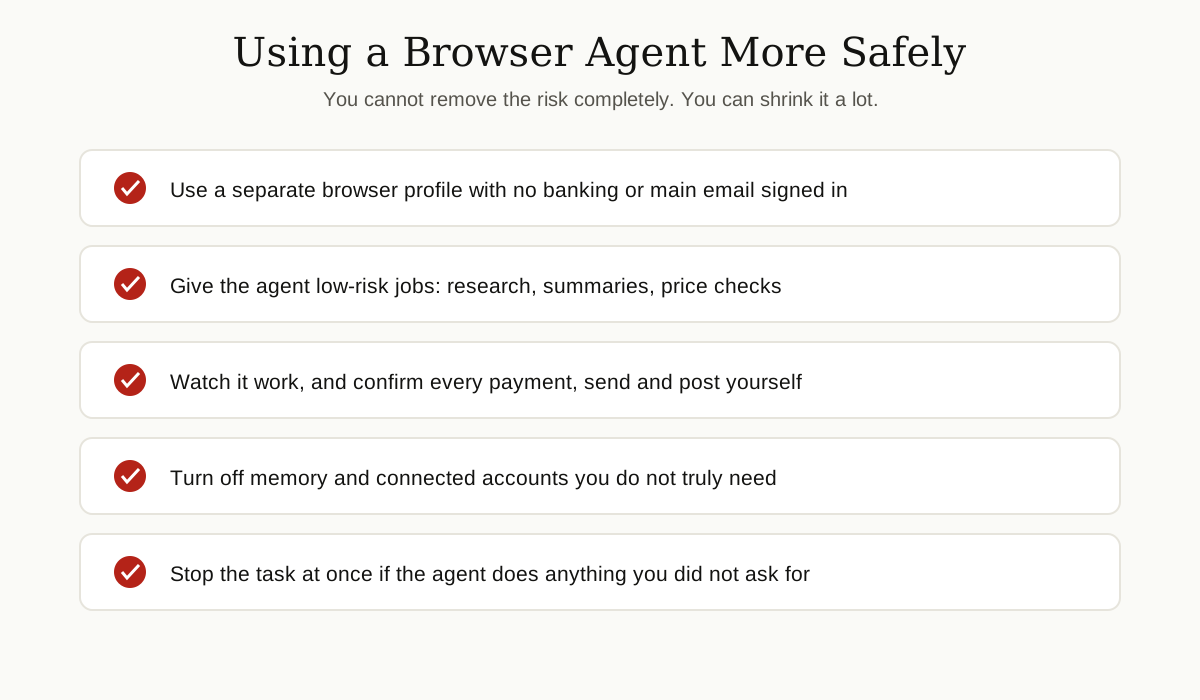
You do not have to swear off browser agents. You do have to fence them in. These habits cut the browser agent security risk down to a size most people can accept:

- Use a separate browser profile. Run the agent in its own profile or browser where your banking, main email and work accounts are not signed in. If the agent can only reach low-value accounts, a hijack has little to steal.
- Keep sensitive accounts out of reach. Never let an agent browse while your bank or primary email is open in the same profile. Log out, or use a different browser for money and mail entirely.
- Give it low-risk jobs. Research, summarizing public pages, comparing prices and drafting text are good agent work. Paying bills, sending sensitive email and changing account settings are not.
- Review every important action yourself. Treat the agent like a fast new intern: check the cart before checkout, read the message before it sends, and never approve a confirmation you have not actually read. If a product lets the agent act without asking, that is a reason to be more careful, not less.
- Turn off what you do not need. Memory features and connected accounts widen what an attack can reach. Disconnect services you are not actively using, and clear the agent’s memory of anything sensitive.
- Stop the task if anything looks off. If the agent opens a tab you did not expect, visits your account pages during an unrelated job, or starts explaining steps that have nothing to do with your request, stop it and close the tabs. Strange detours are exactly what a hijack looks like.
- Protect the connection too. On networks you do not control, the same layered thinking applies to your traffic itself, as our guide to virtual private networks explains.
If you are on the team building or rolling out agents at work, the same ideas apply at a bigger scale: give each agent the least access possible, keep humans approving anything irreversible, and think hard about what the AI is allowed to read in the first place, the same discipline behind efforts to prevent an LLM from accessing confidential data in development.
The Bottom Line
A browser agent is a powerful helper with one deep weakness: it cannot reliably tell your instructions apart from instructions planted by strangers, and it works with your logged-in access while it figures things out. That weakness is the browser agent security risk in a nutshell. Researchers at Brave and LayerX have shown that hidden text in a comment or a crafted link is enough to steer a real agent toward real accounts. Security agencies like the NCSC warn that this class of problem can be managed but probably never fully fixed.
So enjoy the convenience, with fences up. Separate profile, low-risk tasks, sensitive accounts kept far away, and your own eyes on every action that matters. That is how you get the help without handing a stranger the keys.
Keep going with our other Cybersecurity & Networking guides, where we break down everyday protection, from spotting malware to safer browsing, in the same plain English.