Type mypasokey into a search engine and you get a strange mix. Some pages swear it is a new password manager. Others call it a high tech security platform with fingerprint login and threat detection. And buried in the results sits a quiet how-to document about horses.
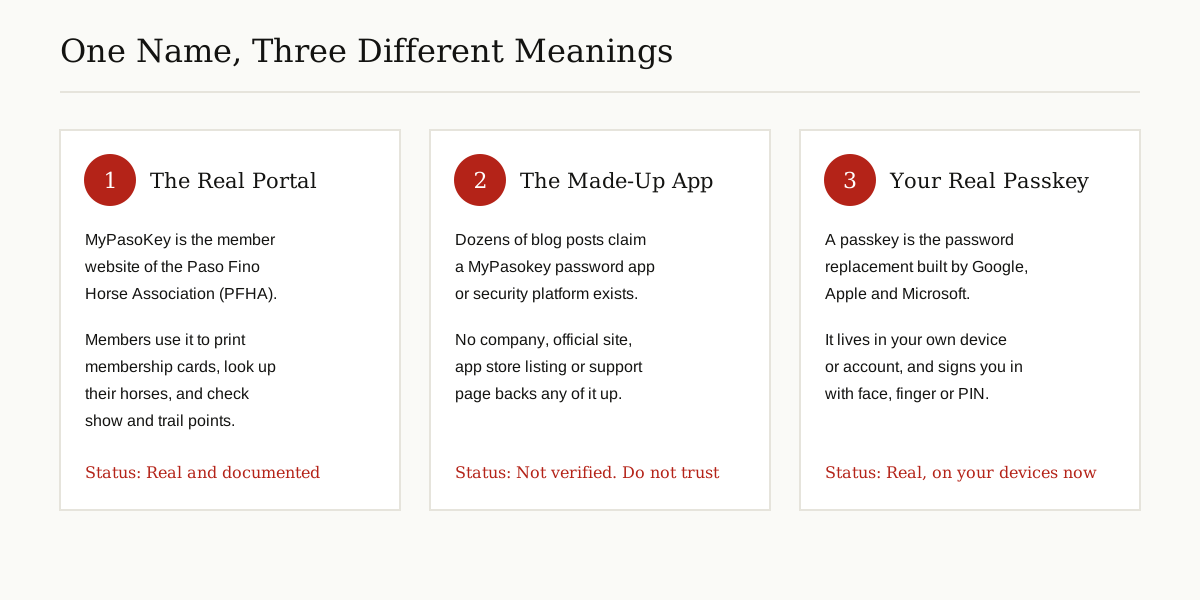
So which is it? We checked the sources one by one, and here is the honest answer: this odd little word points at three different things, and only two of them are real. MyPasoKey is a member portal for horse owners. The so-called Mypasokey security app appears to be made up. And a passkey, which is what many searchers actually mean, is a real and useful sign-in method already built into your phone and computer.
This guide walks through all three, shows the evidence for each, and ends with the safety rules that keep your accounts out of trouble.
The Short Answer
- MyPasoKey (with Paso in the middle) is the online member portal of the Paso Fino Horse Association, the United States breed association for Paso Fino horses. It is real, and it is documented in the association’s own how-to guide.
- Mypasokey the security platform is described in dozens of glowing blog posts, but no real company, official website or app stands behind those posts. Treat every one of them as untrustworthy.
- A passkey is a password replacement built on standards from the FIDO Alliance and supported by Google, Apple and Microsoft. If your phone or a website mentioned a passkey, that is a different and genuine thing.
The Real MyPasoKey: A Portal for Paso Fino Horse Owners
The Paso Fino is a horse breed known for its smooth natural gait, and the Paso Fino Horse Association, usually shortened to PFHA, is the organization that registers the horses, sanctions shows and keeps member records in the United States. Like many member organizations, it moved its paperwork online, and its member website is called MyPasoKey. The portal runs on a system called Paso Tracker, and the association publishes a step-by-step guide that explains exactly how members use it.
How members log in
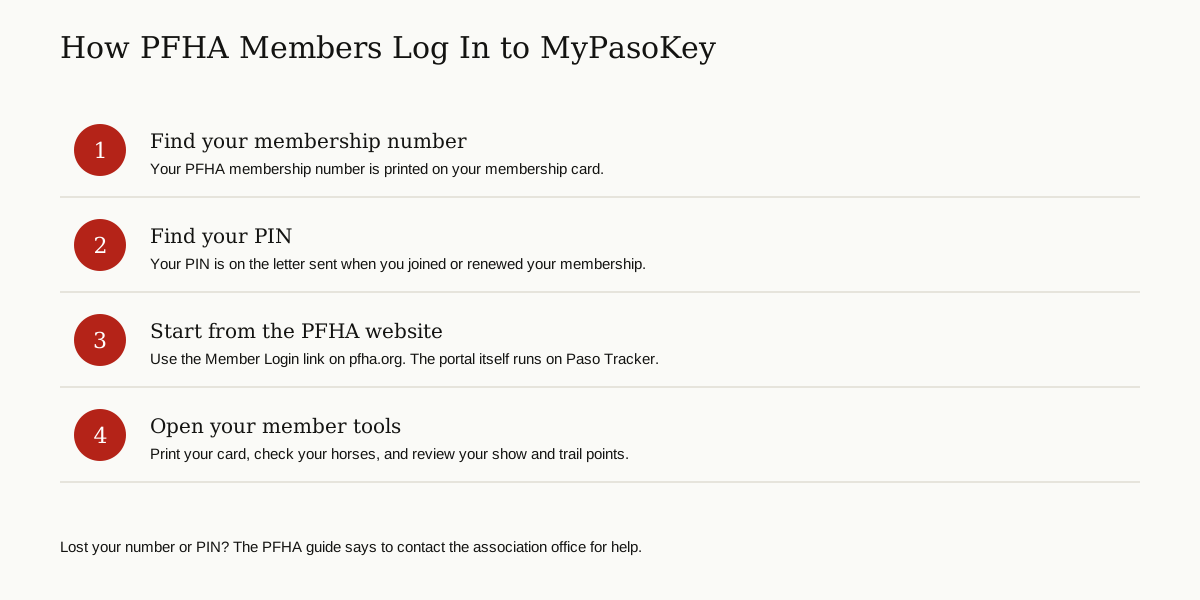
There is no public sign-up page, and that is the first clue that this is a members-only system. According to the association’s own My PasoKey guide, you log in with two things: your PFHA membership number, which is printed on your membership card, and a PIN, which is on the letter the association sent when you became a member or renewed. If you are not an active member, the guide says you will need to renew before you can get your information. And if you have lost your number or your PIN, the fix is to contact the PFHA office, which the guide lists at 859-689-3700.

What members can do inside
The guide walks members through a practical set of tools:
- Print the membership card. Under My Account, members can view and print their card, which the guide says will be needed for all shows in the future. No printer handy? A screenshot on your phone works too.
- Look up their horses. The My Horses section opens the Paso Fino Registry and the Diagonal Registry. Members can print a horse information sheet that looks like the certificate of registration, which shows accept alongside the original certificate.
- Check points. A Show and Trail Points tab shows lifetime points by default, and you can change the year to pull up a single season, including youth points.
- Review their shows. The My Shows section lists the shows you competed in and the classes you entered, year by year.
- Follow association programs. Under Competitions, members can check Pasos for Pleasure hours standings, trail points standings (Competitive, Endurance and Pleasure Long Distance), sport horse points across divisions such as Agility, Arena Trail, Dressage and Driving, and their level in the Trail Horse Test Program: Novice, Junior, Senior or Master.
A couple of quirks from the guide are worth knowing before you start. Some pages, such as the points standings, have no print button of their own, so the guide tells members to use print screen instead. And because points are shown for the current season by default, older records are reached by changing the show year at the top of the page, then repeating the same steps for each class.
One safety tip matters here. Reach the portal the way the association intends: start at pfha.org and use its Member Login route, or type the Paso Tracker address from the guide yourself. Do not trust a MyPasoKey login page that arrives in a random email, advert or text message, because a members-only login with no public sign-up is exactly the kind of page criminals like to copy.
The Mypasokey Security Platform That Does Not Check Out
Now for the strange part. Search for mypasokey and you will find article after article describing a revolutionary security product. One site calls it a password manager with a vault and autofill. Another calls it a single sign-on gateway for companies. A third says it is built on FIDO2, with biometric login and real-time threat detection. Some posts even quote happy users by first name.
Here is the problem: the stories do not agree with each other, and none of them leads anywhere real. There is no official product website to visit. There is no company name, no office, no support page, and no listing in the official app stores that we could verify. No established security publication has covered this supposed platform. Instead, the same loose text, with the same grand promises, is recycled across unrelated blogs, including a school newspaper website and a music magazine website. That pattern has a name: content farms generate pages like these to chase search traffic, not to describe a real product.
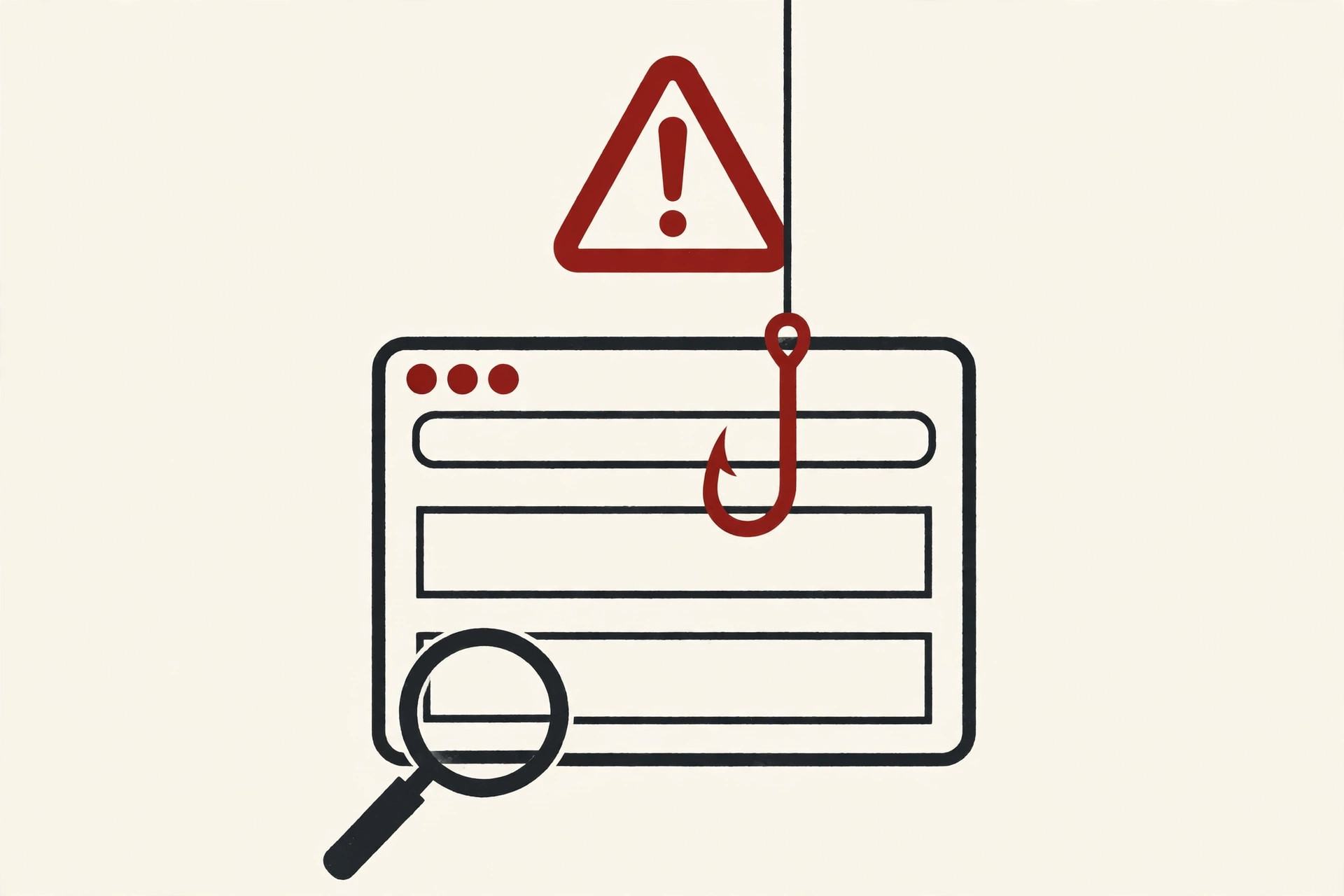
So the rule is simple. Do not download anything called Mypasokey, and never type a real password, card number or sign-in code into a page carrying this name. There is nothing behind the curtain to keep your details safe. If you already entered your details on such a page, go straight to the real website for that account, change the password, check recent activity for anything you do not recognize, and turn on two-step verification or a passkey while you are there.
If You Meant “My Passkey”: The Real Thing, Explained
You would not be the only one mixing these words up. Even the search engines do it: many top results for mypasokey are actually forum threads from people asking how to find or reset their passkey. So let us clear that up too.
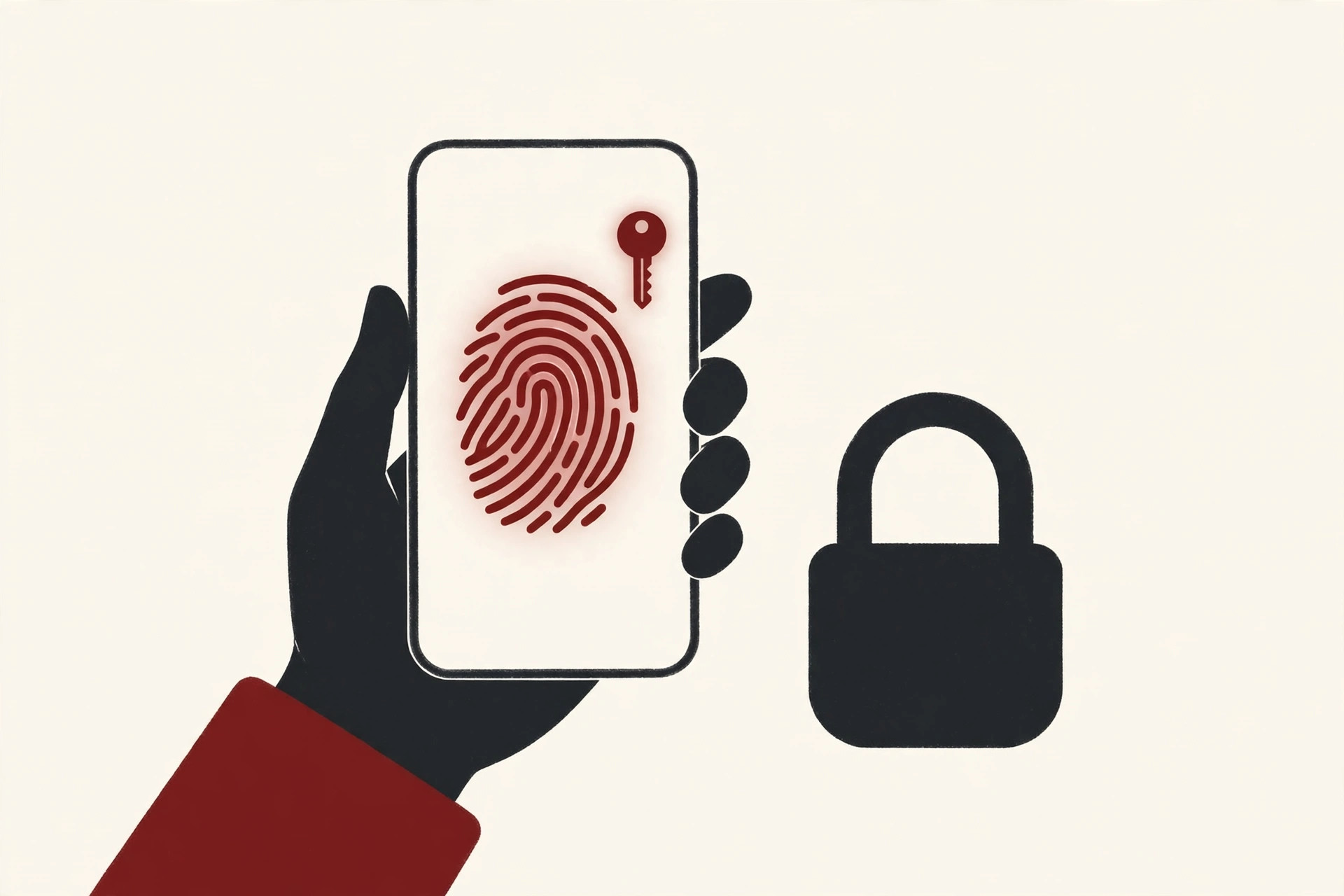
A passkey is a sign-in credential based on standards from the FIDO Alliance, the industry group whose members include Google, Apple and Microsoft. In the Alliance’s own words, passkeys are FIDO cryptographic credentials that are tied to your account on a website or application. Instead of typing a password, you approve the sign-in the same way you unlock your device: with your face, your fingerprint, or your PIN.
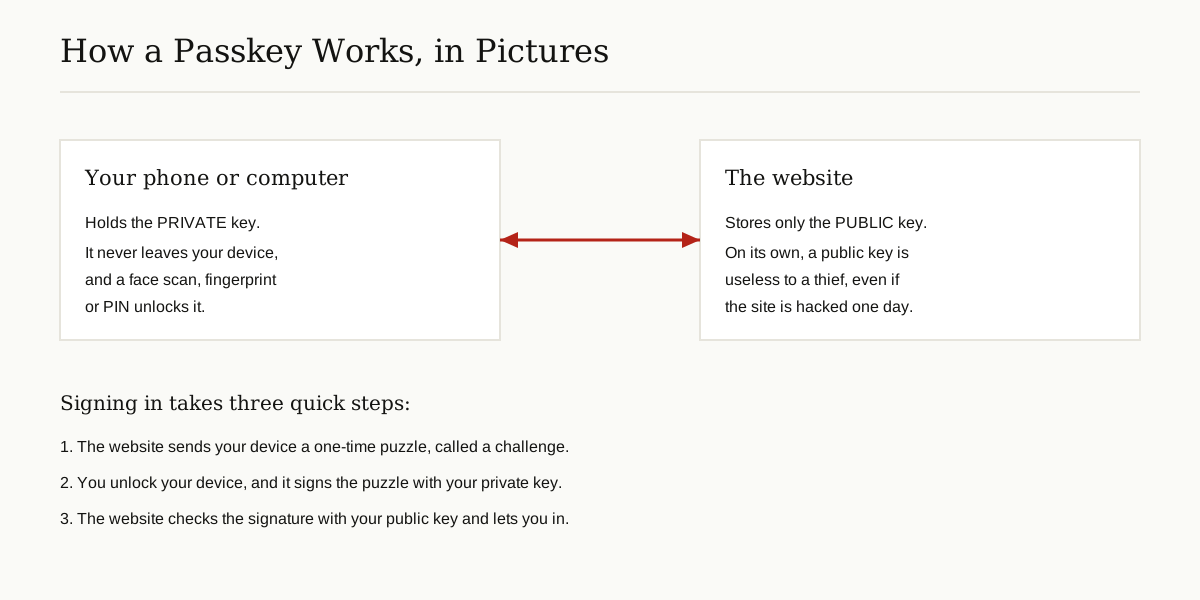
Behind that simple tap sits a neat idea called public key cryptography, which we unpack in our guide to public key infrastructure. When you create a passkey, your device makes two matched keys. The public key goes to the website, where it is safe to store. The private key stays locked on your device and never leaves it. To sign in, the website sends a one-time challenge, your device signs it with the private key after you unlock it, and the website checks the signature with the public key. If the math matches, you are in.
If you have ever used an SSH key to log in to a server, you already know this trick: one key you share freely, one key you never share at all. A passkey is the same idea, rebuilt for everyday people and everyday websites.
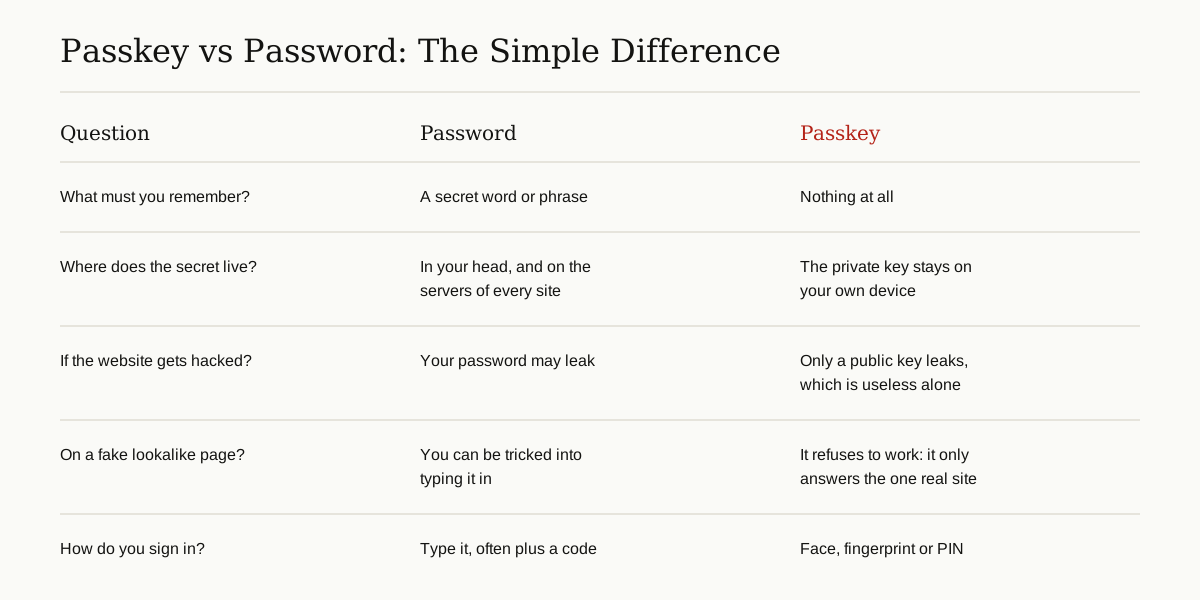
This is why passkeys matter. There is no password to forget, reuse or accidentally hand over. A passkey only answers the exact website it was created for, so a fake copy of a login page gets nothing from it. And if a website is ever hacked and its stored keys leak, public keys on their own are useless to a thief. That is why the FIDO Alliance describes passkeys as phishing resistant by design.
Two more details from the Alliance are worth knowing. Your fingerprint or face data never leaves your device; the website only receives proof that the check passed. And passkeys come in two flavors: synced passkeys, which follow you from device to device through a provider such as Google Password Manager or iCloud Keychain, and device-bound passkeys, which stay on a single device or on a hardware security key.
Where Your Real Passkeys Live, and How to Manage Them
Passkeys are stored by the password manager built into your devices, so that is where you manage them, never on a random website that asks.
On Android and in Chrome, passkeys are saved in Google Password Manager. Google’s help pages explain how to sign in to apps and websites with passkeys: you create one from inside the app or website, confirm with your screen unlock, and the passkey is saved and synced by your password manager. You can choose which password manager holds them under Settings, then Passwords, passkeys and accounts.
On a Windows PC, Microsoft points people to Settings, then Accounts, then Passkeys, to see the passkeys saved on that computer, with Windows Hello face, fingerprint or PIN doing the unlocking. A Microsoft support moderator walks through the same steps in this answer for people who cannot find their passkey.
On iPhone and Mac, passkeys are kept in iCloud Keychain and appear in the Passwords app, synced across your Apple devices signed in with the same account.
Three habits keep all of this safe:
- Only create or use a passkey on the real service itself. That means inside its official app, or on its real website with the address typed by you.
- Never follow a link from an email or text that offers to help you set up, fix or recover a passkey. Close the message, open the app, or type the address yourself.
- Protect the master account. Whoever controls your Google, Apple or Microsoft account can reach the passkeys synced inside it, so give that account a strong password and two-step verification.
How to Spot a Fake Login Page
Criminals copy real login pages almost perfectly, and our report on AI driven phishing attacks targeting Gmail users shows how polished these fakes have become. The good news is that the warning signs repeat from one fake to the next.
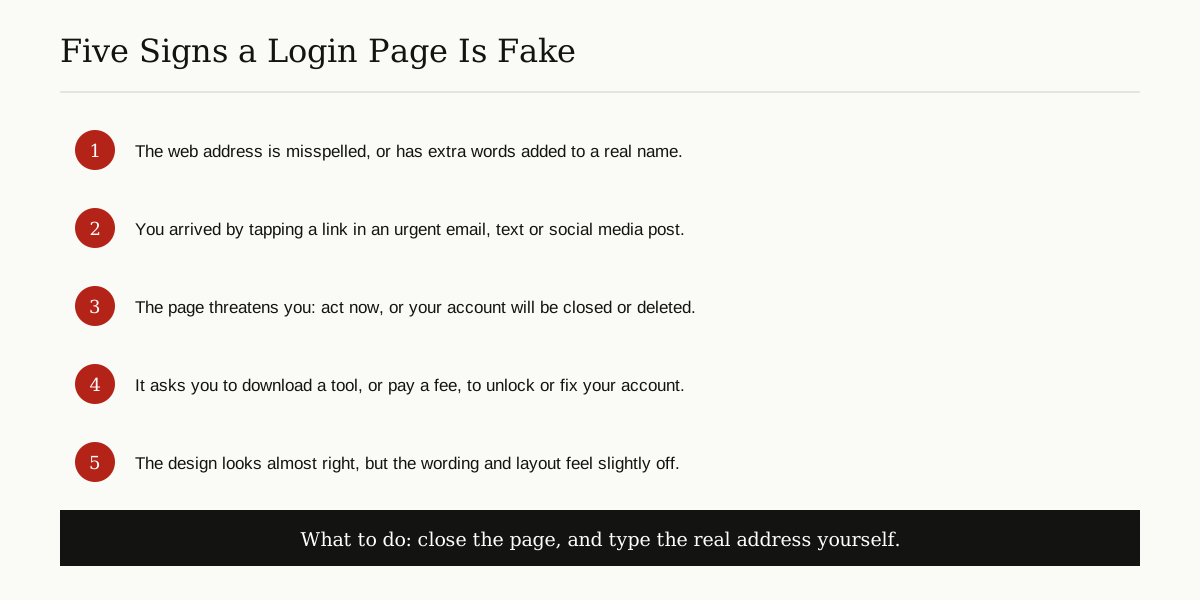
If you already typed a password into a page you now doubt, do not panic, but do move fast. Close the page. Go to the real site by typing its address. Change the password, end any signed-in sessions you do not recognize, and add a passkey or two-step verification while you are there. Ten minutes of cleanup beats weeks of untangling a stolen account.
The Bottom Line
To settle it once and for all: mypasokey is a horse association member portal wearing a disguise of internet nonsense. MyPasoKey belongs to Paso Fino owners and their membership cards, horses and show points. The password platform with the same name is a story that content farms made up. And your actual passkeys are already on your phone and computer, managed in Google Password Manager, iCloud Keychain or Windows Settings, far away from any website calling itself Mypasokey.
For more plain English guides like this one, browse the tips and tricks category and explore the rest of our how-to articles.