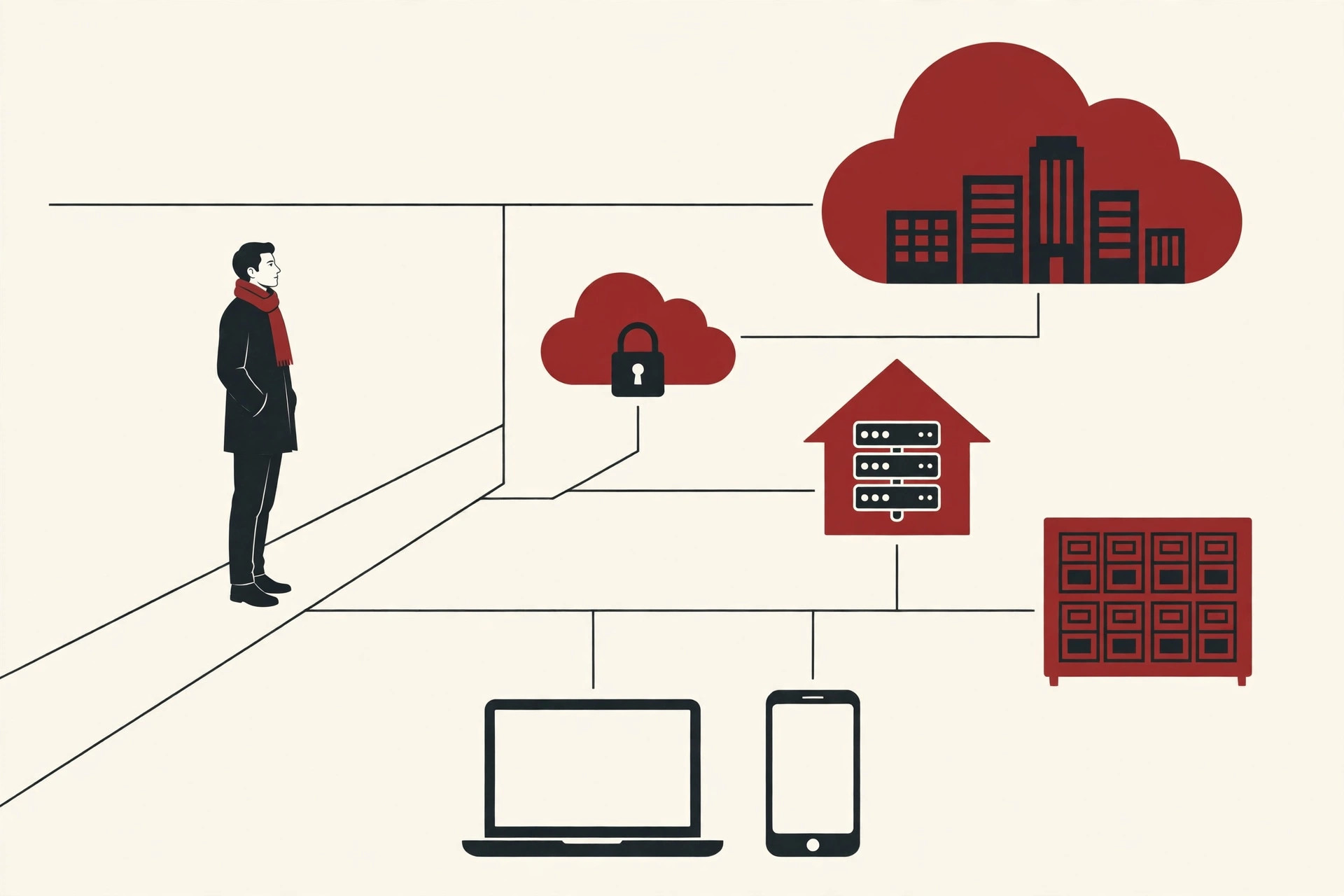
Run a busy company for a few years and you end up with dozens of separate databases: one for sales, one for HR, one for the web shop, a few more for testing. Each one needs its own instance, its own slice of memory, its own patching and backups. And most of them sit nearly idle most of the time.
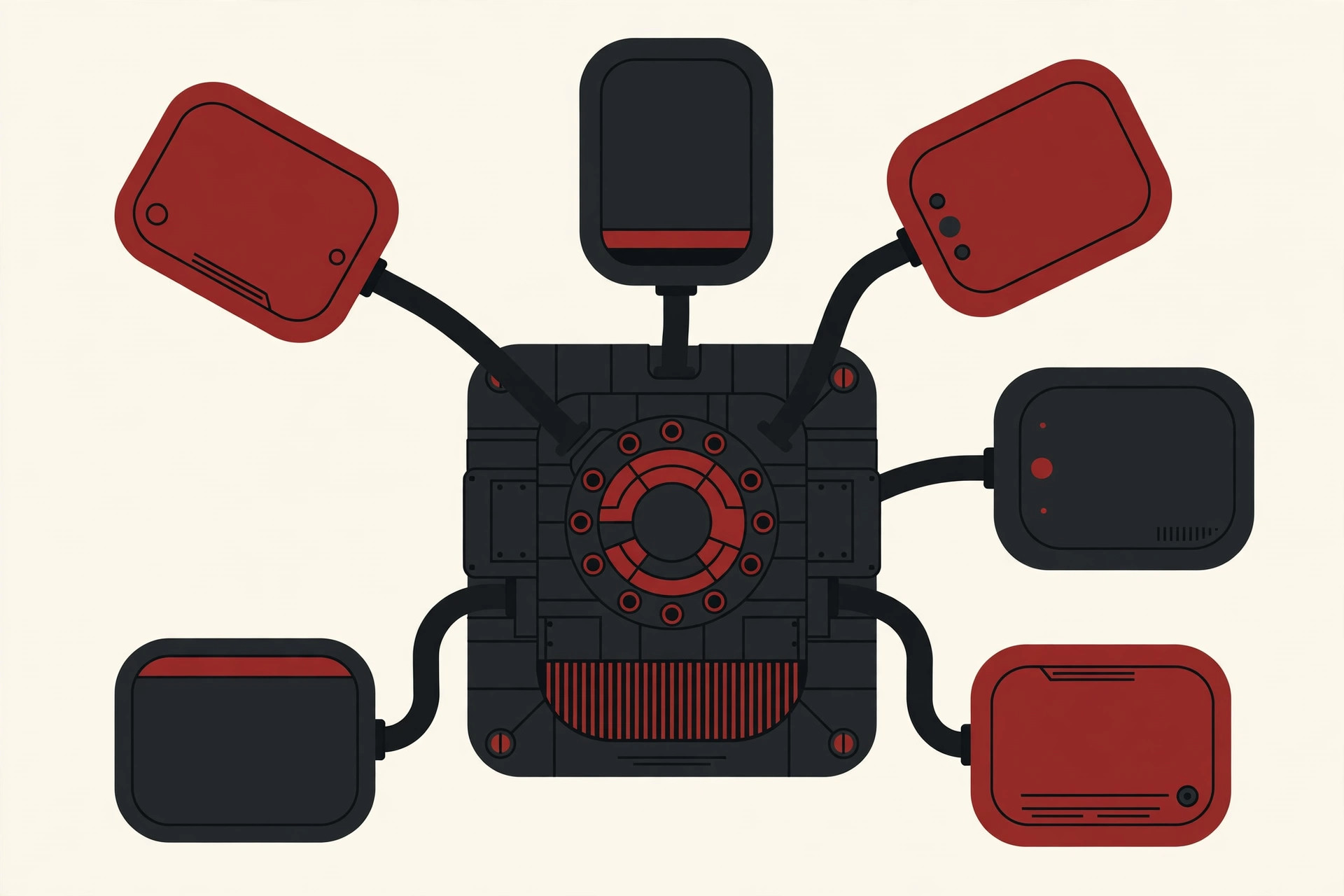
Oracle built the multitenant architecture to fix exactly that waste. At the heart of it sit multitenant database containers: databases that hold other databases. One container runs the shared engine, many smaller databases live inside it, and each one stays private.
This guide explains how it works in plain English: the container, the pluggable databases inside it, why Oracle made this design the only option, and what the honest limits are.
What “Multitenant” Means, in Plain Words
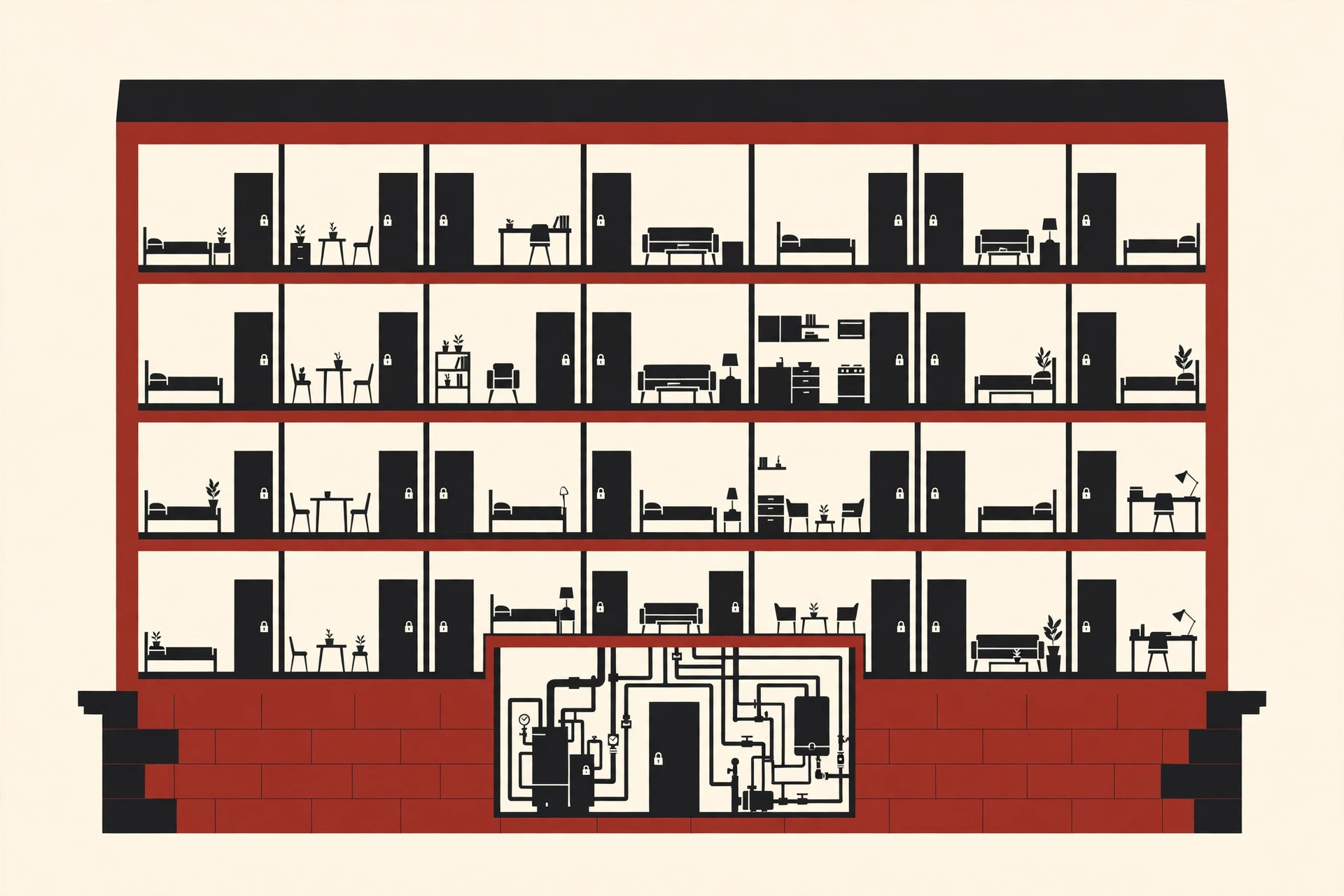
A tenant is a renter. Think of an apartment building. The building provides the structure, the plumbing and the power once, for everyone. Each tenant gets a private apartment with its own lock. Nobody needs to build a whole separate house just to have a kitchen of their own.
Software borrowed this idea. A tenant is one customer, team or application that shares a system with others while keeping its own private space. A multitenant system serves many tenants from one shared base, instead of installing a full separate copy for each one.
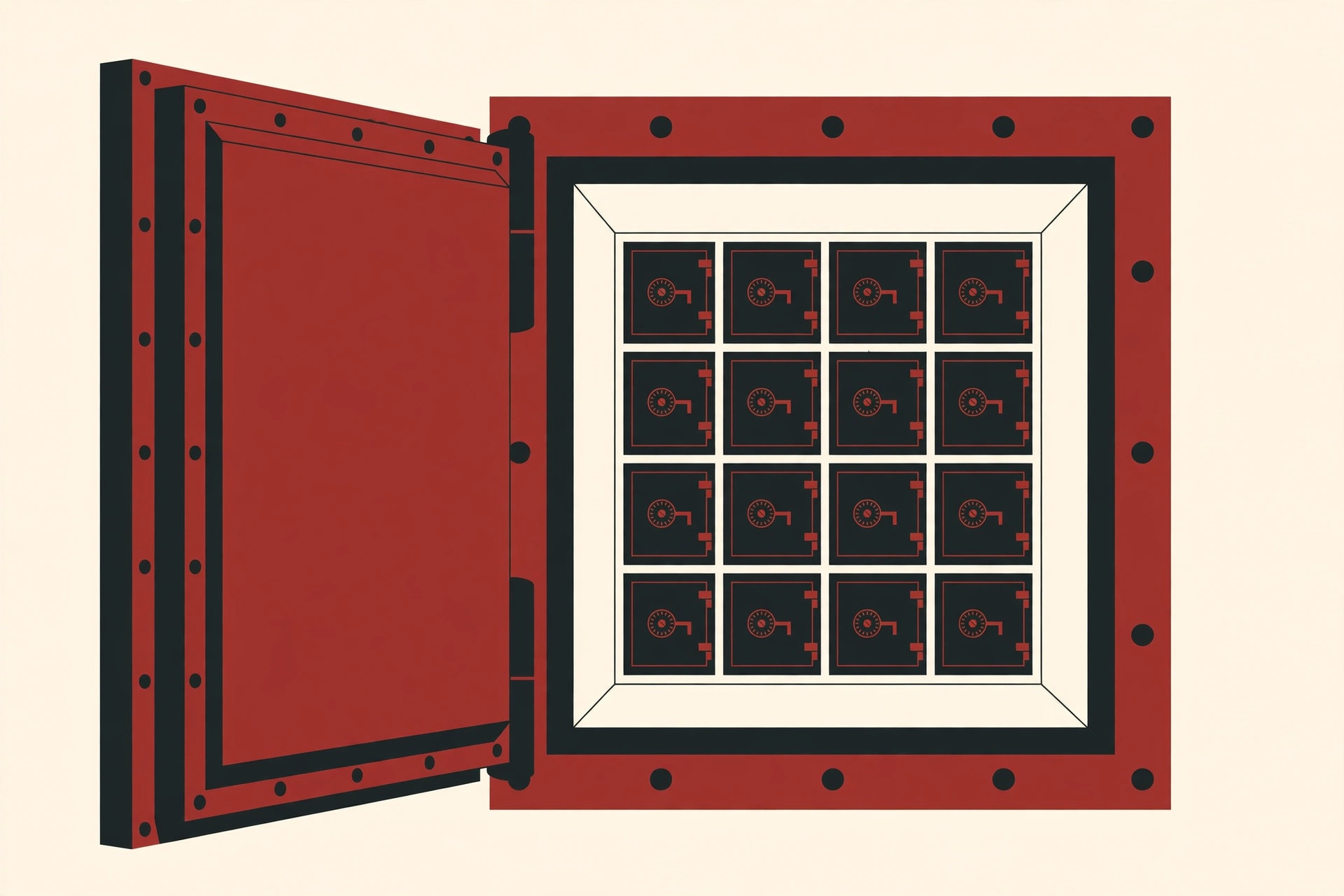
Multitenant database containers apply the apartment idea to databases themselves. The database engine is the building. Each pluggable database inside it is an apartment: separate, locked, and unable to see into the others, even though all of them rely on the same shared foundations.
One quick warning before we go deeper: the word “container” here has nothing to do with Docker containers. We will untangle that mix-up in its own section below, because it confuses almost everyone at first.
The Oracle Design: One CDB, Many PDBs
Oracle calls the building a container database, shortened to CDB. Oracle’s Multitenant page describes it this way: a CDB consolidates multiple pluggable databases into one Oracle database. Two pieces make it work:
- The CDB is the real database. From the operating system point of view, the CDB is the database: it owns the files on disk and one running instance, which means one set of memory and background processes doing the work.
- A PDB, short for pluggable database, is a portable collection of schemas, schema objects and other objects. In plain words: it is where one application’s tables, users and code live.
The clever part is what an application sees. To any program connecting to it, a PDB appears to be a normal, standalone Oracle database, the same kind Oracle sold for decades. Applications run unchanged inside a PDB. The sharing is invisible to them.
Under the surface, though, the PDBs are fully isolated from each other. A PDB cannot peek into its neighbors, and two PDBs can even contain users with the same name without clashing. A single CDB can hold zero, one or many PDBs. For scale, Oracle’s product page quotes a ceiling of up to 4,096 PDBs per CDB on Exadata and Oracle Cloud, and 252 PDBs per CDB on other platforms. Most companies use far fewer, but the headroom shows what the design was built for: serious consolidation.
Inside the Container: Root, Seed and PDBs
Every CDB contains a few standard parts. Oracle’s database documentation lists them clearly:
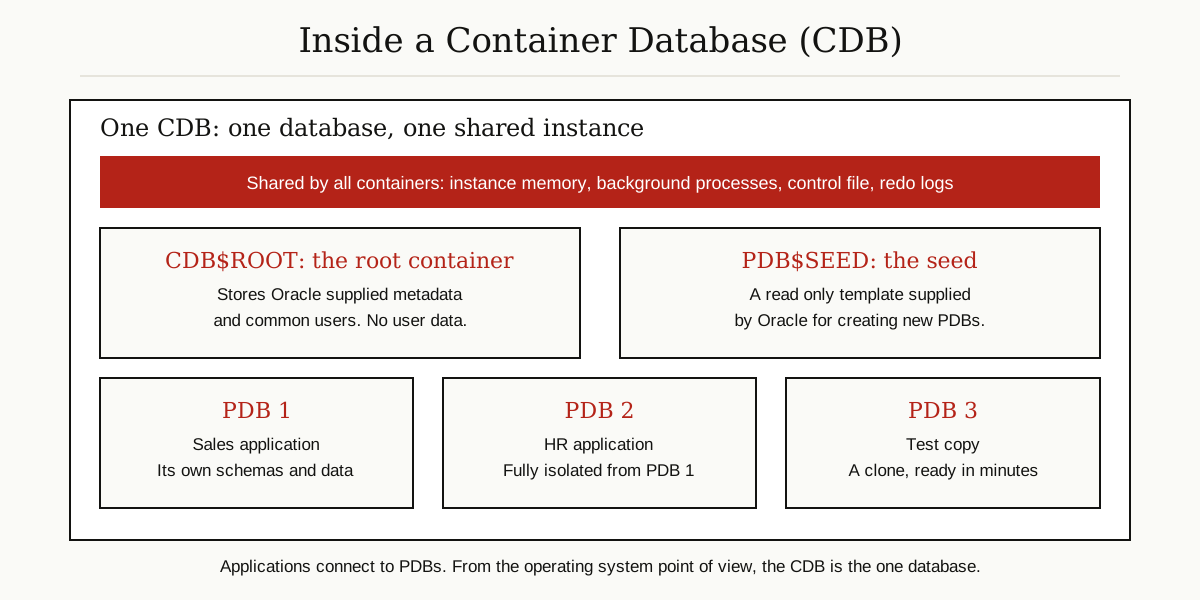
- The root container, named CDB$ROOT. There is exactly one. It stores Oracle-supplied metadata and the common users, meaning user accounts that are known in every container. The root stores no user data. Think of it as the building’s front office and wiring closet, not an apartment.
- The seed, named PDB$SEED. There is exactly one of these too. It is a system-supplied template for creating new PDBs, and you cannot modify it. Because a new PDB is copied from this template instead of built from scratch, creating one is fast.
- Your PDBs. None exist when a CDB is first created. You add them as needed, and a PDB can be plugged into only one CDB at a time. Day to day, users and applications interact only with PDBs, never with the root or the seed.
Some files are shared at the top level: the control file and the redo logs live in the CDB and serve every PDB at once. There is also an optional extra called an application container, a grouping where several PDBs share one application’s metadata and common data. It exists mainly for software vendors who run one application for many customers.
Administration splits into two levels, and the split is deliberate. A common user is known in the root and in every PDB, so one administrator account can manage the whole CDB. Each PDB can also have its own local administrator who sees only that PDB. Oracle calls this separation of duties: the team running the building never needs to open a tenant’s apartment, and a tenant’s administrator never touches the wiring closet. It is a small detail, but it is what makes the design safe for hosting many customers on one shared engine.
Why Oracle Built It: Consolidation
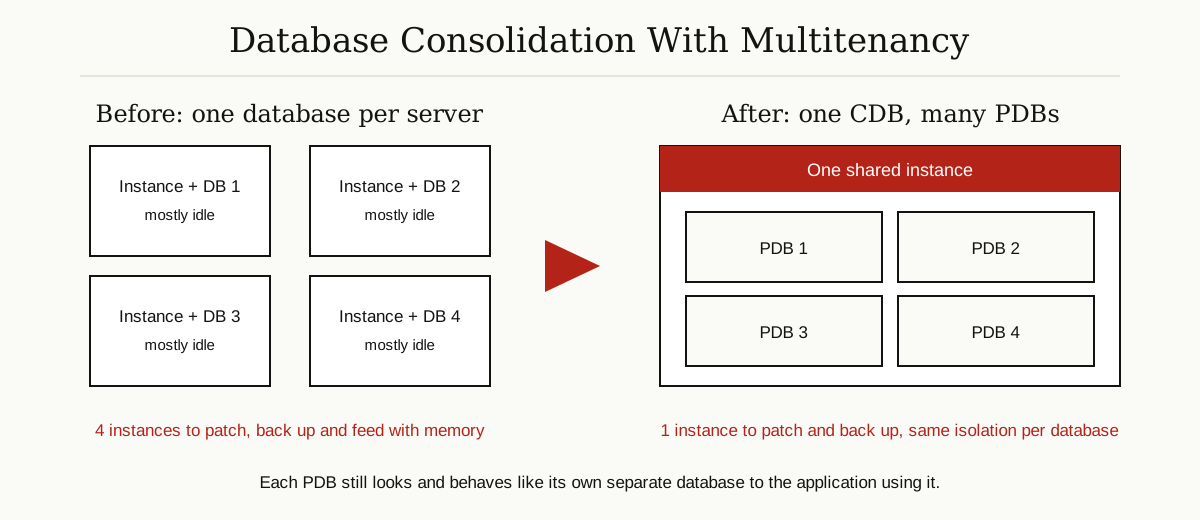
The old way wasted hardware. Every standalone database carried its own instance overhead: memory reserved, background processes running, all day, even for a database three people used twice a week. Multiply that by fifty databases and a company needs a lot of servers doing very little.
Multitenant database containers flip the math. You move those scattered databases into one CDB as PDBs, and there is exactly one instance overhead instead of fifty. The freed memory and CPU go to real work. This is also why the design pairs naturally with good housekeeping: once everything lives in one place, following solid database optimization habits gets much easier, because there is one system to tune instead of fifty drifting copies.
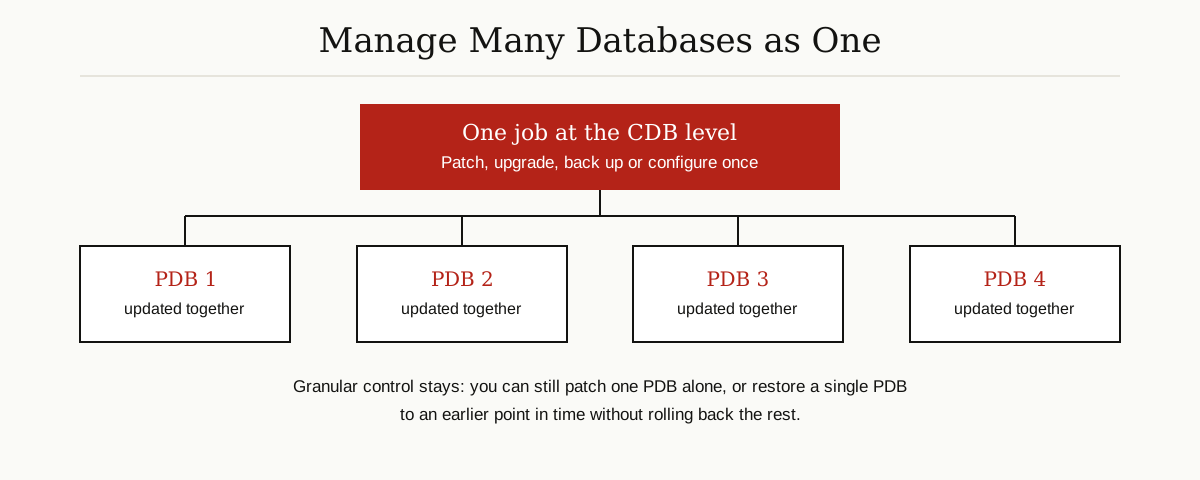
The second win is management. Oracle calls it “manage many as one”: patching, backups, configuration and upgrades happen centrally, at the CDB level, one time. And the control is not all-or-nothing. You can still restore a single PDB to an earlier point in time without touching the rest, and you can patch one PDB alone when a smaller change window is safer.
Everyday Superpowers: Clone, Unplug, Move
Ask database administrators what they actually love about this design and they rarely mention theory. They mention speed on ordinary tasks:
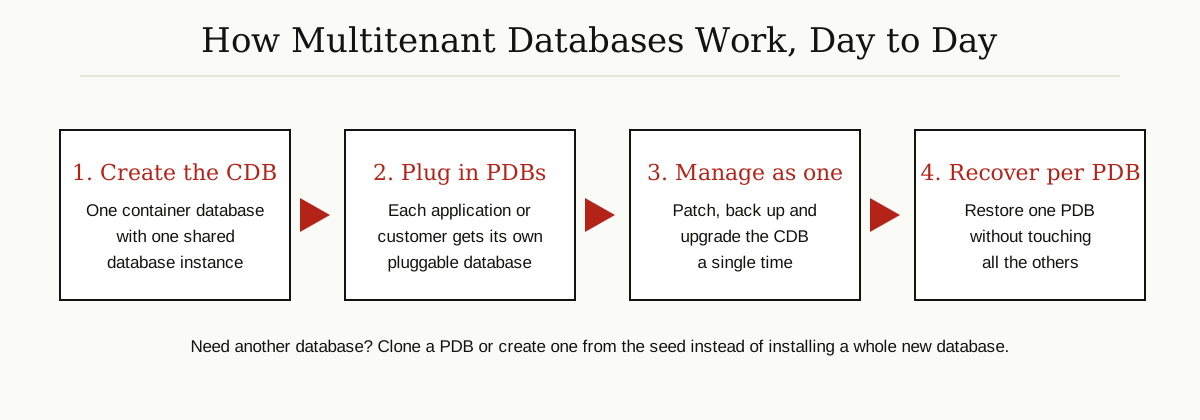
- Fast provisioning. A new PDB copied from the seed is ready far faster than installing and building a whole new database the old way.
- Cloning. You can clone a PDB locally or from across the network without disrupting the source. Snapshot clones are storage-efficient copies made for development and testing, and refreshable PDBs keep a copy topped up with the source’s recent changes. Need a safe copy of production to test against? Clone it, test, throw it away.
- Unplug and plug. Unplugging a PDB turns it into a set of files: a metadata file describing it, plus its data files. Carry those files to another compatible CDB, plug it in there, and the database is home. Moving a database between servers, or lifting it into a newer CDB during an upgrade, becomes a file move instead of a rebuild.

Containers, but Not Docker Containers
The name trips people up, so let us be direct. Docker containers package an application together with its libraries, and they share the host operating system kernel. That is the world of our Docker containerization guide.
Oracle’s containers are a different layer entirely: they are databases living inside a database, sharing one database instance rather than an operating system. The two ideas are cousins, not twins. Both exist for the same reason, to stop paying full price for mostly empty boxes, but one organizes applications on a server and the other organizes databases inside Oracle. They can even be combined: nothing stops you from running a CDB inside your infrastructure and PDBs inside the CDB.
From 12c to Today: Now It Is the Only Architecture
This design is not an experiment. Oracle introduced the multitenant architecture with Oracle Database 12c Release 1 (12.1), and every Oracle database before that release counts as a non-CDB.
The old architecture was deprecated in Oracle Database 12c, meaning Oracle warned everyone to move. Then, as Oracle’s upgrade documentation states, non-CDB databases were desupported in Oracle Database 21c: the installer and setup tools can no longer create them. In current releases, multitenant database containers are not one option among two. They are simply how Oracle Database works.
The Honest Limits
No design is free of tradeoffs, and this one has three worth knowing:
- It is Oracle’s design, not a universal standard. CDB and PDB are Oracle-specific ideas. Other database systems handle multitenancy differently, usually with schemas or separate instances, so skills and tooling do not transfer one to one.
- A shared engine means shared fate, partly. Oracle Resource Manager can divide resources between PDBs so one busy tenant does not starve the others, the classic noisy neighbor problem. Still, patching at the CDB level updates every PDB at once, so plan maintenance windows with all tenants in mind, or patch PDBs individually when the blast radius matters.
- Licensing needs care. The architecture itself is mandatory, but how many PDBs you may run is a licensing question. Oracle Multitenant is a separately licensed option for larger setups. Oracle’s Database Licensing Information User Manual says that if you are not licensed for Oracle Multitenant, you may have up to 3 PDBs in a given container database at any time, an allowance that applies from 19c onward; earlier releases allowed a single user PDB. Rules vary by edition and release, so check the manual for your exact version. This article explains the technology; it is not licensing advice.
The Bigger Idea: SaaS Tenancy Patterns
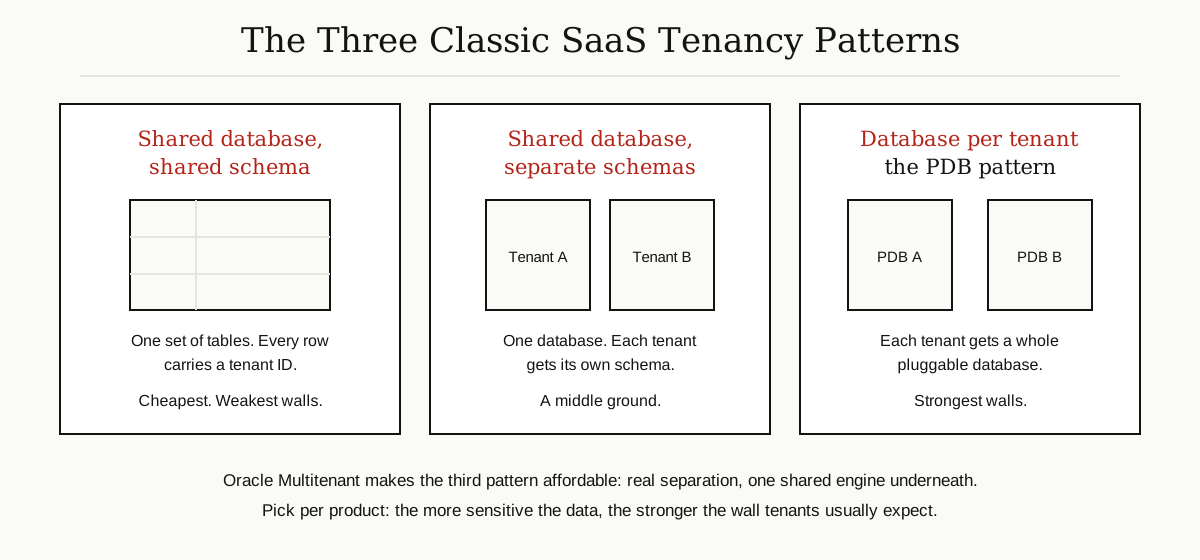
Step back from Oracle for a moment. Multitenancy matters far beyond one vendor, because every software as a service (SaaS) product has to decide how to keep customers separated. There are three classic patterns:
- Shared database, shared schema. Every tenant’s rows sit in the same tables, tagged with a tenant ID. It is the cheapest and most efficient pattern, but the walls are the weakest: the application code must filter every single query correctly, every time.
- Shared database, separate schemas. One database, but each tenant gets its own schema, its own set of tables. Separation is stronger, though you now manage thousands of near-identical schemas.
- Database per tenant. Each tenant gets a whole database. The walls are the strongest, but the old economics were brutal, because every database dragged its own instance overhead behind it.
Multitenant database containers exist to make the third pattern affordable. Each tenant gets a real PDB, with real isolation and its own recovery options, while the CDB underneath shares the engine. It is no accident that Oracle lists software as a service as a headline use case for Multitenant, including moving older applications into a SaaS model with no application changes. When you choose a pattern for your own product, the honest rule is simple: the more sensitive the data, the stronger the wall your customers will expect.
The Short Version
Multitenant database containers are Oracle’s way of running many databases as one. A container database (CDB) provides one shared instance, one control file and one set of redo logs. Inside it, pluggable databases (PDBs) hold each application’s or customer’s data in complete isolation, while still looking like ordinary standalone databases to the software using them. Cloning, unplugging and central patching make the arrangement cheap to run, which is why Oracle retired the old single-database architecture: deprecated in 12c, desupported in 21c.
If you are planning how your team builds and runs its data platforms, our guide to data engineering services explains what those teams do day to day. Keep going with our other Data, Cloud and Databases guides, where we explain databases, cloud tools and the systems behind them in the same plain English.