Long before phone apps and cloud dashboards, using SAP at work meant one thing: a special program installed on your office computer. If that program was not on the machine in front of you, your work waited.
Then the web browser arrived, and SAP wanted in. The Internet Transaction Server, usually shortened to ITS, was the bridge SAP built so that ordinary browsers could talk to its big business systems. With ITS, an employee could open a browser, log on, and run a real SAP transaction, like checking stock or approving a purchase order, with nothing installed at all.
This guide explains what the internet transaction server in SAP actually was, how its moving parts fit together, why warehouse teams still know its name, and where it quietly lives on today.
What Is the Internet Transaction Server?
SAP is the business software many large companies use to run finance, stock, sales, and production. One single job inside SAP, such as creating a sales order or posting a goods receipt, is called a transaction.
The problem was simple. SAP screens were built for the SAP GUI, the desktop program. A web browser could not read them, and SAP could not speak HTML, the language of web pages.
The Internet Transaction Server fixed that by translating in both directions. The short version of the same answer fills a long-running SAP Community thread simply titled What is ITS: a link between the SAP system and the web. When you clicked a button in your browser, ITS turned that click into an action the SAP system understood. When SAP produced a filled screen, ITS turned that screen into an HTML page and sent it back to your browser.
On top of that translator, SAP built ready-made web applications called Internet Application Components. Employee self-service pages, an online store, and SAP GUI for HTML, which put the whole SAP interface into the browser, all ran on ITS. For many companies, ITS was the first time SAP felt like a website.
A Short History of ITS
According to the SAP R/3 Handbook, SAP joined its applications with the Internet in R/3 release 3.1 in 1996 by means of the Internet Transaction Server. Through the late 1990s, ITS became a cornerstone of the mySAP.com strategy, SAP’s big push to move its software onto the web.
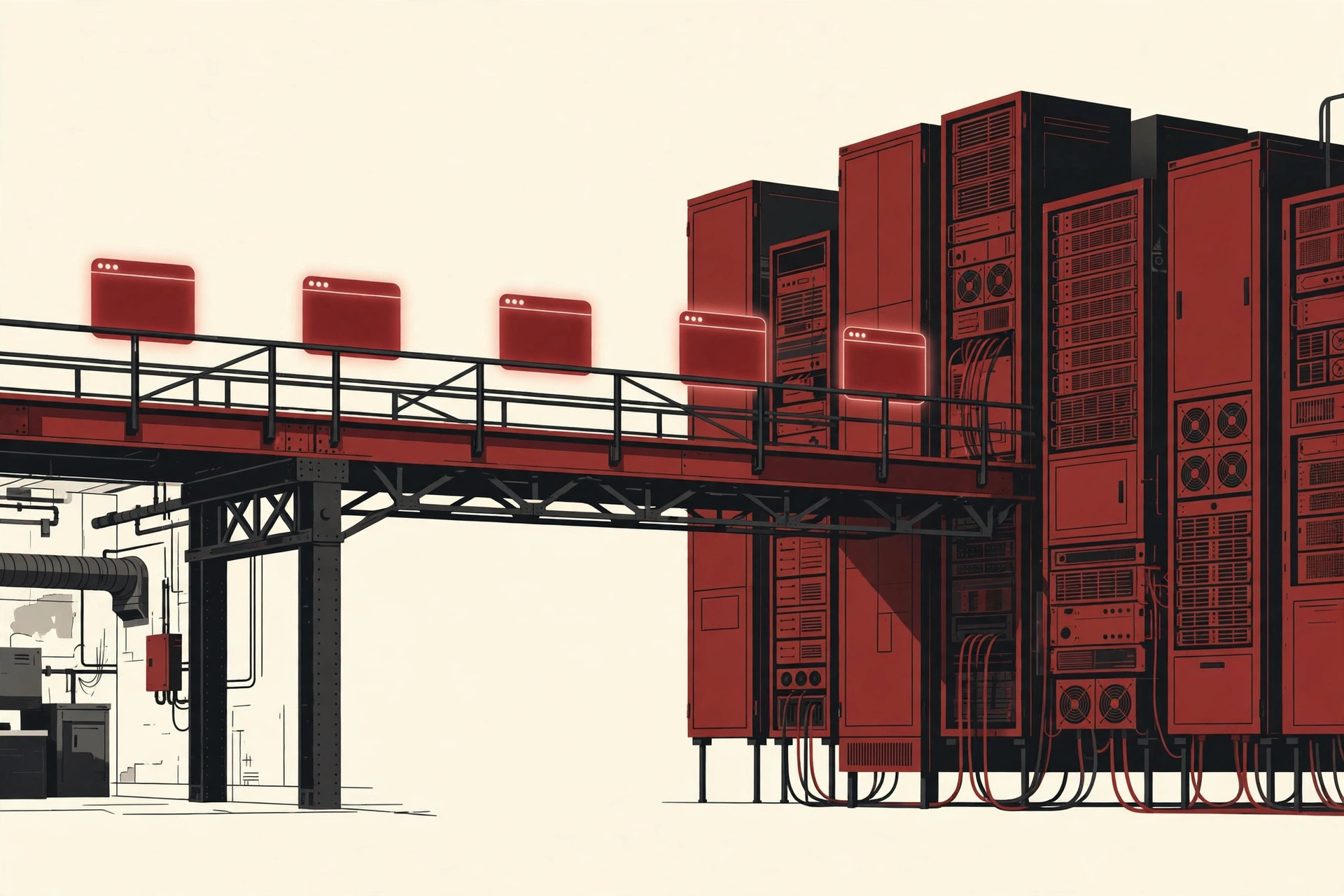
In those early years, ITS was a standalone product. You installed it on its own servers, apart from the SAP system. It had two main parts, the WGate and the AGate, which the next sections explain.
Its last standalone release was version 6.20. Then the ground shifted. As of release 6.40 of the SAP Web Application Server, a large part of ITS was integrated into the kernel of the server itself, as SAP’s own documentation and community guides describe it. From that point there was no separate ITS to install. The standalone 6.20 could not even connect to systems based on SAP NetWeaver 2004s, release 7.00, or higher.
If you enjoy the design fashions of that era, our guide to SOA and service oriented architecture covers the thinking that shaped enterprise software in the same years. ITS was very much a child of that time: connect everything, one service at a time.
How ITS Works, Step by Step
Here is the path of one click in the classic standalone setup, following the architecture graphic below.
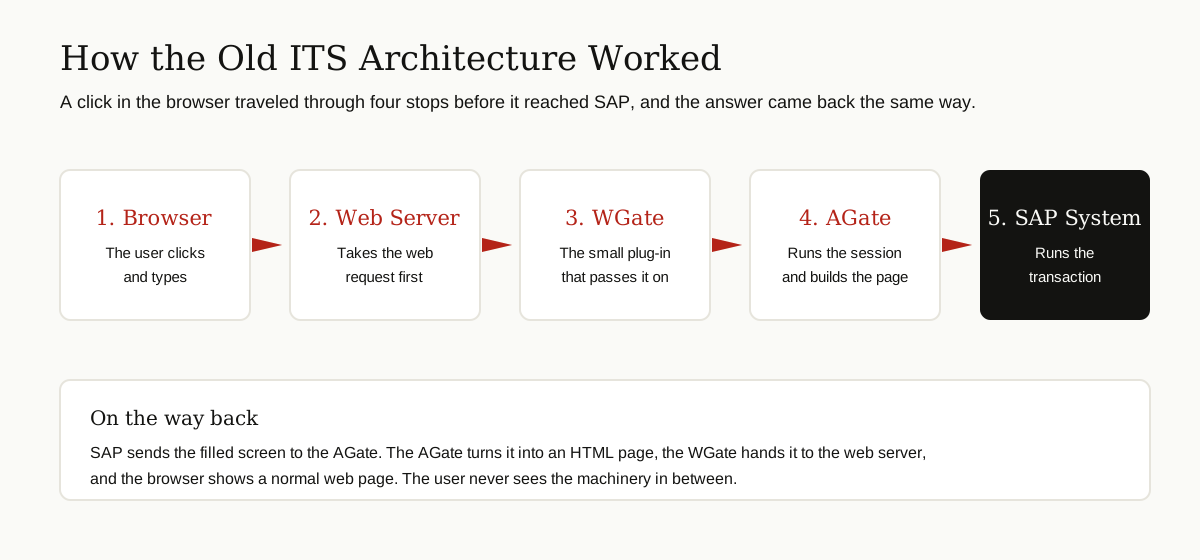
- The browser sends a request. You click a link or press a button on a web page.
- The web server receives it. The WGate, a small plug-in inside the web server, picks up the request and passes it to the AGate.
- The AGate runs the session. The AGate holds your logon session, talks to the SAP system, and calls the right transaction or function.
- SAP does the work. The transaction runs in the SAP system, exactly as it would for a desktop user.
- The page comes back. The AGate turns the resulting SAP screen into an HTML page, and the WGate hands it back through the web server to your browser.
The AGate also managed practical details like timeouts and connection pooling, which means sharing a set of connections to SAP between many browser users instead of opening a fresh one for every click.
What One ITS Service Was Made Of
Every web application on ITS was called a service. A service had three parts, shown in the graphic that follows.
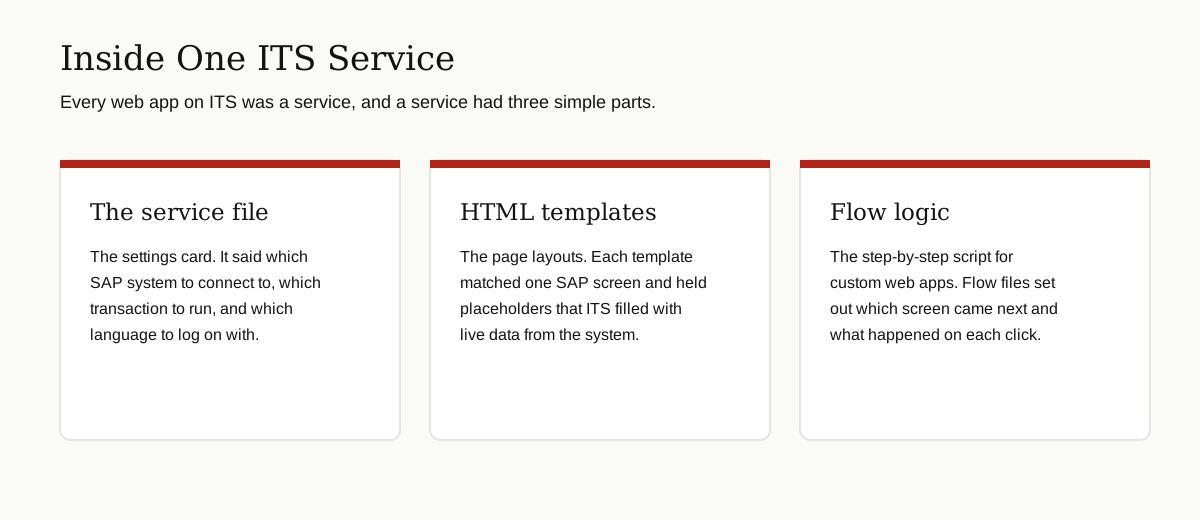
- Service file: the settings card. It named the SAP system, the transaction to run, and the logon language.
- HTML templates: one layout for each SAP screen, with placeholders that ITS filled with live data. SAP GUI for HTML skipped this work by generating pages from the screen automatically.
- Flow logic: for custom web applications, flow files described which screen came next and what each click should do. This style of building apps was later replaced by newer SAP web technologies.
In the integrated Internet Transaction Server, the same ideas moved indoors. Requests reach the server through its Internet Communication Manager, services are switched on in transaction SICF, and templates are published from the normal development tools instead of a separate ITS box.
Standalone vs Integrated ITS
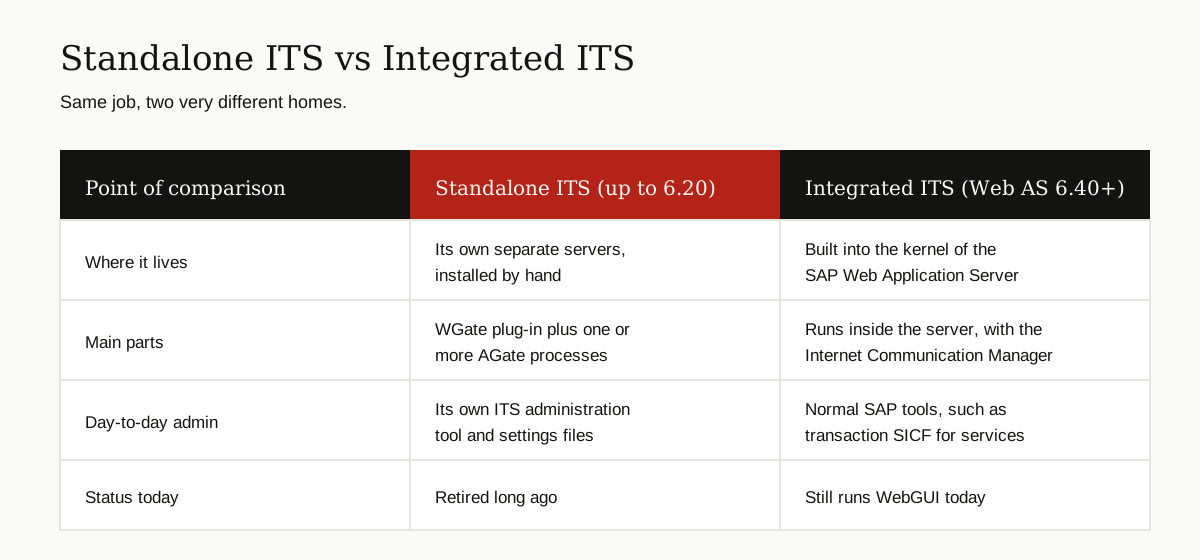
The table sums up the change. For a picture version, see the comparison graphic right after it.
| Point | Standalone ITS (up to 6.20) | Integrated ITS (Web AS 6.40 and later) |
|---|---|---|
| Where it lives | Separate servers, installed by hand | Inside the kernel of the SAP Web Application Server |
| Main parts | WGate plug-in plus AGate processes | Runs within the server, requests arrive through the Internet Communication Manager |
| Administration | Its own ITS admin tool and settings files | Normal SAP tools, such as SICF for services |
| Status | Retired long ago | Still shipping, powers WebGUI today |
The practical effect for IT teams was large. One less server farm to patch, one less logon path to secure, and no version matching between a separate ITS and the SAP system behind it.
ITS Mobile and the Warehouse Story
Ask in a warehouse, and the part of this technology people remember best is ITSmobile, the mobile flavor of the Internet Transaction Server.
Warehouse work runs on handheld devices: small scanners with tiny screens, used with gloves, often on shaky Wi-Fi. Fancy pages fail there. ITSmobile generated very simple HTML screens sized for those devices, so a worker could scan a barcode, type a quantity, and confirm a pick or a putaway in a few key presses.
SAP built this into its warehouse world. The RF framework in Extended Warehouse Management, the radio frequency screens workers use all day, is served through ITSmobile, and SAP published setup guides for exactly that pairing. SAP also shipped ready transactions for logistics work on mobile devices, often called LM transactions.
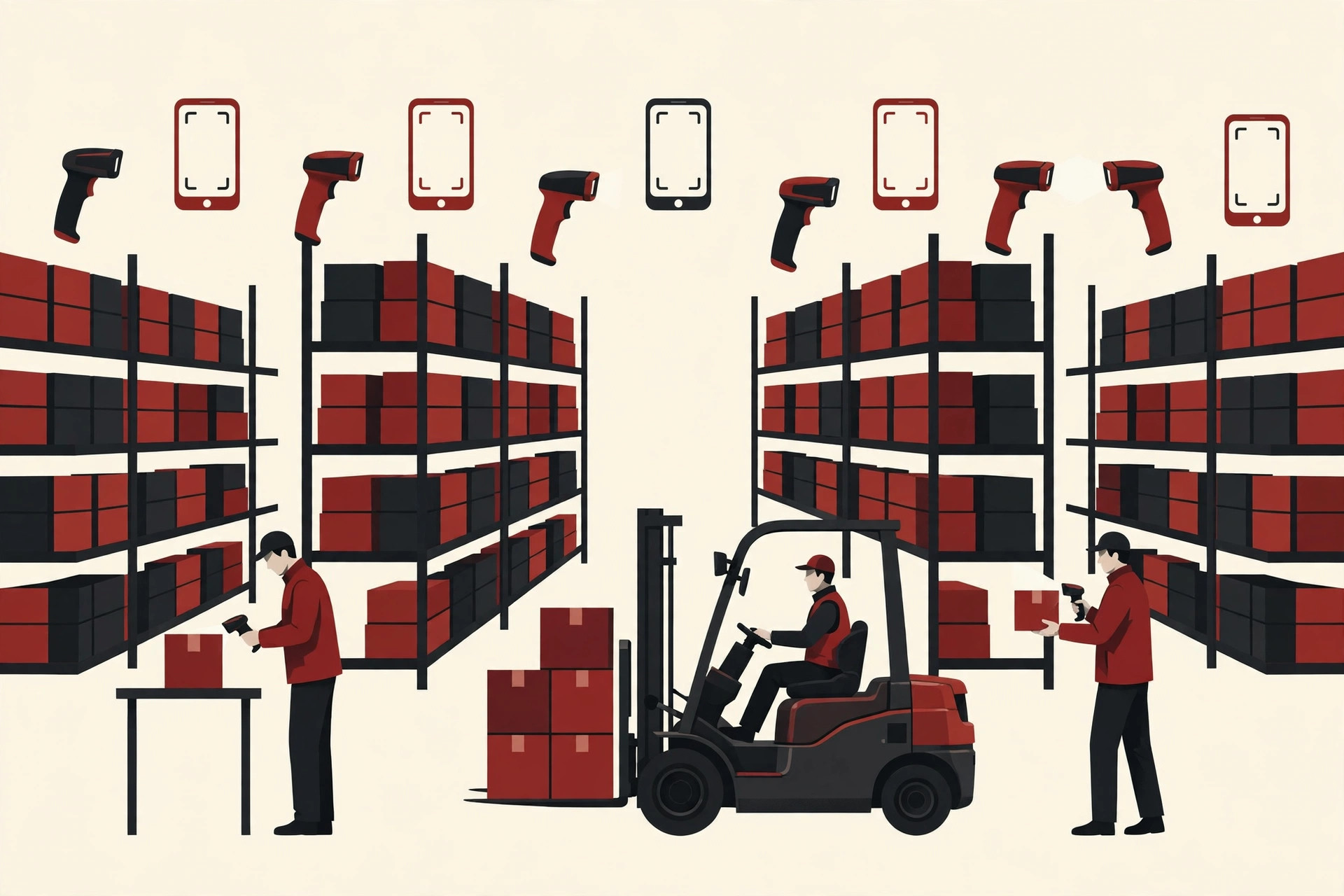
The pattern was simple and it stuck. In many companies, ITSmobile stayed alive long after the office web pages moved on, because the scanners on the floor still worked fine.
Security Basics
Putting SAP on the web opened a new door into the heart of the company, so ITS security got serious attention from the start. The four habits below did most of the work.
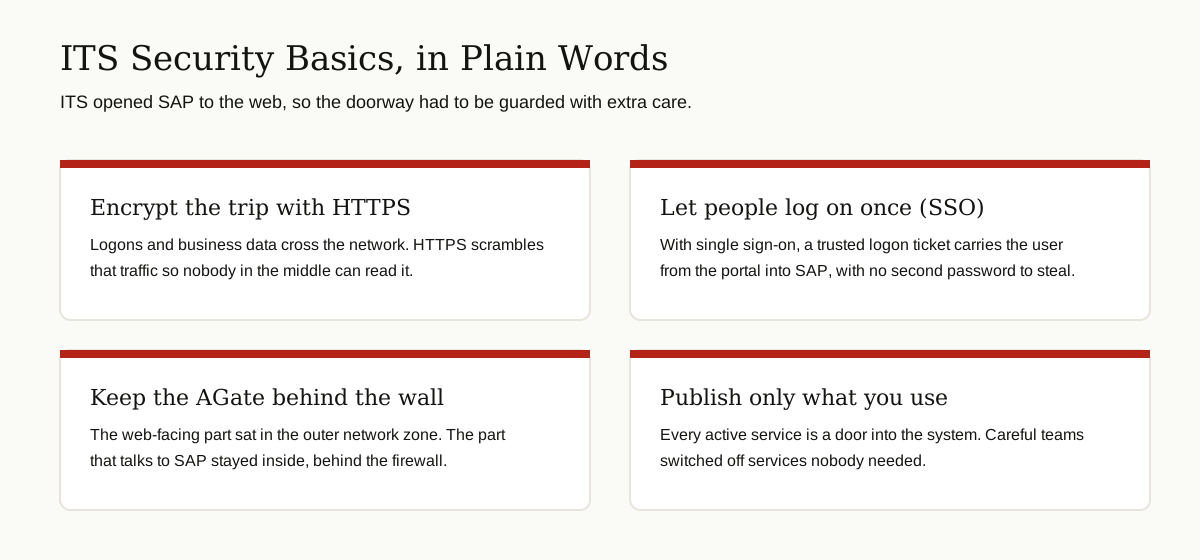
- HTTPS everywhere: Logons and business data cross the network, so the traffic between browser and server had to be encrypted.
- Single sign-on: With SSO, a person logged on once, for example to the company portal, and a trusted logon ticket carried them into SAP. No password was typed a second time, and no second password existed to steal.
- Smart network placement: In the standalone design, the web-facing WGate could sit in the outer network zone while the AGate, the part that actually talked to SAP, stayed inside behind the firewall. The link between the two could also be protected with SNC, SAP’s secure network communications.
- Publish only what you use: Every active service was a door into the system. Careful admins activated only the services the business needed and kept the administration services out of reach.
The lesson still applies to any system that connects a browser to core business data, which is why the same ideas show up in modern enterprise application integration work.
Common Problems Users Run Into
Search forums for ITS and the same complaints appear again and again, usually worded as the ITS not being available or a service that will not start. In plain terms, the usual causes are these:
- The service is switched off. In the integrated ITS, each service must be active in SICF. After upgrades or system copies, nodes often come back inactive, and the browser shows a plain service error instead of a logon page.
- Templates were not published. After a change, the new screens must be published before the web can see them. Skip that step and users get errors or old pages.
- The doorway is down. If the web server, the Internet Communication Manager, or in the old days the AGate process stopped, every ITS page failed at once, even though SAP itself was healthy.
- Sessions time out. Shared warehouse devices and long breaks mean expired sessions and a fresh logon. Annoying, but by design.
- Old pages, new browsers. Pages built for the browsers of their day can render oddly in a modern one, especially old standalone content.
In most cases the SAP system itself is fine. The broken piece is the thin web layer in front of it, which is exactly the layer ITS provided. Generations of admins traded fixes for these problems, and many of the classic how-tos still sit on the Internet Transaction Server wiki in SAP’s community archive.
Where ITS Stands Today
The standalone Internet Transaction Server is history. Nobody installs a WGate today, and SAP long ago stopped developing that line.
The integrated ITS is a different story. It still ships inside the SAP application server and still does real work every day, because SAP GUI for HTML runs on it. Admins know this browser access as WebGUI: the SICF service that turns classic transactions into web pages. SAP’s own SAP GUI for HTML documentation describes the trick plainly: ITS performs a one-to-one mapping from SAP screen fields to HTML fields, so no handmade templates are needed. It can even be placed inside the Fiori launchpad, so a user clicks a tile and an old transaction opens in the browser, rendered by the same ITS engine.
New applications, though, are built a different way. Modern SAP apps use SAP Fiori and SAPUI5, with data flowing through services and APIs rather than screen translation. If that modern side interests you, our guide to API design principles explains the rules those interfaces follow. The timeline graphic below shows the whole arc at a glance.
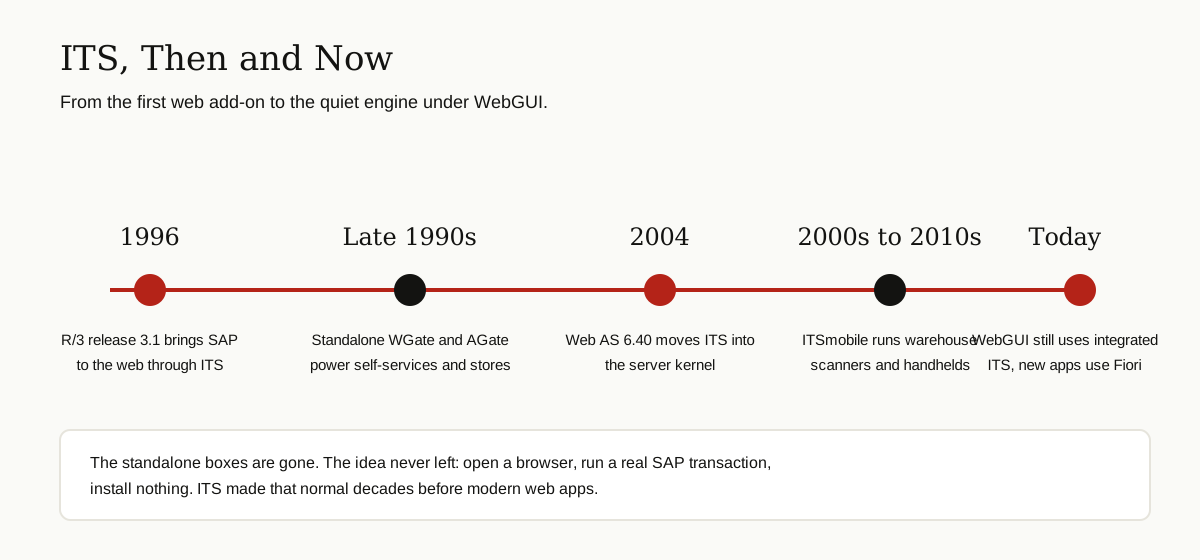
So the fair label is legacy, not dead. ITS is plumbing: hidden, old, and still carrying traffic in more companies than you might expect, above all in warehouses and in WebGUI sessions.
Conclusion
The Internet Transaction Server solved a problem that felt impossible in 1996: SAP belonged on installed desktops, and the web belonged to browsers, and the two could not talk. ITS translated between them, first as a standalone bridge with its WGate and AGate, then as a built-in part of the SAP server itself.
Its standalone days are over, and new SAP development speaks Fiori, not templates. But every time a worker scans a pallet with an ITSmobile screen, or an admin opens WebGUI to check a transaction in a browser, the old bridge is still doing its job.