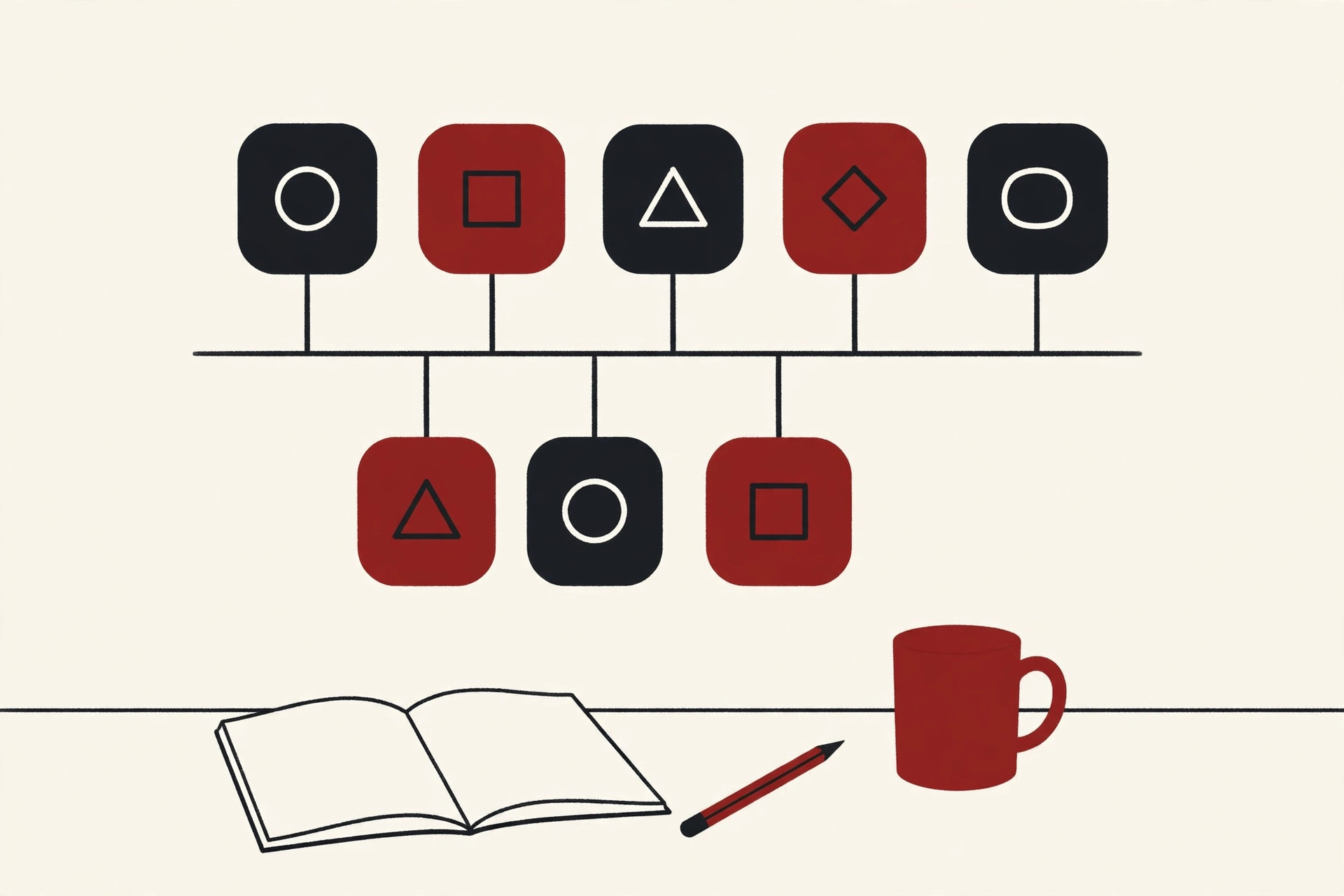
A customer places an order on a company website. The order should appear in the warehouse system, the money should land in billing, the sales team should see it in their CRM, and the customer should get a confirmation email. In many big companies, none of that happens automatically, because each of those systems was bought at a different time, from a different vendor, and none of them were built to talk to each other.
Enterprise application integration, usually shortened to EAI, is the work of fixing exactly that problem. It connects a company’s separate software systems so data flows between them on its own, in the right format, at the right time.
This guide explains what enterprise application integration is, why large companies cannot live without it, the main patterns used to build it, and the honest challenges that come with it. No deep technical background needed.
What Is Enterprise Application Integration?
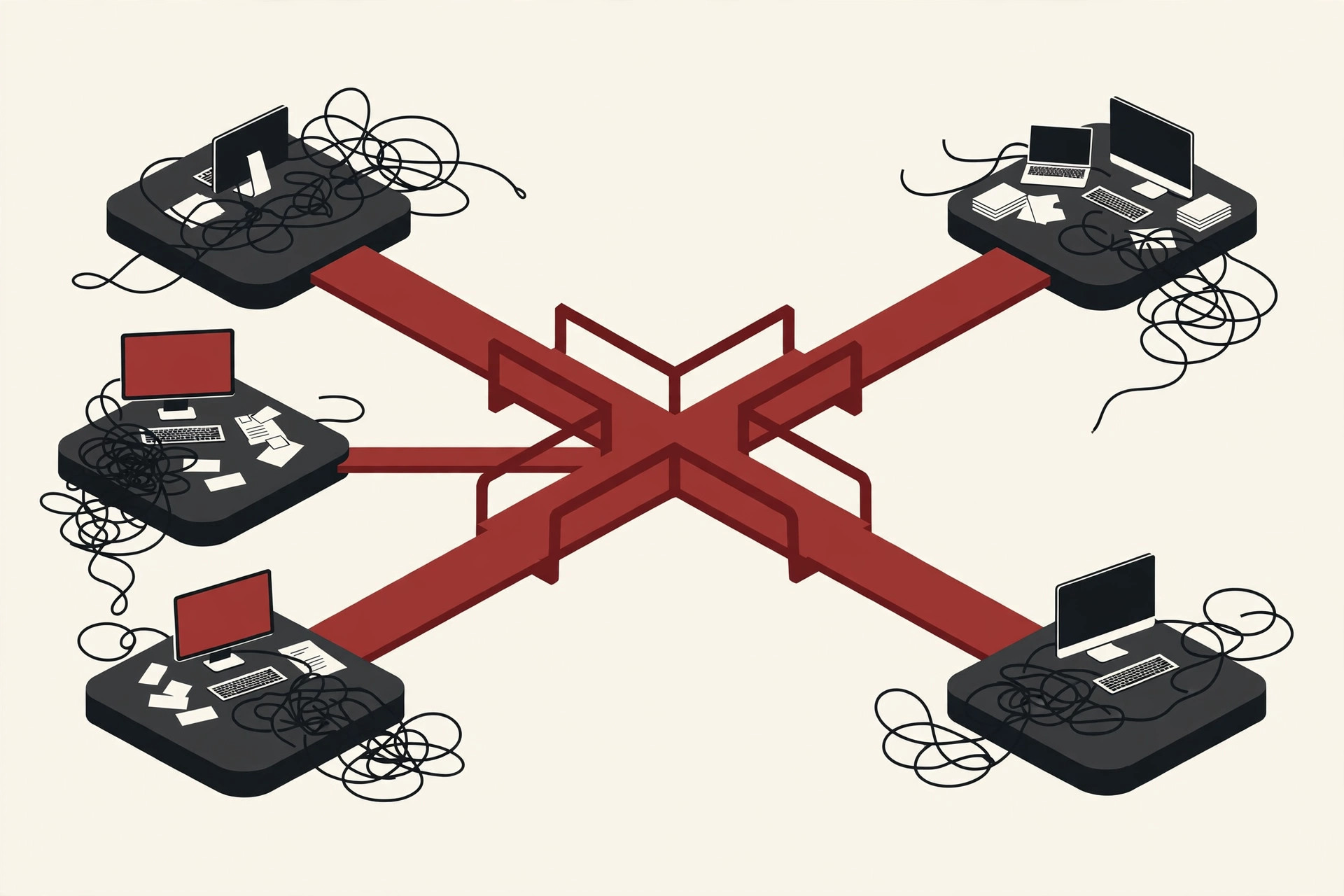
Enterprise application integration is the practice of linking the different software applications inside one organization so they can share data and work together as a single system.
IBM defines enterprise application integration as connecting separate systems and applications, often using APIs and middleware, to reduce data silos and make business processes run more smoothly. That is a fair summary. The goal is not to replace the systems a company already owns. The goal is to make them cooperate.
A few words you will meet in this guide, in plain English:
- Application: any business software package, like a CRM that tracks customers or an ERP that runs finance and stock.
- Middleware: software that sits in the middle and carries messages between applications, like a postal service for data.
- API: a defined door into a system, a set of rules that lets other software ask it for data or send data in.
- Data silo: information trapped inside one system, where the rest of the company cannot use it.
With EAI in place, an update made once, in one system, can travel everywhere it is needed. A sales rep edits a customer’s address in the CRM, and billing, shipping and support all see the new address without anyone retyping it.
Why Big Companies Cannot Just Buy One Big System
A fair question is why companies do not simply replace everything with one giant program that does it all. In practice, that almost never works, for a few simple reasons.
Each department bought the tool that fit its own job. Sales picked a CRM. Finance picked an accounting package that later grew into an ERP. Human resources picked an HR system. The warehouse picked its own stock software. Every choice made sense on its own, and every tool stores data in its own way, often in a different format, on a different kind of computer.
Some of these systems are also very old. They may run the company’s most important processes, nobody fully remembers how they work inside, and the vendor who built them may not even exist anymore. IT teams call these legacy systems, and ripping them out is risky and expensive.
So the real problem looks like this:
- The same customer exists in five systems, with five slightly different records.
- Staff copy data from one screen into another by hand, which is slow and full of small errors.
- Simple processes that cross departments, like order to cash, cannot be automated end to end.
- Managers cannot get one clear, up to date picture of the business.
Enterprise application integration exists because connecting what you already own is usually cheaper, safer and faster than replacing all of it.
The Old Way: Point-to-Point Connections and the Spaghetti Problem
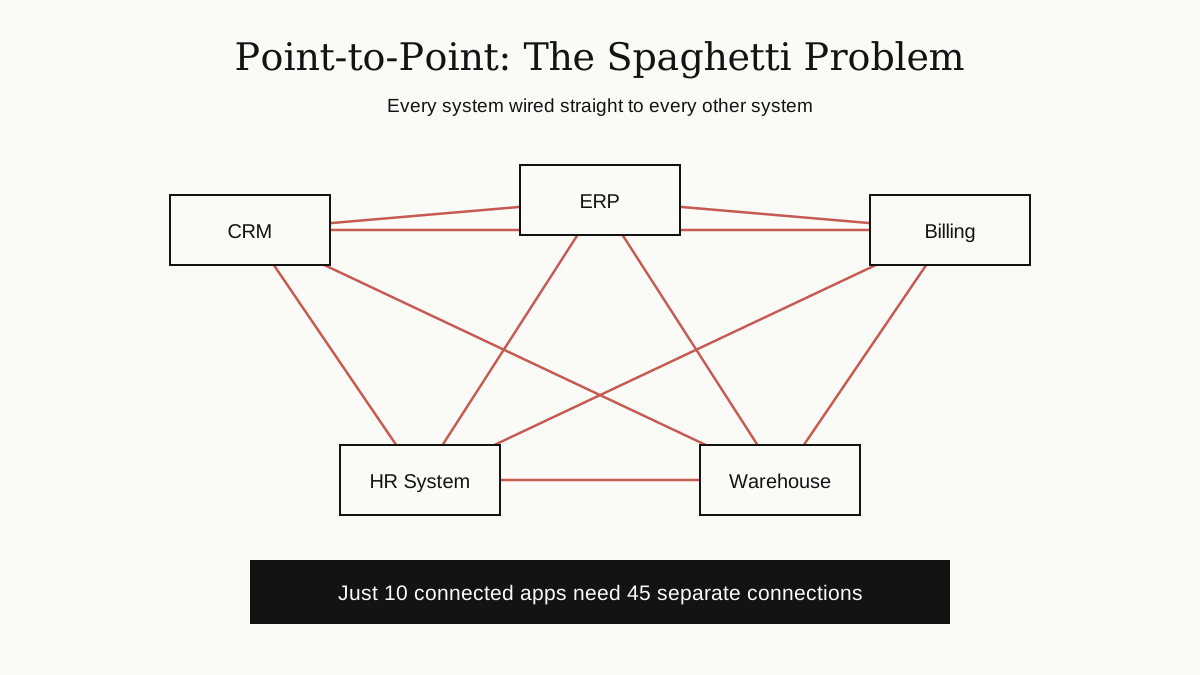
The first fix most companies try is the obvious one: wire each system straight to the ones it needs to talk to. This is called point-to-point integration, and for two or three systems it works fine.
The trouble is growth. Every new system needs a new wire to each existing system it talks to. Ten systems that all talk to each other need 45 separate connections. Twenty systems need 190. Each connection is custom code, built by someone, in some format, and every one of them can break when either side changes.
As Wikipedia’s overview of enterprise application integration puts it, systems that cannot communicate are often called islands of automation or information silos, and point-to-point wiring added without a plan grows into a tangled structure nicknamed spaghetti integration.
Spaghetti has three painful traits. It is hard to change, because one small upgrade can break many wires at once. It is hard to watch, because nobody can see the whole picture. And it is expensive to grow, because every new application means many new connections instead of one.
Enterprise application integration, done properly, is the set of patterns invented to escape this tangle.
The Main Patterns of Enterprise Application Integration
Over the years, architects settled on a handful of patterns that solve the spaghetti problem. The classic book Enterprise Integration Patterns, by Gregor Hohpe and Bobby Woolf, described 65 of them, and the full pattern catalog is still free to read online. Here are the ones that matter most.
Hub-and-Spoke: One Center for Everything
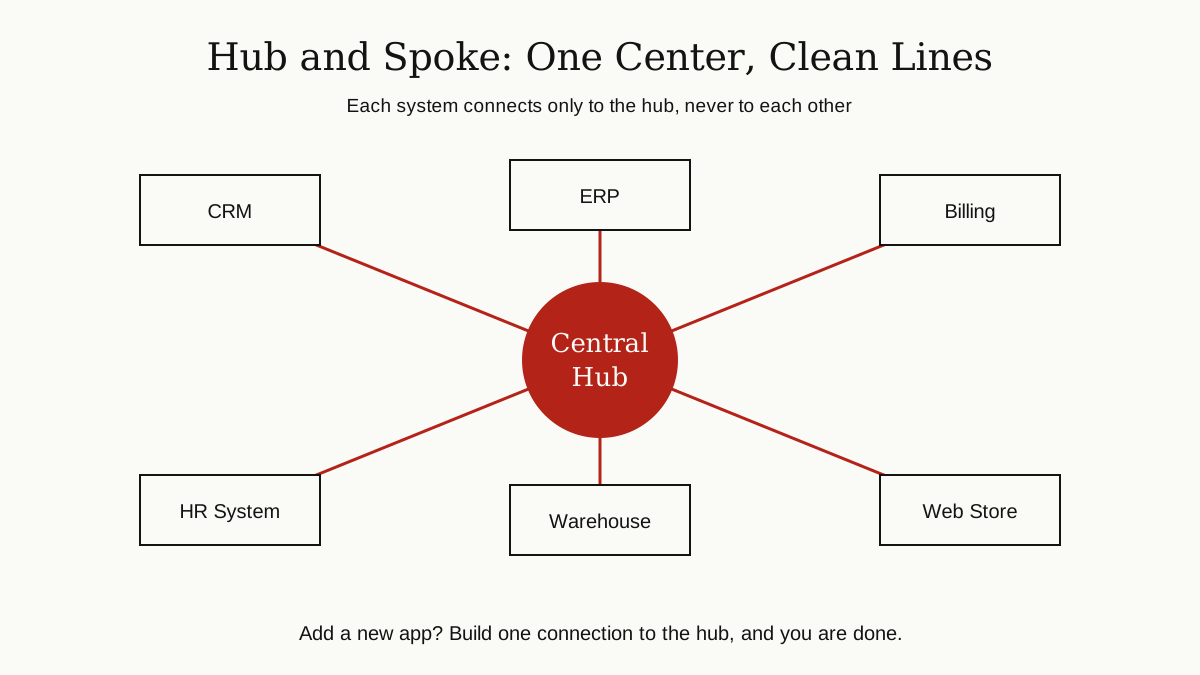
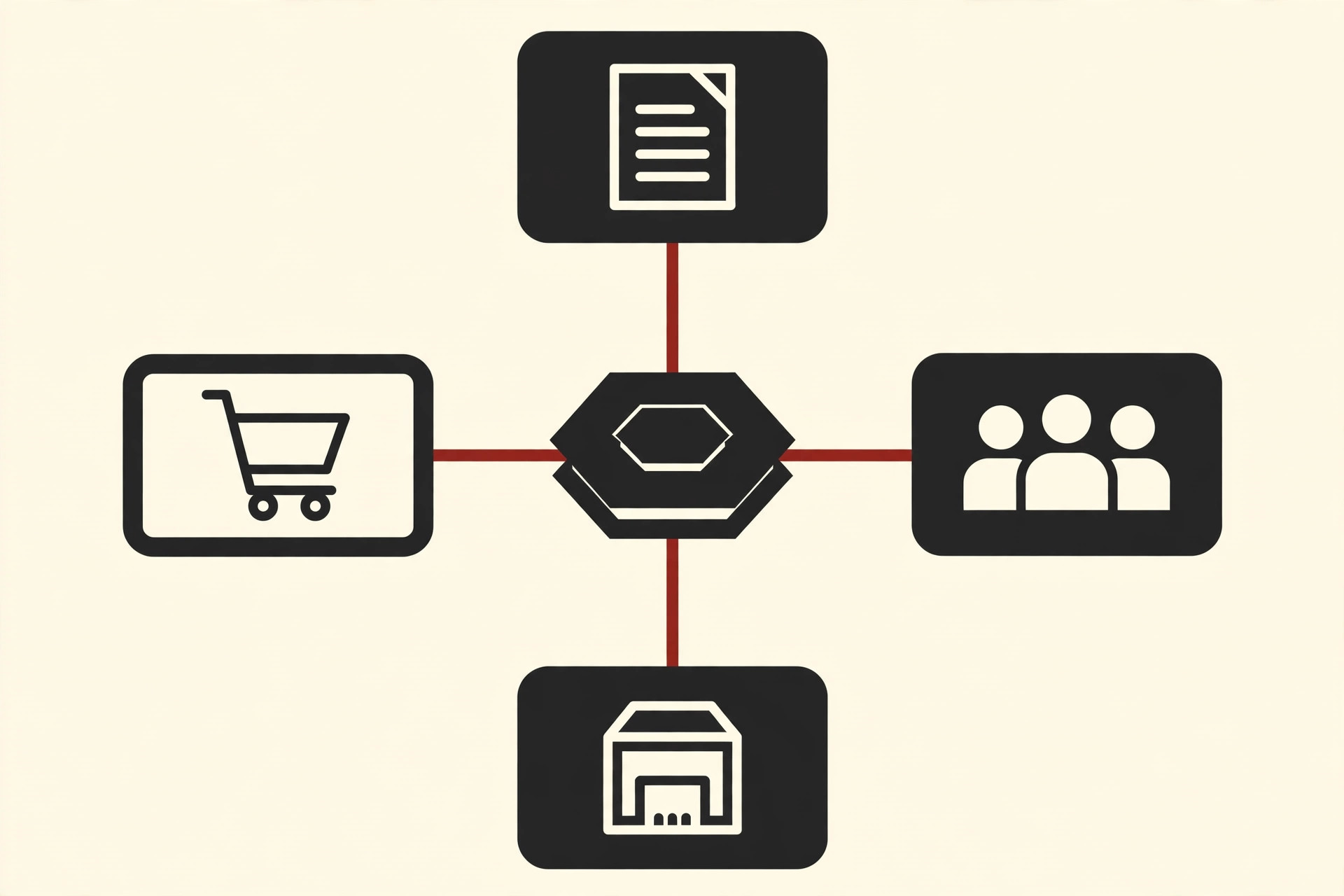
In the hub-and-spoke pattern, no system talks to another system directly. Every system connects once, to a central hub. The hub receives each message, works out where it should go, converts it into the format the receiving system expects, and delivers it.
The picture is like a bicycle wheel, or an airport where all flights pass through one hub city. Adding a new system now means building a single connection instead of many. The honest weakness is the flip side of the strength: if the hub fails, everything stops, so the hub itself must be strong and well watched.
The Enterprise Service Bus
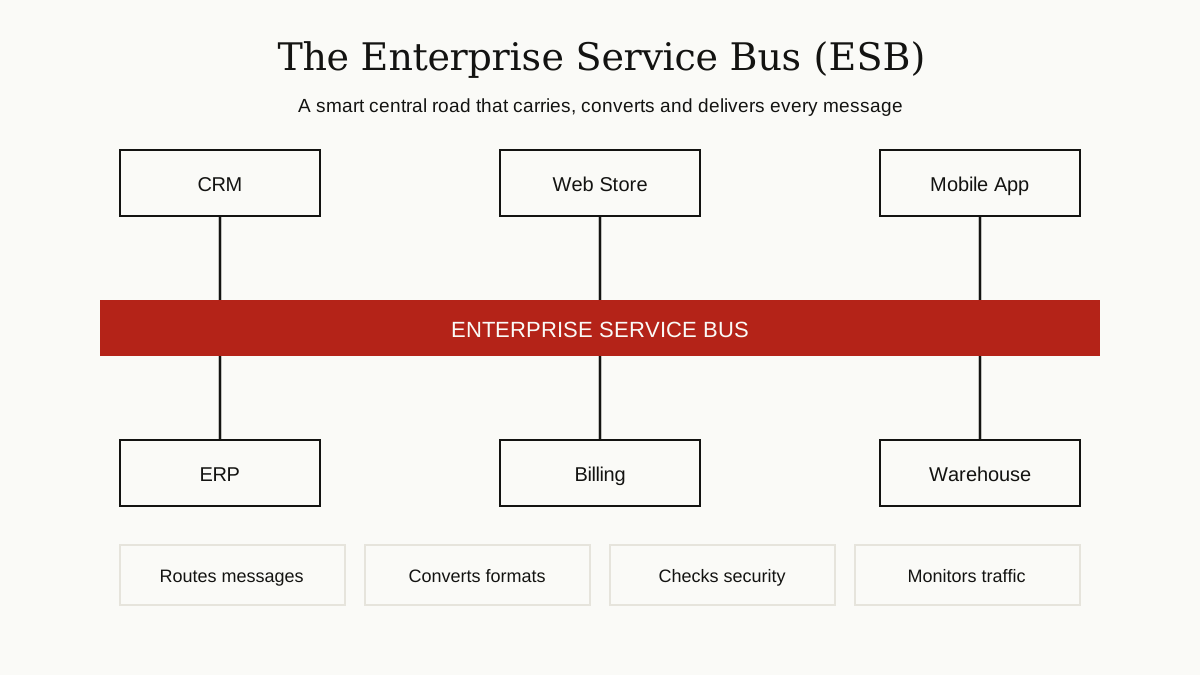
An enterprise service bus, or ESB, is the hub idea grown up into a full product. Along with routing messages, an ESB typically converts data formats, checks who is allowed to send and receive, logs traffic for monitoring, and handles errors when a message cannot be delivered.
In the 2000s, the ESB became the backbone of many service oriented architecture projects, where companies rebuilt their systems as reusable services plugged into the bus. Modern tools do the same job with lighter technology, but the idea is unchanged: one smart central road instead of a maze of private driveways.
Message Brokers and Queues
Not every message needs an instant answer. A message broker is software that accepts messages, holds them safely in a waiting line called a queue, and hands them over when the receiving system is ready.
This matters more than it sounds. If the billing system is down for maintenance at midnight, orders do not get lost. They wait in the queue, and billing picks them up when it wakes up. Systems that send messages also do not need to know exactly who will read them, which keeps everything loosely connected and easier to change.
The Canonical Data Model: One Shared Language
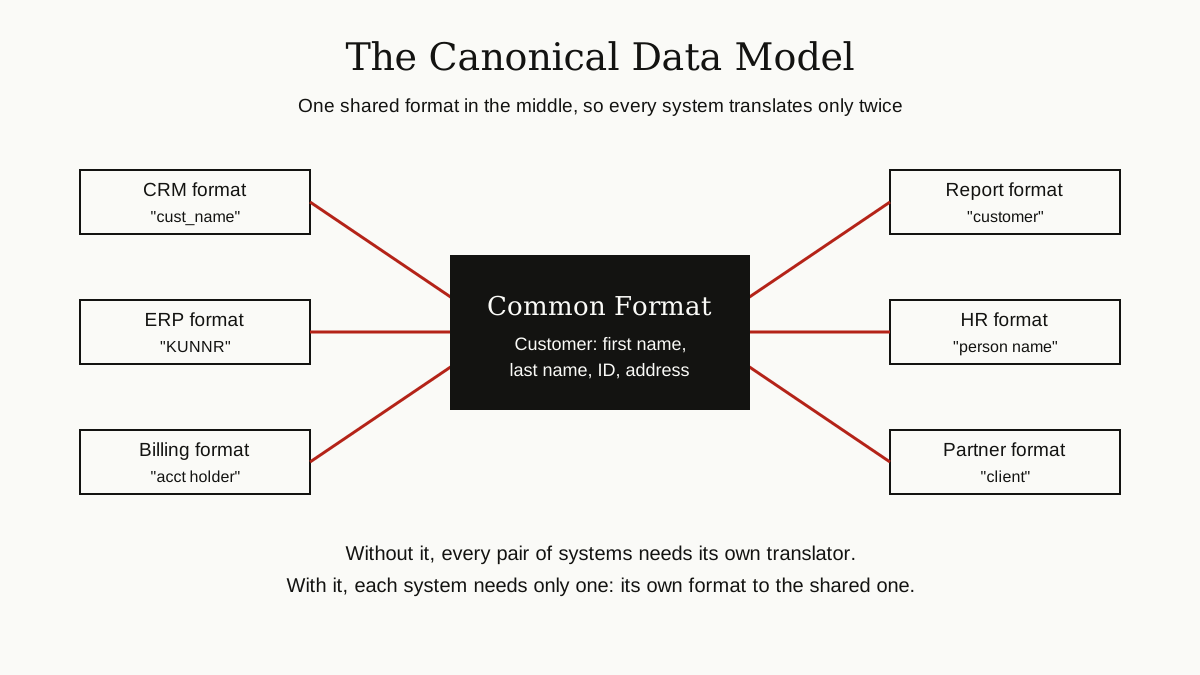
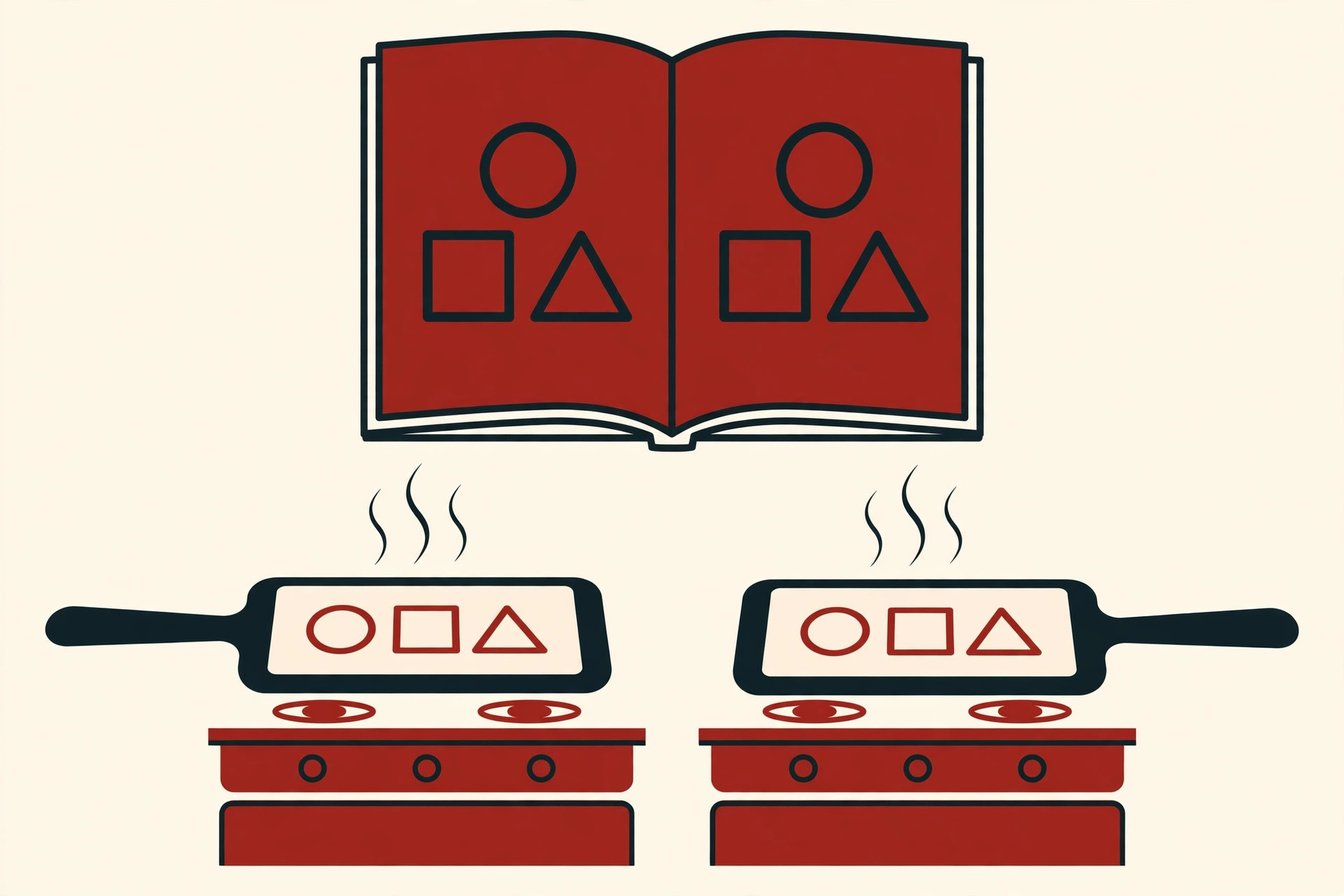
Half the integration problem is translation. One system calls it a customer, another calls it a client, a third stores the name in a single field instead of two. If every system translates directly into every other system’s language, the translators multiply just like the spaghetti wires did.
The canonical data model fixes this with one agreed company-wide format for key business objects like customer, order and invoice. Each system then needs only two translations: from its own format into the shared one, and back. In practice, agreeing on that shared format takes meetings and patience, because departments often disagree about what a customer or an order really means. The technology is the easy part.
EAI Technologies at a Glance
The patterns above are ideas. These are the kinds of tools that carry them out in real projects:
- Adapters and connectors: small translators that know how to plug into one specific application, so the rest of the integration layer never has to learn its quirks.
- Message oriented middleware: the broker and queue software that moves messages between systems reliably.
- ESB products: full platforms that combine the hub, routing, conversion and monitoring in one package.
- APIs and API gateways: the modern doors into systems, plus a checkpoint that manages who may use them.
- Integration platforms: the cloud services that bundle connectors, mapping tools and monitoring, covered in the next section.
Well-known platform names you will hear in this space include MuleSoft, Boomi and IBM App Connect. They differ in style and strength, but all of them sell the same basic promise: connect your systems without hand-building every wire yourself.
The Modern Shift: APIs and Cloud iPaaS
Two things changed enterprise application integration in the last decade. First, applications moved to the cloud. A company’s CRM, email and HR tools now often run on the vendor’s computers, not in the company’s own data center, and they usually offer clean APIs to connect with.
Second, integration itself moved to the cloud. An iPaaS, short for integration platform as a service, is an integration platform hosted by a vendor. Instead of installing and nursing your own ESB servers, you log in, pick from a library of prebuilt connectors for popular apps, map your data with visual tools, and let the vendor run the machinery.
A popular style on these platforms is API-led integration, which organizes APIs in three layers:
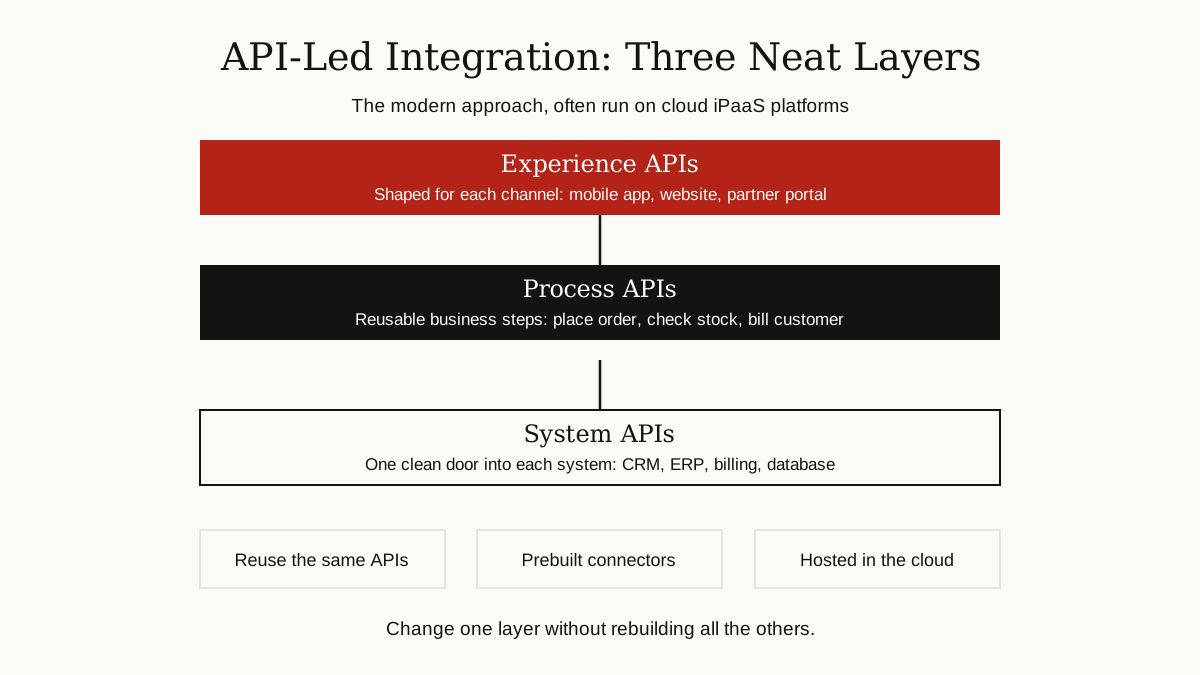
- System APIs sit directly on top of each core system, one clean door per system.
- Process APIs combine those doors into reusable business steps, like checking stock and placing an order.
- Experience APIs reshape the results for each audience, like a mobile app, a website or a partner company.
Good API design principles matter a lot here, because a badly designed API makes every layer above it harder. The payoff of the layered style is reuse: the same order process API can serve the website today and a new mobile app next year, with no new wiring underneath.
In real life, most large companies now run a mix. Classic on-premises EAI still carries the oldest and most sensitive systems, while iPaaS handles the growing crowd of cloud apps.
The Benefits, When It Is Done Well

When enterprise application integration works, the gains are easy to feel:
- Less manual work. Nobody retypes orders, addresses or invoices between systems.
- Fewer errors. Data entered once stays consistent everywhere, instead of drifting apart in five copies.
- Faster processes. An order can trigger stock checks, billing and shipping in minutes, not days.
- A clearer picture. With systems sharing data, reports can finally show the whole business, not one department at a time.
- Freedom to change. Replacing one application hurts less, because only its connection to the hub changes, not everyone else’s.
That last point is easy to underestimate. Integration done well turns a company’s software from a frozen block into something that can evolve one piece at a time.
The Honest Challenges
It would be wrong to end on the sales pitch. Enterprise application integration is genuinely hard, and experienced teams will warn you about the same problems.
It costs real money and time. Platforms charge license or subscription fees, and skilled integration specialists are not cheap or easy to hire. A serious EAI program is a long project, not a weekend fix.
Legacy systems fight back. Some old applications have no API at all, poor documentation, and data formats nobody designed on purpose. Connecting them can mean screen scraping, file drops or other workarounds. Systems from the Internet Transaction Server era, for example, were built for a very different web, and wrapping them safely takes care.
The hub can become a bottleneck. A badly run central platform slows every project down, because every change queues up with one busy team. Good governance matters as much as good software.
Data disagreements are political, not technical. Agreeing on one definition of a customer sounds simple until sales, finance and support all defend their own version. Many integration projects stall on meetings, not on code.
Security needs constant care. An integration layer touches almost everything, which makes it a valuable target. Access rules, encryption and monitoring are not optional extras.
Wrapping Up
Enterprise application integration is the unglamorous work that makes a company’s software act like one system instead of a drawer full of separate tools. It started with point-to-point wires that tangled into spaghetti, matured into hubs, enterprise service buses, message queues and shared data models, and today increasingly runs on cloud iPaaS platforms with layered APIs.
The tools keep changing. The core lesson does not: connect each system once, translate into a shared language, and keep the center strong and well governed. Companies that do this can change their software piece by piece. Companies that skip it pay for the tangle every single day.
For more guides like this one, browse the software development category.