So you got the email. Amazon has invited you to join Vine, its reviewer program, and now you are staring at a login screen wondering what happens next. Or maybe the opposite happened: you signed in, and the Vine pages simply are not there.
Either way, this guide has you covered. Below you will find what Amazon Vine actually is, how the amazon vine login works step by step, what you see once you are in, and how to fix the problems that trip up almost every new member. We will also cover how invitations really work, and the scams that target people who want one. No jargon, no guesswork, just the steps and the fixes in plain English.
What Is Amazon Vine?
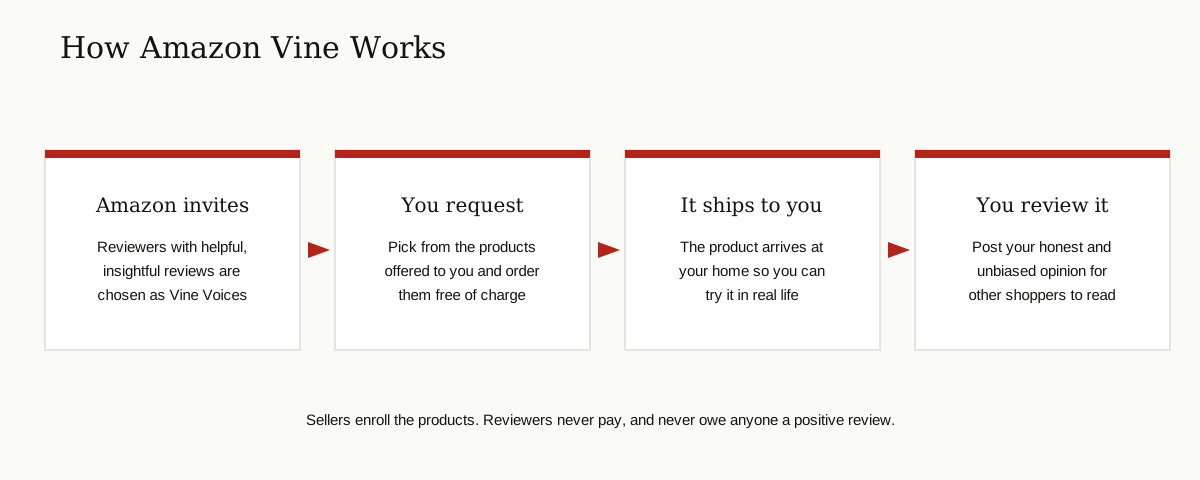
Amazon Vine is a program Amazon runs to collect honest reviews for new products. It launched in 2007. Companies enroll their products in Vine, and Amazon offers those products, free of charge, to a group of reviewers it has personally invited. Those reviewers are called Vine Voices.
Amazon describes them on its official Vine page as trusted reviewers invited to take part, selected based on the insightfulness of the reviews they have published in the Amazon store. In plain words: people who already write reviews that genuinely help shoppers are the ones who get picked.
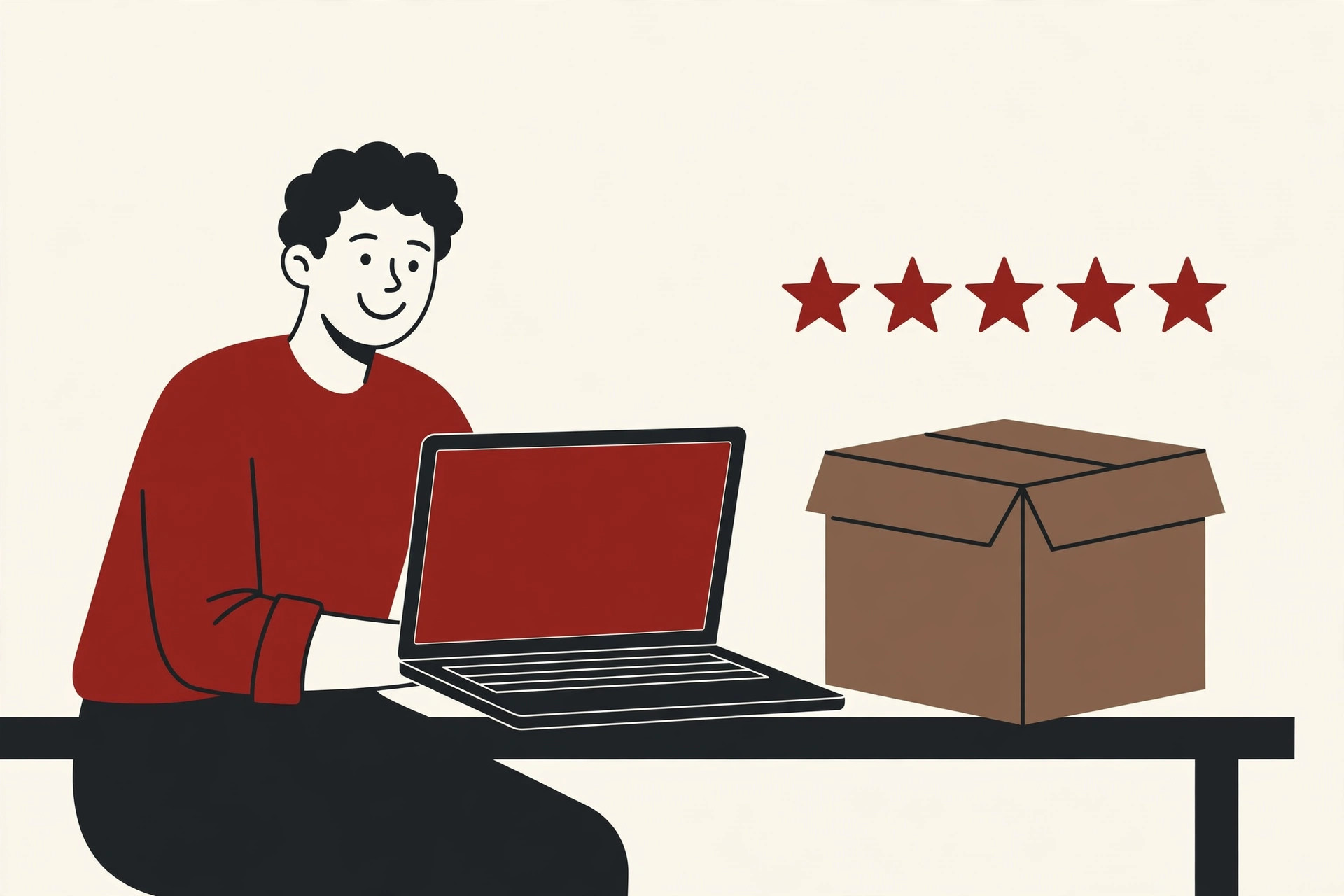
A Voice picks a product, Amazon ships it, and the Voice tries it at home and posts a review. The review is honest and unbiased, which means it can be glowing, mixed or flat out negative. Sellers cannot choose who reviews their products, and they cannot pay for praise. That honesty is the whole point of the program, and it is why brands treat Vine as a serious part of a product launch, right alongside innovative marketing campaigns and other launch work.
You have probably seen the results while shopping. Vine reviews are clearly labeled on the product page, so any shopper can see that the reviewer received the product free through the program.
One thing confuses many people at the start: Vine has two doors. Reviewers walk through the normal Amazon website. Sellers walk through Seller Central, where Vine sits under the Advertising menu. This guide is about the reviewer door, the amazon vine login that invited members use.
What You Need Before You Log In
Vine does not give you a new account, a member number or a special password. The login uses the Amazon account you already have. Before you start, make sure you have three things ready:
- The email address that received the invitation. The invite is tied to that account, and no other account can use it.
- The password for that Amazon account. If you have forgotten it, reset it on Amazon first, before you touch the Vine page.
- Your phone, if your account uses two-step verification. Amazon may text or show you a code to prove the sign in is really you.
If the invitation email went to an address you rarely check, that is still the account you must use. There is no way to move an invitation from one account to another.
Amazon Vine Login: Step by Step
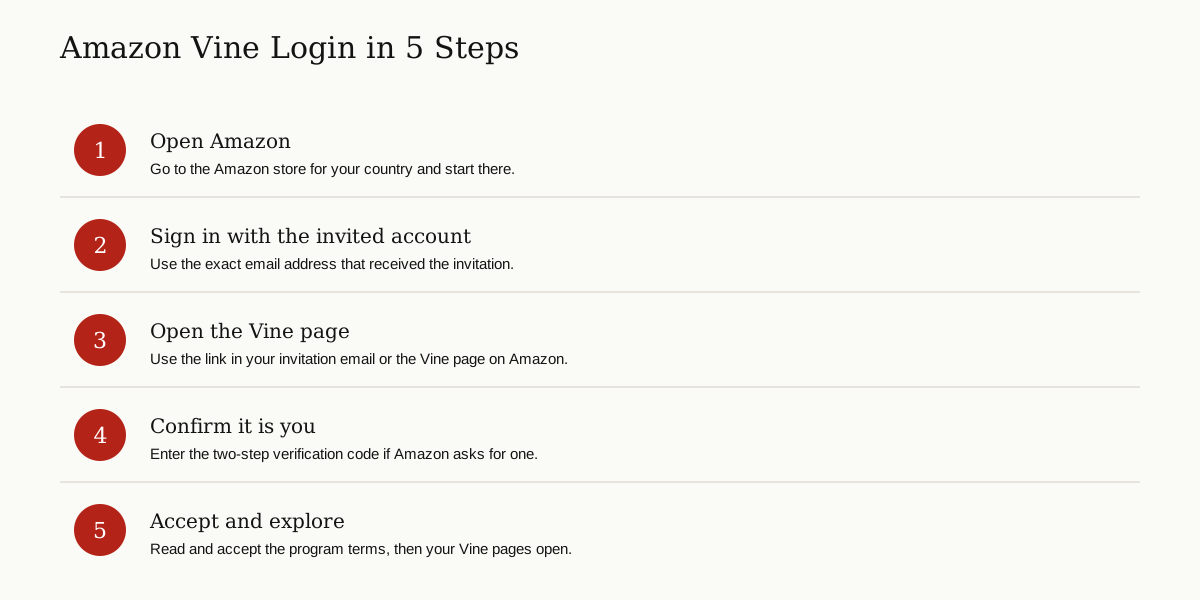
The whole sign in takes about a minute when everything goes right. Follow these steps in order.
- Open Amazon. Go to the Amazon store for your country in your browser, or open the Amazon app. Vine runs on several country stores, including the United States, Canada, the United Kingdom, France, Germany, Italy, Spain, Australia and Japan.
- Sign in. Use the email and password of the account that received the invitation. This is the step people get wrong most often, because many of us have more than one Amazon account.
- Open the Vine page. Click the link in your invitation email, or go to the Vine page on Amazon while you are signed in. The page checks your account as it loads.
- Enter your verification code. If Amazon asks for a two-step verification code, type it in. This is normal, and it protects your account.
- Accept the terms and look around. On your first visit, Amazon shows you the program terms. Read them, accept them, and your Vine pages open.
That is it. There is no separate registration form hiding somewhere, and no second password to remember. If the Vine pages do not open after step 5, skip down to the problems section below, because the cause is almost always one of five simple things.
What You See After You Log In
Once you are in, the Vine area of Amazon is built around three simple jobs.
First, there is the catalog of products offered to you. Brands enroll products, and Amazon shows each Voice a selection to browse. You scroll through, pick what you actually want to test, and request it. The product ships to your normal Amazon delivery address, free of charge.
Second, there is the list of your Vine orders. This is where you keep track of what is on its way and what has already arrived at your door. Everything runs through the same Amazon account you shop with, so if your delivery address changes, update it in your normal account settings, or your free products will go to the wrong door.
Third, there is your review work. Products you received wait here until you post your review of them. Your job is simple: use the item properly, then write what you honestly think, good or bad. Shoppers reading your review can see it came through Vine, which is exactly why the program carries weight.
Take ten quiet minutes on your first day to click through everything before you request your first product. Knowing where your orders and pending reviews live will save you confusion later.
Amazon Vine Login Problems and Fixes
Most login trouble comes down to a handful of causes. Work through these before you assume something is broken. None of them need expert help, and most take under five minutes to sort out.
You are signed in with the wrong account
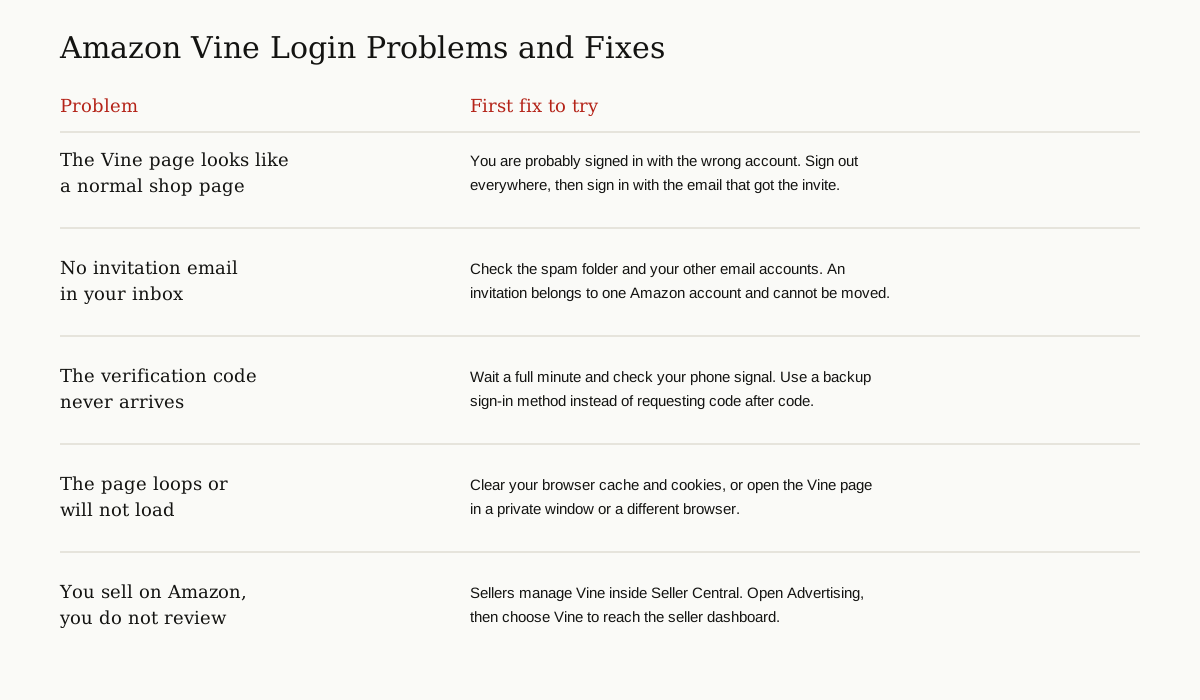
By far the most common problem. You open the Vine page and it looks like an ordinary Amazon page, or it tells you nothing special at all. That usually means the browser is signed in to a different Amazon account than the one Amazon invited. This happens a lot in shared homes and on work computers. Sign out of Amazon completely, then sign back in with the invited email address, and open the Vine page again.
The invitation went to a different email
Invitations live in inboxes. Check the spam and promotions folders, and think about which email you used for Amazon years ago, because older accounts are easy to forget. Remember that the invitation belongs to the account, not to you personally. A family member cannot hand you theirs, and Amazon support cannot move one across.
Two-step verification will not let you in
Codes can arrive late, or not at all, when your phone signal is weak. Wait a full minute before asking for a new code, because requesting several codes in a row can leave you typing an old one. If codes keep failing, sign in on the main Amazon site first and use a backup method you set up earlier, such as an authenticator app. And a rule that protects you everywhere: Amazon will never phone or message you to ask for a code. Anyone who does is a scammer, a pattern we covered in our guide to phishing attacks aimed at Gmail users.
The Vine page loops, or will not load
Old cookies and cached files can trap the page in a loop, sending you back to sign in again and again. Clear your browser cache and cookies, then try once more. Still stuck? Open the page in a private or incognito window, or try a different browser. Private windows ignore most stored data, so they are a quick way to prove whether the browser is the problem.
You are a seller looking for Vine
Finally, a mix up that wastes a lot of time: sellers do not use the reviewer login at all. If you sell on Amazon and want Vine reviews for your products, sign in to Seller Central instead, open Advertising, and choose Vine. Amazon runs the seller side from that dashboard.
How Do People Get Invited to Amazon Vine?
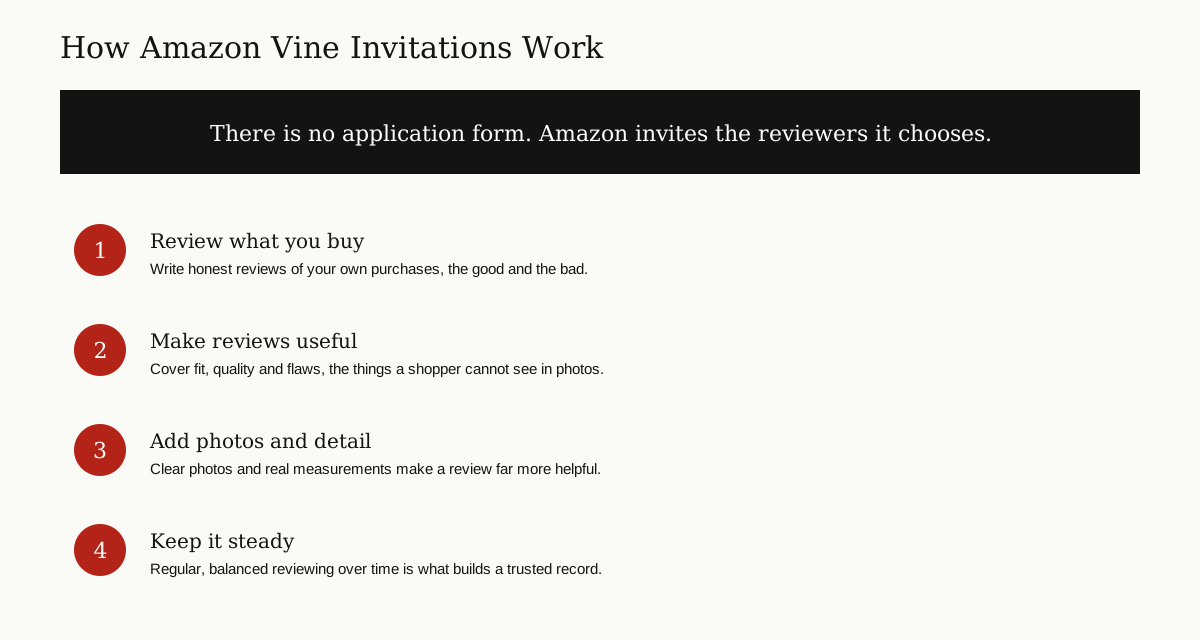
Here is the part nobody can shortcut: you cannot apply. There is no form to fill in, no waiting list to join, and no button to request an invitation. Amazon chooses its Voices itself.
The one factor Amazon states openly is the quality of the reviews you have already written. On its Vine page, Amazon says Voices are selected based on the insightfulness of the reviews they have published in the Amazon store. Amazon has also described the choice as based on the trust a reviewer has earned in the community for writing accurate and insightful reviews.
So the only honest strategy is to become the kind of reviewer Amazon looks for:
- Review the things you genuinely buy, not just the things you love.
- Say what you used the product for, how long you used it, and what surprised you.
- Mention the bad with the good. A review that warns about one real flaw helps shoppers more than pure praise.
- Add clear photos when they show size, fit or quality better than words can.
- Keep going steadily. A trusted record is built over months, not in one busy weekend.
None of this guarantees an email one day. Plenty of excellent reviewers are never invited, and Amazon does not explain individual choices. But helpful reviewing is the only road that exists, and it makes your reviews worth reading either way.
Watch Out for Amazon Vine Scams
Because invitations are rare and valuable, scammers circle this program constantly. Learn the warning signs now, while you are calm, and you will spot them in seconds later.
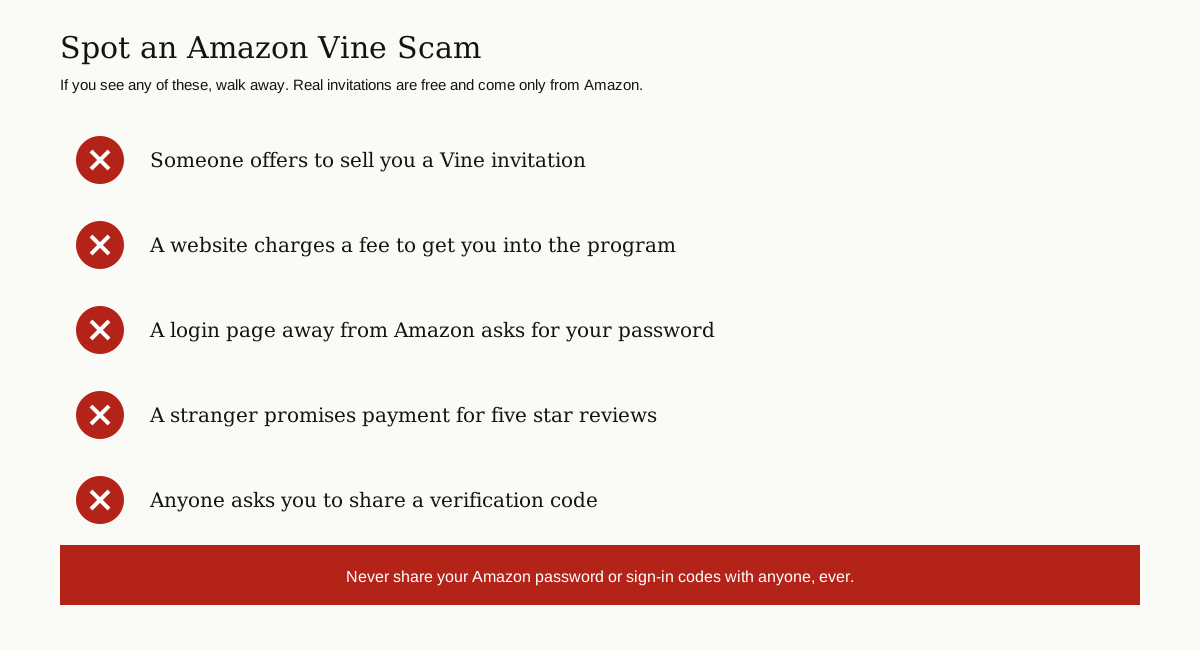
The biggest lie is the paid shortcut. Anyone who offers to sell you a Vine invitation, charge a fee to get you in, or add you to the program for money is running a scam. Invitations cannot be sold, transferred or bought, and Amazon never charges reviewers to join. The US Federal Trade Commission warns about exactly this pattern: messages that promise free products and easy money for promoting brands, which turn out to be traps for your money and personal information.
The second danger is the fake login page. Scammers copy the look of Amazon sign in pages and send links by email, text and social media. Type the address yourself, every time. Never sign in through a link in a message you did not expect.
Protect the real account too:
- Turn on two-step verification and keep backup sign in methods up to date.
- Never share your password or a verification code with anyone, for any reason.
- Be suspicious of any message that rushes you. Real invitations do not expire in an hour.
- Keep your computer and phone clean and updated, the habit we recommend in our computer virus prevention guide.
If you already typed your password into a page you now suspect, act fast. Change your Amazon password from the real Amazon site, turn on two-step verification, and check your recent orders and account settings for anything you do not recognize.
The Bottom Line
That is the whole picture. The amazon vine login is just your normal Amazon sign in, used on the Vine page with the one account Amazon invited. If the pages will not open, check the account first, then the invitation email, then your verification code, then your browser. If you are still waiting for an invitation, write reviews worth reading and let Amazon come to you. And if anyone offers to sell you a shortcut, you already know what that is.
For more plain English guides like this one, browse the tips and tricks category and explore the rest of our how-to articles.