
Few questions confuse new developers more than react vs react native. The names sound almost identical. Both come from Meta, both use JavaScript, and code written for one looks a lot like code written for the other. So are they two versions of the same tool, or two different tools entirely?
The short answer: they are close cousins, not twins. React builds websites and web apps that run in a browser. React Native builds real mobile apps that people install on iPhones and Android phones. They share the same ideas about how to build a screen, but everything the code finally touches is different.
This guide explains react vs react native in plain English: what each tool is, what they share, where they truly differ, and how to pick the right one for your project.
What Is React?
React is a JavaScript library for building user interfaces, meaning the screens and buttons people see and tap. It was created at Facebook, first used on the Facebook News Feed in 2011, and released to the public in 2013.
The big idea behind React is the component. A component is a small, reusable piece of a screen, like a like button, a photo card or a whole comment section. You build each piece once, then snap the pieces together to make full pages, the way you snap building blocks together.
React code is usually written in JSX, a syntax that lets you write markup that looks like HTML inside your JavaScript. When a React app runs, it draws your components into the DOM, short for Document Object Model. The DOM is the browser’s live map of the page, and React updates it whenever your data changes. You describe what the screen should show, and React works out which parts of the page to redraw.
One important detail: React on its own is a library, not a complete framework. It handles the interface, but it does not decide how you move between pages or load data. The official React site itself recommends pairing React with a full framework such as Next.js when you build a complete app. If the library and framework labels blur together for you, our guide to what a framework really is untangles them in plain words.

What Is React Native?
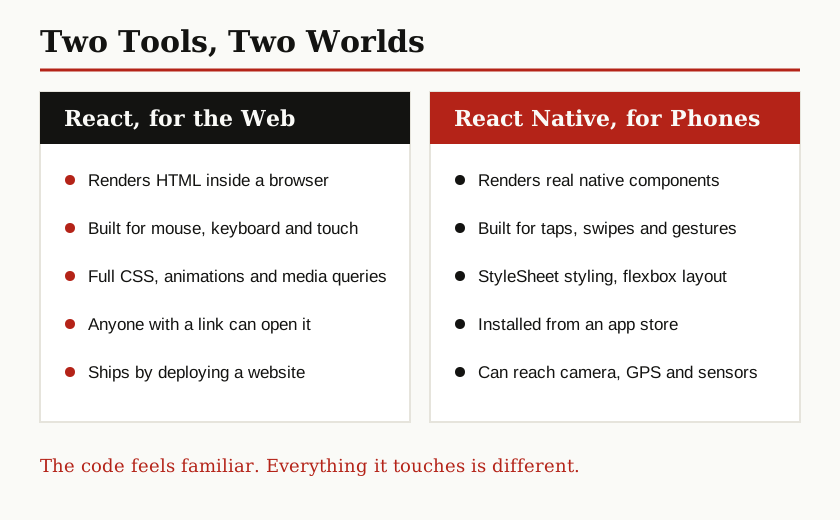
React Native arrived in 2015, built by the same company and based on the same component idea. The difference is the destination. Instead of drawing into a browser, React Native turns your components into the phone’s own native building blocks. Native here means the real interface parts provided by iOS and Android themselves, the same parts used by apps written in Apple’s and Google’s own languages.
This is the point people get wrong most often: a React Native app is not a website squeezed into an app, and it is not a web page hiding inside a browser window. As the React Native site puts it, your code is “written in JavaScript, rendered with native code.” A component called View becomes the phone’s real view, a Text component becomes the phone’s real text element, and buttons, switches and scroll areas work the same way. The app looks, feels and behaves like any other app on the phone because, at the surface, it genuinely is one.
Because React Native is a full framework for app building, it comes with a recommended way to start: the React Native team suggests using the Expo framework for new apps, which handles much of the setup for you. And React Native keeps evolving under the surface. Since version 0.76, its New Architecture is the default, replacing the old message bridge between JavaScript and native code with a faster direct connection. We will come back to why that matters in the performance section below.

What React and React Native Share
If you learn one of these tools, you have honestly learned most of the other. Here is what carries over:
- Components. Both build screens from small reusable pieces with inputs called props.
- JSX. Both let you describe a screen with markup written inside JavaScript.
- Hooks. Both use the same hooks, such as useState for remembering values and useEffect for running side jobs like loading data.
- State thinking. In both, you keep the data in one place, change the data, and let the screen update itself to match.
- JavaScript and TypeScript. Both are written in the same languages, with the same everyday skills.
The React team sums up the philosophy as “learn once, write anywhere.” Learn the React way of thinking once, and you can write for the web, for iOS and for Android. Notice the wording carefully: write anywhere, not write once and run anywhere. The thinking travels. The screen code, as you are about to see, mostly does not.

The Key Differences
Here is where react vs react native stops being a family resemblance and becomes two different jobs.
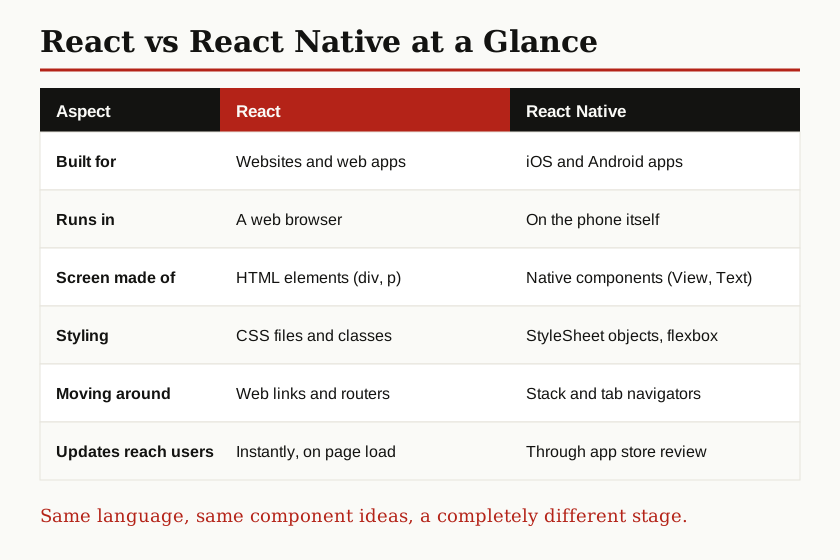
| Aspect | React (Web) | React Native (Mobile) |
|---|---|---|
| Built for | Websites and web apps | iOS and Android apps |
| Runs in | A web browser | On the phone itself |
| Screen is built from | HTML elements like div and p | Native components like View and Text |
| Styling | CSS files, classes and media queries | StyleSheet objects written in JavaScript |
| Layout default | Flexbox lines items up side by side | Flexbox stacks items top to bottom |
| Moving between screens | URLs, links and a router | Stack and tab navigators, no address bar |
| User input | Clicks, keys and hover | Taps, swipes and gestures |
| How users get it | Open a link, nothing to install | Download from an app store |
| Updates | Live the moment you deploy | Sent to the app store for review first |
| Device features | Limited to what browsers allow | Camera, GPS, contacts, sensors and more |
Rendering is the deepest difference. React draws HTML into a browser page. React Native asks the phone to draw its own native parts. That single fact explains almost every other row in the table.
Styling feels similar but is not the same. React uses real CSS, with stylesheets, classes and powerful extras like media queries and hover effects. React Native uses a tool called StyleSheet, where styles are written as JavaScript objects with names that look like CSS, such as backgroundColor instead of background-color. It uses flexbox for layout, which is a system for arranging items in rows and columns, but with different defaults: on the web items line up in a row first, while in React Native they stack in a column first. There is no hover on a phone screen, because there is no mouse pointer floating over it.
Navigation also works differently. A website has addresses, so moving around means links and a back button, usually handled by a router library. A phone app has no address bar. Screens are stacked on top of each other like a deck of cards, or switched through tabs at the bottom, and React Native developers add a navigation library to manage that stack.
Shipping may be the difference your users feel most. A React website update goes live for everyone the moment you deploy it. A React Native update normally goes through app store review and then waits for users to install it, although many teams also send smaller fixes directly to phones with over the air updates, which means delivering an update inside the app instead of through the store.
Performance: What to Honestly Expect
People love asking which one is faster, but that question has no honest single answer, and you should be suspicious of any page that gives you one magic number.
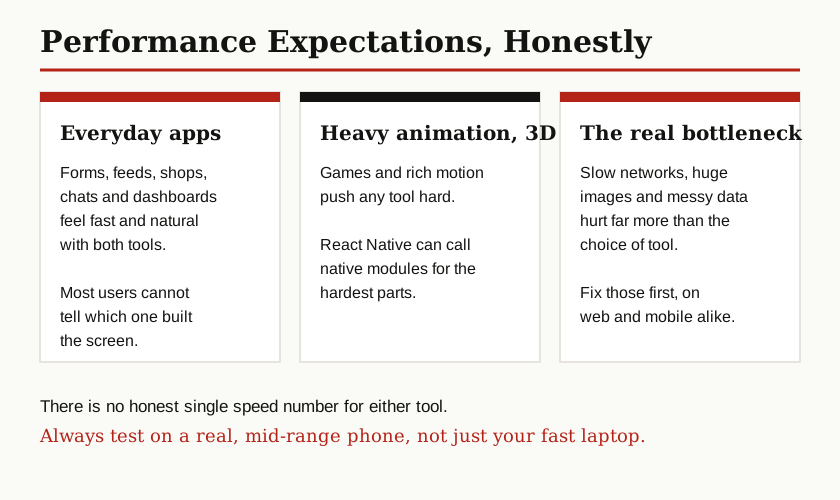
For everyday apps, both feel fast. A React website is as quick as the browser and your network connection allow. A React Native app draws with real native components, so scrolling, tapping and switching screens feel like any other app on the phone, because the visible parts are the phone’s own.
The one real weakness React Native used to have was the bridge, the old system that passed messages back and forth between your JavaScript and the native side. Under heavy loads, like long lists updating very fast, those messages could pile up. The New Architecture fixes this with a direct connection called JSI, which lets JavaScript call native code without the old message queue. That is a genuine improvement, and it is now the default.
Where do limits still show? Games and heavy 3D graphics push any JavaScript tool hard, and fully native code stays the safest choice there. React Native can still call small pieces of hand written native code for the hardest parts, which is a fair compromise. On the web side, React performance is mostly about how much JavaScript you ship and how fast your server answers. In short, react native vs react performance is rarely decided by the tool. It is decided by your images, your network calls and how carefully you build.
Can You Share Code Between Them?
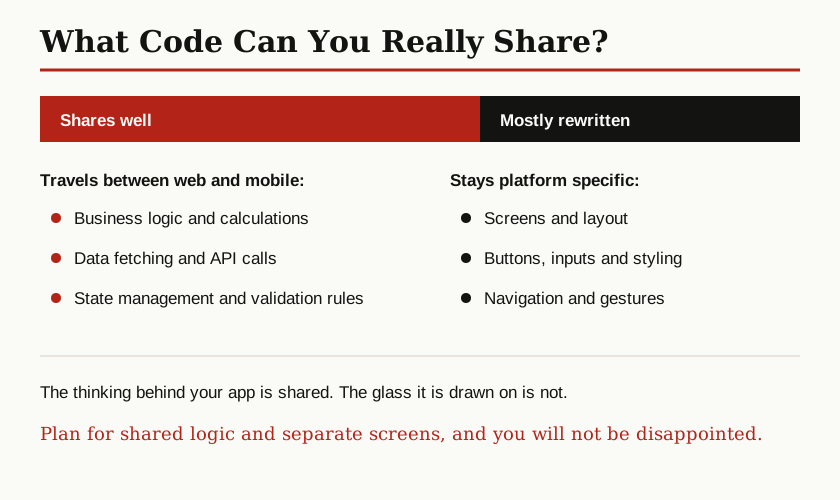
Partly, and the split is predictable. The logic shares well: the code that fetches data from your server, checks form input, formats prices and dates, or holds your app state can usually live in one shared place and serve both your website and your app. Plain JavaScript libraries for these jobs work in both worlds.
The screens mostly do not share. A browser understands div elements and CSS; a phone understands View components and StyleSheet. Buttons, layouts, styling and navigation are written twice, once per platform. Organizing the shared part well matters a lot here, and structured approaches like feature-sliced design exist exactly to keep shared features tidy instead of tangled.
One honest extra: a project called React Native Web lets some teams run React Native components in a browser too, flipping the usual direction. It works well for some products, but it is a specialist choice with its own trade-offs, not a magic button that merges the two tools.
When to Pick React, and When to Pick React Native
Start with one question: where will people use this, in a browser or as an installed app?
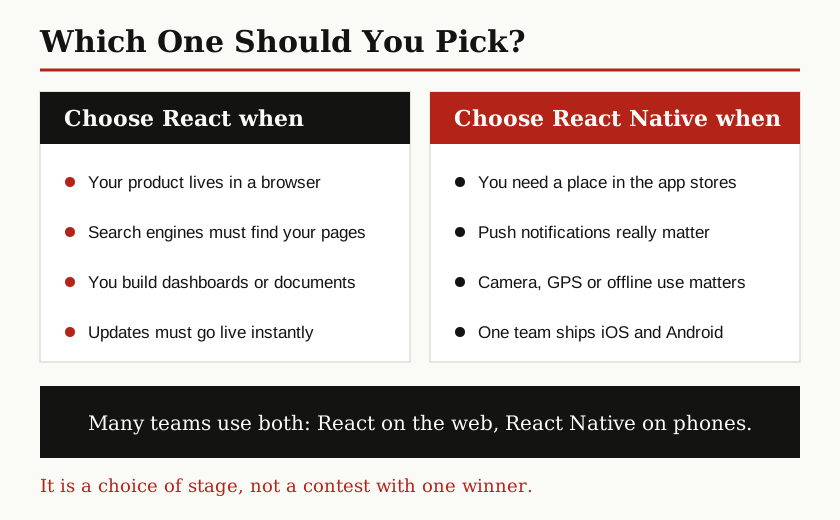
Pick React when:
- Your product lives on the web: a site, a dashboard, a shop or a tool people open with a link.
- Search engines need to find and rank your pages.
- Readers and rich documents are central, like blogs, news and reports.
- You want updates to reach everyone instantly, with no app store in between.
Pick React Native when:
- You need a real app in the Apple App Store and Google Play.
- Push notifications, the camera, location or offline use are core features.
- One small team must ship iOS and Android together instead of building the app twice.
- Your team already knows React and wants to reuse that skill on mobile.
That last point is why React Native sits at the center of cross platform mobile programming: it is one of the main ways to build for both phone platforms from a shared base, alongside tools like Flutter and Kotlin Multiplatform.
And here is the ending nobody expects from a versus article: many teams use both. It is completely normal for a company to run its website on React and its mobile apps on React Native, sharing the logic, the design ideas and the same developers between them. Meta itself uses React across its web products and React Native inside its mobile apps, and the New Architecture now powers production apps at Meta.
The Bottom Line
React vs react native is not a fight with one winner. React is the library for the web: components rendered as HTML in a browser, styled with CSS, reached through a link. React Native is its mobile sibling: the same components, JSX and hooks, rendered as real native parts on a phone, styled with StyleSheet, installed from an app store.
Learn one and you understand the other’s thinking. Choose by where your users are, share the logic between them when you build both, and the two tools stop being rivals and start being a team. For more guides like this one, browse our software development category.